This site uses cookies to enhance your user experience. By clicking any link on this site you are giving your consent to our cookie policy. Read more
Reject
Accept All

Advertiser and Editorial Disclosures

invideo AI: Video Generator

invideo AI: Video Generator

verified

invideo INC

4.6
Rating
/ Downloads
2.3.3 Version
Advertisement
  • category

    Category: Video Playback

  • price

    Price: 0

  • age rating

    Age Rating: Teen•Diverse Content: Discretion Advised

  • rating

    Rating: 4.6

  • available on

    Available on: /

  • updated on

    Updated on: Jun 26, 2026

Screenshot 1
Screenshot 2
Screenshot 3
Screenshot 4
Screenshot 5
Screenshot 6
Screenshot 7
Screenshot 8
Advertisement

Features & Highlights

AI-Powered Editing

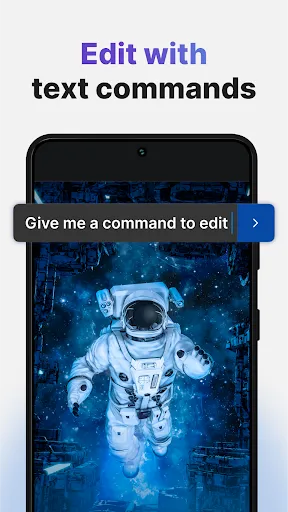
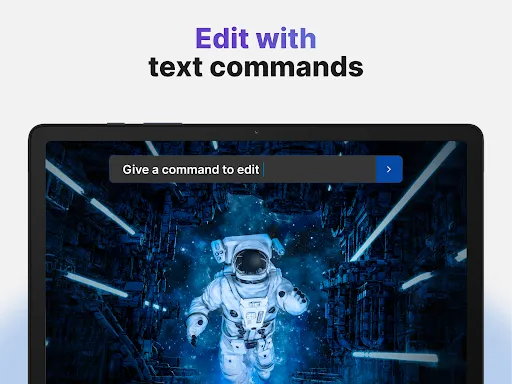
InVideo AI simplifies video editing with its advanced AI technology, allowing users to transform raw footage into polished content effortlessly. The tool recommends edits, transitions, and effects tailored to your project's theme, making the editing process not only faster but also more intuitive, even for beginners.

Collaborative Tools

Collaboration is a breeze with InVideo AI, which offers seamless sharing and editing options for teams. Multiple users can work on a project simultaneously, allowing for real-time feedback and revisions, ensuring that everyone is on the same page and that your final product meets everyone's expectations.

Template Library

With an extensive library of customizable templates, InVideo AI provides users with a wide array of styles and formats suitable for different types of videos. Whether you're creating promotional content, social media posts, or educational tutorials, you can easily find a template that suits your needs and brand aesthetic.

Text-to-Video Conversion

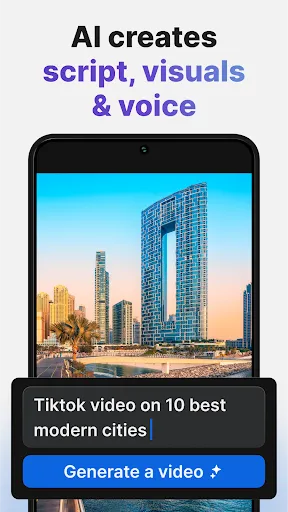
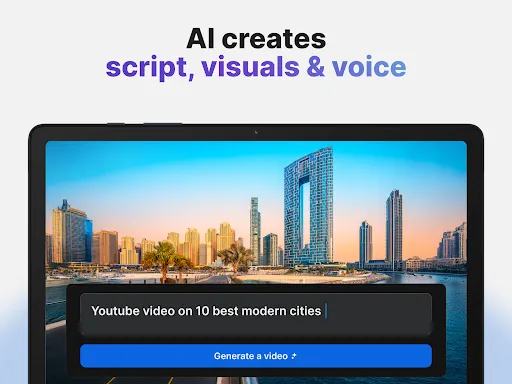
InVideo AI's text-to-video feature allows users to generate engaging videos directly from text scripts. By simply inputting your written content, the tool automatically creates a visually appealing video, complete with relevant images, animations, and soundtracks, saving you time and effort in content creation.

Advertisement

Pros & Cons

Pros
  • Create professional-quality videos in minutes without any prior video editing experience.
  • Automate video production with AI, saving time and enhancing productivity.
  • Access a wide range of customizable templates to suit various themes and styles.
  • Easily integrate images, music, and text to create engaging content.
  • Collaborate seamlessly with teams for efficient project management and feedback.
Cons
  • Limited customization options may hinder unique video creation.
  • Quality may not match professionally produced content.
  • Reliance on templates can lead to generic results.

Real Experience Using invideo AI: Video Generator

Real Experience Application Scenarios

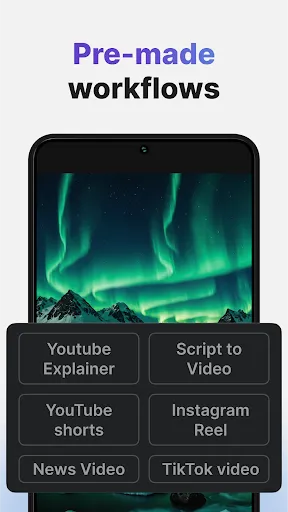
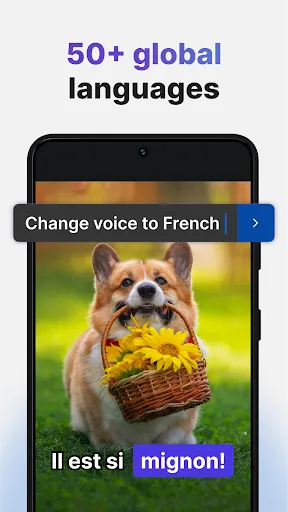
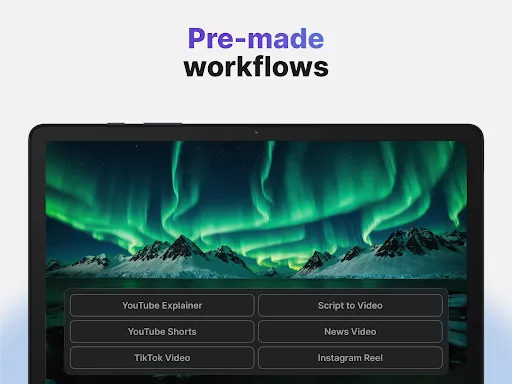
Invideo AI: Video Generator is a versatile tool that caters to a wide range of video creation needs. Whether you're a marketer looking to produce engaging promotional content, a content creator aiming to enhance your social media presence, or an educator seeking to make informative tutorials, this app has you covered. Its templates are adaptable for various platforms, including YouTube, Instagram, and Facebook, allowing users to create videos tailored to specific audiences. The app's ability to convert text to video is particularly beneficial for bloggers and writers who want to turn articles into visual stories, making it easier to reach a broader audience. Furthermore, Invideo AI is also ideal for businesses wanting to create training videos or internal communications, making it a one-stop solution for diverse video production needs.

User Experience

The user experience of Invideo AI is generally smooth and intuitive. The interface is designed with user-friendliness in mind, enabling even those without prior video editing experience to navigate the app with ease. Users appreciate the drag-and-drop functionality, which simplifies the video creation process. The extensive library of pre-designed templates and stock footage allows for quick and creative project launches. Furthermore, the AI-driven features help users by suggesting edits and enhancements based on the content, saving time and effort. However, some users have noted that while the app is powerful, it can occasionally lag when exporting high-resolution videos. Overall, the positive feedback on the app's usability and efficiency significantly outweighs the minor technical issues.

Pricing

Invideo AI offers a range of pricing plans to accommodate different user needs. The free version provides access to basic features, allowing users to explore the app's capabilities without any financial commitment. For more advanced tools and premium content, the subscription plans are reasonably priced. The monthly subscription is ideal for those who need flexibility, while the annual plan offers a discounted rate for long-term users. Many find the pricing structure appealing, especially considering the vast array of features available, making it accessible for freelancers, small businesses, and larger enterprises alike.

Updates & Support

Regular updates are a hallmark of Invideo AI, with the development team continually enhancing features and expanding the template library. Users can expect new functionalities that keep pace with the evolving demands of video marketing and content creation. The support system is commendable as well; users can access a comprehensive knowledge base, tutorials, and FAQs to troubleshoot common issues. Additionally, customer support is responsive and available through various channels, ensuring that users receive timely assistance. Overall, the commitment to user satisfaction is evident in both the app’s updates and the support it provides, fostering a positive long-term relationship with its user community.

verified Security & Privacy Review

Security & Privacy Review Invideo AI: Video Generator takes user security and privacy seriously, implementing robust measures to protect personal data. The app employs encryption protocols to safeguard data both in transit and at rest, ensuring that sensitive information remains confidential. In terms of permissions, the app requires access to certain device features, such as storage and camera, to enhance user experience. However, it clearly outlines these permissions during the installation process, allowing users to make informed decisions about their data sharing. Furthermore, Invideo AI adheres to strict privacy practices, regularly updating its policies to comply with global standards. User data is collected only for functionality improvement and personalization, and it is never sold to third parties without explicit consent. Users have the ability to manage their data preferences directly within the app, promoting transparency and control. Overall, Invideo AI: Video Generator demonstrates a commitment to maintaining the highest standards of security and privacy, making it a reliable choice for users concerned about their data safety.
Advertisement

User Reviews

  • the power of the present
    2025/02/08

    I'm currently trying out the free version.. I made a nine minute video. and it was great. I feel for the price it could be a little better maybe offer a little more but ultimately I'm happy with the free version and I'm thinking about purchasing the yearly subscription. but before I make my decision I think there's a few questions that need to be answered. for instance the $240 a year subscription says you get 50 minutes.. but what does that mean per week per month? once I figure that out

  • Caleb Millien
    2026/06/22

    The app is very expensive for creators who are still growing. Credits are used up quickly, especially when scenes need corrections. I would like to see lower pricing, more included credits, and free revisions when the AI does not follow instructions correctly. The platform is great, but the cost makes it difficult to continue creating content consistently.

  • Glen Damico
    2026/06/08

    I saw an animated video on YouTube made by inVideo and I was deeply impressed. I downloaded the app and i uploaded what i thought was a simple brief and it showed me some intriguing things but then the paywall hit. At this point, I still had no video. I added $20 to get things moving. i downloaded the app and added money on the 1st of June. Since then it is now the 8th and my video is still incomplete and now the app wants more money. Total BS. Save your time and money and don't bother with it.

  • Daysha Reed
    2026/06/25

    After paying using over 3000 credits, I still have duplicate inconsistencies. I reached out to tech support and they provided me with free 600 credits which I used to repair but only for it to be worse than it was before. I reached back out to support and they said they can't do anything else. I'm stuck with waisting a lot of money and a incomplete project. I'm looking to report them to BBB

  • Julio Peña
    2026/05/18

    I've tried reaching any customer support and I haven't received any response for several months. update: you can prompt their ai to use stock images to reduce the cost of credits and it will still charge a high amount. tip to designers: disclose what the cost of credits are before the prompt is completed. it feels like theft when we are expecting a certain credit cost and it ends up being way more.

Review Source: Google Play store public user reviews.

FAQ

1

Can I submit suggestions or feedback to invideo AI: Video Generator?

Yes, InVideo AI: Video Generator encourages user feedback and suggestions, which can usually be submitted through their support or contact options available on their website.

2

Does invideo AI: Video Generator collect my personal data?

Yes, InVideo AI: Video Generator may collect personal data as part of its user registration and usage process, as outlined in its privacy policy.

3

Does invideo AI: Video Generator support offline use?

No, InVideo AI: Video Generator requires an internet connection to function, as it is a web-based application that relies on cloud processing.

4

How do I cancel my invideo AI: Video Generator subscription?

You can cancel your subscription to InVideo AI: Video Generator by accessing your account settings within the app and following the cancellation process provided.

5

How much does a subscription to invideo AI: Video Generator cost?

Subscription costs for InVideo AI: Video Generator vary depending on the plan selected, with monthly and annual options available, typically starting at a competitive price point.

How to use invideo AI: Video Generator

1

Can I change my customer number if I have a new subscription plan?

Customer numbers are not changeable. For any concerns regarding your subscription, please reach out to customer service for assistance.

2

Can I update my customer number if I change my email?

Customer numbers are generally fixed. If you need assistance, please contact customer service for further help.

3

How can I contact customer service for help with my InVideo AI account?

You can reach our customer service team through the support section on our website or by emailing support

4

How do I activate my InVideo AI account after signing up?

After signing up, check your email for an activation link. Click the link to activate your account, then log in to start using InVideo AI.

5

How do I activate my account if I didn't receive the activation email?

Check your spam folder first. If you still don't see it, contact customer service to have a new activation link sent to you.

What's New

Meet Agent One — The AI video platform for serious creatives.Stop prompting. Start directing.- Long-term memory — characters, locations, and style stay consistent across every shot.- Multi-shot editing — change one thing, update every clip at once.- No prompt engineering — describe your scene in plain English, Agent One handles the rest.- Real-time collaboration — your crew in one room.Own your genius. Offload the grind.

Editor's Choice