This site uses cookies to enhance your user experience. By clicking any link on this site you are giving your consent to our cookie policy. Read more
Reject
Accept All

Advertiser and Editorial Disclosures

Filmora:AI Video Editor, Maker

Filmora:AI Video Editor, Maker

verified

Wondershare Filmora

4.5
Rating
/ Downloads
14.2.30 Version
Advertisement
  • category

    Category: Video Playback

  • price

    Price: 0

  • age rating

    Age Rating: Everyone

  • rating

    Rating: 4.5

  • available on

    Available on: /

  • updated on

    Updated on: Jul 2, 2026

Screenshot 1
Screenshot 2
Screenshot 3
Screenshot 4
Screenshot 5
Screenshot 6
Screenshot 7
Screenshot 8
Advertisement

Features & Highlights

AI-Powered Editing

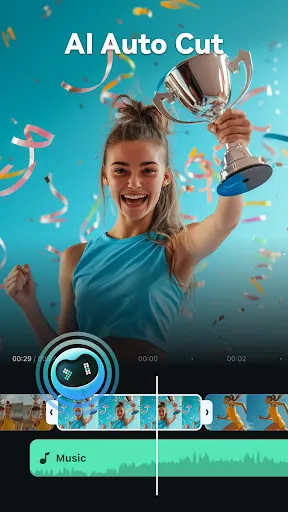
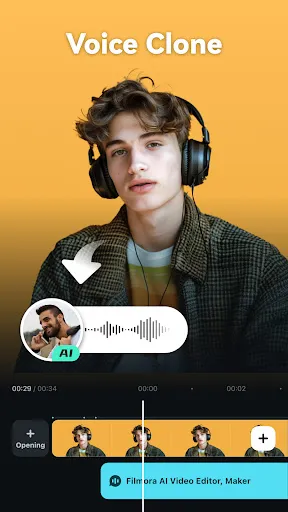
Filmora's AI technology streamlines the editing process, allowing users to automatically enhance their videos with smart suggestions. This feature analyzes your footage and offers tailored edits, saving you time while ensuring professional-quality results that stand out effortlessly.

Extensive Effects Library

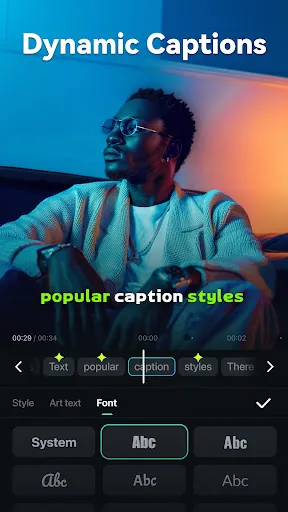
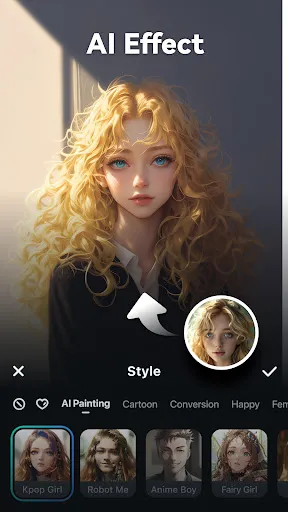
Filmora offers an impressive library of effects, transitions, and filters to elevate your videos. You can easily add creative flair to your projects, whether you're looking to create engaging social media clips or polished presentations, making every frame captivating.

Intuitive User Interface

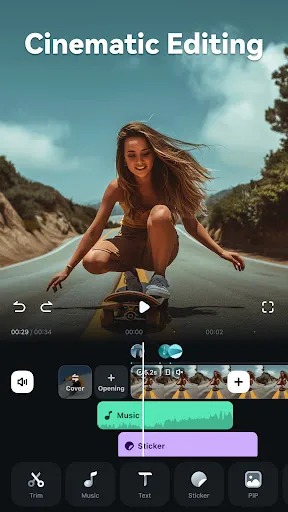
The user-friendly interface of Filmora makes it easy for both beginners and experienced editors to navigate the editing suite. With drag-and-drop functionality and customizable timelines, anyone can jump in and create stunning videos without a steep learning curve.

Multi-Format Support

With support for a wide range of video formats, Filmora ensures that you can edit and export your projects without compatibility issues. This flexibility allows you to work with different media types, making it ideal for diverse editing needs, whether for personal or professional use.

Advertisement

Pros & Cons

Pros
  • User-friendly interface simplifies video editing for all skill levels.
  • AI-powered features enhance creativity by automating tedious tasks.
  • Vast library of effects and templates sparks inspiration for unique projects.
  • Seamless integration with various formats ensures compatibility across platforms.
  • Affordable pricing plans provide excellent value for high-quality video production.
Cons
  • Limited advanced editing features for professional users
  • Steeper learning curve for beginners compared to simpler tools
  • Subscription costs can add up over time for casual users

Real Experience Using Filmora:AI Video Editor, Maker

Real Experience Application Scenarios

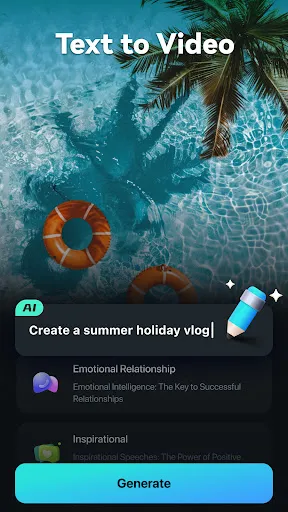
Filmora: AI Video Editor, Maker is an incredibly versatile tool suitable for a variety of application scenarios. Whether you're a content creator looking to produce engaging YouTube videos, a social media manager crafting eye-catching Instagram reels, or even a business professional creating promotional materials, Filmora caters to all your video editing needs. Its user-friendly interface allows both beginners and experienced editors to navigate effortlessly. You can create stunning videos for personal use, such as family gatherings and travel vlogs, or for professional projects, including marketing campaigns and corporate presentations. The AI-driven features, such as automatic scene detection and smart audio synchronization, enhance the editing process, making it faster and more intuitive.

User Experience

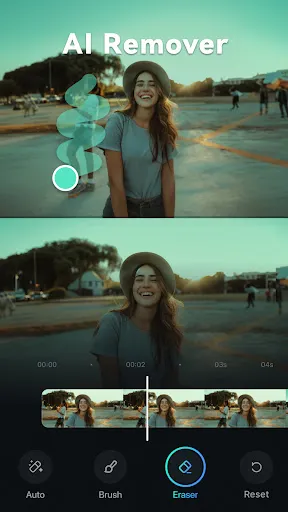
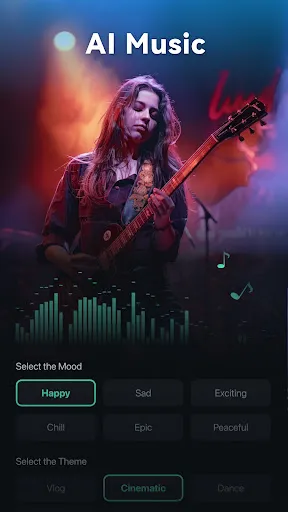
The user experience with Filmora is largely positive, thanks to its sleek design and powerful functionalities. Upon launching the app, users are greeted with a clean and straightforward dashboard that makes it easy to access various tools and features. The drag-and-drop functionality simplifies the editing process, allowing you to arrange clips and images quickly. The library of built-in templates, effects, and music tracks provides ample creative options, enhancing the overall experience. Moreover, Filmora's AI features streamline tasks such as color correction and noise removal, resulting in polished videos with minimal effort. While some users may initially find the learning curve steep due to the plethora of tools available, comprehensive tutorials and a supportive community help bridge that gap. Overall, Filmora delivers a seamless editing experience that empowers users to bring their creative visions to life.

Pricing

Filmora offers a flexible pricing model designed to accommodate various budgets. Users can choose between a monthly subscription, an annual plan, or a one-time payment for a perpetual license. The monthly subscription is ideal for those who require the software for short-term projects, while the annual plan offers a more economical choice for regular users. The perpetual license is a great option for those who prefer to make a single investment without ongoing costs. Additionally, Filmora frequently offers discounts and promotional deals, making it accessible for users at different price points. The value provided by Filmora, considering its extensive features and capabilities, makes it a worthwhile investment for anyone serious about video editing.

Updates & Support

Filmora is committed to providing regular updates that enhance functionality and introduce new features. Users can expect periodic enhancements that improve performance, fix bugs, and expand the library of available templates and effects. The development team actively listens to user feedback, which contributes to a continually evolving platform. In terms of support, Filmora offers a comprehensive help center filled with tutorials, FAQs, and troubleshooting guides. Users can also reach out to customer support via email or through social media channels for more personalized assistance. The combination of regular updates and robust support ensures that users have the resources they need to make the most of their video editing experience.

verified Security & Privacy Review

Security & Privacy Review Filmora: AI Video Editor, Maker prioritizes user security and privacy with robust data protection measures. The app employs encryption protocols to safeguard user data during transmission, ensuring that personal information remains confidential and secure. When installing Filmora, users are required to grant specific permissions, including access to storage and camera functionalities. These permissions are essential for the app to function effectively, allowing users to import media and record videos seamlessly. However, it is important that users review these permissions carefully to understand what data is being accessed. Filmora's privacy policy outlines its commitment to transparency regarding user data handling. The app does not sell personal data to third parties and restricts data collection to what is necessary for app functionality and enhancement purposes. Users have the option to manage their data preferences within the app, allowing for greater control over their privacy settings. Overall, Filmora demonstrates a strong commitment to user security and privacy, providing a trustworthy platform for video editing and creation.
Advertisement

User Reviews

  • Mathew Horne
    2026/06/15

    The app was wonderful! I paid for Pro, and I got a good set of tools. Now they want to transition to a subscription model and basic tools and transitions are being moved behind the new paywall – tools that were previously included with my Lifetime Pro payment! Nice. their response was cut off and ignores that tools really are disappearing. transition b10 just for a start. I had access up until a few days ago.

  • elektrikkz
    2026/06/07

    It just keeps getting worse. First, I had to stop filming in HDR because Filmora couldn't handle it. Now, many of the transitions, fonts, and editing elements I had access to with my perpetual Pro subscription are now locked behind a new $20/month "Premium" subscription. How much greedier can Wondershare get?? Do yourself a favor and never deal with this app or company. Edit for Developer: No, I will NOT be leaving feedback. I have done so with every issue and hear nothing back. REVERT THIS!!!

  • RECALL SOCIALISM
    2026/01/21

    They claim that it works cross-platform so that you should be able to download it on your cell phone as well as your desktop and it's supposed to be the same package. however there's never a live person to assist you end up paying twice for each product otherwise they prevent your product from being rendered until you pay the ransom of double payments. I have lost so much money needlessly. until I can reach a real person all I can say is that the company is lying to the product users.

  • Jean Claude Vanderfield
    2026/06/16

    difficult to use and you lose your benefits as they update. I paid several hundred dollars to get their editing software, and 12 months later they changed everything and I only had the very VERY basic resources. Even got locked out of my own account and had to get them to fix the issue. Will never use their products again, very unfaithful to their clients.

  • Chuck Sanders
    2026/01/04

    This used to be my favorite app. I've been paying for a monthly for a long time. I was an early adopter on PC and paid for a lifetime license. recently they deducted almost 10,000 AI credits from my account. the consistently find ways to take away features from early adopters because we're not paying them anymore money. Even though I pay a monthly payment for the mobile app. Now I crammed every time I see the name filmora. Do yourself a favor and stay away. zero stars.

Review Source: Google Play store public user reviews.

FAQ

1

Can I submit suggestions or feedback to Filmora:AI Video Editor, Maker?

Yes, Filmora: AI Video Editor, Maker encourages users to submit suggestions and feedback through their official website or app, helping to improve the user experience.

2

Does Filmora:AI Video Editor, Maker collect my personal data?

Filmora: AI Video Editor, Maker may collect certain personal data as outlined in their privacy policy, primarily for account management and service improvement.

3

Does Filmora:AI Video Editor, Maker support offline use?

Yes, Filmora: AI Video Editor, Maker allows users to edit videos offline, giving them the flexibility to work without an internet connection.

4

How do I cancel my Filmora:AI Video Editor, Maker subscription?

Users can cancel their subscription to Filmora: AI Video Editor, Maker through their account settings or by contacting customer support, depending on the platform used for the subscription.

5

How much does a subscription to Filmora:AI Video Editor, Maker cost?

Subscription costs for Filmora: AI Video Editor, Maker vary based on the plan chosen, with options for monthly, yearly, or lifetime subscriptions available.

How to use Filmora:AI Video Editor, Maker

1

Can I change my customer number?

Unfortunately, customer numbers cannot be changed. If you have concerns, please contact customer service for assistance.

2

Can I reset my customer number if I lose it?

Customer numbers are unique and cannot be reset. Please contact customer service if you have any issues finding it.

3

How can I activate my Filmora subscription?

To activate, log in to your account and enter the activation code sent to your email after purchase.

4

How can I contact customer service for Filmora?

You can reach our customer service through the support section on our website or by emailing support

5

How do I activate my Filmora account?

After purchasing, you will receive an activation code via email. Log in to your account, and enter the code to activate.

What's New

Fixed some issues to improve the user experience and video generation speed.

Editor's Choice