This site uses cookies to enhance your user experience. By clicking any link on this site you are giving your consent to our cookie policy. Read more
Reject
Accept All

Advertiser and Editorial Disclosures

AirReceiver AirPlay Cast DLNA

AirReceiver AirPlay Cast DLNA

verified

softmedia

3.8
Rating
/ Downloads
5.1.3 Version
Advertisement
  • category

    Category: Video Playback

  • price

    Price: 2.99

  • age rating

    Age Rating: Everyone

  • rating

    Rating: 3.8

  • available on

    Available on: /

  • updated on

    Updated on: Oct 10, 2025

Screenshot 1
Screenshot 2
Screenshot 3
Screenshot 4
Screenshot 5
Screenshot 6
Screenshot 7
Screenshot 8
Advertisement

Features & Highlights

Extensive Device Compatibility

AirReceiver supports a wide range of devices, from smart TVs to gaming consoles, ensuring that you can cast your content on the big screen with ease. This extensive compatibility means you can enjoy your media on virtually any device in your home.

High-Quality Streaming

Enjoy your media in stunning quality with AirReceiver’s high-definition streaming capabilities. The app ensures that your videos and music are transmitted with minimal buffering, providing a smooth viewing experience that keeps you engaged without interruptions.

Multi-Protocol Support

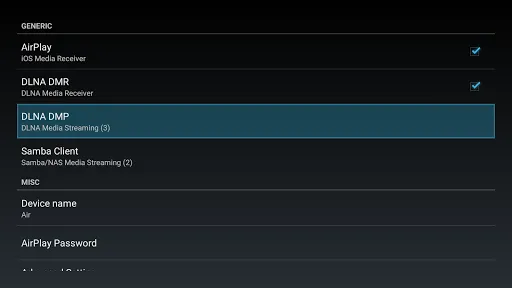
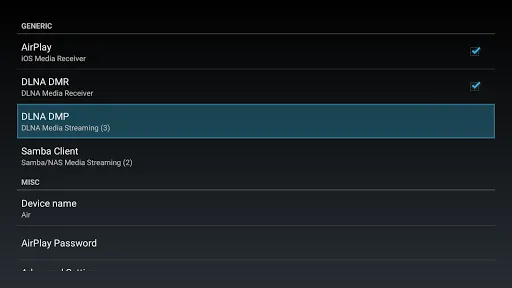
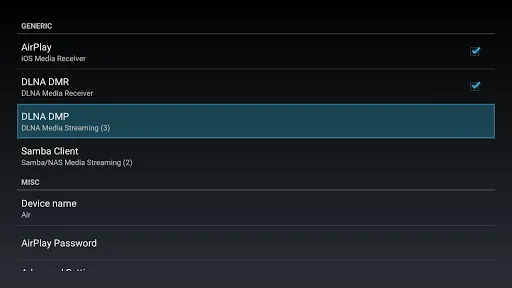
AirReceiver seamlessly integrates multiple streaming protocols, including AirPlay, DLNA, and Miracast. This versatility allows users to cast content from various devices without compatibility issues, making it a go-to solution for diverse media sharing needs across different platforms and devices.

User-Friendly Interface

The app boasts an intuitive interface that makes navigating through its features a breeze. Whether you're a tech novice or an experienced user, you'll appreciate how easy it is to connect and start streaming your favorite content without any hassle.

Advertisement

Pros & Cons

Pros
  • Seamless streaming from multiple devices enhances your entertainment experience.
  • Supports various formats, ensuring compatibility with your media library.
  • User-friendly interface simplifies setup and operation for everyone.
  • High-quality audio and video output elevates your media enjoyment.
  • Multi-room support allows synchronized playback across different areas.
Cons
  • Limited compatibility with certain devices can hinder seamless streaming
  • Potential lag during high-resolution content playback may disrupt viewing experiences
  • Setup process can be confusing for less tech-savvy users, causing frustration

Real Experience Using AirReceiver AirPlay Cast DLNA

Real Experience Application Scenarios

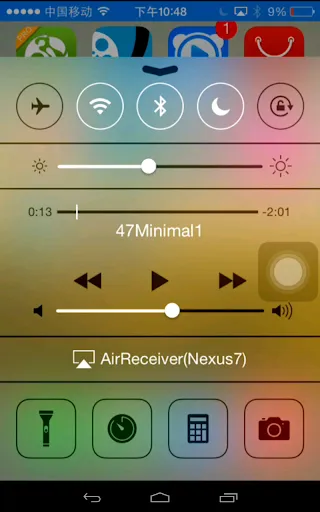
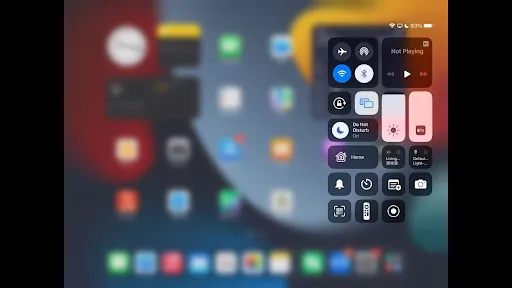
AirReceiver AirPlay Cast DLNA is a versatile streaming application that caters to a variety of scenarios. Users can effortlessly cast videos, music, and photos from their devices to TVs, speakers, and other compatible devices using AirPlay, DLNA, or Miracast protocols. This makes it an excellent choice for family movie nights, where multiple users can share content from their smartphones or tablets to a larger screen. Additionally, it shines in professional settings, such as presentations or meetings, allowing users to display documents and slides directly from their devices without the need for cumbersome cables. The app also supports gaming, enabling users to project their mobile gaming experience onto a TV, which enhances multiplayer interactions and overall enjoyment. Whether for leisure or professional use, AirReceiver seamlessly adapts to various streaming needs.

User Experience

The user experience of AirReceiver is largely positive, with a clean and intuitive interface that simplifies navigation. Upon launching the app, users are greeted with straightforward options to connect to available devices, making the setup process quick and user-friendly. The app supports various file formats, ensuring compatibility with a wide range of media. Streaming quality is often impressive, with minimal lag and high-definition playback, which is crucial for video content. However, some users have reported occasional connectivity issues, particularly with certain devices or network settings. Despite these minor hiccups, the overall performance remains solid, and updates to the app often address these concerns. Users appreciate the responsive customer support, which is readily available to assist with any issues or questions that may arise.

Pricing

AirReceiver AirPlay Cast DLNA follows a competitive pricing model that offers a free trial period, allowing users to explore its features before committing. After the trial, users can choose to purchase a one-time license, which provides lifetime access to the app without recurring fees. This pricing structure is appealing, especially when compared to subscription-based models offered by similar applications. The value users receive is significant, given the app's diverse functionality and ease of use. Additionally, periodic discounts and promotions enhance its affordability, making it accessible to a broader audience.

Updates & Support

The developers of AirReceiver are dedicated to providing regular updates that enhance functionality and address user feedback. These updates not only introduce new features but also improve existing ones, ensuring that the app remains compatible with the latest devices and operating systems. The support team is proactive in engaging with users, often responding promptly to inquiries and troubleshooting requests. Comprehensive online resources, including FAQs and user guides, further assist users in maximizing their experience with the app. This commitment to ongoing support and improvement fosters a loyal user base and reflects a strong dedication to customer satisfaction.

verified Security & Privacy Review

Security & Privacy Review AirReceiver AirPlay Cast DLNA prioritizes user security and privacy, implementing several measures to protect personal data. The app does not require excessive permissions, only accessing what is necessary for its functionality, such as local network access for streaming. This limited permission scope reduces the risk of data exposure. The app employs secure protocols for data transmission, ensuring that information shared during streaming sessions remains encrypted and protected from unauthorized access. However, users should be aware that, like many streaming applications, it may collect anonymized usage data to improve app performance and user experience. For those concerned about privacy, AirReceiver provides options to manage settings related to data sharing. Users are encouraged to review the privacy policy, which outlines data handling practices, including how information is collected, used, and stored. Overall, while AirReceiver demonstrates a commitment to user privacy, it is essential for users to remain vigilant and configure their settings according to their personal privacy preferences.
Advertisement

User Reviews

  • Charza Kitsune
    2021/11/26

    I second what some say about Lite being a way to "try before buy". Of all the apps both open-source and otherwise this one is well worth the $3 I paid. Allows near-seamless integration with my AndroidTV to stream iTunes Music to my home theater setup. Need to test the video streaming/mirroring but it wasn't the primary use case for my needs. That said, options for that seem well thought out; it's not a blanket "one size fits all" with zero options to help with troubleshooting but instead has a lot of under-the-hood advanced options for those techies (like me) who'd be able to figure out an optimal solution via trial and error. Overall, I appreciate the attention given; well worth the try (via Lite Edition) that ended up with a no-brainer purchase shorty afterwards.

  • Alex
    2026/05/28

    This app is amazing! Especially on my Android TVs! I highly recommend paying for the full version! One feature I would like to see (if possible) is Miracast support. This would make the app an all-in-one solution for casting!

  • Jairo Narvaez
    2020/10/19

    Looks like the store has changed, after buying this app, I can't even install it, I get an error retrieving information from server DF-DFERH-01, if I try to refund it, I get an email confirmation of me requesting a refund for $0.00 and it's rejected. Somehow the store got very broken. Edit, about 30 minutes after waiting a finding, the play store started working well, the application works really well after having it installed.

  • Geo Ven
    2023/06/05

    No longer able to connect from Android phone. Previously able to connect via my Huawei and Xiaomi cast but now this app is not able to connect from mobiles at all. iOS airplay still works though. Is there anyway to fix it for Android to connect to this app? It's a very useful app and I strongly recommend it if you are onto iOS. Fix is needed for Android mobiles to connect it though. Please help, many thanks.

  • A Google user
    2018/11/24

    The features advertised do work. However there is room for improvement. Airplay streaming occasionally drops frame. It would be nice if there is an option to hide service running indicator in the notification bar. Furthermore the user should be able to enable/disable the autostart feature of the service at will as well as properly quit the service. As of now the service starts randomly even after selecting the quit option within the app interface.

Review Source: Google Play store public user reviews.

FAQ

1

Can I submit suggestions or feedback to AirReceiver AirPlay Cast DLNA?

Yes, users can submit suggestions or feedback directly through the app or by contacting customer support via the official website or app store listing.

2

Does AirReceiver AirPlay Cast DLNA collect my personal data?

AirReceiver AirPlay Cast DLNA respects user privacy and does not collect personal data without consent, but it may collect anonymous usage data to improve the app.

3

Does AirReceiver AirPlay Cast DLNA support offline use?

AirReceiver AirPlay Cast DLNA primarily requires an internet connection to function effectively; however, some features may work offline depending on the content being cast.

4

How do I cancel my AirReceiver AirPlay Cast DLNA subscription?

Users can cancel their subscription through the app store settings on their device or by following the cancellation instructions provided in the app's help section.

5

How much does a subscription to AirReceiver AirPlay Cast DLNA cost?

The subscription cost for the premium version of AirReceiver AirPlay Cast DLNA may vary, typically falling within a reasonable monthly or yearly fee, which can be checked within the app.

How to use AirReceiver AirPlay Cast DLNA

1

Can I change my customer number?

Unfortunately, customer numbers cannot be changed. If you need further assistance, please contact customer service for support.

2

Can customer service help with technical issues?

Yes, our customer service team is trained to assist with technical issues related to AirReceiver. Just reach out with your query.

3

How can I contact customer service for AirReceiver?

You can reach our customer service team via the support section on our website or by calling the customer service hotline listed there.

4

How do I activate my AirReceiver account?

To activate your account, log in with your credentials and follow the activation link sent to your email. If you didn’t receive it, check your spam folder or contact customer service.

5

How do I log in to my AirReceiver account on a new device?

Simply download the app, enter your existing credentials, and log in. If you encounter issues, contact customer service for help.

What's New

Update to support the latest Android.

Editor's Choice