This site uses cookies to enhance your user experience. By clicking any link on this site you are giving your consent to our cookie policy. Read more
Reject
Accept All

Advertiser and Editorial Disclosures

Channels for HDHomeRun

Channels for HDHomeRun

verified

Fancy Bits, LLC

4
Rating
/ Downloads
4.8.0 Version
Advertisement
  • category

    Category: Video Playback

  • price

    Price: 24.99

  • age rating

    Age Rating: Everyone

  • rating

    Rating: 4

  • available on

    Available on: /

  • updated on

    Updated on: Jun 29, 2026

Screenshot 1
Screenshot 2
Screenshot 3
Screenshot 4
Screenshot 5
Screenshot 6
Screenshot 7
Screenshot 8
Advertisement

Features & Highlights

DVR Functionality

Channels for HDHomeRun comes equipped with powerful DVR capabilities, allowing you to record your favorite shows and movies effortlessly. Schedule recordings for future broadcasts, and access your library anytime, ensuring you never miss an episode, even with a busy lifestyle.

Live TV Streaming

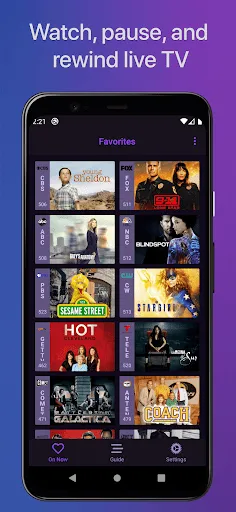
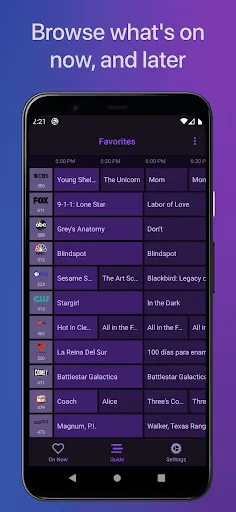
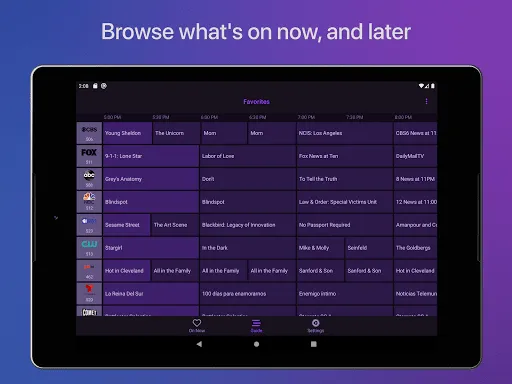
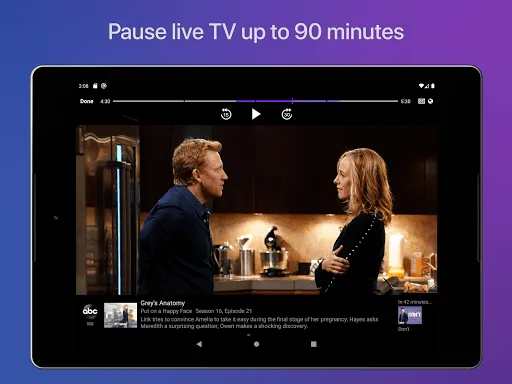
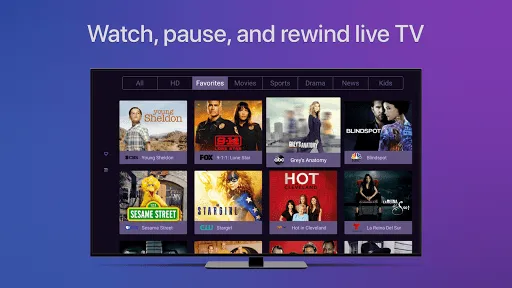
Enjoy seamless streaming of live television directly from your HDHomeRun device. With a user-friendly interface, Channels makes it easy to browse, watch, and manage your favorite shows and channels, all in real-time, giving you the ultimate viewing experience without the hassle of traditional cable subscriptions.

Multi-Device Support

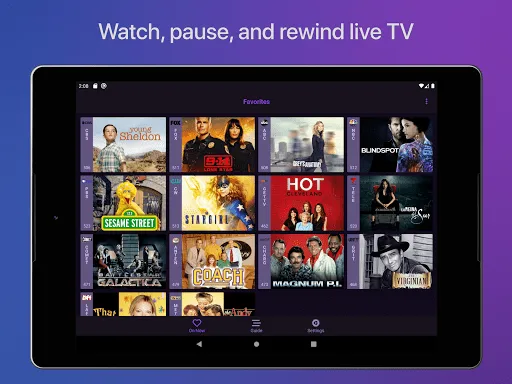
Whether you're at home or on the go, Channels supports multiple devices, including smartphones, tablets, and smart TVs. This flexibility allows you to watch your favorite content wherever you are, making it a perfect solution for families with diverse viewing preferences.

User-Friendly Interface

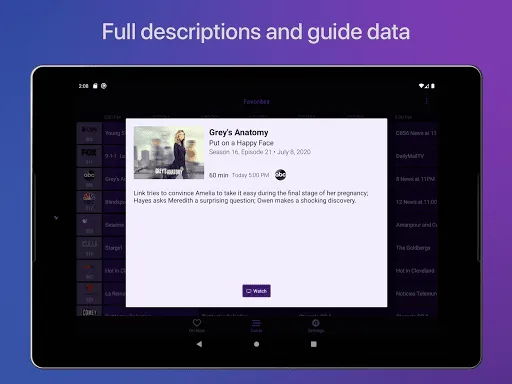
The app features an intuitive interface designed for easy navigation, making it simple to find and watch your favorite content. With customizable menus and quick access to recorded shows, Channels enhances your viewing experience by putting everything you need just a tap away.

Advertisement

Pros & Cons

Pros
  • Channels for HDHomeRun offer seamless live TV streaming across devices.
  • Enjoy high-definition content without cable subscriptions.
  • Access a wide variety of channels tailored to your interests.
  • Effortlessly record live shows for later viewing.
  • Simplified setup process ensures quick and easy installation.
Cons
  • Limited access to certain channels may frustrate users.
  • Channel lineup can change without notice, disrupting viewing.
  • Potential for signal interference affects picture and sound quality.

Real Experience Using Channels for HDHomeRun

Real Experience Application Scenarios

The Channels for HDHomeRun app is designed for cord-cutters who want to enjoy live television and streaming services seamlessly. Users can connect their HDHomeRun device to the app and access a wide range of over-the-air channels, making it perfect for homes that rely on antennas for live TV. Whether you're looking to watch local news, sports, or your favorite shows, this app provides a reliable platform to catch up on live content. Additionally, the app offers compatibility with various devices, including smartphones, tablets, and smart TVs, allowing users to enjoy their favorite channels on the go or from the comfort of their couch. The ability to record live shows and access an extensive library of on-demand content adds further value, making it suitable for families with diverse viewing preferences.

User Experience

User experience with the Channels for HDHomeRun app is generally positive, thanks to its intuitive interface and user-friendly navigation. The app makes it easy to browse through channels, set up recordings, and manage your viewing schedule. Users appreciate the fast loading times and minimal buffering, which enhance the overall viewing experience. The search functionality is robust, allowing users to quickly find specific shows or channels. However, some users have reported occasional glitches when streaming content, particularly during peak usage times. Despite these minor issues, the app’s performance remains solid, and many users commend its ability to provide a seamless viewing experience without the clutter of traditional cable services.

Pricing

The Channels for HDHomeRun app operates on a subscription model, which users find to be reasonably priced given the value it offers. A one-time purchase is required for the app, which unlocks its core features. Additionally, users can opt for a premium subscription that provides additional perks such as enhanced DVR capabilities and access to more channels. Many users find that the cost of the app and its subscription options is significantly lower than traditional cable packages, making it an attractive choice for budget-conscious consumers who still want access to live TV.

Updates & Support

The developers of the Channels for HDHomeRun app are committed to providing regular updates, ensuring that the app remains compatible with new devices and emerging technologies. Users report that updates often include bug fixes, performance improvements, and new features that enhance the overall functionality of the app. Support is readily available through various channels, including an online help center and community forums where users can share experiences and solutions. Many users have praised the responsiveness of the support team, noting that they are quick to address issues and provide helpful guidance, which contributes to a positive overall experience.

verified Security & Privacy Review

Security & Privacy Review The Channels for HDHomeRun app prioritizes user data security and privacy, employing robust measures to safeguard personal information. The app does not collect unnecessary personal data, ensuring that users retain control over their information. Permissions required by the app are minimal, primarily focusing on network access to facilitate seamless streaming and connection to HDHomeRun devices. Data transmitted between the app and HDHomeRun servers is encrypted, protecting it from potential interception. Users are advised to utilize secure Wi-Fi connections to further enhance their security while streaming content. Additionally, the app does not include any third-party tracking or advertising, which reduces the risk of data leakage. Overall, Channels for HDHomeRun demonstrates a commitment to maintaining user privacy and data security, making it a reliable choice for users seeking to enjoy their media content with peace of mind.
Advertisement

User Reviews

  • John Kildea
    2023/02/19

    A great app that lets me watch streamed TV when home or away from my Hdhomerun devices, something that the Hdhomerun software doesn't allow. I should say that I can already do this using my Emby server but wanted to give this a try. I do have a couple of small issues. If I VPN into my home network the app says it can't find any devices. However if I type in the IP address of my devices or do a scan,they are found. It's a pain having to do this each time. Also the channels are slightly incorrect

  • Rachid Abid
    2022/10/10

    after several years on Live Channels on my Shield TV, I stumbled upon this app which I find better than Live Channels and even more than the HDHomerun app, it is way more user friendly and stable. The only problem I found using this app is the fact that when I use my bluetooth headset, it is the only app I have that still outputs the sound to the TV speakers. Do you have any solution for that?

  • Bruno
    2024/07/29

    Less than a week after I purchased the app they released an update that made it completely unusable for me - channels keep loading forever and never display any video. Their support team stopped responding after I requested a refund.

  • Dave DuMond
    2021/08/08

    I bought this app because it supports HDHOMERUN Prime only to find I can't use it because all my cable channels are DRM protected. Ok my bad for not reading the About all the way through to the bottom, but is there any hope of that support in the future? Couldn't get a refund because Google says you don't meet their refund policy. Nice...

  • Karl Kissick
    2021/11/21

    Downloaded to try, as was having issues getting the native HDHomerun app working on our installation. This app did not work for us either and although being within 48 hours no refund was offered through Google play and upon emailing the developers, we were ignored.

Review Source: Google Play store public user reviews.

FAQ

1

Can I submit suggestions or feedback to Channels for HDHomeRun?

Yes, users are encouraged to submit suggestions or feedback through the app's support section or the official website, as the developers welcome input to enhance the app's features and performance.

2

Does Channels for HDHomeRun collect my personal data?

Channels for HDHomeRun may collect basic usage data to improve the app's performance and user experience, but it prioritizes user privacy and does not share personal data with third parties.

3

Does Channels for HDHomeRun support offline use?

Channels for HDHomeRun primarily focuses on live streaming and does not support offline use, as it requires a continuous connection to the HDHomeRun device for content access.

4

How do I cancel my Channels for HDHomeRun subscription?

To cancel your Channels for HDHomeRun subscription, you can follow the instructions provided in your account settings within the app or through the platform where you purchased the subscription.

5

How much does a subscription to Channels for HDHomeRun cost?

The subscription cost for Channels for HDHomeRun may vary based on the chosen plan, with options typically ranging from monthly to annual billing for users to select based on their preferences.

How to use Channels for HDHomeRun

1

Can I access customer service through my HDHomeRun app?

Yes, you can access customer service through the support section in the HDHomeRun app for quick assistance.

2

Can I change my login details for HDHomeRun?

Yes, you can change your login details by logging into your account and navigating to the account settings section.

3

How can I contact customer service for HDHomeRun?

You can reach our customer service by visiting our website and using the contact form or calling the support number listed there.

4

How do I find my account login if I’ve forgotten it?

If you've forgotten your login, use the "Forgot Password" option on the login page to reset it.

5

How do I log in to my HDHomeRun account?

To log in, go to the HDHomeRun website and enter your registered email and password in the login section.

What's New

• NEW: Expanded support for Audio Passthrough to support E-AC3 (including Dolby Atmos), DTS/DTS-HD, TrueHD, AC-4 when available from the Android device and receiver• IMPROVED: Performance improvements to the Guide• IMPROVED: Enhanced library views now work with Server Side Sidebar Navigation• IMPROVED: ATSC3 audio support• IMPROVED: handling of ATSC3 audio with signal reception issues• IMPROVED: On Later view for Events and Specials now use a richer display• IMPROVED: Recordi

Editor's Choice