This site uses cookies to enhance your user experience. By clicking any link on this site you are giving your consent to our cookie policy. Read more
Reject
Accept All

Advertiser and Editorial Disclosures

GSE SMART IPTV PRO

GSE SMART IPTV PRO

verified

droidvision

3
Rating
/ Downloads
1.8 Version
Advertisement
  • category

    Category: Video Playback

  • price

    Price: 2.49

  • age rating

    Age Rating: Everyone

  • rating

    Rating: 3

  • available on

    Available on: /

  • updated on

    Updated on: Dec 2, 2022

Screenshot 1
Screenshot 2
Screenshot 3
Screenshot 4
Screenshot 5
Screenshot 6
Screenshot 7
Screenshot 8
Advertisement

Features & Highlights

Advanced Streaming Features

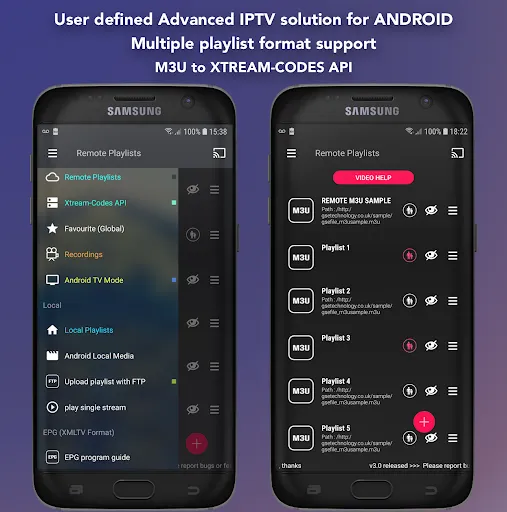
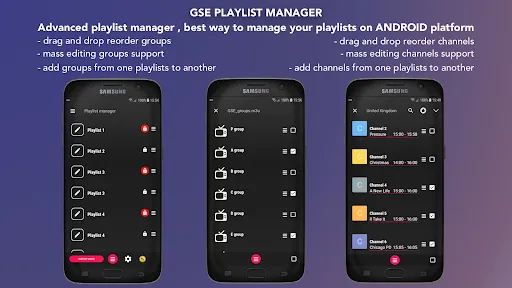
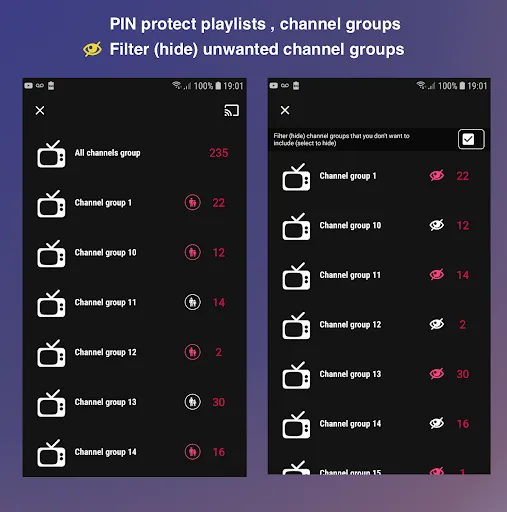
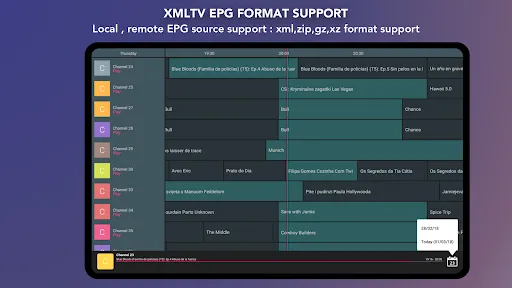
The app offers advanced features like EPG support, parental controls, and multiple playlist management, allowing users to customize their viewing experience. These tools enable users to tailor their IPTV service according to personal preferences, ensuring a more engaging and secure experience.

Cross-Platform Compatibility

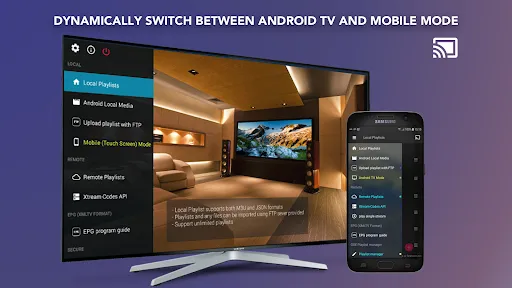
GSE SMART IPTV PRO is available on multiple platforms, including Android and iOS, allowing users to enjoy their favorite content on a variety of devices. This flexibility means you can watch your shows and movies on your phone, tablet, or smart TV, enhancing convenience and accessibility.

Multi-Format Support

GSE SMART IPTV PRO is designed to handle a variety of streaming formats, making it easy for users to enjoy content from different sources without compatibility issues. Whether it’s live TV, VOD, or catch-up channels, this app ensures a seamless viewing experience across formats.

User-Friendly Interface

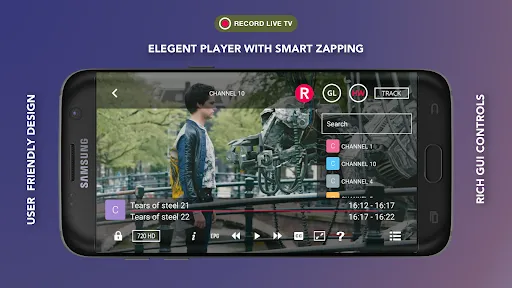
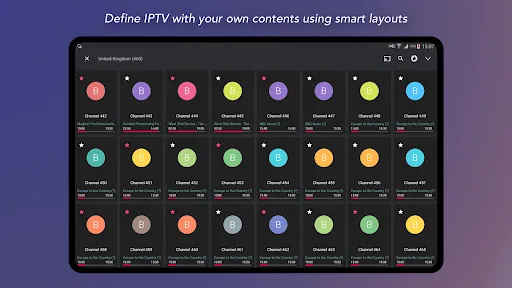
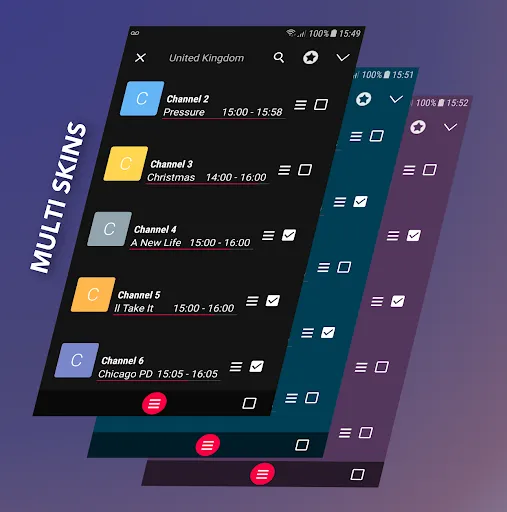
With its intuitive layout and easy navigation, GSE SMART IPTV PRO caters to both beginners and seasoned users. The app’s well-organized menus and responsive design make it simple to find and manage your favorite channels and playlists, enhancing overall user satisfaction.

Advertisement

Pros & Cons

Pros
  • GSE SMART IPTV PRO supports multiple formats for versatile streaming experiences.
  • User-friendly interface makes navigation effortless for all ages.
  • Advanced features include parental controls for safe viewing.
  • Supports EPG for organized and easy content scheduling.
  • Compatible with various devices, ensuring flexibility in watching anywhere.
Cons
  • Limited support for certain streaming services may hinder content access.
  • Frequent updates can disrupt user experience and require reconfiguration.
  • Compatibility issues with some devices may restrict viewing options.

Real Experience Using GSE SMART IPTV PRO

Real Experience Application Scenarios

GSE SMART IPTV PRO is an application designed for streaming live TV, movies, and series through various sources. Users can leverage this app in multiple scenarios, making it a versatile choice for entertainment. One common scenario is watching live sports events from different regions, as the app supports various streaming protocols and formats. Users can easily add their own playlists through M3U and XSPF files, allowing for a personalized viewing experience. Moreover, it is ideal for those who wish to access international channels, providing a gateway to diverse content from around the globe. Whether at home, on the go, or even during travel, GSE SMART IPTV PRO caters to the needs of users who desire flexible viewing options.

User Experience

The user experience of GSE SMART IPTV PRO is generally positive, with a clean interface that is easy to navigate. The app features a user-friendly layout, allowing users to quickly access their favorite channels and playlists. The ability to categorize channels and create favorites enhances the overall usability, making it convenient to switch between different content types. Furthermore, the app supports multiple languages, which broadens its appeal to a global audience. Streaming quality is often commendable, with minimal buffering reported, provided users have a stable internet connection. However, some users have noted occasional compatibility issues with certain streaming links, and while the app offers a comprehensive guide, a more robust search feature could further enhance the experience.

Pricing

GSE SMART IPTV PRO adopts a pricing model that is competitive within the IPTV app market. The app is available for a one-time purchase, which grants users access to all features without the need for a subscription. This pricing strategy appeals to users who prefer a one-off investment rather than ongoing costs. Additionally, the app occasionally offers promotional discounts, making it more accessible for new users. While the initial price may deter some potential users, the value provided by the app in terms of features and content access often justifies the expense.

Updates & Support

The developers of GSE SMART IPTV PRO are committed to improving the app through regular updates. These updates typically address bugs, introduce new features, and enhance existing functionalities. Users have reported that the app's performance improves with each update, indicating active development and support. In terms of customer support, the app provides a dedicated help section which includes FAQs and troubleshooting tips. Additionally, users can reach out to the support team via email for more complex issues. While response times may vary, the overall support experience is generally regarded as helpful, contributing to user satisfaction.

verified Security & Privacy Review

Security & Privacy Review The GSE SMART IPTV PRO app prioritizes user data security and privacy, implementing several measures to protect sensitive information. The app does not inherently collect personal data unless users voluntarily provide it through integrations or settings. However, it’s essential for users to review the permissions requested during installation, as the app may require access to device storage and network connections. GSE SMART IPTV PRO employs encryption protocols for data transmission, ensuring that user information remains secure while streaming content. Despite these measures, users should be cautious about sharing personal details or connecting to unfamiliar networks, as these can expose them to security risks. Furthermore, the app offers options to manage privacy settings, allowing users to control their viewing preferences and data usage. Regular updates are provided to address any security vulnerabilities, making it crucial for users to keep the app up-to-date. Overall, while GSE SMART IPTV PRO takes steps to safeguard user data, maintaining awareness of privacy practices remains essential for users.
Advertisement

User Reviews

  • Ryan Gilkes
    2023/03/08

    As a previous reviewer mentioned, it doesn't cast M3U playlist. I contacted them a few days ago and provided a detailed description of the problem. They did not respond. This app is trash, customer service sucks, not worth paying for.

  • Peter Kelly
    2026/04/22

    I've had this app for 7 years and I rate it up with the very best iptv players,I've tried other players but i keep using Gse smart iptv pro,it's so reliable that's why I use it i give it ***** thank you

  • Jeevan Basavanna
    2023/03/27

    Great app but even after purchasing the app it still shows option asking whether we want to buy the app. Not sure how to attach a screenshot here to show that dialog box. Would be great if the devs can fix this bug.

  • Donald R
    2024/05/26

    Annoyingly launches to your m3u manager instead of your channel list. Other than that, it works well.

  • Michael Riley
    2022/12/04

    The only reason I gave it 3 stars is that I cannot get it for the Nvidia Shield Pro all my other boxes I can. Please make one for the NVidia Shield Pro!

Review Source: Google Play store public user reviews.

FAQ

1

Can I submit suggestions or feedback to GSE SMART IPTV PRO?

Yes, users can submit suggestions or feedback through the app's support channels, usually found within the app itself or on the official website, to help improve the user experience.

2

Does GSE SMART IPTV PRO collect my personal data?

GSE SMART IPTV PRO may collect certain user data to enhance the app experience, but it is recommended to review the app's privacy policy for detailed information on data collection practices.

3

Does GSE SMART IPTV PRO support offline use?

GSE SMART IPTV PRO primarily requires an internet connection to stream content and does not support offline viewing for live TV channels. However, some video-on-demand content may be available for offline viewing depending on the source.

4

How do I cancel my GSE SMART IPTV PRO subscription?

To cancel your GSE SMART IPTV PRO subscription, you need to go through the app store from which you purchased the subscription and follow the cancellation instructions provided there.

5

How much does a subscription to GSE SMART IPTV PRO cost?

The subscription cost for GSE SMART IPTV PRO can vary based on the selected plan and region; users should check the app store or the official website for the most up-to-date pricing information.

How to use GSE SMART IPTV PRO

1

Can I change my Customer Number after I have activated my account?

No, once your account is activated, your Customer Number cannot be changed. Please contact Customer Service for any related concerns.

2

Can I log in from multiple devices with the same account?

Yes, you can log in from multiple devices, but simultaneous streaming may be limited based on your subscription.

3

How can I contact Customer Service for GSE SMART IPTV PRO?

You can reach Customer Service via the app's support section or through our official website's contact page.

4

How do I activate my GSE SMART IPTV PRO account?

To activate your account, follow the link in the activation email you received after registration.

5

How do I log in to my GSE SMART IPTV PRO account?

To log in, open the app, enter your Customer Number and password, then tap the login button.

Editor's Choice