This site uses cookies to enhance your user experience. By clicking any link on this site you are giving your consent to our cookie policy. Read more
Reject
Accept All

Advertiser and Editorial Disclosures

Southwest Airlines: Travel App

Southwest Airlines: Travel App

verified

Southwest Airlines

4.5
Rating
10,000,000+ Downloads
13.1.1 Version
Advertisement
  • category

    Category: Travel & Local

  • price

    Price: free

  • age rating

    Age Rating: Everyone

  • rating

    Rating: 4.5

  • available on

    Available on: /

  • updated on

    Updated on: Jun 25, 2026

Screenshot 1
Screenshot 2
Screenshot 3
Screenshot 4
Screenshot 5
Screenshot 6
Screenshot 7
Screenshot 8
Screenshot 9
Screenshot 10
Screenshot 11
Screenshot 12
Screenshot 13
Screenshot 14
Screenshot 15
Screenshot 16
Screenshot 17
Screenshot 18
Screenshot 19
Screenshot 20
Screenshot 21
Screenshot 22
Screenshot 23
Screenshot 24
Advertisement

Features & Highlights

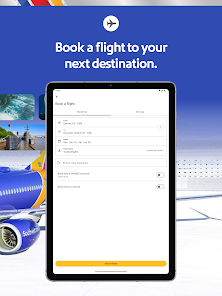
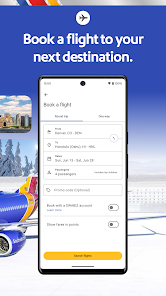
Flight Booking Made Easy

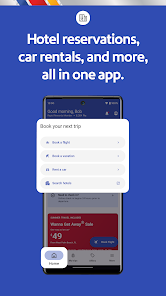
With the Southwest Airlines app, booking your next flight is a breeze. The user-friendly interface allows you to search for flights, view available options, and complete your purchase with just a few taps, making travel planning more accessible than ever before.

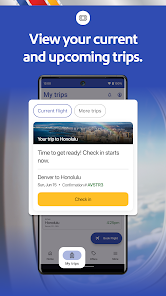
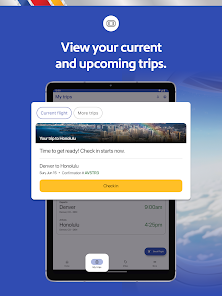
Mobile Check-In Convenience

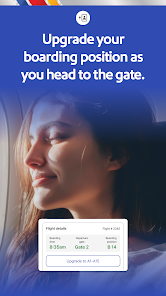
Skip the lines at the airport with the mobile check-in feature. Simply check in through the app, receive your boarding pass, and head straight to security, allowing for a smoother and more efficient travel experience.

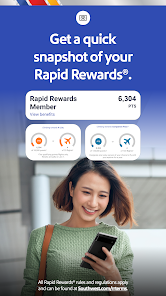
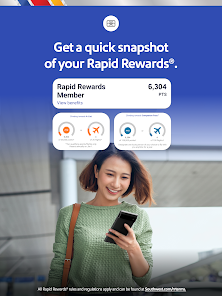
Rapid Rewards Management

Easily manage your Rapid Rewards account directly through the app. You can view your points balance, track your earnings, and redeem rewards for flights or upgrades, making it simple to maximize your travel benefits.

Real-Time Flight Updates

Stay informed with real-time flight status updates right at your fingertips. The app provides notifications for delays, gate changes, and other important information, ensuring that you’re always in the loop and can adjust your plans accordingly.

Advertisement

Pros & Cons

Pros
  • Easy flight booking with just a few taps on your mobile device
  • Real-time flight status updates keep you informed and prepared
  • Access to exclusive deals and promotions available only through the app
  • Seamless check-in process saves you time at the airport
  • User-friendly interface makes navigation simple for all travelers
Cons
  • The app's user interface can be confusing for first-time users.
  • Limited functionality for managing bookings compared to competitors.
  • Frequent technical glitches can disrupt the travel planning experience.

Real Experience Using Southwest Airlines: Travel App

Application Scenarios

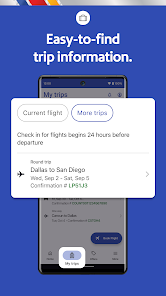
The Southwest Airlines: Travel App serves as a multifunctional tool for travelers, catering to various scenarios. Whether you are booking a last-minute flight for a spontaneous getaway or checking in for a business trip, this app simplifies the process. Users can easily search for flights based on their travel preferences, including departure times, destinations, and fare types. Additionally, the app enables travelers to manage their itineraries, view boarding passes, and even check real-time flight statuses. For those who often fly with families or groups, the app allows multiple bookings, making it easier to coordinate travel plans. Users can also add Rapid Rewards accounts, ensuring that they maximize their travel benefits and loyalty points with each booking.

User Experience

The user experience of the Southwest Airlines app is generally smooth and intuitive. The layout is user-friendly, with clearly labeled sections that guide users seamlessly through the booking process. The app's interface is visually appealing, featuring vibrant colors that align with the Southwest brand. One notable feature is the ability to receive notifications about flight changes or gate updates, which keeps travelers informed in real-time. However, some users have reported occasional glitches, particularly during peak travel times when server demand is high. Despite this, the app’s overall functionality allows for quick access to essential features, making it a convenient travel companion.

Pricing

One of the standout aspects of the Southwest Airlines app is its transparent pricing structure. The app provides a straightforward breakdown of fares, including taxes and fees, allowing users to see the final price before confirming their bookings. Southwest is known for its no hidden fees policy, which adds to the transparency of the booking process. Furthermore, the app often features promotional fares and special deals, making it an excellent platform for budget-conscious travelers. Users can also earn Rapid Rewards points with each booking, which can be redeemed for future flights, adding value to their travel experience.

Updates & Support

The Southwest Airlines app is regularly updated to enhance user experience and fix any bugs. The developers actively seek user feedback, implementing changes that reflect customer needs and preferences. The support section within the app is comprehensive, offering FAQs, live chat, and customer service contact options. Users can easily report issues or seek assistance, ensuring that help is readily available when needed. These updates and support features contribute to the overall reliability of the app, making it an essential tool for travelers flying with Southwest Airlines.

verified Security & Privacy Review

The Southwest Airlines: Travel App places a strong emphasis on security and privacy, implementing various measures to protect user data. The app utilizes advanced encryption protocols to secure sensitive information, such as personal identification details and payment information, during transmission. This ensures that data remains confidential and is not susceptible to interception. In terms of permissions, the app requests access to location services, which enhances the travel experience by providing tailored information and updates. However, users have the option to manage these permissions, allowing them to maintain control over their data. The app clearly outlines its data collection practices in its privacy policy, detailing what information is collected and how it is used, ensuring transparency. Southwest Airlines also adheres to industry standards for data protection, regularly updating its security measures to combat emerging threats. Users are encouraged to enable two-factor authentication for an added layer of security. Overall, the app demonstrates a commitment to safeguarding user privacy while delivering a convenient travel experience.
Advertisement

User Reviews

  • Robert MacGregor
    2026/04/12

    Barely does the job. when you check in, it doesn't retain the flight info most of the time. Manage reservations? blank. You have to enter it again. If you leave the app and come back, it often resets everything or wastes time reloading. These issues have persisted for years. And now, if you change your seat, it doesn't change on your boarding pass or even the info screen. So, what seat do I have? It's almost better just using their web page than this mess.

  • Alex Klick
    2025/06/05

    terrible app. I am trying to just see my boarding pass when I am getting on a plane, should be simple right? Yet somehow this simple task is requiring me to recheck in each time, and just overall cumbersome to use. Then on top of that, I get pop up ads to buy more of your terrible flight service? I already paid you and you still gotta do that just to inconvenience people who already paid you? Never again.

  • Ang
    2025/12/30

    App works properly, great to have when flying. Can track your flight and see your boarding pass. If you're flying Southwest, download the app. Would recommend. The only reason I deducted a star is that they canceled my flight and I never got an email telling me. If I hadn't been flying with 17 other individuals, I wouldn't have known to check my app or website. It just disappeared from my account like it was never there. The only way I knew, was by entering my confirmation #.

  • Marie McLendon
    2026/06/20

    Checking bags is the worst. It's bad enough southwest doesn't give me free checked bags anymore, but they made adding checked bags very cumbersome and not user friendly. It's not easy to find where to add a checked bag, and then when I do find it it asks me to sign in. In the app. That I'm already signed into. And since I'm already in the app I can't look up my number to log in again. The other plane apps make adding checked bags very easy. Southwest needs to make it easier, too.

  • Lynda McAuslan
    2026/05/23

    Frustrated that there's been no improvement to Flight Status. Idk why companies think they always have to change apps and so often, they're worse. You used to be able to delete recent searches, but now they just stack up without being able to get rid of ones you no longer need. On top of no demarcation between, like they're used to be (much more esthetically pleasing in the old format). On top of that, when you initially Submit, the info is NOT updated. You have to refresh the page every time.

Review Source: Google Play store public user reviews.

FAQ

1

Can I submit suggestions or feedback to Southwest Airlines: Travel App?

Yes, users can submit suggestions or feedback through the app's support section or by contacting Southwest Airlines customer service directly.

2

Does Southwest Airlines: Travel App collect my personal data?

Yes, the app may collect personal data to enhance user experience and provide personalized services, as outlined in the privacy policy.

3

Does Southwest Airlines: Travel App support offline use?

Yes, certain features of the app, such as previously downloaded boarding passes and itineraries, can be accessed offline.

4

How do I cancel my Southwest Airlines: Travel App subscription?

Since the app is free, there is no subscription to cancel; users can simply uninstall the app if they no longer wish to use it.

5

How much does a subscription to Southwest Airlines: Travel App cost?

There is no subscription cost for the app, as it is free to use; however, fees may apply for certain services such as checked baggage.

How to use Southwest Airlines: Travel App

1

Can I update my customer number in the app?

Currently, you cannot update your customer number through the app. Please contact customer service for help with any changes.

2

How can I log in to my Southwest Airlines account?

To log in, open the app, enter your email and password, and tap "Log In." If you have trouble, use the "Forgot Password?" option.

3

How do I activate my Southwest Airlines account?

To activate your account, follow the link in the activation email sent to you after registration, and complete the required steps in the app.

4

How do I change my customer service contact preferences?

You can change your contact preferences in the app under "Account Settings." Just select "Notifications" to adjust your preferences.

5

How do I contact customer service through the Southwest Airlines app?

You can reach customer service by tapping the "Help" section in the app, where you can find FAQs and direct contact options.

What's New

We’ve updated our app with a fresh look and feel, optimized our navigation, and introduced a new enhanced day of travel experience.

Editor's Choice