This site uses cookies to enhance your user experience. By clicking any link on this site you are giving your consent to our cookie policy. Read more
Reject
Accept All

Advertiser and Editorial Disclosures

Roku Smart Home

Roku Smart Home

verified

Roku, Inc. & its affiliates

4.4
Rating
1,000,000+ Downloads
3.5.0.571 Version
Advertisement
  • category

    Category: House & Home

  • price

    Price: free

  • age rating

    Age Rating: Everyone

  • rating

    Rating: 4.4

  • available on

    Available on: /

  • updated on

    Updated on: Jun 8, 2026

Screenshot 1
Screenshot 2
Screenshot 3
Screenshot 4
Screenshot 5
Screenshot 6
Screenshot 7
Screenshot 8
Screenshot 9
Screenshot 10
Screenshot 11
Screenshot 12
Screenshot 13
Screenshot 14
Screenshot 15
Screenshot 16
Screenshot 17
Advertisement

Features & Highlights

Energy Efficiency

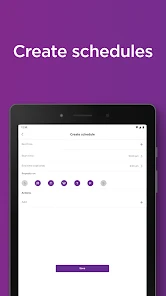
Roku Smart Home promotes energy efficiency by allowing you to monitor and manage your energy consumption easily. With smart scheduling and usage reports, you can optimize your devices to save energy and reduce costs, all while contributing to a more sustainable lifestyle.

Remote Monitoring

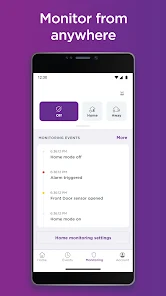
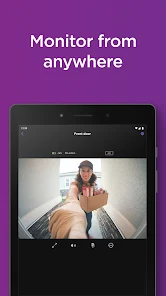
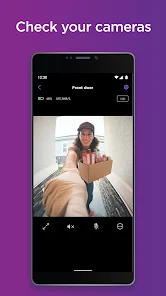
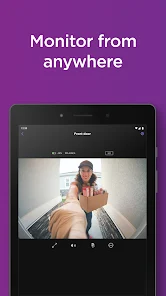
Keep an eye on your home from anywhere with Roku Smart Home's remote monitoring capabilities. You can check live feeds from cameras, receive alerts, and even adjust settings while you're away, giving you peace of mind and control, no matter where you are.

Seamless Integration

Roku Smart Home seamlessly integrates with your existing Roku ecosystem, providing a cohesive experience across all your devices. Whether you're streaming your favorite shows or managing smart appliances, everything works together harmoniously, making your home life more streamlined and enjoyable.

Voice Control

With Roku Smart Home, you can easily control your devices using voice commands, making it simple to adjust settings hands-free. Compatible with popular voice assistants, this feature enhances convenience and accessibility, allowing you to manage your home effortlessly while multitasking or relaxing on the couch.

Advertisement

Pros & Cons

Pros
  • Easy integration with existing Roku devices for seamless control
  • User-friendly app for convenient remote management of devices
  • Voice control features enhance hands-free operation capabilities
  • Affordable smart home solutions to fit various budgets
  • Robust security features ensure peace of mind at home
Cons
  • Limited compatibility with non-Roku devices
  • Lacks advanced automation features
  • User interface can be confusing
  • Occasional connectivity issues reported

Real Experience Using Roku Smart Home

Application Scenarios

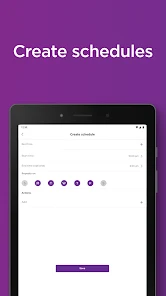
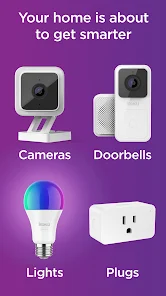
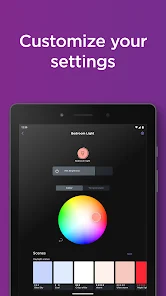
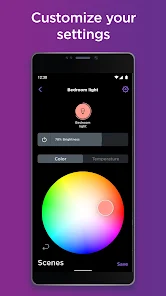
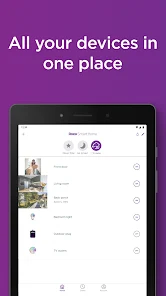
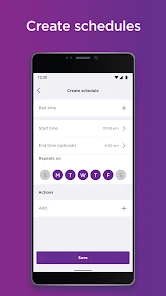
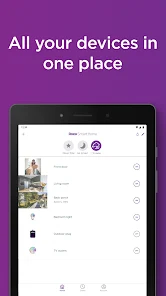
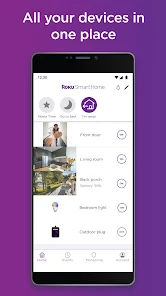
The Roku Smart Home app is designed to enhance your home automation experience by seamlessly integrating with various Roku devices and smart home products. Whether you're using it to control your smart lights, thermostats, or security cameras, the app offers a centralized hub for managing your smart home ecosystem. Users can easily set up routines that automate daily tasks, such as turning on lights at sunset or adjusting the thermostat before arriving home. This feature is particularly useful for busy families or individuals who want to streamline their home management. Additionally, the app works well with voice assistants, allowing for hands-free control, making it suitable for scenarios where multitasking is necessary.

User Experience

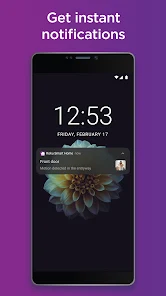
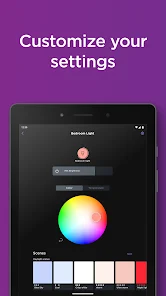
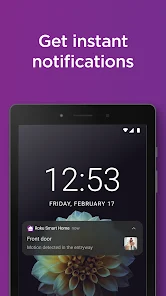
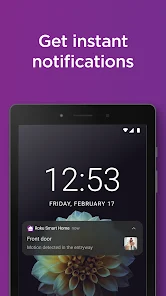
The user experience with the Roku Smart Home app is generally positive, characterized by its intuitive interface and straightforward navigation. Upon opening the app, users are greeted with a clean layout that makes it easy to access all connected devices. The onboarding process is user-friendly, guiding new users through setup with helpful prompts. Most users appreciate the responsiveness of the app, which allows for quick control of devices without noticeable lag. Furthermore, the app supports customizable notifications, keeping users informed about their home’s status. However, some users have reported occasional connectivity issues, which can be frustrating, particularly for those relying on real-time alerts from security devices. Overall, the app succeeds in delivering a convenient and efficient smart home management experience.

Pricing

The Roku Smart Home app is free to download and use, which adds to its appeal, especially for those who are looking to enhance their home automation without incurring additional costs. While the app itself is free, users should be aware that they may need to purchase compatible Roku smart home devices to fully utilize its capabilities. Prices for these devices can vary, but Roku offers a range of affordable options that cater to different budgets. This pricing strategy makes the app accessible to a wide audience, allowing users to gradually build their smart home setup.

Updates & Support

The Roku Smart Home app is regularly updated to improve functionality and add new features, reflecting the company’s commitment to enhancing user experience. Users can expect periodic updates that address bugs and introduce new integrations with additional smart home devices. Roku also provides comprehensive support through its website, including FAQs, troubleshooting tips, and user forums where users can share experiences and solutions. For more personalized assistance, users can reach out to Roku's customer support team, which is known for being responsive and helpful. Overall, the combination of regular updates and solid customer support contributes to a positive user experience with the Roku Smart Home app.

verified Security & Privacy Review

The Roku Smart Home app prioritizes user security and privacy by implementing robust measures to protect sensitive data. The app requires minimal permissions, primarily focusing on access to the local network for device control and monitoring. Users are informed about the permissions required during the setup process, allowing for informed consent. Data encryption is employed to safeguard information transmitted between the app and connected devices, ensuring that personal data remains secure from unauthorized access. Roku's privacy policy is transparent, detailing how user data is collected, utilized, and shared. The app does not collect excessive personal information, limiting data to what is essential for functionality. Additionally, users can manage their privacy settings within the app, giving them control over data sharing preferences. Regular updates are rolled out to address potential vulnerabilities and enhance security features. Overall, Roku Smart Home demonstrates a commitment to maintaining user privacy while providing a seamless smart home experience.
Advertisement

User Reviews

  • BETHMAX
    2025/05/16

    ive had my inside and outside camera for about a year now. everything was working fine. all of the sudden the motion detection just stopped alerting. I have unplugged it, reconnected it to the WiFi, etc. it still will not alert me. what good is a front door camera if it doesn't let you know of potential dangers? I have emailed them about this and never get a response! I don't recommend buying! we are looking for a different brand now.

  • Jesse McCollom
    2025/08/28

    Avoid at all costs. Roku cameras are horrible. Once the trial of the sub is done, you don't receive any notifications (regardless of what they'll tell you). One of my cameras now refuses to connect to my network. I had to delete the device because it wouldn't connect, and now I can't even set it back up. I have 3 other cameras that consistently need to be unplugged and plugged back in. Roku cameras have been a complete waste of money and I wish I never bought them.

  • Jearl McDonald
    2025/04/03

    I've been using the lights for several months now, had some issues about two months ago. Once the problems occurred I reached out to support for help on solving the problem. I tried with their "live" support but it was weird and ended up emailing them. I don't get a response for another week until they email me back asking if the problem was still occurring. ( which it most definitely was) I wrote them back saying yes it is still happening and I would love some help.

  • Jessica Dial
    2025/09/17

    Bought a two pack of the single stand indoor roku cameras from Walmart and set them up without issue on our starlink wifi. Worked great for the duration of the trial and then disconnected for whatever reason. Tried to reconnect both multiple times, restarted cameras, uninstalled and reinstalled app to no avail. Deleted both cameras from the app and tried to redo the setup and, for the life of me, can NOT get the damn things to reconnect. Absolute garbage. Screw you roku.

  • Mark Takagi
    2025/06/24

    I have been using the Roku smart home features for approximately a year and a half and I've had nothing but trouble. things will be working just fine then all the sudden you can't turn lights on and off or access the camera. notifications don't come through sometimes and I have uninstalled and reinstalled the app so many times it's ridiculous. when everything works, it is a wonderful app. however, there's too many times that the app fails. frequently the app will log itself out unexpectedly.

Review Source: Google Play store public user reviews.

FAQ

1

Does Roku Smart Home collect my personal data?

Roku Smart Home may collect personal data to provide its services and improve user experience, but it adheres to privacy policies that explain how data is used and protected.

2

Does Roku Smart Home offer a free trial or free version?

Roku Smart Home offers a free version with limited features, and users may also have the option to start a free trial of premium features to explore the full capabilities of the app.

3

Does Roku Smart Home require an internet connection?

Yes, Roku Smart Home requires a stable internet connection to function properly, as it relies on cloud services to manage and communicate with connected devices.

4

How can I contact support or send feedback for Roku Smart Home?

Users can contact Roku Smart Home support through the app's help section, visit the official Roku support website, or send feedback via email to provide insights and suggestions.

5

How do I manage or cancel my Roku Smart Home subscription?

Users can manage or cancel their Roku Smart Home subscription through the app settings or their Roku account online, where they can find detailed instructions for subscription management.

How to use Roku Smart Home

1

How can I find the customer number for Roku?

The customer number for Roku is typically found in your account settings or on the Roku device under the "About" section.

2

How do I activate the Roku Smart Home app?

To activate the Roku Smart Home app, log in with your Roku account and follow the on-screen instructions to pair your smart devices.

3

How do I contact Roku customer service?

You can reach Roku customer service by visiting their website and accessing the support section for chat or phone options.

4

How do I log in to the Roku Smart Home app?

Open the Roku Smart Home app and enter your Roku account credentials. If you don't have an account, you can create one within the app.

What's New

- Minor bug fixes and performance improvements.

Editor's Choice