This site uses cookies to enhance your user experience. By clicking any link on this site you are giving your consent to our cookie policy. Read more
Reject
Accept All

Advertiser and Editorial Disclosures

Homes.com Real Estate Search

Homes.com Real Estate Search

verified

CoStar Homes.com Android Team

4.7
Rating
1,000,000+ Downloads
17.6.0 Version
Advertisement
  • category

    Category: House & Home

  • price

    Price: free

  • age rating

    Age Rating: Everyone

  • rating

    Rating: 4.7

  • available on

    Available on: /

  • updated on

    Updated on: Jun 30, 2026

Screenshot 1
Screenshot 2
Screenshot 3
Screenshot 4
Screenshot 5
Screenshot 6
Screenshot 7
Screenshot 8
Advertisement

Features & Highlights

Advanced Search Filters

Homes.com Real Estate Search offers advanced filtering options that allow users to narrow down their property hunt based on specific criteria such as price range, property type, and location. This makes it easier to find a home that meets all your needs without sifting through irrelevant listings.

Comprehensive Market Insights

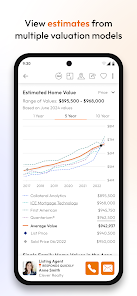
Homes.com provides valuable market insights that help users understand current trends in their desired areas. With up-to-date information on home prices, market conditions, and neighborhood statistics, you can make informed decisions about buying or selling your property.

Interactive Map Search

Explore neighborhoods like never before with the interactive map search feature. Users can visualize property locations on a map, view nearby amenities, and even get a sense of the area's vibe, making it a breeze to identify the perfect spot for your new home.

Personalized Property Alerts

Stay ahead of the game with personalized property alerts that notify you when new listings match your saved search criteria. This ensures you never miss out on a potential dream home and can act quickly in a competitive market.

Advertisement

Pros & Cons

Pros
  • Comprehensive listings for homes and apartments to suit every need.
  • User-friendly interface simplifies searching for properties.
  • Advanced filtering options help narrow down choices effectively.
  • Access to detailed property information and neighborhood insights.
  • Mobile-friendly platform allows browsing on-the-go.
Cons
  • Limited search filters may hinder finding specific property types easily.
  • User interface can be less intuitive compared to competitors.
  • Inconsistent listing accuracy may lead to confusion and frustration.

Real Experience Using Homes.com Real Estate Search

Real Experience Application Scenarios

The Homes.com Real Estate Search app is designed for a diverse range of users, including first-time homebuyers, seasoned investors, and renters looking for their next apartment. It serves as a valuable tool in various scenarios, from casual browsing to serious home hunting. Users can explore neighborhoods, compare properties, and even find local market trends. Additionally, the app is ideal for real estate agents seeking to connect with potential clients or showcase available listings. With its comprehensive search filters and map functionalities, the app allows users to tailor their searches by price, location, property type, and more, making it suitable for any real estate need.

User Experience

The user experience of the Homes.com app is generally intuitive and user-friendly. Upon launching the app, users are greeted with a sleek interface that makes navigation seamless. The search functionality is robust, offering various filters that allow users to narrow down their options effectively. Property listings come with high-quality images, detailed descriptions, and essential information such as school ratings and nearby amenities. Users can easily save their favorite listings and receive notifications for new properties matching their criteria. The app also provides a "View Map" feature, which is excellent for those wanting to visualize property locations relative to their desired neighborhoods. Overall, the app focuses on enhancing the user's journey, making the often stressful process of searching for real estate more enjoyable.

Pricing

The Homes.com Real Estate Search app is free to download and use, which is a significant advantage for users looking to explore real estate without any upfront costs. While the app does not charge for its basic functionalities, there are options for premium listings or advertising for real estate agents. However, these features are not intrusive to the general user experience, and most casual users will find the free version sufficient for their property searches. This pricing model allows both buyers and renters to access valuable real estate information without financial barriers.

Updates & Support

The app is regularly updated to improve performance, enhance user experience, and incorporate user feedback. Updates often include bug fixes, new features, and improved search algorithms to ensure accurate and up-to-date listings. The support team is responsive and provides assistance through various channels, including in-app support and a dedicated help section on their website. Users can find answers to frequently asked questions or reach out for personalized assistance. This commitment to customer support and continuous improvement demonstrates Homes.com’s dedication to providing a reliable and efficient real estate search experience.

verified Security & Privacy Review

Security & Privacy Review The Homes.com Real Estate Search app prioritizes user security and privacy through robust data protection measures. The app employs encryption protocols to safeguard sensitive information, ensuring that personal data transmitted over the internet remains confidential. In terms of permissions, the app requests access to location services, contacts, and storage, which are necessary for providing personalized property recommendations and enhancing user experience. Users are encouraged to review these permissions carefully and adjust settings according to their comfort levels. Homes.com adheres to stringent privacy practices, clearly outlining its data handling policies in its privacy policy. User data is not sold to third parties, and the app limits data collection to what is essential for functionality. Additionally, users can manage their data preferences within the app, allowing for enhanced control over their information. Overall, Homes.com demonstrates a commitment to maintaining user privacy and security, making it a trustworthy option for real estate searches.
Advertisement

User Reviews

  • Megan Allen
    2023/09/24

    This app doesn't seem like a replacement or upgrade to Homesnap at all. My pro (or even basic agent focused) information doesn't come up in the app so I'm forced to use the Web version. You can't search for more than one location at a time. Also, you can't schedule tours with ShowingTime directly from the app. I'm hoping these things will be added.

  • Katea Robinson
    2026/06/18

    This site is very easy to explore, and it has enough filters and settings to meet all the needs for a perfect find. Though the heart may not settle, this site brings out the dreams and possibilities.

  • Katie Torbet
    2026/06/29

    very easy and convenient to look through. nice, they send out "heads ups" to your email to let you know any changes to your favorite pics.

  • Benjamin Clary
    2026/06/24

    There is a lot to like about thos app. one thing I have observed as a negative is that when I am using my company wifi, this app doesn't work well. My guess is that the app detects a VPN and.kicks it back.

  • Kimberly Parish
    2026/06/11

    love this ap. can see homes with and without furniture on Video tour. room dimensions etc. also love the financing Calculator. Great app all around. only home shopping tool I recommend!

Review Source: Google Play store public user reviews.

FAQ

1

Can I submit suggestions or feedback to Homes.com for Sale & Rent?

Yes, users can submit suggestions or feedback through the app’s feedback feature or by contacting customer support directly.

2

Does Homes.com for Sale & Rent collect my personal data?

Yes, Homes.com for Sale & Rent may collect personal data to enhance user experience, but it adheres to privacy policies to protect user information.

3

Does Homes.com for Sale & Rent support offline use?

Homes.com for Sale & Rent requires an internet connection for most features, but some information such as saved searches may be accessible offline.

4

How do I cancel my Homes.com for Sale & Rent subscription?

Users can cancel their Homes.com for Sale & Rent subscription through their app store account settings or by following the cancellation instructions within the app.

5

How much does a subscription to Homes.com for Sale & Rent cost?

The subscription cost for Homes.com for Sale & Rent varies depending on the features selected, and users can check the app for current pricing details.

How to use Homes.com Real Estate Search

1

Can I change my customer number?

Unfortunately, customer numbers cannot be changed. If you need assistance, please reach out to customer service.

2

How can I reach customer service for Homes.com?

You can contact customer service by visiting our website and using the support link.

3

How can I update my customer service contact preferences?

You can update your contact preferences in your account settings after logging in.

4

How do I log in to my Homes.com account?

To log in, visit the Homes.com homepage and enter your email and password in the login section.

5

How do I retrieve my log in details?

If you’ve forgotten your log in details, use the "Forgot Password?" link on the login page to reset your password.

What's New

Urgent Fix

Editor's Choice