This site uses cookies to enhance your user experience. By clicking any link on this site you are giving your consent to our cookie policy. Read more
Reject
Accept All

Advertiser and Editorial Disclosures

Planner 5D: Home Design, Decor

Planner 5D: Home Design, Decor

verified

Planner 5D

4
Rating
/ Downloads
2.19.2 Version
Advertisement
  • category

    Category: House & Home

  • price

    Price: 0

  • age rating

    Age Rating: Everyone

  • rating

    Rating: 4

  • available on

    Available on: /

  • updated on

    Updated on: Jul 7, 2026

Screenshot 1
Screenshot 2
Screenshot 3
Screenshot 4
Screenshot 5
Screenshot 6
Screenshot 7
Screenshot 8
Advertisement

Features & Highlights

3D Visualization

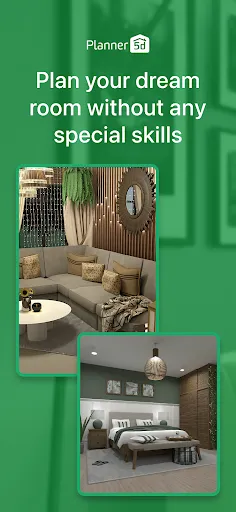
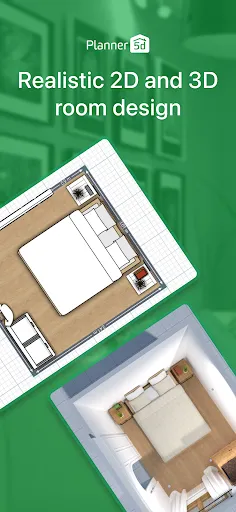
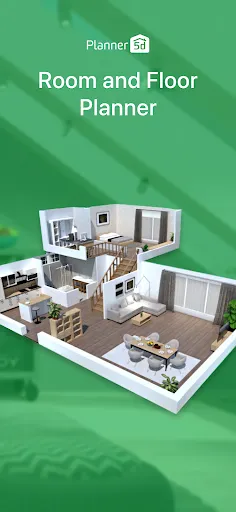
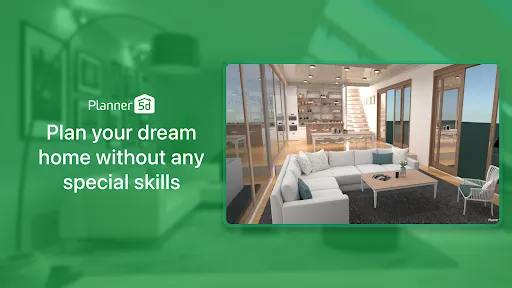
Experience your designs in stunning 3D with Planner 5D's advanced visualization tools. This feature allows you to explore every angle of your project, giving you the ability to see how colors, textures, and layouts come together in a realistic environment, making your design decisions easier and more informed.

Augmented Reality Mode

Take your designs into the real world with the innovative Augmented Reality mode. By overlaying your plans onto your actual space through your device's camera, you can visualize how your choices fit into your home, helping you make confident decisions before any physical changes are made.

Extensive Catalog

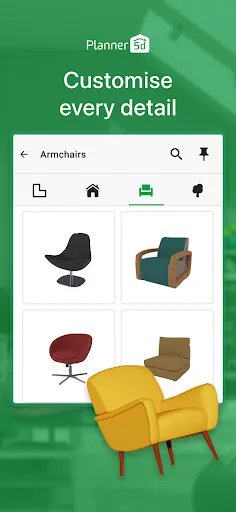
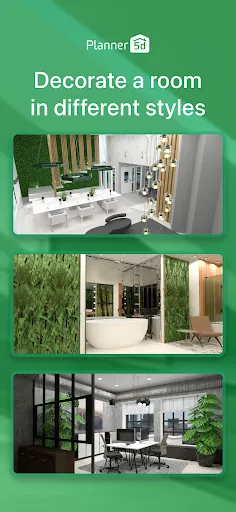
Access a vast library of furniture, decor, and materials to personalize your space. With thousands of items at your fingertips, you're free to experiment with styles and layouts, ensuring your design reflects your unique taste and meets your functional needs seamlessly.

User-Friendly Interface

Planner 5D offers an intuitive interface that caters to both beginners and seasoned designers. With drag-and-drop functionality and easy navigation, you can bring your ideas to life without feeling overwhelmed, making home design accessible to everyone, regardless of their experience level.

Advertisement

Pros & Cons

Pros
  • Create stunning 2D and 3D designs effortlessly with intuitive drag-and-drop tools.
  • Access a vast library of furniture and decor items to personalize your space.
  • Visualize your ideas in realistic renderings to enhance planning and decision-making.
  • Collaborate easily with others, sharing designs for feedback and improvements.
  • Use on multiple devices, allowing for design flexibility anytime, anywhere.
Cons
  • Limited customization options may restrict creative design choices.
  • Steeper learning curve for beginners can hinder quick project completion.
  • Performance issues may arise with complex designs, causing frustration during use.

Real Experience Using Planner 5D: Home Design, Decor

Real Experience Application Scenarios

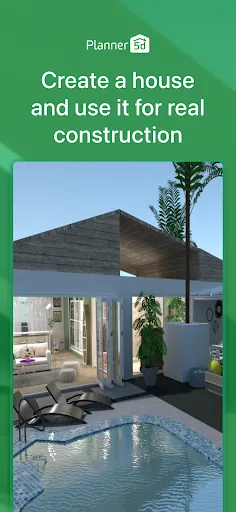
Planner 5D is incredibly versatile, catering to a wide range of users, from homeowners wanting to redesign their spaces to professional interior designers seeking an efficient design tool. Whether you're planning a cozy apartment layout, envisioning a sprawling house, or simply experimenting with your garden landscape, this app provides the tools necessary to bring your ideas to life. Users can create detailed floor plans in 2D and then switch to 3D views to visualize their designs more realistically. It's perfect for anyone looking to renovate, redecorate, or even build from scratch, allowing for endless customization. Additionally, the app's integration of augmented reality offers a unique way to see how designs would look in real life, making it an excellent choice for those who want to test their ideas before making any commitments.

User Experience

The user experience in Planner 5D is notably intuitive. The drag-and-drop interface allows users of all skill levels to navigate the app with ease. Beginners can quickly grasp the basics with the help of tutorials and guides, while seasoned designers will appreciate the depth of features available. The extensive library of furniture, décor items, and textures allows for high levels of personalization, enabling users to create spaces that truly reflect their style. Users have reported positive experiences with the app’s rendering speed, providing quick visuals that help in decision-making. However, some have noted that the learning curve can be steep for advanced features, but once mastered, these tools can significantly enhance design quality.

Pricing

Planner 5D operates on a freemium model, offering a free version with limited access to design features and assets. For those looking for a more comprehensive experience, the app provides a premium subscription that unlocks advanced functionalities, including access to a broader range of furniture and décor items, high-quality rendering options, and the ability to save multiple projects. Pricing is competitive within the home design app market, making it accessible for casual users and professionals alike. The investment can be worthwhile for users who are serious about their home design projects and require the additional features to realize their visions fully.

Updates & Support

Planner 5D is committed to continuous improvement, with frequent updates that refine existing features and introduce new ones based on user feedback. The developers actively engage with the community, which allows them to stay attuned to user needs and trends in home design. Support is readily available through various channels, including an online help center and customer service, ensuring that users can resolve any issues they encounter. Additionally, the app’s community forum fosters a collaborative environment where users can share tips, ideas, and inspiration, further enhancing the overall experience.

verified Security & Privacy Review

Security & Privacy Review Planner 5D prioritizes user security and privacy through a range of measures designed to protect personal information. The app employs encryption protocols to secure data during transmission, ensuring that sensitive details are safeguarded from unauthorized access. Additionally, user data is stored in secure servers with limited access, reducing the risk of data breaches. When it comes to permissions, Planner 5D requires access to certain device features, such as the camera and storage. Users are prompted to grant these permissions, and they have the option to manage them through their device settings. The app's privacy policy clearly outlines how user data is collected, used, and shared, emphasizing transparency in its data handling practices. Moreover, Planner 5D does not sell user data to third parties, reinforcing its commitment to user privacy. Regular updates to the app also include security enhancements, ensuring that the platform remains resilient against potential threats. Overall, Planner 5D demonstrates a solid approach to protecting user information while providing an engaging design experience.
Advertisement

User Reviews

  • Adrienne Terrance
    2026/06/19

    I really wanted to like it. The options are limited even with the paid version and I was charged for it twice! The app kept trying to upcharge me for features the paid version should have had. I would like a refund. Its not easy to work with. the AI rendering was pretty accurate for my project but I wasn't able to update it. which stinks.

  • Sherry Barney
    2026/06/10

    Was required to create an account to use the app. Didn't give me the opportunity to try the app before introducing "rate the app" pop-ups. It took about 10 "skips" to get to the paywall, definitely did not subscribe. None of the preset rooms are the shape of any of my rooms. I probably could have rearranged my furniture in the time it took to get here.

  • Marquie Warren
    2026/05/20

    I LOVE this app!!!!❤️❤️❤️ & im only using the free part of it for the time being. I CAN NOT WAIT to purchase the WHOLE YEAR'S worth of the app. I want to know how everything else works! @ 1st it was hard to use only because im not used to changing the view of my perception, but after a little practice it got easier, & I LOVE being able to see my floor plans come to life. as well as the visuals so I can see what the square footage is. it also makes it ALOT easier with the people inside it.❤

  • D D
    2026/03/11

    Attempted to try this system out on a free trial basis, but it charged me for the $29 program. It is very complicated and not intuitive from a selections standpoint, so I wanted to delete the app, not realizing that there was no free trial. They claim I already used it, so now I have to pay. I literally used it for 5 minutes before realizing it was not what I thought it was, and that it's likely they have "bought" reviews. Buyer beware, horrible predatory business practice and customer service!

  • J P
    2026/03/05

    The way the app's walls and floors are currently set up is not mobile/tablet friendly, and is way more complicated and time-consuming than it needs to be. I'd like the option to draw walls and floors using the S pen or my finger, the way you can with a mouse, rather than adding entire rooms, resizing and deleting walls, and merging rooms, when all I want is to draw a simple wall. I'd enjoy using this app and be willing to renew if you'd add this very simple feature.

Review Source: Google Play store public user reviews.

FAQ

1

Can I submit suggestions or feedback to Planner 5D: Home Design, Decor?

Yes, users can submit suggestions or feedback through the app's support or feedback section, allowing them to share their thoughts on features and improvements.

2

Does Planner 5D: Home Design, Decor collect my personal data?

Planner 5D: Home Design, Decor may collect personal data as outlined in its privacy policy, primarily to enhance user experience and provide personalized services.

3

Does Planner 5D: Home Design, Decor support offline use?

Yes, Planner 5D: Home Design, Decor allows users to work offline, enabling them to design their spaces without needing an internet connection.

4

How do I cancel my Planner 5D: Home Design, Decor subscription?

Users can cancel their subscription through their account settings in the app or via the app store where they purchased the subscription, following the specific cancellation instructions provided.

5

How much does a subscription to Planner 5D: Home Design, Decor cost?

The subscription cost for Planner 5D: Home Design, Decor varies based on the plan selected, with options for monthly or yearly subscriptions, providing access to additional tools and resources.

How to use Planner 5D: Home Design, Decor

1

Can I change my Customer Number if needed?

Unfortunately, Customer Numbers are unique and cannot be changed. For more assistance, please reach out to Customer Service.

2

How can I contact Customer Service for help with my account?

You can reach Customer Service through the support section on our website or by emailing support

3

How can I verify if my account has been activated?

You can verify your account activation by attempting to log in. If you can access your account, it is active.

4

How do I activate my account after signing up?

Check your email for the activation link we sent you. Click the link to activate your account and log in.

5

How do I log in if I'm having technical issues?

Ensure your internet connection is stable and try clearing your browser's cache. If issues persist, contact Customer Service for help.

What's New

Introducing AI Designer—your smart assistant for transforming any room! With just a few taps, you can completely redefine your space. Explore the latest addition to our app featuring two powerful tools: Furnisher and Styler. Whether you’re updating your current decor or designing a new room from the ground up, AI Designer simplifies the process, making interior design both effortless and enjoyable. Start transforming your space with AI Designer today and unlock the full potential of your home!

Editor's Choice