This site uses cookies to enhance your user experience. By clicking any link on this site you are giving your consent to our cookie policy. Read more
Reject
Accept All

Advertiser and Editorial Disclosures

MyChart

MyChart

verified

Epic Systems Corporation

4.5
Rating
10,000,000+ Downloads
11.6.4 Version
Advertisement
  • category

    Category: Medical

  • price

    Price: free

  • age rating

    Age Rating: Everyone

  • rating

    Rating: 4.5

  • available on

    Available on: /

  • updated on

    Updated on: Jul 3, 2026

Screenshot 1
Screenshot 2
Screenshot 3
Screenshot 4
Screenshot 5
Screenshot 6
Screenshot 7
Screenshot 8
Screenshot 9
Screenshot 10
Advertisement

Features & Highlights

Health Records Access

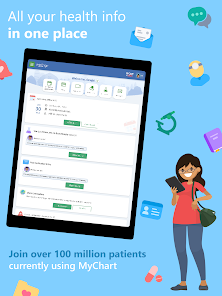
MyChart provides easy access to your complete health records, including immunizations, allergies, and medical history. This comprehensive view empowers you to take an active role in your health and ensures that you are informed during medical visits.

Patient Portal

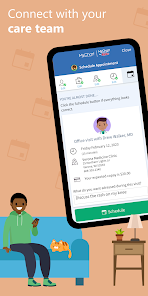
MyChart offers a user-friendly patient portal that allows you to access your health information anytime, anywhere. You can view test results, schedule appointments, and manage medications easily, putting your health management in your hands.

Prescription Management

Manage your prescriptions effortlessly with MyChart. You can request refills, check medication history, and even set reminders for when to take your medications, ensuring you stay on track with your treatment plan.

Secure Messaging

With MyChart's secure messaging feature, you can communicate directly with your healthcare providers without the hassle of phone calls or waiting on hold. This ensures you get timely responses to your questions and concerns, making healthcare more accessible.

Advertisement

Pros & Cons

Pros
  • Access your health information anytime, anywhere
  • Schedule appointments easily with just a few clicks
  • Receive test results quickly and securely online
  • Communicate directly with your healthcare team
  • Manage prescriptions and refills effortlessly
Cons
  • Limited accessibility for older individuals
  • Frequent technical issues disrupt usage
  • Privacy concerns with personal health data
  • Overwhelming features can confuse users

Real Experience Using MyChart

Application Scenarios

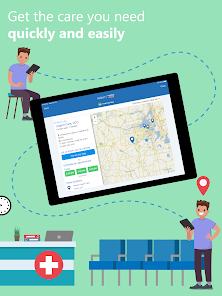
MyChart serves as a comprehensive health management tool that is particularly useful for patients seeking to streamline their healthcare experience. This app is ideal for individuals who have ongoing medical conditions, need regular check-ups, or seek to manage appointments efficiently. Users can schedule visits with their healthcare providers, access lab results, and request prescription refills all from the convenience of their mobile devices. Furthermore, MyChart is beneficial for caregivers who need to monitor the health records of family members, making it a versatile tool for managing both personal and loved ones' health.

User Experience

The user experience of MyChart is generally positive, thanks to its intuitive interface and user-friendly design. Upon logging in, users are greeted with a dashboard that displays essential information such as upcoming appointments, messages from healthcare providers, and important health reminders. The navigation is straightforward, allowing users to easily access their medical records, test results, and educational resources. Additionally, the app supports secure messaging, enabling seamless communication between patients and their healthcare teams. However, some users have reported occasional glitches, particularly during high-traffic times, which can hinder access to key features. Despite these minor setbacks, the overall user experience remains highly regarded.

Pricing

MyChart is available for free to users, as it is typically offered by healthcare providers who cover the app’s costs as part of their patient services. However, while the app itself incurs no direct expenses, users should be aware that certain services accessed through MyChart, such as telehealth visits or specific medical procedures, may come with associated fees. It's essential for users to check with their healthcare provider regarding any potential costs related to services arranged through the app. This model makes MyChart an accessible option for a broad range of users, ensuring that cost is not a barrier to effective health management.

Updates & Support

MyChart is regularly updated to enhance functionality and improve user experience. These updates often include new features, bug fixes, and security enhancements that keep user data safe and private. The app provides a dedicated support section, offering FAQs, troubleshooting tips, and contact information for technical assistance. Users can also access support through their healthcare provider's office, ensuring that help is readily available when needed. The commitment to continual improvement and responsive support reflects MyChart's dedication to providing a reliable healthcare management solution for its users.

verified Security & Privacy Review

MyChart prioritizes user security and privacy, employing robust measures to safeguard personal health information. The app uses encryption protocols to protect data transmission between users and healthcare providers, ensuring that sensitive information remains confidential. Furthermore, it adheres to HIPAA regulations, which mandate strict guidelines on handling protected health information. Users are required to authenticate their identity through secure login processes, including multi-factor authentication options, providing an added layer of security. MyChart also allows users to customize privacy settings, granting them control over who can access their health information. In terms of permissions, the app requests access to essential features, such as notifications and location services, but allows users to opt-out or restrict access as desired. This transparency fosters trust and empowers users to make informed decisions about their data. Overall, MyChart demonstrates a commitment to security and privacy, ensuring that user data is handled responsibly while providing convenient access to health information.
Advertisement

User Reviews

  • LoLo Hanna
    2024/10/17

    I seemed to have lost a lot of my information because I could not log in. Everytime I tried to log in, I would get a message about try again password or log in does not work. I had the same passwords for all accounts, and I ended up having to uninstall and reinstall the app and change the password. After doing that, I seemed to have lost 3 accounts. It worked fine until this last update

  • Amazonian from Boston
    2025/10/07

    If anything, this version of MyChart has more options than I know how to use, and some, like Medication updates and check-in interviews are sometimes difficult to complete because I take so many meds. Still, it is easy to find the major categories of information about my conditions and meds, and to update information. One gripe is in Messages, where I cannot edit a message that I have already submitted, and I sometimes run out of space well before I notice that I am over the maximum entry limit.

  • Critter 400
    2026/07/01

    There are lots of things I appreciate in using MyChart and others I don't such as the way it flags me every single time I have any minute changes to appointments, etc. I feel like I'm constantly logging in to see why I was notified because the notification doesn't tell you what it's about. I spend way too much time in this app, checking in for appointments, going over endless checklists (that I just did a few days ago!!), etc. Maybe that's the fault of my medical team though not the app.

  • Ray Sandler
    2026/06/26

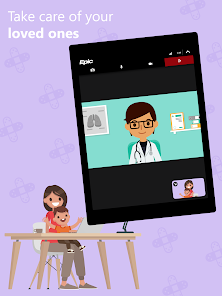
    A good app, though the app didn't work well for telehealth visits. The video did not work at all on Windows 11 despite giving it permission to use the camera. It worked on my Samsung smartphone but the audio there had to be placed near my ear to hear it when I enacted the speaker function. Also I found selecting the shortcuts not to be intuitive, but I eventually got the ones I wanted. My Healthcare system used to use an app exclusively for telehealth called 'Blue Jeans' and that worked well.

  • Bonn H
    2026/07/02

    I recently changed to the MyChart app from Follow my heath app and I really like MyChart, especially the messaging feature. However, recently the messages and other features are not working. I can see the summary of it when it pops up but when I open it, its blank! Ive tried clearing my cache, deleting and redownloading the app.. nothing works. very frustrating. Cant see my messages, results, nothing.

Review Source: Google Play store public user reviews.

FAQ

1

Does MyChart collect my personal data?

Yes, MyChart collects personal health information to provide users with personalized healthcare services, but it follows strict privacy and security protocols to protect that data.

2

Does MyChart offer a free trial or free version?

MyChart is generally provided free of charge to users as part of their healthcare provider's services, but specific features may vary by provider.

3

Does MyChart require an internet connection?

Yes, MyChart requires an internet connection to access the portal and mobile app features, as it operates online.

4

How can I contact support or send feedback for MyChart?

Users can contact MyChart support through the help section of the app or website, or by reaching out directly to their healthcare provider's support team for any feedback or questions.

5

How do I manage or cancel my MyChart subscription?

Since MyChart is usually free and tied to your healthcare provider, there is no subscription to manage or cancel; however, you can contact your provider for assistance with your account.

How to use MyChart

1

How do I activate my MyChart account?

To activate your MyChart account, you will need an activation code, which can be obtained from your healthcare provider. Follow the prompts on the app to complete the activation.

2

How do I contact customer service for the MyChart app?

You can contact customer service by calling the number provided in the app or visiting the support section on the MyChart website.

3

How do I find the customer service number for MyChart?

The customer service number can be found in the app under the "Help" or "Contact Us" section.

4

How do I log in to MyChart?

To log in, enter your username and password on the MyChart login page or app. If you don't have an account, you can sign up for one.

What's New

A new homepage card allows you to opt in to sharing your health data through Care Everywhere. COVID-19 information no longer appears before logging in to your organization. You can now share PDFs from other apps to MyChart. These changes might become available to you after your healthcare organization starts using the latest version of Epic.

Editor's Choice