This site uses cookies to enhance your user experience. By clicking any link on this site you are giving your consent to our cookie policy. Read more
Reject
Accept All

Advertiser and Editorial Disclosures

Tempo - Music Video Maker

Tempo - Music Video Maker

verified

Tempo trend video editor with effects & music. Ltd

4.2
Rating
50,000,000+ Downloads
4.28.0 Version
Advertisement
Screenshot 1
Screenshot 2
Screenshot 3
Screenshot 4
Screenshot 5
Screenshot 6
Screenshot 7
Screenshot 8
Advertisement

Features & Highlights

Creative Templates

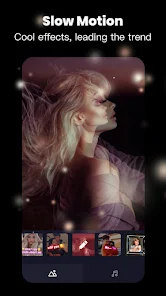
Tempo provides a wide array of stylish templates that cater to various themes and moods. These pre-designed layouts help users jumpstart their projects while offering a range of customization options, allowing you to add personal touches and create unique videos that stand out from the crowd.

In-App Video Editing

With robust in-app editing tools, Tempo allows users to trim, merge, and apply filters to their clips seamlessly. This comprehensive editing suite empowers users to refine their videos on the go, ensuring that every project is polished and ready for sharing in no time.

Music Sync Technology

One of Tempo's standout features is its advanced music sync technology, which automatically aligns your video clips to the beat of your chosen soundtrack. This ensures that your visuals match the rhythm perfectly, enhancing the overall impact of your music video and making it feel more professional.

User-Friendly Interface

Tempo offers an intuitive interface that makes video creation a breeze, even for beginners. With simple navigation and easy-to-use tools, users can quickly learn how to craft stunning music videos without any prior experience, allowing creativity to flow effortlessly.

Advertisement

Pros & Cons

Pros
  • Create stunning music videos easily with intuitive drag-and-drop features.
  • Access a vast library of licensed music tracks for seamless integration.
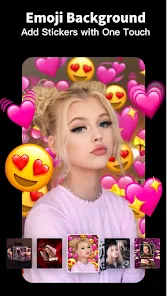
  • Customize videos with filters, effects, and text for a unique touch.
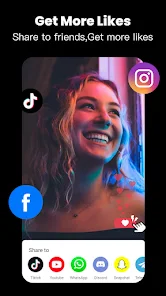
  • Share your creations directly on social media platforms with one click.
  • Collaborate with friends and artists to enhance your video projects.
Cons
  • Limited customization options may restrict creative expression in videos.
  • Performance can lag on lower-end devices, affecting user experience.
  • Watermarked outputs in the free version can diminish professional appeal.

Real Experience Using Tempo - Music Video Maker

Real Experience Application Scenarios

Tempo - Music Video Maker shines in a variety of scenarios, making it an ideal choice for both casual users and aspiring content creators. Whether you want to create a memorable video for a birthday celebration, a romantic montage for an anniversary, or a dynamic highlight reel for a social media event, Tempo provides the tools necessary to bring your vision to life. Users can easily select from a wide array of templates that cater to different themes and occasions, allowing for quick and efficient video creation. Additionally, with its ability to sync music beats with video clips, the app is perfect for those looking to craft engaging content for platforms like Instagram, TikTok, or YouTube. The user-friendly interface ensures that even those with minimal editing experience can navigate the app without any hassle, encouraging creativity and experimentation.

User Experience

The user experience with Tempo is generally smooth and intuitive. Upon launching the app, users are greeted with a clean and vibrant interface that highlights various templates and editing tools. The drag-and-drop functionality allows for easy importing of photos and videos, while the extensive music library provides a wide selection to choose from. Users have noted that the app’s automatic beat detection feature is particularly impressive, as it intelligently aligns video transitions with the rhythm of the selected music track. This feature enhances the overall quality of the final product, making it feel professional without requiring advanced technical skills. However, some users have reported occasional glitches during the rendering process, which can be frustrating. Nevertheless, the app’s ability to generate stylish video content swiftly makes it a favorite among many.

Pricing

Tempo offers a free version that allows users to explore basic features, making it accessible for everyone. However, to unlock premium templates, advanced editing tools, and an ad-free experience, a subscription is required. The pricing is competitive compared to similar apps, with options for monthly or yearly subscriptions. Users have expressed that the investment is worthwhile, especially for those who frequently create videos or rely on high-quality content for their social media presence. The subscription model also includes regular updates and access to new features, ensuring that users remain engaged with fresh content and editing capabilities.

Updates & Support

Tempo is consistently updated to improve functionality and user experience. The developers are attentive to user feedback, regularly releasing patches that address bugs and enhance performance. The app also expands its library of templates and music tracks, keeping the content fresh and relevant. For support, users can access a robust FAQ section, and for more personalized assistance, the customer support team is responsive and helpful. Many users appreciate the quick turnaround time for inquiries, which strengthens their overall satisfaction with the app. Overall, Tempo’s commitment to continuous improvement and user support contributes to its positive reputation in the music video creation space.

verified Security & Privacy Review

Security & Privacy Review Tempo - Music Video Maker prioritizes user security and privacy, implementing various measures to safeguard personal information. The app adheres to industry-standard encryption protocols to protect data during transmission, ensuring that sensitive user information remains secure. When it comes to permissions, Tempo requests access to your device's media files, camera, and microphone, which are essential for creating music videos. Users are encouraged to review these permissions carefully and can choose to limit access based on their comfort level. The app’s privacy policy outlines how user data is collected, used, and shared. Tempo commits to not selling personal information to third parties and employs strict policies to prevent unauthorized access. User data is primarily used to enhance the app experience, including personalized features and recommendations. While Tempo takes significant steps to protect user privacy, it is essential for users to remain vigilant and understand the implications of the permissions they grant. Regular updates to the app also help to address potential vulnerabilities, ensuring ongoing security for users.
Advertisement

User Reviews

  • ᴘᴀsᴛᴇʟ ʙʟᴏᴏᴅ
    2020/07/03

    Ehhh, it's ok, but you should make more of the sounds free to use instead of having to get free trial, and you should DEFINITELY lower the price of the free trial WAYYYY DOWN, its way too high and you'll get many more users and people who'll want to go on free trial if you do that. And also you might wanna improve the English in this so it's easier to understand, and proveread some edits and lyrics to make sure they're correct. Other than the stuff mentioned above, this is an okay app.

  • A Google user
    2020/02/21

    It WAS amazing, had all the cool editing, songs, and did the editing for you!! But now, it changed the language to Korean I believe. I tried uninstalling the app and reinstalling the app but it's language is still Korean!!! I would've put a 5 star if it was in English and I could understand the language. Please fix this and I will rate the app a 5 star!!

  • traviswebrock
    2020/07/27

    I like the app but you really need to lower the price WAYY DOWN. it does not need to be 60 dollars, nor is this app anyway near worth that amount.. it should be atleast 10-20 at MOST. I like the app, it doesn't have much to do though and all the good stuff is stuff you have to pay for. would also be nice if you were given more free will with the edits and if you could use gifs too . other then that, it's ok i guess.

  • Jerrica Williams
    2020/12/21

    I really liked this app! I had this app for a while then I deleted it a couple months ago. I downloaded it again and it's about the same, but it seems like there are WAY too many ads than there use to be!!! Also like almost all the videos are free trial now!!! It just seems like you guys are money hungry this is stupid!!! Every 5 minutes I get an ad!!!!!! Fix this or I won't install ever again and if you fix it I will give it a higher rating!!

  • Jade
    2021/10/05

    It says free trial for 3 days. But as soon as I install the app I already got charged for a year. So there wasn't really a free trial because as soon as the app was installed they take out the payment for 1 year. It should be free trial for 3 days and after 3 days then thats the time that you will charge the customer.😥 But you already took the money on my account. This is false advertising. This app is not free for 3 days. Its not. Beware!

Review Source: Google Play store public user reviews.

FAQ

1

Can I submit suggestions or feedback to Tempo - Music Video Maker?

Yes, users can submit suggestions or feedback through the app's feedback feature or by contacting customer support, as the developers value user input for future improvements.

2

Does Tempo - Music Video Maker collect my personal data?

Tempo - Music Video Maker may collect certain personal data as outlined in its privacy policy, typically for app functionality and user support purposes. Users are encouraged to review the privacy policy for detailed information.

3

Does Tempo - Music Video Maker support offline use?

Yes, Tempo - Music Video Maker allows users to edit and create music videos offline, though some features may require an internet connection for music downloads or updates.

4

How do I cancel my Tempo - Music Video Maker subscription?

To cancel your Tempo - Music Video Maker subscription, you can go to the app store settings on your device, navigate to subscriptions, and follow the prompts to cancel your subscription.

5

How much does a subscription to Tempo - Music Video Maker cost?

The subscription cost for Tempo - Music Video Maker varies based on the selected plan, typically offering monthly and yearly options that provide users with access to additional features and content.

How to use Tempo - Music Video Maker

1

How can I check my customer number in the app?

You can view your customer number in the "Account" section of the app under "Profile Information."

2

How can I contact customer service for support with my Tempo account?

You can reach customer service by emailing support

3

How do I activate my Tempo account after signing up?

After signing up, check your email for an activation link. Click it to activate your account and start using Tempo.

4

How do I reach customer service if I have a billing question?

For billing inquiries, contact customer service via email or the in-app support feature. They'll assist you promptly.

5

I lost my customer number; how can I retrieve it?

You can find your customer number in your account settings under "Profile" or contact customer service for assistance.

What's New

Tempo provides thousands of well-liked templates and personalized MyPage for you to fancy your video.Share your creative photos/videos SlideShow to Facebook, Instagram, and other SNS anytime and anywhere.

Editor's Choice