This site uses cookies to enhance your user experience. By clicking any link on this site you are giving your consent to our cookie policy. Read more
Reject
Accept All

Advertiser and Editorial Disclosures

MX Player

MX Player

verified

Amazon Mobile LLC

4.2
Rating
1,000,000,000+ Downloads
2.7.2 Version
Advertisement
Screenshot 1
Screenshot 2
Screenshot 3
Screenshot 4
Screenshot 5
Screenshot 6
Screenshot 7
Screenshot 8
Screenshot 9
Screenshot 10
Screenshot 11
Screenshot 12
Screenshot 13
Screenshot 14
Screenshot 15
Screenshot 16
Screenshot 17
Advertisement

Features & Highlights

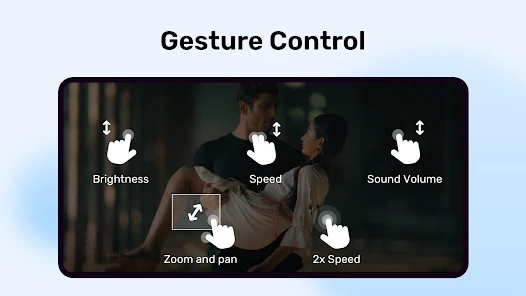
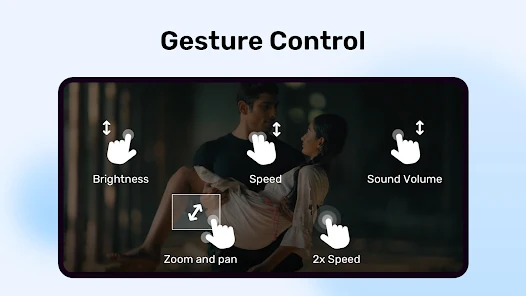
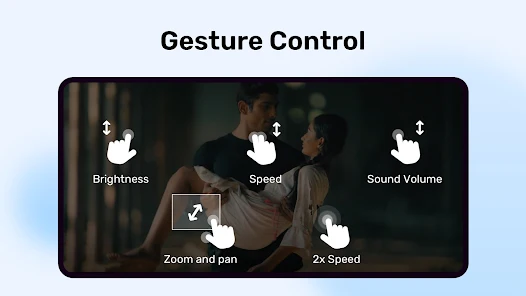
Gesture Controls

MX Player introduces intuitive gesture controls for an effortless viewing experience, letting you adjust volume, brightness, and seek through your videos with simple swipes. This user-friendly navigation makes it easy to tailor your playback to your preferences without fumbling through menus.

Hardware Acceleration

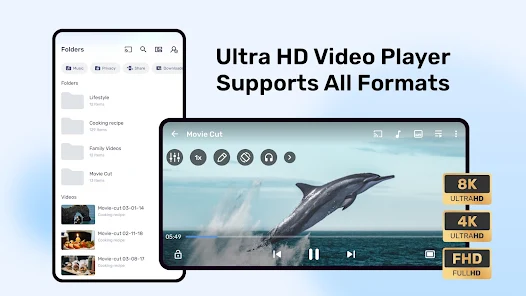
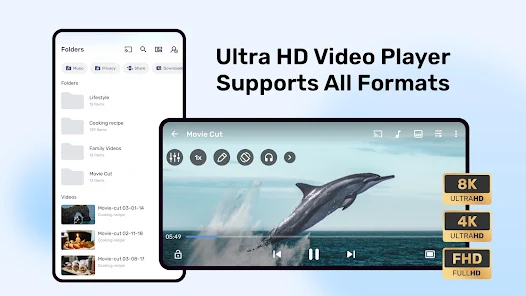
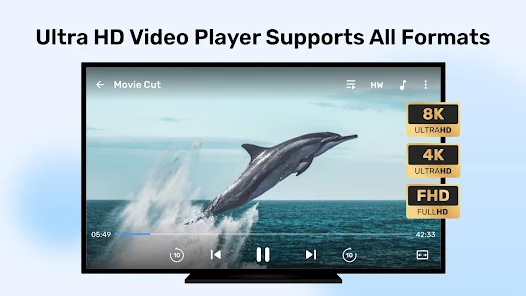
MX Player utilizes hardware acceleration to provide smoother playback of videos, ensuring that even high-resolution files run seamlessly on your device. This feature allows you to enjoy your favorite movies and shows without annoying lags or buffering, making your viewing experience much more enjoyable.

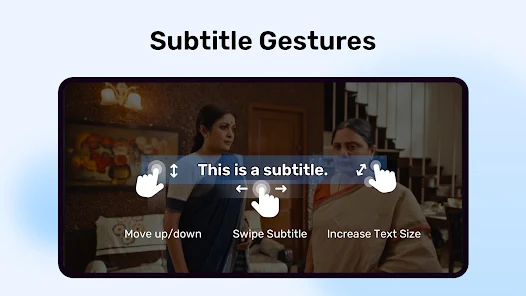
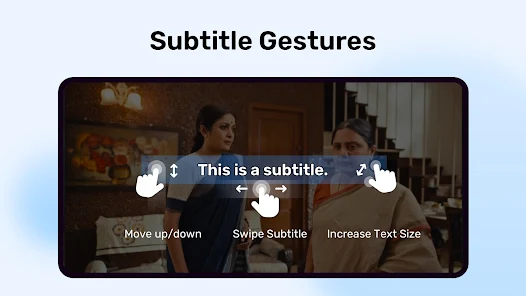
Multiple Subtitle Formats

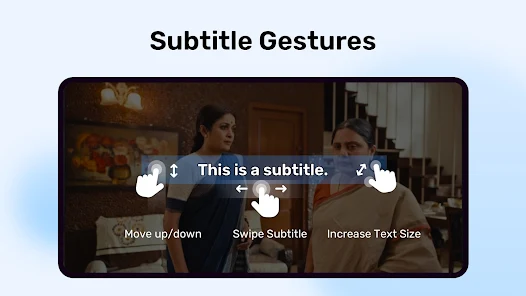
With support for a wide array of subtitle formats, MX Player allows users to customize their viewing experience by adding subtitles in various languages. This feature enhances accessibility and ensures that everyone can follow along, regardless of their language proficiency.

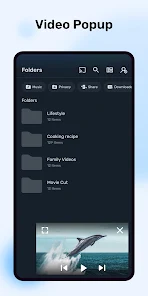
Picture-in-Picture Mode

The Picture-in-Picture mode in MX Player lets you multitask while enjoying your favorite content, allowing the video to continue playing in a small window while you browse other apps. This feature is perfect for those who want to stay connected while watching, providing ultimate flexibility.

Advertisement

Pros & Cons

Pros
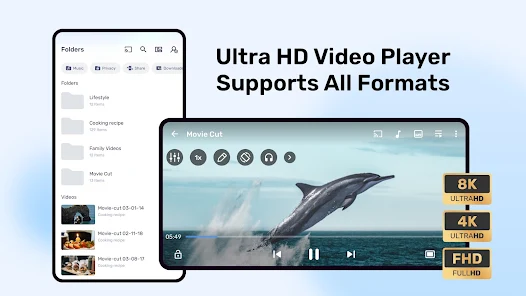
  • MX Player supports a wide range of video formats for versatile playback.
  • It offers a user-friendly interface for easy navigation and enjoyment.
  • The app includes offline viewing options for convenience on the go.
  • It features extensive content, including movies, shows, and web series.
  • MX Player provides personalized recommendations to enhance your viewing experience.
Cons
  • Limited content availability for certain regions restricts user experience.
  • Frequent ads can disrupt viewing enjoyment and immersion.
  • Some users report occasional buffering issues during playback.
  • Complex interface may deter less tech-savvy users from navigating easily.

Real Experience Using MX Player

Real Experience Application Scenarios

MX Player serves as a versatile media player that caters to a wide range of scenarios. Whether you're binge-watching your favorite TV series, enjoying a movie with family, or simply viewing educational content on the go, MX Player has got you covered. It supports a plethora of video formats, ensuring that you can play nearly any type of media file without the need for additional codecs. The app is particularly beneficial for users who enjoy streaming content, as it integrates seamlessly with various online platforms, allowing for easy access to a vast library of films and shows. Moreover, the offline viewing feature is a game-changer, enabling users to download their desired videos and watch them later without needing an internet connection.

User Experience

The user interface of MX Player is intuitively designed, making navigation a breeze for users of all ages. The layout is clean and organized, with easy-to-find controls that enhance the viewing experience. Gesture controls add an extra layer of convenience, allowing users to adjust playback speed, zoom in on visuals, and control volume with simple swipes and taps. The app also offers a variety of customization options, enabling users to select their preferred themes and settings to tailor the experience to their liking. Overall, MX Player provides a smooth and enjoyable experience, making it a go-to choice for both casual viewers and media enthusiasts alike.

Pricing

MX Player operates on a freemium model, offering basic features for free while introducing a premium subscription for advanced functionalities. The free version provides an impressive array of features, but users may encounter ads during playback. The premium subscription, which is reasonably priced, removes these ads and unlocks additional features such as the ability to stream content in higher resolutions and access exclusive shows. This pricing strategy ensures that users can enjoy the app without financial strain, while still providing an option for those who desire a more enhanced experience.

Updates & Support

MX Player is consistently updated, with regular enhancements that improve performance and add new features. User feedback is clearly a priority for the developers, as updates often address common issues and introduce requested functionalities. The support system is robust as well, providing users with access to a detailed FAQ section, troubleshooting guides, and direct customer support for more complex queries. This commitment to user satisfaction ensures that MX Player remains a reliable choice in the competitive landscape of media players.

verified Security & Privacy Review

Security & Privacy Review MX Player prioritizes user security and privacy through its comprehensive data handling practices. The app adheres to industry-standard encryption protocols to protect user data during transmission, ensuring that your personal information remains secure from unauthorized access. When it comes to permissions, MX Player requests access to certain device features, such as storage and network connectivity, to deliver a seamless media playback experience. Users are encouraged to review these permissions carefully, as some may not be essential for core functionality. The app’s privacy policy outlines how user data is collected, used, and shared. MX Player does not sell personal data to third parties, and it implements measures to anonymize data where possible. However, users should remain aware that certain data may be shared with partners for analytics and advertising purposes. Overall, while MX Player demonstrates a commitment to user privacy, it is advisable for users to stay informed about the app's permissions and data practices to ensure their comfort and security while using the platform.
Advertisement

User Reviews

  • Ronald Chen
    2026/04/13

    Ads Ads Ads. Only ads free when offline, but nowadays, mobile data is 24 7 on. Controls are still as good as it used to, but the amount of pop up ads that show up just by pausing, exiting the app, or jus doing anything...is just unbearable. Sort is also not working properly. My recommendation is to use Google Files and open the vids there, you'll get the same volume and brightness sliding control, just no seek by sliding left n right; you double tap to skip 10 secs like youtube.

  • Sergio G
    2026/01/10

    The player itself if you can set up properly with extra codecs - is amazing. However the moment this app development and support was passed on Indian subsidiary of Amazon - it went downhill. The amount of ads is unbearable. Also, the app requires full access to your storage (not just to media files) which is a big NO! It sends data to the Facebook graph API and other marketing platforms (install firewall and check). Be careful

  • Balkish begum Shanu
    2025/03/29

    Audio is not supporting.The app is very good to watch movies, better than other apps,good cinematic experience.But except audio track,sometimes,it is showing audio track eac3 is not supported.This issue occuring after update. please make sure the audio track must be supported. 2)Subtitles synchronisation is not functioning properly,if we forward the video, the subtitles sync will change, again we have to sync it,sometimes the sync will change automatically,it makes hard to watch the video.fix it

  • Neven Mazić
    2025/06/20

    Great app destroyed by unskippable ads. I have been using this app for years and unfortunately it got worse. I really like it and it has great features, however the app started featuring unskippable ads after every minimize or pause and it's driving me crazy. That being said I wish I could pay like €3 to remove ads forever because the app is great. One feature that's missing for me though is screen off playback. Currently the video pauses once you turn off your screen.

  • The Master Shell
    2026/06/24

    I paid for silver subscription purely because I like the app UI and features for over a decade. Ever since the silver plan was discontinued, the app has become unusable. I got the silver subscription for a reason. TO AVOID ADS. Now it's flooded with ads everywhere. And there is no way to get rid of them. Even after logging in with my Amazon prime account. Give back the ad free option for goodness sake. It's unusable and irritating. I am uninstalling MX player for good.

Review Source: Google Play store public user reviews.

FAQ

1

Does MX Player collect my personal data?

Yes, MX Player may collect certain personal data as outlined in its privacy policy, including usage data and device information, but it typically emphasizes user privacy and data protection.

2

Does MX Player offer a free trial or free version?

MX Player offers a free version with ads, allowing users to access a range of features. A subscription plan is also available that provides an ad-free experience and additional premium content.

3

Does MX Player require an internet connection?

MX Player does not require an internet connection to play local files stored on your device. However, an internet connection is needed for streaming content or accessing online features.

4

How can I contact support or send feedback for MX Player?

You can contact MX Player support or send feedback through the app's help section, visit their official website, or reach out via their social media channels for assistance.

5

How do I manage or cancel my MX Player subscription?

You can manage or cancel your MX Player subscription through the app's settings or your app store account settings, depending on how you subscribed. Instructions are usually provided within the app.

How to use MX Player

1

How can I contact customer service for MX Player?

You can reach MX Player customer service through their official website or support email. Look for the 'Contact Us' section for details.

2

How do I activate my MX Player subscription?

To activate, log in to your account, navigate to the subscription section, and select your plan. Follow the prompts to complete the activation.

3

How do I log in to my MX Player account?

Open the app, tap on 'Log In', and enter your credentials. You can also use social media accounts for quick access.

4

Is activation necessary for MX Player?

Activation is not necessary for basic use, but subscribing to premium content may require account activation.

5

What is the customer service number for MX Player?

MX Player does not have a dedicated customer service phone number. Use their online support or email for assistance.

What's New

Experience a smoother, faster, and more reliable application with our latest update. We've squashed bugs and optimized performance to ensure you have the best possible experience.

Editor's Choice