This site uses cookies to enhance your user experience. By clicking any link on this site you are giving your consent to our cookie policy. Read more
Reject
Accept All

Advertiser and Editorial Disclosures

GoPro Quik: Video Editor

GoPro Quik: Video Editor

verified

GoPro

4.5
Rating
10,000,000+ Downloads
/ Version
Advertisement
Screenshot 1
Screenshot 2
Screenshot 3
Screenshot 4
Screenshot 5
Screenshot 6
Screenshot 7
Screenshot 8
Screenshot 9
Screenshot 10
Screenshot 11
Screenshot 12
Screenshot 13
Screenshot 14
Screenshot 15
Screenshot 16
Screenshot 17
Screenshot 18
Screenshot 19
Screenshot 20
Screenshot 21
Screenshot 22
Screenshot 23
Screenshot 24
Advertisement

Features & Highlights

Automatic Video Editing

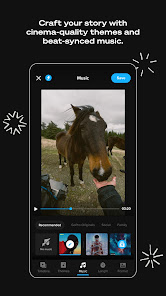
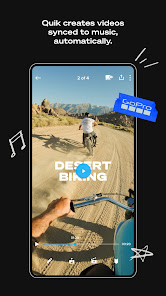
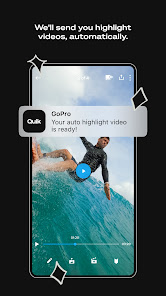
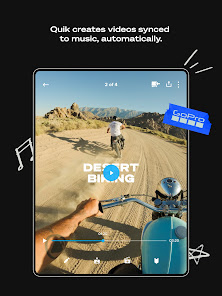
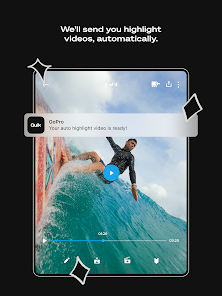
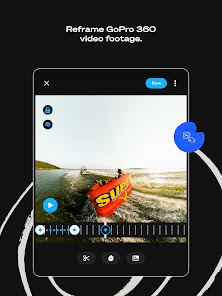
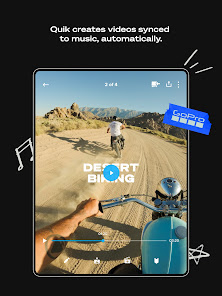
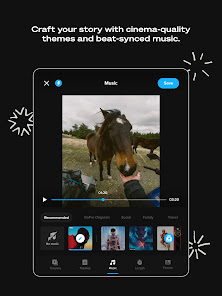
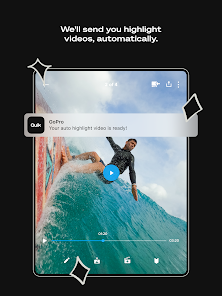
GoPro Quik takes the hassle out of editing by automatically creating stunning videos from your footage. The app intelligently selects the best moments, adds transitions, and syncs everything to the beat of your chosen music, ensuring a polished final product with minimal effort on your part.

Creative Templates

With a variety of creative templates at your fingertips, you can easily customize your videos to match your style. Whether you want something fun and energetic or sleek and professional, these templates provide a great starting point to make your content shine.

Easy Sharing Options

Once you've crafted your masterpiece, sharing it is a breeze. GoPro Quik allows you to quickly upload your videos to social media platforms or save them directly to your device, making it simple to showcase your adventures with friends and followers.

Music Library Access

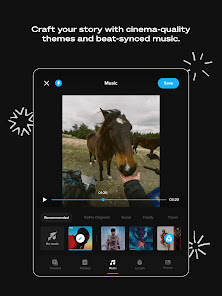
Elevate your videos with access to a rich library of licensed music tracks. You can choose the perfect soundtrack to complement your visuals, enhancing the emotional impact of your video and making it even more engaging for your audience.

Advertisement

Pros & Cons

Pros
  • User-friendly interface makes editing quick and easy for everyone.
  • Automatically creates stunning videos from your clips with minimal effort.
  • Wide range of customizable templates lets you personalize your edits.
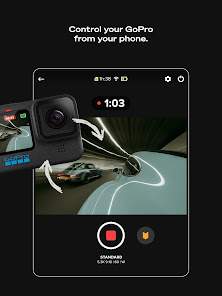
  • Seamless integration with GoPro cameras enhances workflow efficiency.
  • One-tap sharing options simplify posting to social media platforms.
Cons
  • Limited advanced editing features for professional use
  • Requires a subscription for full functionality and access to premium features
  • Can be slow and unresponsive on older devices or large projects

Real Experience Using GoPro Quik: Video Editor

Application Scenarios

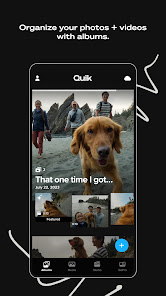
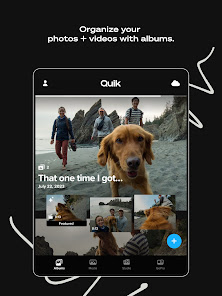
GoPro Quik: Video Editor is designed for anyone looking to create stunning videos effortlessly. Whether you're a professional content creator, an outdoor enthusiast capturing breathtaking adventures, or simply someone wanting to document family events, Quik provides a versatile platform for all your editing needs. The app is particularly useful for users of GoPro cameras, allowing seamless integration with footage captured during sports, travel, and other activities. With features like automatic video creation, real-time editing, and customizable templates, it caters to users who may not have extensive editing experience but wish to produce high-quality results. Furthermore, Quik is ideal for social media users who want to quickly generate eye-catching clips for platforms like Instagram, TikTok, and YouTube. The app’s ability to sync with your device’s photo and video library makes it easy to compile footage from various sources, creating a cohesive story.

User Experience

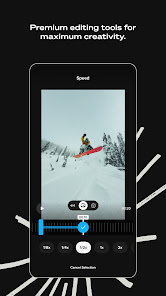
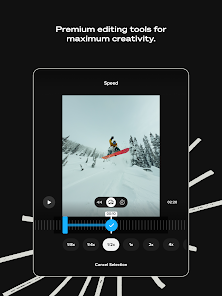
The user interface of GoPro Quik is intuitive and user-friendly, making it accessible for all skill levels. Upon opening the app, users are greeted with a streamlined layout that encourages exploration. The automatic video creation feature is a standout, as it analyzes your footage and selects the best clips, adding transitions and effects to create a polished final product. Users can further personalize their videos with text overlays, music selection, and filters. The editing tools are straightforward, allowing for quick adjustments without overwhelming the user. The app's performance is generally smooth, with minimal lag, even when working with high-resolution footage. However, some users have reported occasional crashes, particularly with larger files, which can be frustrating. Overall, the experience is largely positive, as it strikes a good balance between simplicity and functionality.

Pricing

GoPro Quik offers a freemium model, allowing users to access basic features at no cost. This includes the ability to create short videos, utilize predefined templates, and access a limited library of music. However, for those seeking advanced features and unlimited access, a subscription plan is available. The pricing is competitive, offering monthly and annual options that unlock additional editing tools, higher resolution exports, and exclusive content. This approach makes it appealing for casual users who may only need the app occasionally, while also providing serious creators with the tools necessary for professional-quality edits. Overall, the pricing structure is reasonable, especially considering the extensive capabilities of the app.

Updates & Support

GoPro is committed to regularly updating Quik, with new features and improvements rolled out frequently. Users can expect enhancements based on feedback, ensuring that the app remains relevant in the fast-evolving world of video editing. The support provided by GoPro is commendable, with a dedicated help center that features tutorials, FAQs, and troubleshooting tips. Additionally, the community forums allow users to share their experiences and solutions. However, some users have expressed a desire for more direct customer support channels, such as live chat or phone support. Overall, the combination of regular updates and accessible support makes Quik a reliable choice for video editing enthusiasts.

verified Security & Privacy Review

The GoPro Quik: Video Editor app prioritizes user security and privacy through its robust data handling practices. When users install the app, they are informed about the permissions required, including access to storage and camera features essential for video editing. The app ensures that all collected data is processed in compliance with relevant privacy regulations. GoPro Quik employs encryption protocols to safeguard user data, minimizing the risk of unauthorized access. Users can review and manage their privacy settings within the app, allowing them to control what information is shared and with whom. The app also provides clear guidelines on how personal data is used, ensuring transparency in its operations. While the app may collect usage statistics to enhance user experience, personal information is anonymized when possible. Users are encouraged to familiarize themselves with GoPro's privacy policy to understand their rights and the measures taken to protect their information. Overall, GoPro Quik demonstrates a commitment to maintaining user privacy while delivering a powerful video editing tool.

Advertisement

User Reviews

  • AYC GMAIL
    2025/08/30

    Can't do basic things like list the media files in the unit. App says there are new files but continuously can't find them and states can't download when I tap Download. I should be able to get the files onto my phone with this app so it's not very useful in its current state. The delete options in settings don't work either. I shouldn't need a subscription to anything just to accomplish these elementary tasks.

  • Dazz Simon
    2026/05/03

    It's a cool app but I don't like that it doesn't allow you to crop pictures and if you're taking too long to edit, it doesn't automatically save your edits. For the annual price, I was expecting a little more freedom for editing or maybe make it easi6 for you to add your own music but overall, it's my go to recap/highlight app as I don't know many others

  • Dan Kohlbeck
    2026/05/28

    Terrible app; won't reliably connect to my Hero 13 (despite seeing it). it'll turn on my GoPro, but then not connect. even if it does connect, I then can't see the videos themselves to download off my camera. at this point, I either erase the SD card in its entirety, delete individual videos on the camera itself, or I have to plug the SD card directly into my computer to pull the files I want. I don't know what the deal is as the iOS version worked great; Android not so much...

  • John Passarella
    2026/05/14

    App used to be great. Now it the auto edit feature will not work. It will just get stuck on the analyzing footage screen for hours and never create the edit. I've used this feature for years up until recently when it decided to no longer work. A quick Google of the issue will show that it's quite common. sucks even more when it's a service you're paying a subscription fee for. Fix the issue please.

  • Kaye Bowling
    2026/05/31

    Worked great until the latest update. Now it gets stuck in whatever mode its on and won't work properly or turn off. If it turns off, it goes back to video and will only record or have hilights added. I'm scuba diving in the Bahamas with no way to take photos/videos now. I thought it was just my camera that had gone bad until someone else's did the same thing.

Review Source: Google Play store public user reviews.

FAQ

1

Can I submit suggestions or feedback to GoPro Quik: Video Editor?

Yes, users can submit suggestions or feedback directly through the app or via GoPro's official website, where they value user input for future updates.

2

Does GoPro Quik: Video Editor collect my personal data?

GoPro Quik may collect personal data as outlined in their privacy policy, primarily for improving services and user experience, but users have options to manage their data preferences.

3

Does GoPro Quik: Video Editor support offline use?

Yes, GoPro Quik allows users to edit videos offline, although some features may require an internet connection for specific functions or downloads.

4

How do I cancel my GoPro Quik: Video Editor subscription?

To cancel your GoPro Quik subscription, you can do so through your account settings in the app or via the app store settings on your device, depending on how you subscribed.

5

How much does a subscription to GoPro Quik: Video Editor cost?

The subscription cost for GoPro Quik varies based on the plan chosen, with options typically including monthly or annual subscriptions, often priced competitively.

How to use GoPro Quik: Video Editor

1

Can I change my login email for GoPro Quik?

Yes, you can change your login email in your account settings once you are logged in.

2

Can I recover my account if it's been deactivated?

Yes, contact customer service with your details, and they will assist you in recovering your account.

3

Do I need to activate my account before using GoPro Quik?

Yes, you must activate your account via the email sent to you upon registration before you can log in.

4

How can I contact customer service for GoPro Quik?

You can reach GoPro customer service through their official website or by calling their support number listed on the site.

5

How do I find my customer number for GoPro support?

Your customer number can typically be found in your account settings or on your order confirmation email.

What's New

It keeps getting better.Various bug fixes and performance enhancements are live. Get out and get creating!

Editor's Choice