This site uses cookies to enhance your user experience. By clicking any link on this site you are giving your consent to our cookie policy. Read more
Reject
Accept All

Advertiser and Editorial Disclosures

Stop Motion Studio

Stop Motion Studio

verified

Cateater

4.1
Rating
10,000,000+ Downloads
25.08.8578 Version
Advertisement
  • category

    Category: Photography

  • price

    Price: free

  • age rating

    Age Rating: Everyone

  • rating

    Rating: 4.1

  • available on

    Available on: /

  • updated on

    Updated on: Dec 30, 2025

Screenshot 1
Screenshot 2
Screenshot 3
Screenshot 4
Screenshot 5
Screenshot 6
Screenshot 7
Screenshot 8
Screenshot 9
Screenshot 10
Screenshot 11
Screenshot 12
Screenshot 13
Screenshot 14
Screenshot 15
Screenshot 16
Screenshot 17
Screenshot 18
Screenshot 19
Screenshot 20
Screenshot 21
Screenshot 22
Screenshot 23
Screenshot 24
Advertisement

Features & Highlights

Frame-by-Frame Editing

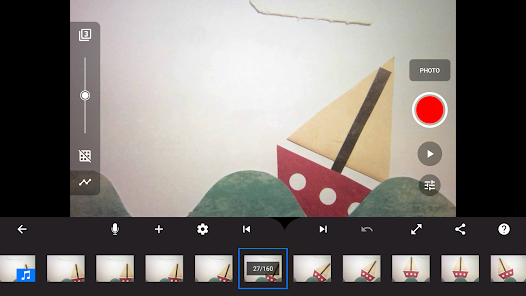
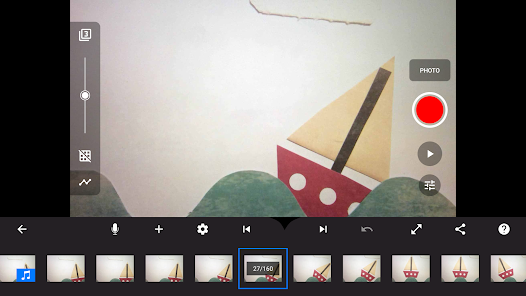
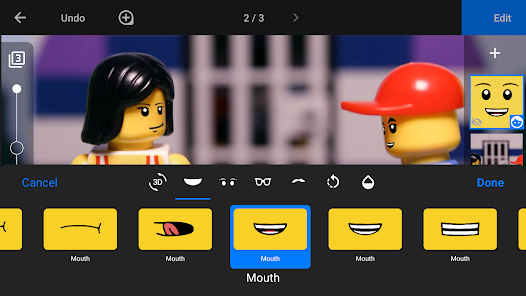
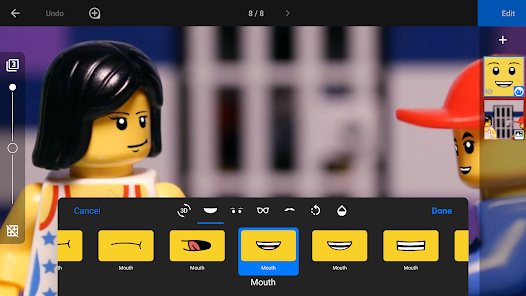
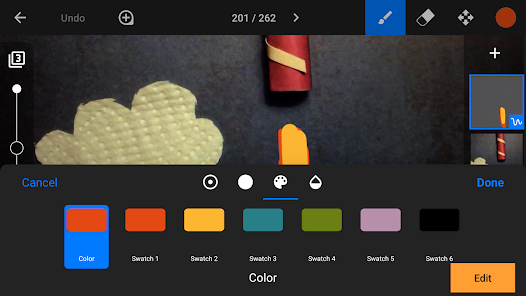
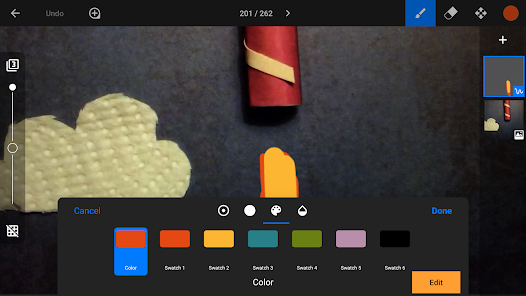
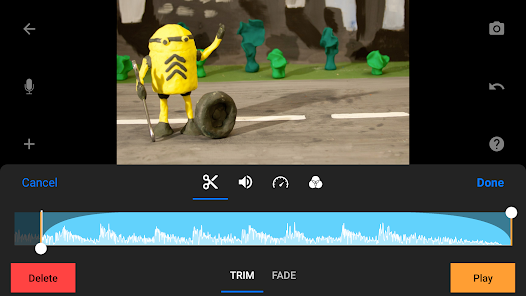
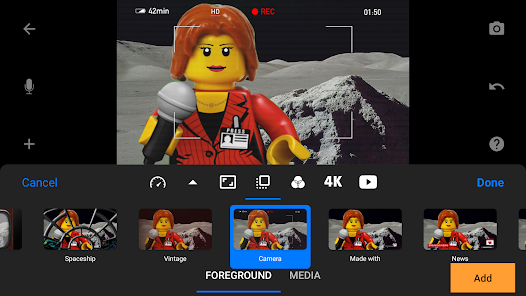
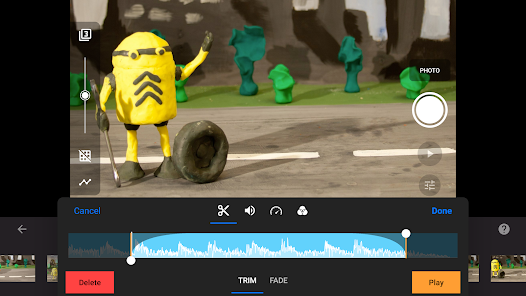
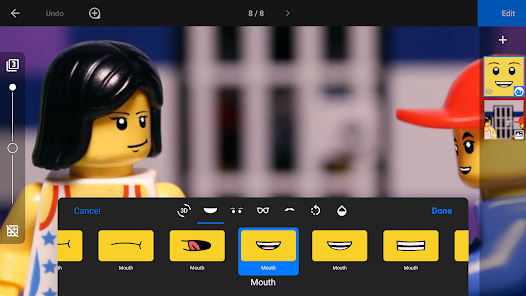
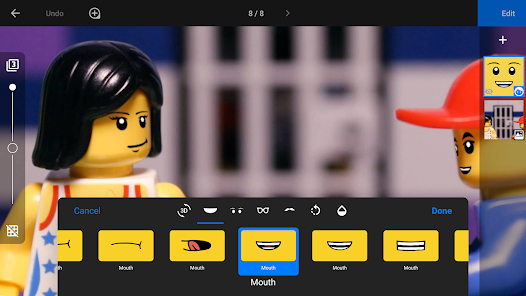
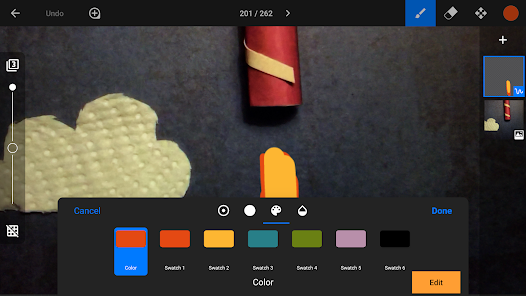
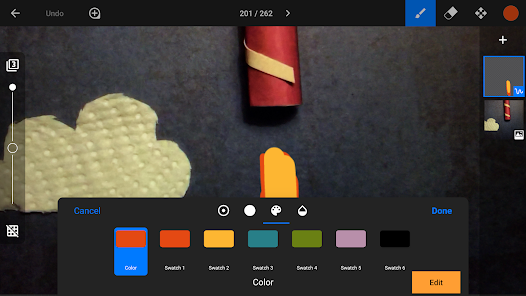
Stop Motion Studio provides a robust frame-by-frame editing feature that allows you to fine-tune your animations with precision. You can easily adjust timing, apply filters, and add visual effects, ensuring that every second of your animation flows smoothly and meets your artistic vision.

High-Quality Animation

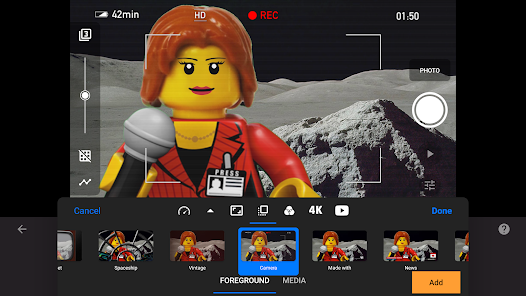
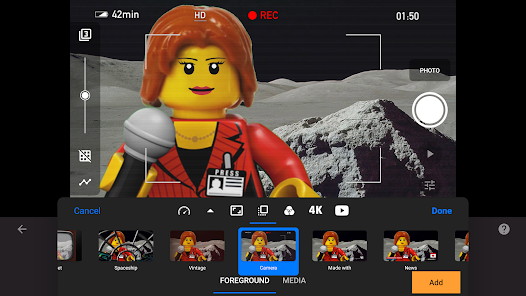
Stop Motion Studio allows users to create stunning animations with high-resolution images, ensuring that every frame captures vivid details. The app supports HD output, giving your projects a professional look that shines on any screen, making it ideal for both beginners and experienced animators.

Intuitive Interface

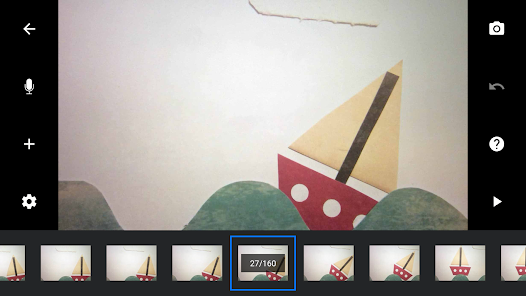
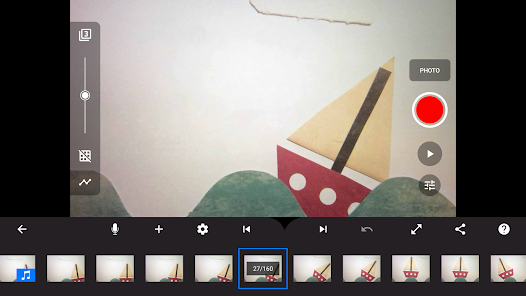
The app boasts an easy-to-navigate interface that simplifies the animation process, making it accessible for users of all skill levels. With drag-and-drop functionality and clearly labeled tools, you can focus more on your creativity rather than getting lost in complex menus.

Sound Effects Library

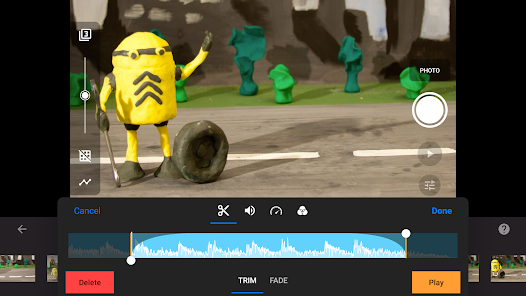
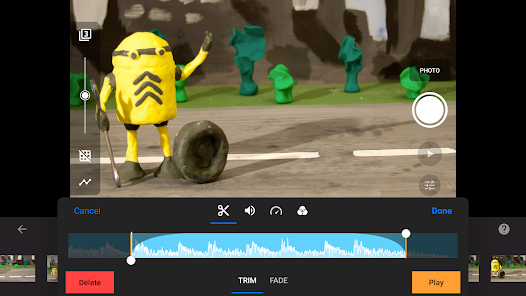
Enhance your animations with a diverse library of sound effects and voice recording options. This feature allows you to add depth and personality to your projects, transforming static scenes into lively narratives that engage your audience and bring your characters to life.

Advertisement

Pros & Cons

Pros
  • User-friendly interface for easy navigation and creation
  • Supports various animation styles for creative flexibility
  • Offers high-quality output for professional results
  • Built-in tools streamline editing and enhance productivity
  • Compatible with multiple devices for versatile use
Cons
  • Limited editing features for advanced users
  • Slow production process requires patience
  • Steep learning curve for beginners
  • Requires steady hands for best results

Real Experience Using Stop Motion Studio

Application Scenarios

Stop Motion Studio is a versatile app that caters to a wide range of users, from budding filmmakers to seasoned animators. Whether you’re looking to create a short film, a fun animation project with friends, or an educational video for a school assignment, this app provides the tools necessary to bring your vision to life. Users can easily set up their scenes, adjust lighting, and manipulate objects frame by frame to craft intricate animations. The app is particularly popular among educators and students, as it encourages creativity and storytelling while making learning engaging. Moreover, hobbyists can use Stop Motion Studio to document personal projects or create animated content for social media, tapping into the growing trend of eye-catching visual storytelling.

User Experience

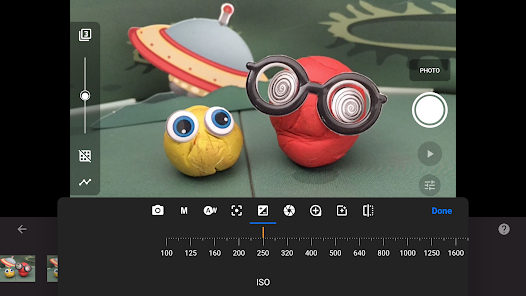
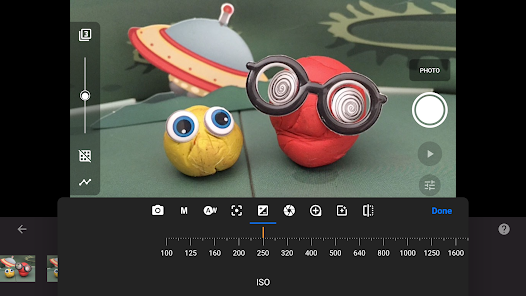
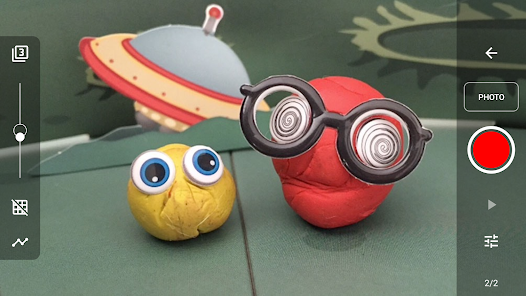
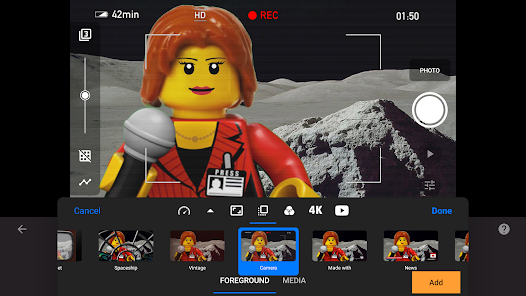
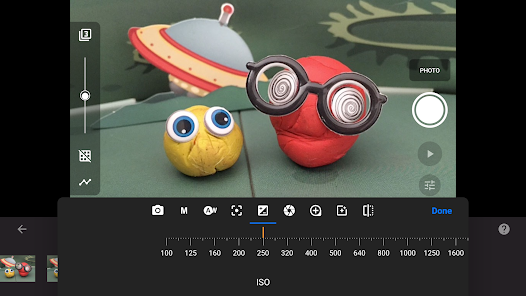
The user experience offered by Stop Motion Studio is both intuitive and robust. Upon launching the app, users are greeted with a clean interface that invites exploration. Features such as the frame-by-frame editor, overlay tools, and grid options make it easy to align objects accurately and maintain consistency throughout the animation. The app's built-in camera functionality allows for seamless shooting directly from the interface, with options to adjust exposure and focus for optimal image quality. Many users appreciate the ability to preview their animations in real-time, which enhances the creative process. The app supports various resolutions, ensuring that projects can be exported in high quality. Overall, the smooth navigation and comprehensive toolkit significantly enhance the user experience, making animation accessible for all skill levels.

Pricing

Stop Motion Studio offers a free version that provides access to essential features, making it an excellent option for beginners and casual users. However, for those looking to unlock the full potential of the app, a one-time purchase of the Pro version is available. The Pro version includes advanced tools such as chroma keying, audio recording capabilities, and additional export options. This pricing model ensures that users can choose the level of investment that suits their needs, whether they are just dabbling in animation or diving deep into professional-grade projects. The affordability of both versions makes Stop Motion Studio an appealing choice for those interested in animation.

Updates & Support

Stop Motion Studio enjoys regular updates that continuously enhance its functionality and user experience. The developers are committed to addressing user feedback and frequently roll out improvements based on community suggestions. For users needing assistance, the app provides an extensive help section with tutorials, FAQs, and troubleshooting tips. Additionally, users can reach out to customer support for more complex inquiries, ensuring that help is readily available. This dedication to continuous improvement and user support fosters a loyal community of creators who feel valued and supported in their animation endeavors.

verified Security & Privacy Review

Stop Motion Studio prioritizes user security and privacy by implementing robust data protection measures. The app does not require unnecessary permissions, ensuring that users maintain control over their personal information. It primarily accesses the device's camera and storage, which are essential for capturing and saving stop-motion animations. The app clearly outlines its privacy policy, detailing how user data is collected, used, and shared. Stop Motion Studio does not sell or share personal information with third parties, reinforcing its commitment to user confidentiality. Additionally, the app provides options for users to manage their data, allowing for easy deletion of project files and personal information. Regular updates are provided to enhance security features and address any vulnerabilities, demonstrating the developers' dedication to maintaining a safe user experience. Overall, Stop Motion Studio offers a secure environment for creativity while respecting user privacy, making it a reliable choice for animators and hobbyists alike.
Advertisement

Compare APP

User Reviews

  • dsjd bruhhh
    2026/07/01

    I really do enjoy this app! The only things I wish they could change though is the video format cuz they always have weird positions the camera is in and I realized that I can't rotate a photo that I had already taken so that sucks. And I'm also wondering if they could add a feature where you can make an acc and log in cuz I want to use it on my other phone but the app doesn't have any form of cloud so you can't sign in on this app on other devices. Good app other than those!

  • Keville B
    2026/03/10

    This was the best app for teaching kids. I could share from my tablet to a TV, projector or smart board. I've taught with it for 5+ years. But with every update something gets lost. I miss the countdown for recording. I miss the ability to quickly start a new movie instead of fiddling with Format menus. What I really hate is the camera not aligning with the orientation of the tablet. It happened again today. If the tablet is horizontal, the camera should be horizontal!! Not 90 degrees!!

  • David W. King
    2020/08/09

    Goods. 1. reliable 2. Voice recording when film is shown. 3. Camera quality is great compared to the rest. 4. Amazing editing techniques. 5. Other things I can't fit. Not so goods. 1. In app purchases are worse than on score creator, but at least they didn't overprice it. 2. Nothing else. I don't care about advanced editing, since there's softwares like kinemaster and videoleap. But there are things that those softwares don't have, so. Overall, great app that makes your films stunning. 10/10.

  • A Google user
    2019/02/17

    I have been using Stop Motion Studio for about 3 days and it is amazing what you can do with it! I am only using the free version for now but it works extremely well and I am considering buying the full. My only issue is that you have to refocus the camera a lot between each shot which can be easily forgotten when working with a lot of moving characters but other than that it's the best stop motion app I've used by far.

  • A Google user
    2020/01/01

    Its cool, but I would enjoy if more options were available, for instance like selecting frames that you would like to make play faster or slower instead of having the whole animation(movie, short, ext) being all the same motion (frames per sec). Also a feature that allows you to zoom in or out. I hope these will be added to the app. But other than that I enjoy using this app.

Review Source: Google Play store public user reviews.

FAQ

1

Does Stop Motion Studio collect my personal data?

Stop Motion Studio has a privacy policy that outlines data collection practices; generally, it does not collect personal data unless you provide it for support or other interactions.

2

Does Stop Motion Studio offer a free trial or free version?

Yes, Stop Motion Studio offers a free version with limited features, allowing users to explore the app before deciding to purchase the full version or subscribe for additional functionalities.

3

Does Stop Motion Studio require an internet connection?

No, Stop Motion Studio does not require a constant internet connection to function, although some features may benefit from being online, such as accessing cloud storage or downloading additional content.

4

How can I contact support or send feedback for Stop Motion Studio?

You can contact Stop Motion Studio support through their official website, where you can find a support page with contact information, or submit feedback directly within the app.

5

How do I manage or cancel my Stop Motion Studio subscription?

You can manage or cancel your Stop Motion Studio subscription through the app store where you purchased it, typically in the account settings or subscription section.

How to use Stop Motion Studio

1

Are there any forums for community support on Stop Motion Studio?

Yes, you can find community forums and discussions on the official website or social media platforms related to Stop Motion Studio.

2

Can I get a refund for Stop Motion Studio if I'm not satisfied?

Refund policies vary by platform. Check the app store's refund policy or contact customer support for assistance.

3

Can I reset my password for Stop Motion Studio?

Yes, you can reset your password by selecting the "Forgot Password" option on the login screen. Follow the prompts to recover your account.

4

How can I reach customer service for Stop Motion Studio?

You can reach customer service via the app's support section or by visiting their official website for contact information.

5

How do I activate Stop Motion Studio after purchase?

After purchase, open the app, go to settings, and enter your activation code to unlock premium features.

What's New

This update improves overall stability of the app.

Editor's Choice