This site uses cookies to enhance your user experience. By clicking any link on this site you are giving your consent to our cookie policy. Read more
Reject
Accept All

Advertiser and Editorial Disclosures

Photoshop Express Photo Editor

Photoshop Express Photo Editor

verified

Adobe

4.6
Rating
100,000,000+ Downloads
17.8.20 Version
Advertisement
  • category

    Category: Photography

  • price

    Price: free

  • age rating

    Age Rating: Everyone

  • rating

    Rating: 4.6

  • available on

    Available on: /

  • updated on

    Updated on: Jun 1, 2026

Screenshot 1
Screenshot 2
Screenshot 3
Screenshot 4
Screenshot 5
Screenshot 6
Screenshot 7
Screenshot 8
Screenshot 9
Screenshot 10
Screenshot 11
Screenshot 12
Screenshot 13
Screenshot 14
Screenshot 15
Screenshot 16
Screenshot 17
Screenshot 18
Screenshot 19
Screenshot 20
Screenshot 21
Screenshot 22
Advertisement

Features & Highlights

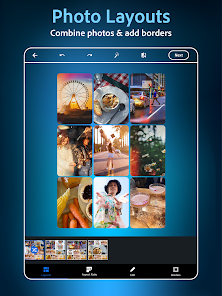
Collage Maker

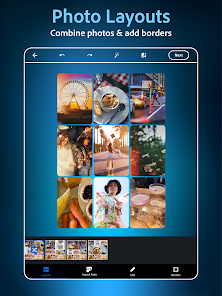
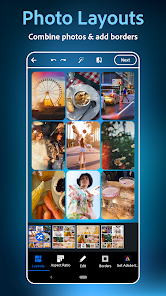
Create stunning collages effortlessly with the built-in collage maker. You can choose from a variety of templates and layouts, allowing you to combine multiple photos into one beautiful composition that’s perfect for sharing on social media or preserving memories.

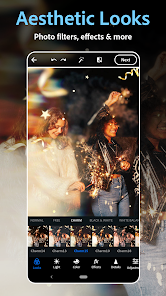
Filters And Effects

Photoshop Express offers a wide array of filters and effects to give your images a unique and artistic flair. From vintage styles to modern aesthetics, you can easily transform your photos into works of art that reflect your personal style and creativity.

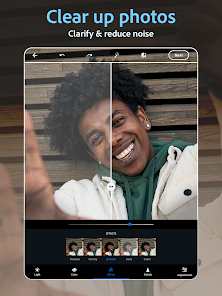
One-Tap Enhancements

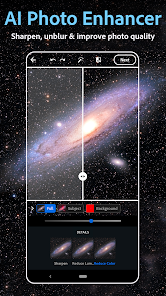
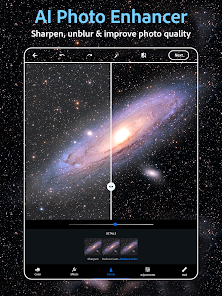
With just a single tap, you can instantly enhance your photos, bringing out the best in colors and details. This feature uses intelligent algorithms to analyze your image and apply the optimal adjustments, making it perfect for those who want stunning results without the hassle of manual editing.

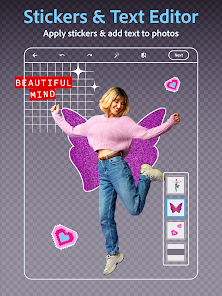
Text And Graphics

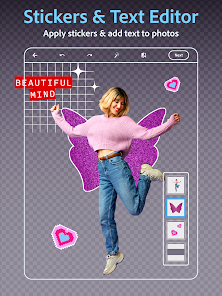
Add personality to your images with customizable text and graphics options. You can choose from various fonts, colors, and styles to overlay your messages, making your photos not only visually appealing but also meaningful and expressive.

Advertisement

Pros & Cons

Pros
  • User-friendly interface for quick edits
  • Wide range of filters for creative enhancement
  • Powerful tools for precise adjustments
  • Supports various file formats for versatility
  • Seamless integration with cloud storage options
Cons
  • Limited advanced editing features available
  • Lacks customizable brushes and tools
  • Ads can disrupt user experience
  • Requires internet connection for some features

Real Experience Using Photoshop Express Photo Editor

Application Scenarios

Photoshop Express Photo Editor is designed for a variety of users, from casual photographers to social media enthusiasts. It excels in scenarios where quick editing is essential, such as enhancing photos taken during travel or special events. Users can easily crop, rotate, and adjust the brightness of images directly from their mobile devices, making it ideal for on-the-go editing. Additionally, the app is perfect for those looking to create stunning visuals for platforms like Instagram and Facebook. With its wide range of filters and effects, users can transform ordinary photos into eye-catching masterpieces with just a few taps. Whether you need to touch up a family photo or create an artistic image for your blog, Photoshop Express provides the tools necessary to achieve professional-quality results.

User Experience

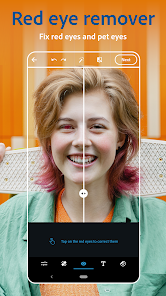
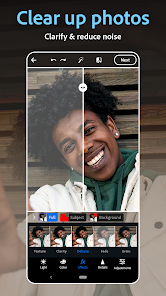
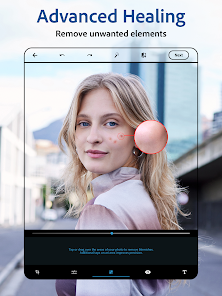
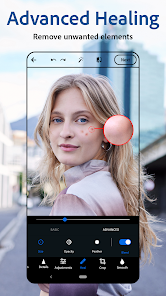
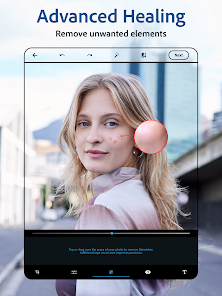
The user experience of Photoshop Express is smooth and intuitive. Upon launching the app, users are greeted with a clean interface that is easy to navigate. The layout is well-organized, allowing users to quickly access essential editing tools and features. The app supports a variety of image formats, ensuring compatibility with most photos users have on their devices. The editing tools are robust, offering options for adjusting exposure, contrast, and saturation, as well as advanced features like blemish removal and spot healing. Moreover, the app’s one-touch filters enable users to apply stylish effects effortlessly. While most features are user-friendly, more complex options may require a bit of exploration, but the overall experience remains enjoyable and engaging.

Pricing

Photoshop Express is available as a free download, making it accessible to a broad audience. The core functionalities are extensive and sufficient for most casual users without requiring any payment. However, Adobe also offers a premium subscription that unlocks additional features, such as advanced editing tools, exclusive filters, and access to premium content. This subscription model provides flexibility for users who want to enhance their editing capabilities without committing to a full Adobe Creative Cloud subscription. Overall, the pricing structure allows users to enjoy a robust photo editing experience at little to no cost while also providing options for those looking for more advanced features.

Updates & Support

Adobe regularly updates Photoshop Express to enhance its functionality and introduce new features in response to user feedback. These updates often include additional filters, new editing tools, and performance improvements, ensuring that the app remains competitive in the ever-evolving world of photo editing. Support is readily available through Adobe’s online resources, including tutorials, FAQs, and community forums. Users can also access customer service for more personalized assistance. This commitment to consistent updates and user support underscores Adobe’s dedication to providing an excellent user experience, ensuring that Photoshop Express continues to meet the needs of its diverse user base.

verified Security & Privacy Review

The Photoshop Express Photo Editor prioritizes user security and privacy by implementing robust data protection measures. Adobe, the parent company, adheres to stringent privacy policies that govern how user data is collected, stored, and used. The app requires access to certain device permissions, such as storage for saving edited photos, and camera access for capturing images directly within the app. Users are informed about these permissions upfront, ensuring transparency in the app's functionality. Photoshop Express employs encryption to safeguard user data during transmission and storage, minimizing the risk of unauthorized access. Additionally, Adobe offers users control over their data, allowing them to manage and delete personal information as needed. The app does not share personal data with third parties without user consent, aligning with industry best practices for data privacy. Overall, Photoshop Express Photo Editor demonstrates a commitment to maintaining user security and privacy, making it a trustworthy choice for photo editing on mobile devices.
Advertisement

User Reviews

  • Brianna
    2025/05/12

    Great, but don't use save button, otherwise you can't post it. They have made some sort of update that provides a message upon using the 'save' option that says 'watermark applied'. It isn't a visible watermark, just a Metadata watermark that prevents apps such as Instagram from allowing you to post it. Otherwise, it's amazing. There are plenty of great things to use from the free version. I dropped down from 5 for 2 stars because of this. But it is an easy enough to fix - screenshot and crop.

  • Miranda Berry
    2024/08/26

    Photoshop Mix used to be my main photo editing tool, that is, until it was discontinued without the ability to access the app at all, so you'd be forced to transition to this one. I can't access any of my old projects, and I don't feel safe using this one, knowing that I could lose all my projects if this one also gets discontinued at some point. Plus, it doesn't have the functionality of Mix even with premium it appears, no layer capability, and most features are locked behind a paywall.

  • Robin Belesky
    2026/06/01

    Been using for years. Still love it 💕💕💕 Use it all the time!!!! Super easy to use. ONLY ONE ISSUE ... when making a collage I wish it would allow you to edit the size of the photo in the frame somehow. When photo is too large, I have been unable to find no way to shrink to fit. Cropping only enlarges. I use the app on my phone for to post photos for my jewelry hobby.

  • Douglas Annis
    2026/04/20

    At first, I hated this app... they asked me to rate it while I was frustrated, trying to learn how to use it. Now that I've gotten somewhat used its clunkiness, I kind of like it. All I'm trying to do is add text to an image. There's definitely a learning curve. But unlike the pre-installed apps, it DOES allow you to adjust font size and position fairly easily. Be patient, give yourself time, and when you succeed at something, SAVE YOUR COPY. Downsides: no line/shape drawing. Just freehand.

  • Wade Lazerbeam
    2026/06/12

    Deleted right away. App doesn't function properly unless you buy premium. I had more editing access with the free to use Samsung gallery editor. This app doesn't even hold a candle to the gallery editor. Don't waste your time just find another photo editing app. Especially one that's not being run by a greedy corporation.

Review Source: Google Play store public user reviews.

FAQ

1

Does Photoshop Express Photo Editor collect my personal data?

Yes, Photoshop Express Photo Editor may collect personal data as outlined in its privacy policy, including information related to your usage of the app and account details.

2

Does Photoshop Express Photo Editor offer a free trial or free version?

Photoshop Express Photo Editor offers a free version with basic editing features; however, some advanced tools and features may require a subscription.

3

Does Photoshop Express Photo Editor require an internet connection?

While some features may require an internet connection, many editing tools can be used offline after the app has been downloaded and installed.

4

How can I contact support or send feedback for Photoshop Express Photo Editor?

You can contact support or send feedback through the in-app help section or by visiting the official Adobe website for customer support resources.

5

How do I manage or cancel my Photoshop Express Photo Editor subscription?

You can manage or cancel your subscription through the app store where you initially subscribed, such as the Apple App Store or Google Play Store.

How to use Photoshop Express Photo Editor

1

Can I change my account email for Photoshop Express?

Yes, you can change your account email by logging into your Adobe account and updating your profile settings.

2

How can I contact customer service for Photoshop Express Photo Editor?

You can reach customer service through the Adobe website or by using the help option within the app for support.

3

How do I delete my Photoshop Express account?

To delete your account, log into your Adobe account, go to the account settings, and select the option to delete.

4

How do I find my customer number for Photoshop Express?

Your customer number is usually found in your Adobe account settings or purchase confirmation email.

5

How do I log in to Photoshop Express?

Open the app and tap on the login option, then enter your Adobe ID and password to access your account.

What's New

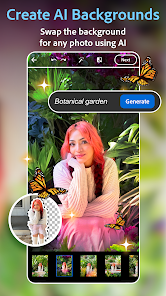
Edit videos with new aesthetic Looks.Replace your photo's background by uploading an image.Retouching got a glow-up with an upgraded heal feature to quickly touch out blemishes.Try a new look with our eye makeup, lipstick and hair color tools.Tap into your inner artist and add your own doodles to your images.We have also improved app performance to ensure that your experience is as smooth as ever.

Editor's Choice