This site uses cookies to enhance your user experience. By clicking any link on this site you are giving your consent to our cookie policy. Read more
Reject
Accept All

Advertiser and Editorial Disclosures

Qustodio Parental Control App

Qustodio Parental Control App

verified

Qustodio LLC

3.7
Rating
/ Downloads
182.25.3 Version
Advertisement
  • category

    Category: Parenting

  • price

    Price: 0

  • age rating

    Age Rating: Everyone

  • rating

    Rating: 3.7

  • available on

    Available on: /

  • updated on

    Updated on: Jun 15, 2026

Screenshot 1
Screenshot 2
Screenshot 3
Screenshot 4
Screenshot 5
Screenshot 6
Screenshot 7
Screenshot 8
Advertisement

Features & Highlights

Content Filtering

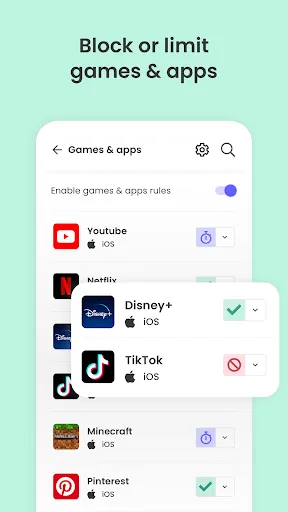
With advanced content filtering, Qustodio can block inappropriate websites and apps based on customizable categories. Parents can tailor the filtering settings to match their family's values, ensuring that children access only age-appropriate content while browsing online.

Location Tracking

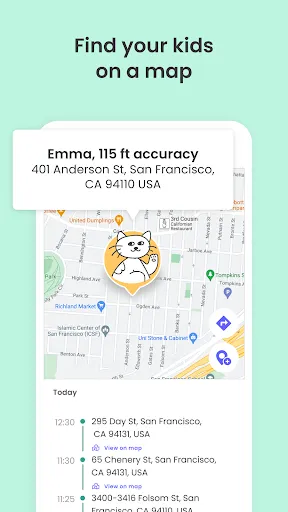
Qustodio includes a location tracking feature that lets parents know where their children are at all times. This capability provides peace of mind, especially for parents of younger kids, as they can receive real-time updates and alerts if their child leaves a designated safe area.

Real-Time Monitoring

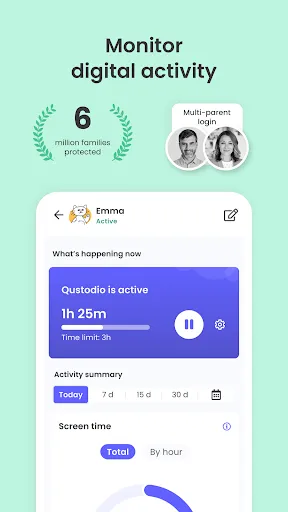
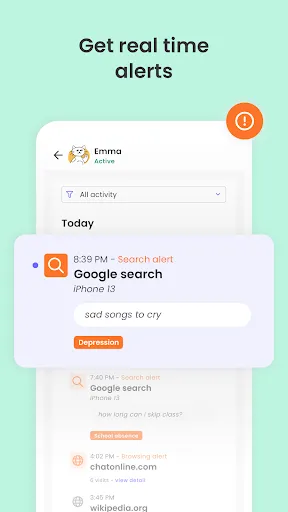
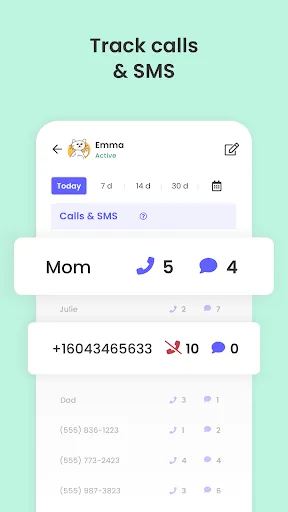
Qustodio allows parents to keep an eye on their children's online activities in real-time. This feature provides insights into web browsing, app usage, and social media interactions, helping parents understand their kids' digital habits and ensuring they are safe while exploring the internet.

Screen Time Management

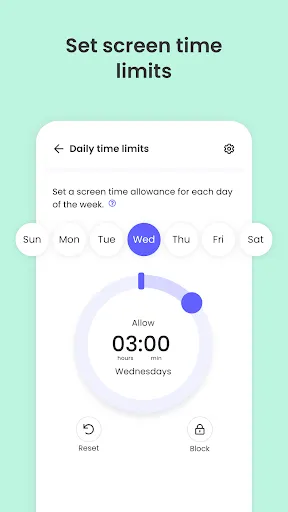
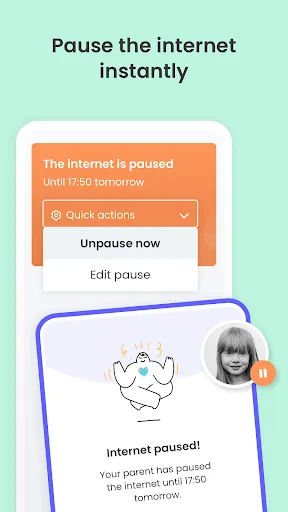
Parents can easily set daily screen time limits for their children's devices with Qustodio. This feature promotes a healthy balance between online and offline activities, encouraging kids to engage in more physical play and family time while still enjoying their favorite digital experiences.

Advertisement

Pros & Cons

Pros
  • Monitors online activity for a safer digital environment
  • Limits screen time to promote healthy habits
  • Filters inappropriate content to protect children
  • Tracks location for enhanced safety and peace of mind
  • Provides detailed reports to keep parents informed
Cons
  • Qustodio can slow down device performance, leading to frustrating user experiences.
  • The app's interface may be confusing for non-tech-savvy parents.
  • Limited support for certain platforms restricts its usability across devices.

Real Experience Using Qustodio Parental Control App

Real Experience Application Scenarios

Qustodio Parental Control App is designed to cater to a variety of scenarios where parental supervision is essential. For instance, parents can utilize the app to monitor their children's online activities, ensuring they are safe from inappropriate content while browsing the internet. This is particularly beneficial for families with teenagers who are active on social media platforms, where exposure to risky behavior and cyberbullying is prevalent. Additionally, Qustodio allows parents to set screen time limits, helping to establish a healthy balance between digital and offline activities. This feature is especially useful during school days or family outings, where excessive screen time can detract from personal interactions and responsibilities.

User Experience

The user interface of Qustodio is intuitive and user-friendly, making it accessible even for those who may not be tech-savvy. Installation is straightforward, and the app provides clear instructions on how to set up monitoring profiles for each child. Once set up, the dashboard presents a comprehensive overview of each child's online behavior, including time spent on various apps and websites. Users have reported feeling more in control of their children's digital life, thanks to the real-time alerts and detailed activity reports. The app also includes features like geolocation tracking, allowing parents to know their children's whereabouts. However, some users have mentioned that the app can occasionally slow down devices, which is a minor inconvenience compared to its overall benefits.

Pricing

Qustodio offers various pricing plans to accommodate different family needs. The basic plan starts at a reasonable monthly fee, allowing access to essential features such as web filtering and application management. For families requiring more advanced functionalities, such as social media monitoring and location tracking, the premium plan provides additional benefits at a slightly higher cost. Qustodio also offers a free trial period, enabling potential users to explore the app's features before committing to a subscription. This transparency in pricing and the availability of a trial period enhance the overall appeal of the app, as families can assess its suitability for their specific requirements.

Updates & Support

Qustodio is committed to maintaining its relevance and effectiveness by regularly updating the app to address new online threats and improve user experience. Users can expect periodic enhancements and new features that reflect the evolving digital landscape. The customer support team is responsive and helpful, providing assistance through various channels, including email and live chat. This ensures that any issues or inquiries are addressed promptly, allowing parents to feel supported as they navigate their children's online safety. Overall, the combination of regular updates and reliable support contributes to a positive experience with Qustodio, making it a trusted choice for parental control.

verified Security & Privacy Review

Security & Privacy Review Qustodio Parental Control App places a strong emphasis on user data security and privacy. The app employs robust encryption protocols to safeguard personal information, ensuring that sensitive data remains protected from unauthorized access. Qustodio adheres to stringent privacy practices, clearly outlining its data collection and usage policies in its privacy policy documentation. When it comes to permissions, Qustodio requires access to various device features, including location services and usage data, to provide comprehensive parental controls. Users are informed about these permissions during the setup process, promoting transparency. Additionally, Qustodio allows users to manage their privacy settings easily, enabling them to adjust what data is shared and with whom. Overall, Qustodio demonstrates a commitment to protecting user data while providing essential monitoring tools for parents. However, users should remain aware of the permissions granted and periodically review their privacy settings to maintain control over their information.
Advertisement

User Reviews

  • Joe Montgomery
    2026/06/11

    You have to set each day's time limit one by one, and there's no way to block devices without deleting your time limits. Once you block devices, there are two options, "allow" and "unblock," that do the exact same thing: reset the time limit to 24 hours. App categories are useless. You can't edit them, and you can only allow or block. You can't set time limits. Another issue is that it only tracks the location of my kid's desktop PC, rather than his phone, which is useless.

  • Gina Kegel
    2026/03/09

    Terrible. Useless. None of the features worked. For example, I blocked all social media, but he had full access to everything. I got daily update emails that said he had no activity - I know he did, because he had been using his phone as usual. The location tracker never worked. It's fine to have subscription tiers, but what's the point of a free trial if you don't get to try ANY of the functions. Don't bother. I just used iPhone parental controls to block specific apps and games for now.

  • W. Rosa Melendez
    2022/05/16

    Not bad but could be better. For example: I've noticed with the text messages, if someone sends my child a picture through text, I don't know what the picture is or any text written with it, so the app can't alert to anything inappropriate or bullying. I also wish keylogging was an option, or screenshots to see what is being viewed, since it'll tell you that their Gallery is accessed but not what they're viewing.

  • Misty Waldenville
    2024/01/08

    Qustodio is way too expensive for the outdated. As a parent you can get alerts... By email. It's 2024. Even free apps can send push notifications. Most of the functionality is only accessible from the the web browser. You can't add extra time from the app, which is a core feature missing. Honestly... What's the point of even having a parent's app if it doesn't have basic functionality? Lastly my kids has no way to request more time or exceptions to rules. Cheaper apps work way better.

  • Aaron Calmes
    2022/10/07

    Horrible. Don't buy. We did all the extra steps required (downloading from their site and not the Play store. Was notified of a grand total of 2 text messages the first few days (there were many more) and none since. Uninstalled, reinstalled, updated, nothing. Only reason we purchased this over the others. Don't waste your money. Get Bark or one of the others.

Review Source: Google Play store public user reviews.

FAQ

1

Can I submit suggestions or feedback to Qustodio Parental Control App?

Yes, Qustodio encourages users to submit suggestions or feedback through their support channels, helping to improve the app and its features.

2

Does Qustodio Parental Control App collect my personal data?

Qustodio Parental Control App does collect certain personal data to provide its services, but it adheres to privacy regulations and has measures in place to protect user information.

3

Does Qustodio Parental Control App support offline use?

Yes, Qustodio Parental Control App can provide some monitoring features offline, but certain functionalities may require an internet connection to sync data.

4

How do I cancel my Qustodio Parental Control App subscription?

You can cancel your subscription through your account settings on the Qustodio website or app, following the provided instructions for cancellation.

5

How much does a subscription to Qustodio Parental Control App cost?

Subscription prices vary depending on the plan chosen, with options for monthly or annual payments, typically starting from a few dollars per month.

How to use Qustodio Parental Control App

1

Can I change my customer number if I need to?

Unfortunately, customer numbers cannot be changed. If you have concerns, please contact customer service for further assistance.

2

Can I log in to my Qustodio account from multiple devices?

Yes, you can log in to your Qustodio account from multiple devices using the same credentials. For any issues, reach out to customer service.

3

How can I contact customer service for help with my Qustodio account?

You can reach our customer service team via the support section on our website or by emailing support

4

How do I activate my Qustodio account after purchase?

To activate your account, log in using your credentials and follow the on-screen instructions. If you encounter any issues, please reach out to customer service.

5

How do I activate my account on a new device?

To activate your account on a new device, download the app, log in with your existing credentials, and follow the prompts. For issues, contact customer service.

What's New

Hi Parents!We've made more improvements and fixed some minor bugs to make your Qustodio experience even better. As always, we recommend that you enable auto-updating in the Play Store so both your and your kids' apps are always up-to-date.The Qustodio Team

Editor's Choice