This site uses cookies to enhance your user experience. By clicking any link on this site you are giving your consent to our cookie policy. Read more
Reject
Accept All

Advertiser and Editorial Disclosures

AppClose: Co-Parent Essentials

AppClose: Co-Parent Essentials

verified

AppClose, Inc

4.6
Rating
/ Downloads
3.2.1 Version
Advertisement
  • category

    Category: Parenting

  • price

    Price: 0

  • age rating

    Age Rating: Everyone

  • rating

    Rating: 4.6

  • available on

    Available on: /

  • updated on

    Updated on: May 25, 2026

Screenshot 1
Screenshot 2
Screenshot 3
Screenshot 4
Screenshot 5
Screenshot 6
Screenshot 7
Screenshot 8
Advertisement

Features & Highlights

Document Storage

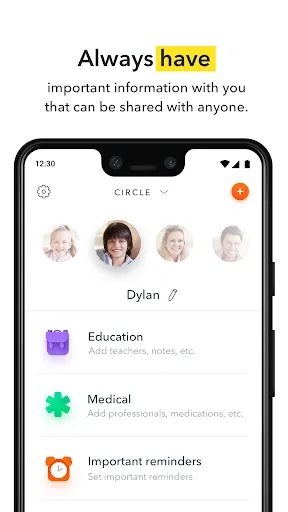
Safely store and share important documents like custody agreements, medical records, and school information with the document storage feature. This keeps vital information at your fingertips, making it easier to access and share relevant documents when needed.

Expense Tracking

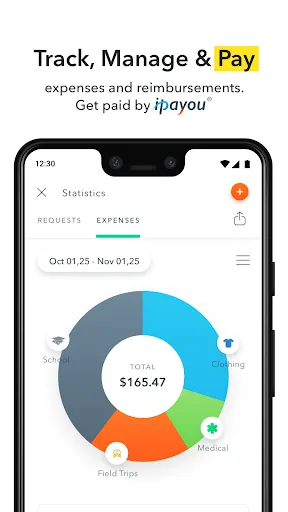
Easily manage and document child-related expenses with the expense tracking feature. Co-parents can record, categorize, and share expenses, making financial discussions transparent and straightforward, which helps in maintaining accountability and reducing misunderstandings.

Messaging System

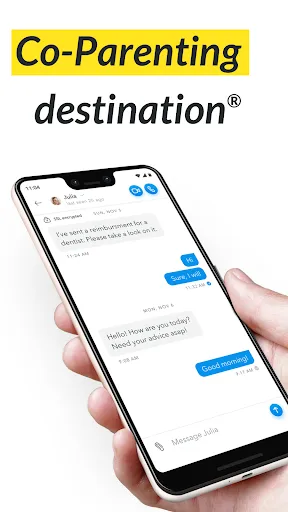
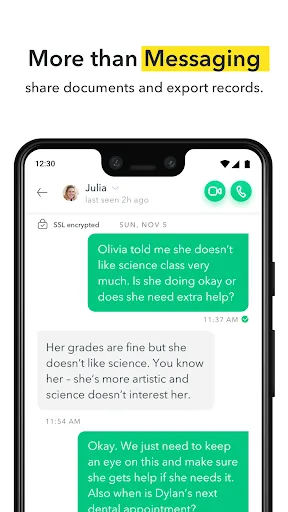
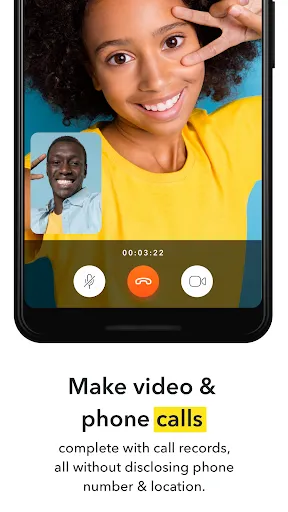
Stay connected with the built-in messaging system designed specifically for co-parents. This feature allows for secure and organized conversations, ensuring that important discussions about the children are easily accessible and less likely to get lost in personal chats.

Shared Calendar

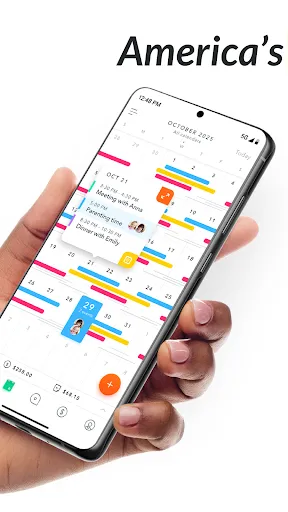
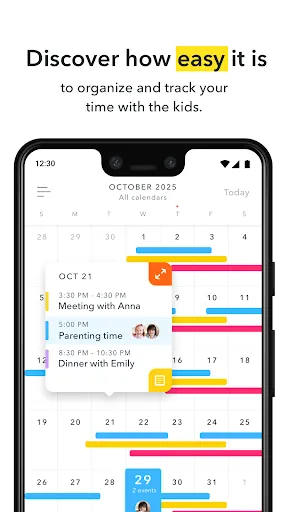
Keep track of schedules effortlessly with the shared calendar feature, which allows co-parents to sync important dates and events related to their children. This ensures everyone is on the same page and reduces the chances of missed appointments or activities, promoting better communication and planning.

Advertisement

Pros & Cons

Pros
  • Streamline communication between co-parents for better collaboration.
  • Simplify scheduling and shared calendars for children's activities.
  • Track and manage expenses easily to ensure transparency.
  • Access important documents securely and conveniently in one place.
  • Receive reminders for important dates and obligations with ease.
Cons
  • Limited features may not meet all co-parenting needs effectively.
  • User interface can be confusing for some users.
  • Frequent updates may disrupt user experience and accessibility.

Real Experience Using AppClose: Co-Parent Essentials

Real Experience Application Scenarios

AppClose: Co-Parent Essentials is designed to simplify the often challenging dynamics of co-parenting. Whether you are navigating schedules, managing expenses, or keeping communication clear and organized, this app serves various scenarios effectively. For instance, it is ideal for parents who share custody arrangements and need to coordinate pickups and drop-offs without miscommunication. Additionally, it provides a platform for tracking shared expenses, such as school fees and extracurricular activities, making it easier for both parents to stay informed and accountable. The app is particularly useful during transitions, ensuring that both parents have access to the same information regarding their children's needs, which can help reduce conflicts. Furthermore, it can be invaluable in cases where parents are in different locations, as it allows for real-time updates and notifications, ensuring that everyone is on the same page.

User Experience

The user experience of AppClose is intuitive and user-friendly, catering to individuals who may not be tech-savvy. The interface is clean, making navigation straightforward for users of all ages. Setting up the app is quick, allowing users to create a co-parenting account and seamlessly invite the other parent to join. Users appreciate features like the shared calendar, which color-codes events for easy visibility, and the messaging system that keeps all communication in one place. Notifications play a pivotal role, ensuring that both parents are promptly alerted to new messages or changes in schedules. Many users have noted that the ability to document important notes and keep a record of interactions significantly enhances transparency and trust in their co-parenting relationship.

Pricing

AppClose offers a competitive pricing structure that appeals to a broad range of users. The app is free to download and includes essential features for basic co-parenting needs. For those seeking additional capabilities, such as enhanced tracking tools and premium support, the subscription model provides a cost-effective option. Users can choose between monthly or annual plans, with the annual plan offering a discount, making it an attractive choice for long-term users. Overall, the pricing is considered reasonable given the importance of its features in promoting effective co-parenting.

Updates & Support

The development team behind AppClose is proactive in providing updates, enhancing the functionality and user experience based on feedback. Regular updates ensure that the app stays current with the latest technology and user needs. The support system is robust, featuring a comprehensive FAQ section and dedicated customer service that responds promptly to inquiries. Users have reported positive experiences with the support team, highlighting their willingness to assist with any issues or questions that arise. This commitment to user satisfaction reinforces the app's reputation as a reliable co-parenting tool.

verified Security & Privacy Review

Security & Privacy Review AppClose: Co-Parent Essentials prioritizes user security and privacy through robust data protection measures. The app employs advanced encryption protocols to safeguard personal information shared between co-parents, ensuring that sensitive data remains confidential and secure during transmission. The app's privacy policy is transparent, detailing how user data is collected, used, and shared. AppClose does not sell user data to third parties, and any information shared within the app is strictly for co-parenting purposes. Users have control over their data, with options to manage permissions and delete their accounts when desired. Permissions are kept to a minimum, ensuring that the app only requests access to essential features required for functionality. This limited permission model helps reduce potential vulnerabilities and enhances user trust. Overall, AppClose demonstrates a strong commitment to maintaining user privacy and protecting sensitive information, making it a reliable choice for co-parenting needs.
Advertisement

User Reviews

  • Jenn Jacobs
    2023/07/24

    Love the app. Lots of glitches. This past week I keep getting no internet errors when I try to do anything on it despite me having internet. I just tried uninstalling and reinstalling it but it won't even let me log in because I'm getting a no internet error. Sometimes it won't let me add events to the calendar and just gives me a loading symbol.

  • A Google user
    2019/04/29

    Been using it for months and all of the sudden it started saying "no internet connection" which I knew was not correct. I uninstalled and attempted to reinstall but now when I get to the add phone number to receive a verification link I also get the "no internet connection". Now I've lost months of communication between my ex and I that would've been helpful in my up coming court. I would not recommend this app, it was a total waste of time.

  • Houston Rockwell
    2025/02/24

    I've updated the app, however I am still unable to do video calls over normal service that I have to use my wifi to have a stronger connection. We should have the ability to screen record our video calls. In case something occurs during video call and courts and lawyers would be able to have access to video calls. The app needs more work and figure out the kinks.

  • A Google user
    2018/10/18

    It's Free - I'll stick with it. But it's not the most user friendly and doesn't have much in the way of instructions.. I would love to see a 'Search' features in the chat section. Also, there is nothing that shows whether or not you have shared something with a co-parent and confirms whether or not they've seen it/accepted it. I think this would be an invaluable feature. Additionally, the child profile sections could be a little more user-friendly. Once you have more than one 'note' in a section, you can't always scroll to the next or last note. UPDATE: so it appears that you can search but you have to act like you want to export the chats first. It was not user-friendly and there are no directions. The developer stated you can see confirmations if sent requests but tha is not what I was referring to. I believe that we should see confirmation of everything that is sent to and received by the co-parent so that we have a record of what notes, medical items, etc were shared and received so there is not question of what items were shared/received and when.

  • Jonathan Hendrix
    2023/10/11

    Poor. Rather than complete video calls, continually prompts for access to a Bluetooth device. I can neither make nor accept calls without that message appearing. I don't use a bluetooth device. Major net negative. When I try to make video calls, it also says "calling null." Based on user comments and creators' copy-paste replies, seems like the app creators have little ability / interest in supporting the app or working out glitches.

Review Source: Google Play store public user reviews.

FAQ

1

Can I submit suggestions or feedback to AppClose: Co-Parent Essentials?

Yes, users can submit suggestions or feedback through the app or by contacting customer support to help improve the service.

2

Does AppClose: Co-Parent Essentials collect my personal data?

Yes, AppClose: Co-Parent Essentials collects personal data to provide its services, but it has strict privacy policies in place to protect user information.

3

Does AppClose: Co-Parent Essentials support offline use?

Yes, AppClose: Co-Parent Essentials allows for offline use, enabling users to access certain features without an internet connection.

4

How do I cancel my AppClose: Co-Parent Essentials subscription?

Users can cancel their subscription through the app settings or by following the instructions provided in the app's help section.

5

How much does a subscription to AppClose: Co-Parent Essentials cost?

Subscription costs for AppClose: Co-Parent Essentials can vary depending on the plan chosen, so it's best to check the app for the most up-to-date pricing information.

How to use AppClose: Co-Parent Essentials

1

Can I activate my account through the app?

Yes, you can activate your account directly through the app by following the prompts after downloading it.

2

How can I reach Customer Service for AppClose?

You can contact Customer Service by using the support option within the app or visiting our website for additional resources.

3

How do I find my Customer Number in the app?

Your Customer Number can be found in your account settings under the profile section.

4

How do I log in to my AppClose account?

To log in, open the app and enter your registered email and password. If you have trouble, use the 'Forgot Password' option.

5

How do I update my Customer Number if it changes?

Customer Numbers are unique and cannot be changed. If you need assistance, please contact Customer Service for guidance.

What's New

Thank you for using AppClose®. We update the app regularly to make it better for you. Today’s update includes:• Introducing Co-Parent Assist™ — optional, real-time guidance designed to help you review tone and clarity before sending a message• Added Spanish language optionPlease make sure to update your app so you’re using the latest version.

Editor's Choice