This site uses cookies to enhance your user experience. By clicking any link on this site you are giving your consent to our cookie policy. Read more
Reject
Accept All

Advertiser and Editorial Disclosures

Pixelup - AI Photo Enhancer

Pixelup - AI Photo Enhancer

verified

Codeway Dijital

3.9
Rating
10,000,000+ Downloads
2.0.0 Version
Advertisement
  • category

    Category: Photography

  • price

    Price: free

  • age rating

    Age Rating: Everyone

  • rating

    Rating: 3.9

  • available on

    Available on: /

  • updated on

    Updated on: Aug 31, 2025

Screenshot 1
Screenshot 2
Screenshot 3
Screenshot 4
Screenshot 5
Screenshot 6
Screenshot 7
Screenshot 8
Screenshot 9
Screenshot 10
Screenshot 11
Screenshot 12
Screenshot 13
Screenshot 14
Screenshot 15
Screenshot 16
Screenshot 17
Screenshot 18
Screenshot 19
Screenshot 20
Screenshot 21
Advertisement

Features & Highlights

AI-Powered Enhancements

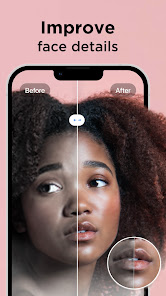
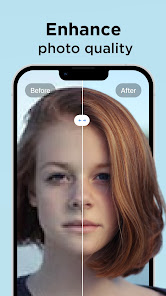
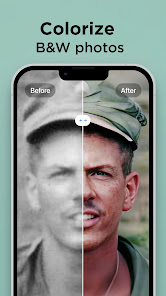
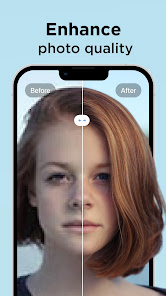
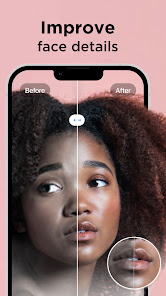
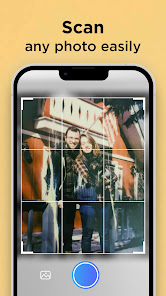
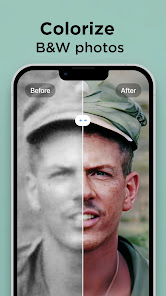
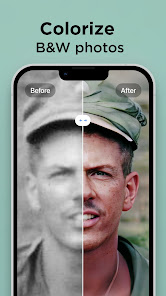
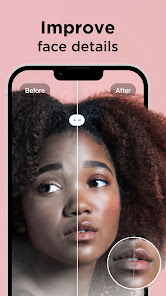
Pixelup utilizes advanced AI algorithms to automatically analyze and enhance your photos, bringing out details and improving colors with just a single tap. This means you can transform ordinary images into stunning visuals effortlessly, perfect for both casual users and photography enthusiasts.

Batch Processing

With Pixelup, you can enhance multiple photos at once, saving you time and effort. This feature is especially useful for users looking to quickly improve a series of images for social media or personal projects, allowing for consistent quality across all your photos.

Customizable Filters

Pixelup offers a variety of customizable filters that let you add a personal touch to your photos. Whether you're looking for a vintage vibe or a modern aesthetic, you can easily adjust settings to create the perfect look that matches your style.

User-Friendly Interface

The app boasts an intuitive interface that makes it easy for anyone to navigate and utilize its features. With simple controls and guided prompts, you can enhance your photos without any prior editing experience, ensuring a smooth and enjoyable user journey.

Advertisement

Pros & Cons

Pros
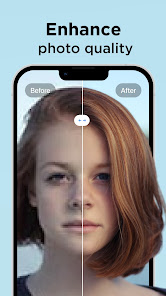
  • Enhances photo quality with advanced AI algorithms for stunning results.
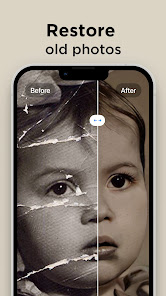
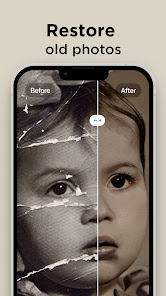
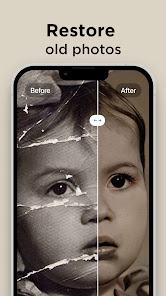
  • Restores old photos, bringing memories back to life with clarity.
  • User-friendly interface makes editing accessible for everyone.
  • Supports various formats, ensuring versatility for all your images.
  • Quick processing speeds save time while delivering professional-grade enhancements.
Cons
  • Limited customization options may not satisfy all user preferences.
  • Slow processing times can hinder workflow efficiency.
  • Subscription costs can add up for frequent users over time.

Real Experience Using Pixelup - AI Photo Enhancer

Application Scenarios

Pixelup - AI Photo Enhancer is designed for a wide range of users, from casual smartphone photographers to professional content creators. Whether you’re looking to enhance family photos, improve travel snapshots, or prepare images for social media, this app has you covered. Its AI-driven features make it easy to restore old pictures, upscale low-resolution images, and apply various artistic filters that can transform ordinary images into stunning visuals. Additionally, Pixelup is perfect for e-commerce businesses that require high-quality images of their products. By enhancing product photos, users can improve their online presence and attract more customers. The app is also useful for graphic designers and marketers who need quick enhancements for presentations or promotional materials, making it a versatile tool in any creative toolkit.

User Experience

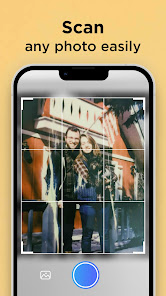
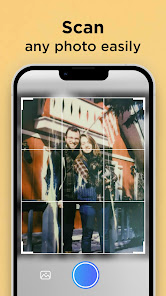
The user experience with Pixelup is intuitive and seamless, making it accessible for users of all skill levels. Upon launching the app, users are greeted with a clean and user-friendly interface that allows for easy navigation. The enhancement process is straightforward; users can upload images from their device or directly access their camera to take new photos. The AI technology quickly analyzes the image and provides enhancement options that can be applied with a single tap. Users can preview changes in real-time, which adds to the interactive experience. The app also offers a variety of filters and editing tools, allowing for personalized adjustments. Feedback from users highlights the app’s speed and efficiency, with many praising the impressive results achieved without the need for extensive editing knowledge.

Pricing

Pixelup offers a flexible pricing structure that caters to different user needs. The app is available for free with basic features, which is a great way for new users to test its capabilities. For those seeking advanced features and unlimited access to the app’s full potential, a subscription model is available. Users can choose between monthly and annual plans, with the annual subscription offering a discount compared to monthly payments. This pricing strategy ensures that users can select a plan that fits their budget, making it an attractive option for both casual and professional users. The investment in a subscription is often justified by the high-quality enhancements and time saved during editing processes.

Updates & Support

Pixelup is committed to continuous improvement, with regular updates that enhance performance and introduce new features. The developers actively listen to user feedback, which influences the app's evolution and ensures it meets the needs of its community. Users can expect updates that improve AI algorithms, add new filters, and fix any bugs, ensuring a smooth experience. Support is readily available through the app, with a dedicated help section that provides FAQs and troubleshooting tips. Users can also reach out to customer support via email for more specific inquiries. The proactive approach to updates and user support demonstrates Pixelup's dedication to providing a reliable and effective tool for photo enhancement.

verified Security & Privacy Review

Security & Privacy Review Pixelup - AI Photo Enhancer prioritizes user security and privacy by implementing robust data protection measures. The app employs advanced encryption techniques to safeguard user photos and personal information during transmission and storage. This ensures that sensitive data remains confidential and secure from unauthorized access. In terms of privacy practices, Pixelup adheres to strict data handling policies. The app clearly outlines its data collection practices in its privacy policy, informing users about the types of information collected and how it is utilized. Users' personal data is not sold to third parties, reflecting a commitment to privacy. Regarding permissions, Pixelup requests access only to essential features necessary for its functionality, such as storage permissions for photo access. Users are encouraged to review these permissions and can modify them as needed to enhance their privacy. Overall, Pixelup demonstrates a responsible approach to data security and user privacy, making it a trustworthy choice for photo enhancement.
Advertisement

User Reviews

  • Kendalyn Shumaker
    2023/09/21

    The app works well besides contorting faces when you zoom in. However, the main concern is the subscription. I paid for the pro features to not have ads, unlimited edits, and the removal of the pixleup logo. However, after purchasing the subscription, the pro benefits did not apply to my account,and the only feedback I received was an apology and statement that pixleup can not make changes to my subscription. Well , paid for the subscriptions and none of the features have been applied.

  • Jessica B
    2022/10/14

    This app is a complete waste of money. Some of the scratches get taken away (not all) but you're left with a blurry line where the scratch was. The colorization is a joke. The only thing it does slightly well is enhancing photos- but only of the photo is already clear. If it's blurry they put a completely different face on your photo and when you enlarge it it looks like a cartoon.

  • Zach Golden
    2023/04/27

    App seems to work well most of the time, but it has trouble with shadows on black and white photos, and also of all the photos I enhanced, the app only enhanced faces, but none of the surroundings. Colorizing also made weird color combos and they bled into skin as well. The app has potential, but still has a way to go before it's really great.

  • S Jacobs (G4m3rCh1ck187)
    2022/11/14

    🤣🤣🤣 wow the animations are horrible! I tested this it cause my husband wanted it and so I dealt with being forced to watch an ad just to load a picture and another to apply the animation. The animation options are very limited and the end results are more scary than anything. It's like the top half of the face moves and that's all. Don't bother.

  • Robert Weaver
    2023/01/16

    It did interesting work, and the app seemed to have potential. I would have like to actually tried it fully to better decide whether to buy, but the trial app is limited to only three "fixes" per day. The first fix did not work and crashed, so I really only got two tries. I wanted to buy a photo editor tonight, but two tries does not give me enough information, particularly when the app itself is on the costly side.

Review Source: Google Play store public user reviews.

FAQ

1

Does Pixelup - AI Photo Enhancer collect my personal data?

Pixelup prioritizes user privacy and may collect minimal personal data necessary for app functionality, but it is important to review the privacy policy for detailed information.

2

Does Pixelup - AI Photo Enhancer offer a free trial or free version?

Yes, Pixelup offers a free version with limited features, as well as a free trial of its premium features for users to explore before committing to a subscription.

3

Does Pixelup - AI Photo Enhancer require an internet connection?

Pixelup may require an internet connection for certain features, especially those that involve cloud processing or accessing updates, but some functionalities can be used offline.

4

How can I contact support or send feedback for Pixelup - AI Photo Enhancer?

You can reach out to Pixelup's support team through the app's help section or by visiting their official website for additional contact options and to provide feedback.

5

How do I manage or cancel my Pixelup - AI Photo Enhancer subscription?

You can manage or cancel your Pixelup subscription through the app settings or your device's app store account settings, depending on how you subscribed.

How to use Pixelup - AI Photo Enhancer

1

Can I change my customer number?

Unfortunately, customer numbers cannot be changed. For further assistance, please reach out to customer service.

2

How can I activate my Pixelup account?

To activate your account, click the link in the confirmation email sent after registration. If you didn’t receive it, please check your spam folder or contact customer service.

3

How can I contact customer service for Pixelup?

You can reach our customer service team via the support section in the app or by emailing support

4

How do I log in to my Pixelup account?

To log in, open the app and enter your registered email and password. If you have trouble, use the "Forgot Password" option.

5

How do I reset my password if I can't log in?

If you can’t log in, click on "Forgot Password" on the login page to receive a reset link via email. If you need more help, contact customer service.

What's New

We fixed some pesky bugs and improved the overall performance of the app.

Editor's Choice