This site uses cookies to enhance your user experience. By clicking any link on this site you are giving your consent to our cookie policy. Read more
Reject
Accept All

Advertiser and Editorial Disclosures

PhotoSync Bundle Add-On

PhotoSync Bundle Add-On

verified

touchbyte

4.6
Rating
50,000+ Downloads
3.4.1 Version
Advertisement
  • category

    Category: Photography

  • price

    Price: $5.99

  • age rating

    Age Rating: Everyone

  • rating

    Rating: 4.6

  • available on

    Available on: /

  • updated on

    Updated on: Aug 21, 2025

Screenshot 1
Screenshot 2
Screenshot 3
Screenshot 4
Screenshot 5
Screenshot 6
Screenshot 7
Screenshot 8
Screenshot 9
Screenshot 10
Screenshot 11
Screenshot 12
Advertisement

Features & Highlights

Automatic Backup

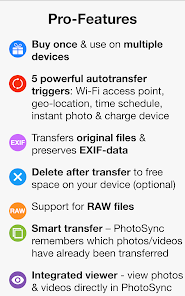
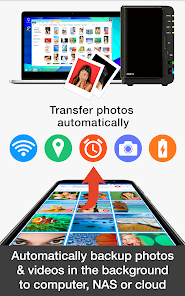
Never worry about losing your precious media again! With the automatic backup feature, your photos and videos are securely uploaded to cloud storage as soon as they're taken, providing peace of mind and easy access from anywhere at any time.

Easy File Transfer

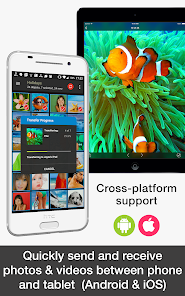
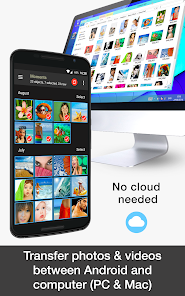
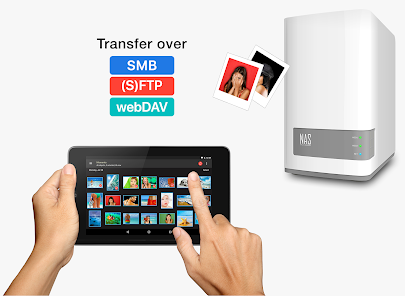
Effortlessly transfer photos and videos between devices with PhotoSync Bundle Add-On. It supports a variety of platforms, ensuring that you can move your cherished memories without any hassle, regardless of whether you're on iOS, Android, or desktop systems.

Seamless Integration

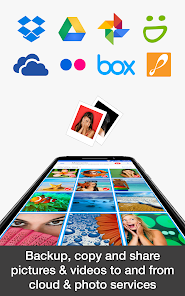
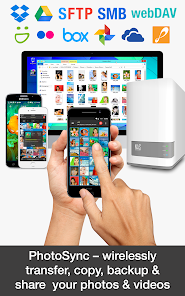
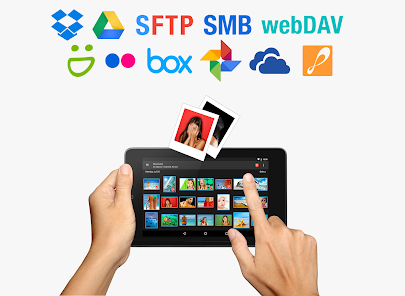
Experience smooth integration with popular cloud services like Google Drive, Dropbox, and OneDrive. This feature allows you to easily sync and organize your media, making it simple to share and manage your photos across different platforms and devices.

User-Friendly Interface

The intuitive design of the PhotoSync Bundle Add-On makes navigation a breeze for users of all skill levels. With clear icons and straightforward options, you can quickly find what you need and enjoy a stress-free experience while managing your media.

Advertisement

Pros & Cons

Pros
  • Effortlessly transfer photos between devices with ease and speed.
  • Automatically backup your images to the cloud for peace of mind.
  • Organize and manage your photo library efficiently and intuitively.
  • Share photos directly from the app to friends and family.
  • Support for multiple file formats ensures compatibility with all your media.
Cons
  • Limited compatibility with older devices may hinder user experience.
  • High data usage can lead to increased costs for users.
  • Potential privacy concerns arise from cloud storage of personal photos.

Real Experience Using PhotoSync Bundle Add-On

Application Scenarios

The PhotoSync Bundle Add-On is an invaluable tool for users who frequently handle large volumes of photos and videos across various devices. Whether you are a professional photographer needing seamless transfer between your camera and computer, or a casual user wanting to back up cherished family memories from your smartphone to cloud storage, this app caters to a wide range of scenarios. It is particularly useful for those who utilize multiple platforms, such as Android, iOS, and Windows, as it facilitates cross-platform transfers effortlessly. Additionally, users can benefit from the app in scenarios involving collaboration, where sharing high-resolution images with colleagues or clients is necessary. The versatility of the app makes it an essential addition to any digital media toolkit.

User Experience

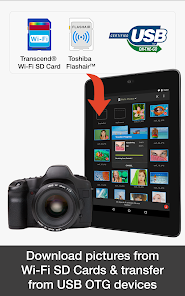
The user experience offered by the PhotoSync Bundle Add-On is designed to be intuitive and user-friendly. Upon launching the app, users are greeted with a clean and organized interface that makes navigation straightforward. The setup process is quick, allowing users to connect their devices and initiate transfers without hassle. The app supports various transfer methods, including Wi-Fi, cloud services, and direct USB connections, providing flexibility based on user preferences. Many users have reported that the transfer speeds are impressively fast, even with large files, and the ability to choose specific folders or files for transfer adds a level of customization that enhances the overall experience. Furthermore, users appreciate the reliability of the app, with minimal crashes or bugs reported, making it a dependable choice for photo syncing.

Pricing

The PhotoSync Bundle Add-On is competitively priced, offering a range of payment options to suit different budgets. Users can choose between a one-time purchase or a subscription model, depending on their needs and preferences. The pricing structure is transparent, with no hidden fees, and the app often provides promotional discounts for new users. Many users find the initial investment worthwhile, especially considering the time and effort saved in managing their photo libraries. Additionally, there is a free trial available, allowing potential users to explore the app's features before committing to a purchase, which enhances customer satisfaction and trust.

Updates & Support

The developers of PhotoSync Bundle Add-On are committed to providing regular updates to ensure that the app remains efficient and compatible with the latest devices and operating systems. Users can expect new features and improvements to be rolled out frequently, keeping the app current with evolving technology. The support team is responsive and knowledgeable, ready to assist users with any questions or issues they may encounter. Comprehensive FAQs and user guides are available online, making it easy for users to find solutions independently. Overall, the combination of regular updates and robust customer support enhances the overall user experience, ensuring that users feel valued and supported throughout their journey.

verified Security & Privacy Review

Security & Privacy Review PhotoSync Bundle Add-On prioritizes user data security and privacy through robust encryption protocols during file transfers. The app employs secure connections to mitigate risks associated with data interception, ensuring that photos and videos are transmitted safely between devices. In terms of permissions, the app requires access to your device's storage to facilitate seamless synchronization. Users are encouraged to review these permissions carefully, as unnecessary access can pose potential risks. The app does not request permissions beyond what is essential for its functionality, which is a positive aspect of its design. PhotoSync is transparent about its data handling practices, clearly stating that it does not collect personal information unless explicitly provided by the user. The app also offers options for users to manage their data, giving them control over what is shared and stored. Overall, PhotoSync Bundle Add-On demonstrates a commitment to maintaining user privacy while providing a reliable syncing solution.
Advertisement

User Reviews

  • Kevin A
    2020/04/28

    I cannot recommend this app. I purchased this bundle for the cloud sync to Google Photos, but half if the time the it just doesn't work. It will just hang indefinitely with the Transfer Progress at 0%, even with small files. When it does work, it's painfully slow, and the developer has not implemented proper coding to prevent it from being forced out of memory, or even just having the transfers sustained in the background, so leaving the app will cause them to fail. Good idea, bad app.

  • Andrew C
    2021/04/13

    Nice program to sync files to many devices using numerous transport technology. The only annoying problem is when I sync all of my 2,000+ pictures via FTP, it kicks out an error every so often and stops all file transfer. It doean't tell you what the problem is but just states "Error". It would be nice if the program would skip the problem file and continue to the end. I would think having it spit out a log showing which files had problems after transfer completes would be highly preferred!

  • Ariel Diaz
    2022/03/01

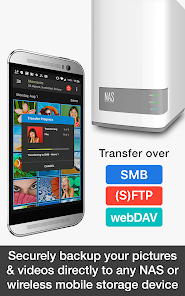
    Great app! I keep my photos on a home server SMB share and PhotoSync works perfectly with the setup. You need to pay 1.99 for the "NAS" add-on (after a free 7 day trial) but it's well worth the tiny price. I went ahead and paid 3.99 for all the add-ons to support the developer. Keep up the awesome work!!

  • Max Herr
    2022/02/12

    Very simple, seamless app for transferring photos from phone to phone to computer to tablet. You have to figure out that both devices must be on the same wifi network and set to send or receive. But once you do, this does the job quicky! Pay the $3.99 for the "pro" app with the add-ons and zero add.

  • jesse holloway
    2021/12/06

    PhotoSync has been awesome! I used to manually transfer pictures from my phone to my WD MyCloud via a computer every couple of weeks/months. After testing this app, I decided to purchase. Now I can backup full copies of my pictures and videos with no hassle. It's so easy! I haven't setup automatic backups, but it's simple enough for me to open the app - a few taps later, it's backing up all new pictures and videos to a folder on the MyCloud. So convenient!

Review Source: Google Play store public user reviews.

FAQ

1

Can I submit suggestions or feedback to PhotoSync Bundle Add-On?

Yes, users can submit suggestions or feedback through the app's support section or official website.

2

Does PhotoSync Bundle Add-On collect my personal data?

PhotoSync Bundle Add-On respects user privacy and does not collect personal data without consent.

3

Does PhotoSync Bundle Add-On support offline use?

Yes, PhotoSync Bundle Add-On allows users to transfer files without needing an internet connection, enabling offline use.

4

How do I cancel my PhotoSync Bundle Add-On subscription?

You can cancel your subscription through the app settings or by managing your subscription through the platform's app store settings.

5

How much does a subscription to PhotoSync Bundle Add-On cost?

Subscription costs may vary, but they typically range from a monthly to an annual fee, providing options for users based on their needs.

How to use PhotoSync Bundle Add-On

1

Can I log in from multiple devices with my account?

Yes, you can log in to your account from multiple devices using the same customer number and password.

2

Can I update my customer number through my account settings?

No, customer numbers cannot be changed in account settings. Please contact customer service for any updates or changes needed.

3

How can I contact customer service for help with my PhotoSync Bundle Add-On?

You can reach our customer service team by emailing support

4

How do I activate my PhotoSync Bundle Add-On account?

To activate your account, log in to your account on our website and follow the activation prompts provided in the dashboard.

5

How do I reach customer service if I need help activating my account?

You can contact customer service via email at support

What's New

* Fixed status bar height calculation

Editor's Choice