This site uses cookies to enhance your user experience. By clicking any link on this site you are giving your consent to our cookie policy. Read more
Reject
Accept All

Advertiser and Editorial Disclosures

GIF Maker, GIF Editor Pro

GIF Maker, GIF Editor Pro

verified

GIF Maker & GIF Editor & Video Maker

4.7
Rating
50,000+ Downloads
/ Version
Advertisement
  • category

    Category: Photography

  • price

    Price: $2.99

  • age rating

    Age Rating: Everyone

  • rating

    Rating: 4.7

  • available on

    Available on: /

  • updated on

    Updated on: Mar 2, 2026

Screenshot 1
Screenshot 2
Screenshot 3
Screenshot 4
Screenshot 5
Screenshot 6
Screenshot 7
Screenshot 8
Screenshot 9
Screenshot 10
Screenshot 11
Screenshot 12
Screenshot 13
Screenshot 14
Screenshot 15
Screenshot 16
Screenshot 17
Screenshot 18
Screenshot 19
Screenshot 20
Screenshot 21
Screenshot 22
Screenshot 23
Screenshot 24
Advertisement

Features & Highlights

Advanced Editing Tools

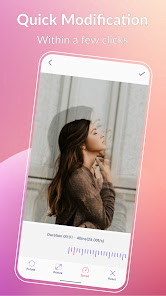
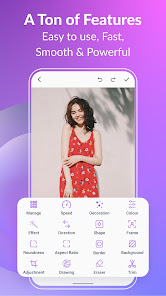
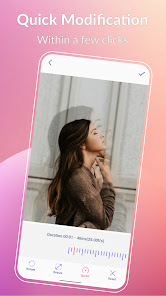
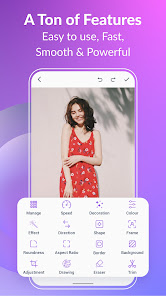
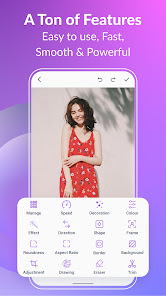
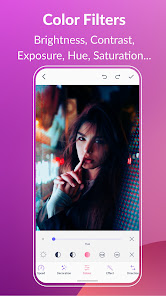
Take control of your GIFs with advanced editing features like trimming, cropping, and adjusting playback speed. These tools empower you to fine-tune your creations, allowing for a polished and professional finish that captures attention and communicates your style.

Custom GIF Creation

Easily create personalized GIFs from your videos or images with a few simple taps. The intuitive interface allows you to select specific clips, adjust the duration, and apply various effects, making it fun and straightforward to bring your ideas to life.

One-Tap Sharing

Share your creations effortlessly across social media platforms with just one tap. GIF Maker, GIF Editor Pro simplifies the sharing process, ensuring your GIFs reach your friends and followers instantly, making it easier than ever to spread joy and creativity.

Text and Sticker Overlays

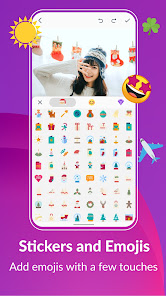
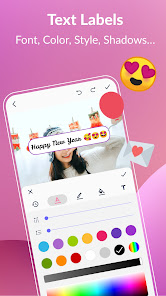
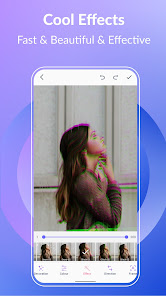
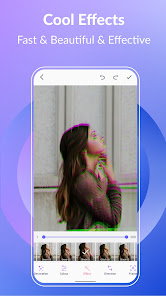
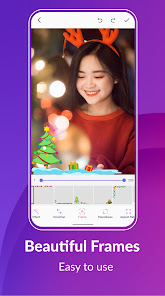
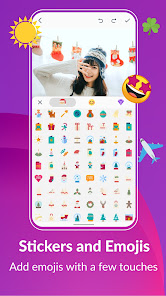
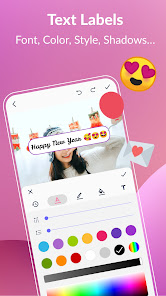
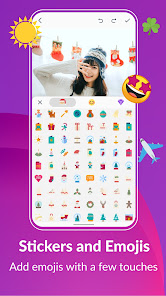
Enhance your GIFs with vibrant text and fun sticker overlays. With a wide selection of fonts and emojis, you can add your unique touch and convey your message more effectively, ensuring that your creations stand out in any conversation.

Advertisement

Pros & Cons

Pros
  • Create stunning GIFs effortlessly with intuitive tools
  • Edit existing GIFs quickly for personalized results
  • High-quality output ensures vibrant animations
  • Share directly to social media with ease
  • Import multiple formats for versatile creativity
Cons
  • Limited editing features for advanced users
  • Export quality can be low
  • Ads can be intrusive and distracting
  • Slow processing time for large files

Real Experience Using GIF Maker, GIF Editor Pro

Application Scenarios

The GIF Maker, GIF Editor Pro app shines in various scenarios, making it a versatile tool for both casual users and professionals. Whether you’re looking to create a fun GIF from a collection of photos for social media, or you need to produce a high-quality animated GIF for a marketing campaign, this app has you covered. It’s particularly useful for content creators who want to engage their audience with eye-catching visuals. Additionally, the app allows you to turn video clips into GIFs, making it perfect for sharing memorable moments from events or capturing highlights from sports games. The intuitive interface makes it easy to navigate through features, ensuring that users can create their desired GIFs quickly and efficiently.

User Experience

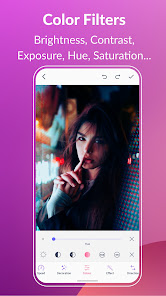
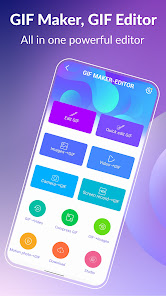
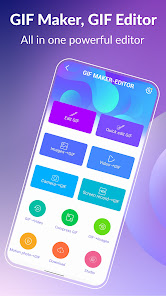
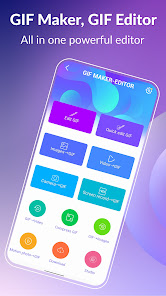
The user experience of GIF Maker, GIF Editor Pro is commendable. The app's layout is clean and user-friendly, allowing users to access tools without any hassle. Upon launching the app, users are greeted with a straightforward dashboard that leads them seamlessly to various functions such as GIF creation, editing, and sharing. The editing tools are robust, offering features like text overlays, filters, and speed adjustments, which enhance the creative process. The app runs smoothly without significant lag, even with larger files, providing a satisfying experience overall. Many users have reported that the app’s ability to preview GIFs in real-time is particularly helpful, enabling them to make adjustments on the fly. The sharing option is also a highlight, allowing users to export their creations directly to social media platforms or save them to their devices with ease.

Pricing

GIF Maker, GIF Editor Pro offers a competitive pricing model that appeals to a wide range of users. The app is available for free with basic features, making it accessible for anyone looking to dabble in GIF creation. For users seeking advanced functionalities, a premium subscription is available at a reasonable monthly or annual fee. This premium version unlocks additional editing tools, removes ads, and provides access to a larger library of templates and effects. Given the quality and variety of features offered, many users find the premium pricing to be justified, especially if they frequently create and share GIFs.

Updates & Support

The app’s developers are committed to providing regular updates, enhancing functionality, and addressing user feedback. Users can expect new features and improvements rolled out frequently, which keeps the app fresh and relevant. Customer support is also commendable, with a responsive team available to assist users with any issues they may encounter. An extensive FAQ section within the app helps users troubleshoot common problems independently. Overall, the combination of consistent updates and reliable support contributes positively to the user experience, ensuring that GIF Maker, GIF Editor Pro remains a top choice for GIF enthusiasts.

verified Security & Privacy Review

The security and privacy of users are paramount for any application, and GIF Maker, GIF Editor Pro takes this responsibility seriously. The app implements robust data encryption protocols to ensure that any user-generated content is securely stored and transmitted. Furthermore, the app's privacy policy clearly outlines how user data is collected, used, and protected, promoting transparency and trust. In terms of permissions, GIF Maker, GIF Editor Pro requests access to essential features such as camera and storage, which are necessary for creating and editing GIFs. Users are encouraged to review these permissions carefully and are provided with options to manage them according to their preferences. The app does not collect unnecessary personal information, adhering to a minimal data collection policy that prioritizes user privacy. The developers maintain a commitment to regular updates and security patches, ensuring that any vulnerabilities are promptly addressed. Overall, GIF Maker, GIF Editor Pro demonstrates a strong focus on safeguarding user data while providing a seamless and enjoyable experience for GIF enthusiasts.
Advertisement

User Reviews

  • Jeff Harris
    2026/04/14

    I purchased the PRO version because I didn't want ads and to have access to all fearures. My biggest complaint is that when I add text in my gif the blue cursor at the end of the last word in a text box shows up in the final saved gif. Trial and error helped me learn how to get the text box from showing up in the final gif by deselecting it. But the blue cursor still won't go away no matter what I do. Frustrating and a waste of money going PRO.

  • Ed Raines
    2022/12/07

    I enjoyed the free ad supported version so much that I went ahead and got the pro. It does a great job at compression and the tools are intuitive if you've done any video editing. My only wish is that I would like to be able to easily advance frame by frame when editing as opposed to dragging my finger

  • K. Evans
    2021/12/28

    I used this app for a short time, LOVED IT and purchased it. The screen to Gif record feature was the best out there. You press the button and the record button would appear at the top left of your screen, ready to record. NOW... Thanks to a recent upgrade, they have a GOOFY caution box (That advises you are about to record blah blah blah) that pops up and you have to do extra steps to get to the screen you are recording. Then you have to pull down the phone menu to stop the recording. I reached out to them to see if there's a workaround and got no response back. I guess PAID customers are not important to them. I'm presently looking for another app, to replace this one. From a 5 star to 1 star app... :-(

  • Derek Brainard
    2025/11/18

    This is an awesome app! Always works and hardly ever crashes. The UI is nice to look at. The menu and its features are vast but easy to navigate. Sometimes it is a wiser more compact option to create a short .gif file than sending a single traditional pic. Well worth the $2 I paid for it.

  • A Google user
    2019/09/05

    EDIT I'm afraid I must bring my review down to four stars until this issue is resolved. I have spent considerable time and effort editing gifs and then half the time the app crashes or doesn't export and I lose all my work ;( It would be amazing if you could add a way to save gifs in progress. Thank you FANTASTIC array of features. This app blows all the other so called "editing" apps out of the water. The complexity is amazing and so useful. I actually use this app over programs on my computer.

Review Source: Google Play store public user reviews.

FAQ

1

Does GIF Maker, GIF Editor Pro collect my personal data?

GIF Maker, GIF Editor Pro prioritizes user privacy and does not collect personal data without consent; however, it may collect anonymous usage data to improve app performance and user experience.

2

Does GIF Maker, GIF Editor Pro offer a free trial or free version?

Yes, GIF Maker, GIF Editor Pro offers a free version with limited features, along with a trial period for the premium version, allowing users to explore advanced functionalities before committing to a subscription.

3

Does GIF Maker, GIF Editor, Pro require an internet connection?

GIF Maker, GIF Editor Pro can function offline for most features, allowing users to create and edit GIFs without an internet connection, although some functionalities may require online access for additional resources or updates.

4

How can I contact support or send feedback for GIF Maker, GIF Editor Pro?

To contact support or send feedback for GIF Maker, GIF Editor Pro, users can access the help section within the app or visit the official website for customer service options and support resources.

5

How do I manage or cancel my GIF Maker, GIF Editor Pro subscription?

You can manage or cancel your GIF Maker, GIF Editor Pro subscription directly through the app's settings or your device's app store account settings, ensuring control over your subscription preferences.

How to use GIF Maker, GIF Editor Pro

1

How can I contact customer service for the GIF Maker app?

You can reach customer service through the app's settings or visit the website for support options.

2

How can I update my account information in GIF Editor Pro?

Go to the settings menu in the app and select "Account" to update your information.

3

How do I deactivate my GIF Editor Pro account?

To deactivate your account, contact customer service via the app or website for assistance.

4

How do I log in to the GIF Maker app?

Open the app and click on the login option. Enter your credentials to access your account.

5

Is activation necessary for GIF Editor Pro?

Yes, activation is necessary. You can activate it using the license key provided upon purchase.

What's New

Minor bug fixes

Editor's Choice