This site uses cookies to enhance your user experience. By clicking any link on this site you are giving your consent to our cookie policy. Read more
Reject
Accept All

Advertiser and Editorial Disclosures

Flickr

Flickr

verified

Flickr, Inc.

3.6
Rating
1,000,000+ Downloads
4.17.58 Version
Advertisement
  • category

    Category: Photography

  • price

    Price: free

  • age rating

    Age Rating: 17+

  • rating

    Rating: 3.6

  • available on

    Available on: /

  • updated on

    Updated on: Jun 30, 2026

Screenshot 1
Screenshot 2
Screenshot 3
Screenshot 4
Screenshot 5
Screenshot 6
Screenshot 7
Screenshot 8
Screenshot 9
Screenshot 10
Screenshot 11
Screenshot 12
Screenshot 13
Screenshot 14
Screenshot 15
Screenshot 16
Advertisement

Features & Highlights

Advanced Editing Tools

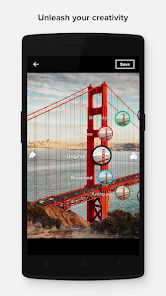
Flickr provides a suite of editing tools that help enhance your photos directly within the app. From basic adjustments to creative filters, you can refine your images to perfection before sharing them with your audience, ensuring your best work stands out.

Community Engagement

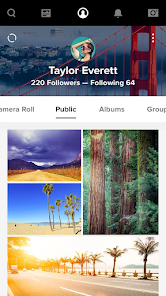
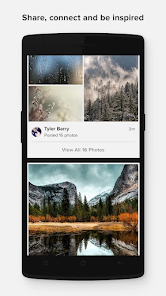
With its vibrant community of photographers and enthusiasts, Flickr fosters connections through groups, comments, and likes. You can share your work, receive feedback, and discover inspiring content from others, making it a perfect platform for learning and collaboration.

Photo Storage Space

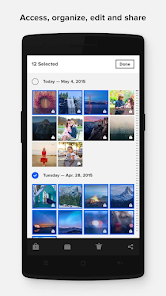
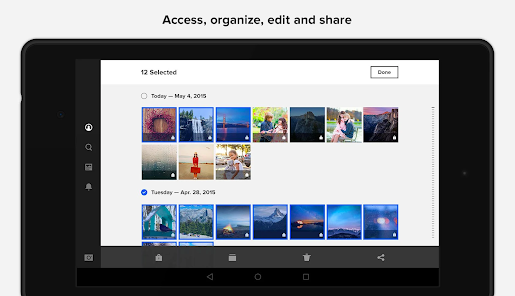
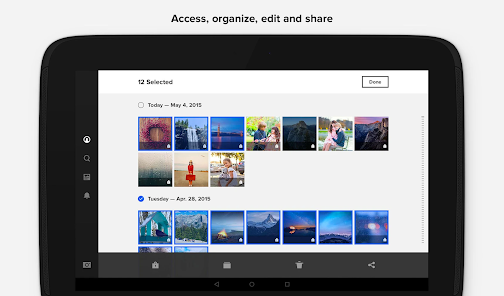
Flickr offers a generous amount of cloud storage specifically for photos, allowing users to upload and organize thousands of images without worrying about running out of space. This feature makes it easy to keep all your memories in one place, accessible anytime and anywhere.

Privacy Controls

Flickr gives you complete control over who can see your photos, with customizable privacy settings for each image. Whether you want to share with the public, friends, or keep it private, you can easily manage your content according to your preferences.

Advertisement

Pros & Cons

Pros
  • High-resolution image storage for photographers
  • Active community for networking and inspiration
  • Easy organization with albums and tags
  • Robust sharing options across platforms
  • Customizable privacy settings for your photos
Cons
  • Limited storage for free accounts
  • User interface can be confusing
  • Less social engagement compared to competitors
  • Slow loading times for large galleries

Real Experience Using Flickr

Application Scenarios

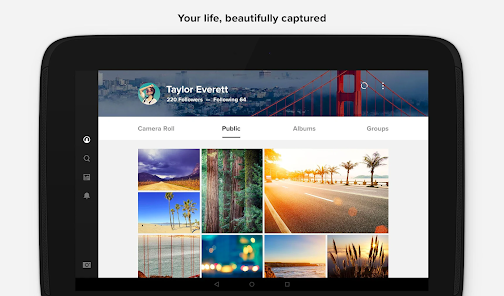
Flickr serves a variety of user scenarios, making it a versatile platform for photographers and casual users alike. For professional photographers, it acts as an online portfolio, allowing them to showcase their work to a global audience. The platform’s extensive tagging and organization features enable users to categorize their photos effectively, making it easier for potential clients to find their work. On the other hand, hobbyists use Flickr to connect with like-minded individuals, sharing their personal photography journeys and gaining inspiration from others. Additionally, Flickr is a popular choice for event photography, where users can create albums for weddings, vacations, or family gatherings and invite friends and family to view and contribute to the albums. The platform also hosts various groups and communities, allowing users to engage in discussions and participate in themed photo challenges, further enriching the user experience.

User Experience

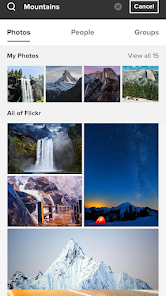
The user experience on Flickr is generally positive, characterized by a user-friendly interface that is easy to navigate. Upon signing up, users can quickly upload images, organize them into albums, and interact with other community members through comments and likes. The platform’s search functionality is robust, enabling users to find specific images or explore collections based on interests. Flickr’s mobile app enhances the experience by allowing users to upload photos directly from their devices, ensuring they can capture and share moments on the go. However, some users have reported occasional issues with loading times, particularly when accessing large albums or high-resolution images. Despite these minor setbacks, the overall experience remains enjoyable, with a strong sense of community and creativity that encourages users to engage with the platform regularly.

Pricing

Flickr operates on a freemium model, offering both free and paid subscription options. The free tier allows users to upload up to 1,000 photos and videos, making it an attractive option for casual users. However, once users hit the limit, they are prompted to consider the Pro subscription, which offers unlimited storage, advanced statistics, and an ad-free experience. The Pro plan is competitively priced, providing excellent value for serious photographers who need additional features and enhanced visibility for their work. Many users find the annual subscription fee to be reasonable, especially when considering the vast array of tools and community engagement opportunities available.

Updates & Support

Flickr is committed to keeping its platform updated with regular enhancements and features that respond to user feedback. Recent updates have included improved organizational tools and enhanced privacy settings, ensuring users have greater control over their content. The support system is reliable, offering a comprehensive help center with FAQs, tutorials, and troubleshooting guides. Users can also reach out to customer support through email for more personalized assistance. The community forum is another valuable resource, where users can share experiences and solutions. Overall, Flickr’s dedication to continuous improvement and user support contributes to a positive and engaging environment for all.

verified Security & Privacy Review

The security and privacy practices of Flickr are commendable, making it a reliable platform for photo sharing. The app employs robust encryption protocols to protect user data both in transit and at rest, ensuring that personal information remains secure. Additionally, Flickr offers users control over their privacy settings, allowing for customization of who can view and interact with their photos. Users can choose between public, private, or limited access options, which promotes a tailored sharing experience. Flickr requires certain permissions, such as access to the device's camera and storage, which are essential for uploading and managing photos. However, users should be aware of the extent of data collected, which includes account details, location data, and interaction history. The app's privacy policy is transparent, outlining how user data is handled and shared. Flickr does not sell personal information to third parties, reinforcing its commitment to user privacy. Overall, Flickr strives to maintain a secure environment while offering users flexibility in managing their content visibility.
Advertisement

User Reviews

  • Doug Duvall
    2026/05/11

    For some reason you can't access notifications on the android app. And you can't create an album on the android app either. But what's really maddening is you can't geotag an exact location for an uploaded photo easily like you can on Instagram. Fast forward three years...the map that I used to use with ease to geotag photos is worthless. I mean, WORTHLESS! Ten, twenty years ago, Flickr was terrific, but today it's a shell of its former self.

  • Justin S
    2026/02/14

    Stats no longe visible!! a member for decades and the app is absolutely functional but lacks a lot of polish. However, I am no longer able to see stats on the app. I have force closed and cleared my cache and still not able to. Hopefully this is fixed. Issues I have is when adding to groups the app truncates the group names and doesn't give a description. Which leads to adding to wrong group. Cost is getting prohibitive as well. Perhaps add a tier in between pro and free. Pro-lite?

  • Reba
    2026/06/19

    Lousy would not work and constantly had problems referring. always have problems, never really shows me what I want to see, that is when the stupid app works. ridiculous, ridiculous. always seams to not keep me signed in , and when I do try to sign in it says I either don't have account or need to jump through hoops to get in. you all are ridiculously stupid and unprofessional and basically don't know what the hell you are doing.

  • Mike Hicks
    2025/01/01

    The app gives notifications when it has uploaded photos, but when I tap to expand them, it just has empty content, which is a weird behavior. This app doesn't display images at their full resolution, which is a bit unsettling, especially when looking at your own photos uploaded from your phone. Not a problem if you're just quickly browsing, but can be an issue if you're zooming in to check finer details or read text. The full size does get uploaded, so you can still see that on the website.

  • Kevin DiMinno
    2025/01/16

    Have been using this app for years and have saved nearly 100k images/video files. Interface works great on laptops, desktops, mobile etc. The only complaint is that there is still no way to sort out duplicates. I need an interface that allows me to see the file names and sizes so I can sort and find duplicates. The app now picks up duplicates as you upload however I've been using the app so long that many of my files are duplicates and without organizing them one by one I can't clean up my files

Review Source: Google Play store public user reviews.

FAQ

1

Does Flickr collect my personal data?

Yes, Flickr collects personal data, including account information, usage data, and analytics, to enhance user experience and improve its services. Users should review Flickr's privacy policy for detailed information.

2

Does Flickr offer a free trial or free version?

Flickr offers a free version with limited storage and features, allowing users to explore the platform before deciding on a paid subscription.

3

Does Flickr require an internet connection?

Yes, Flickr requires an internet connection to upload, view, and share photos and videos, as the service is based in the cloud.

4

How can I contact support or send feedback for Flickr?

You can contact Flickr support through their help center on the website, where you can find resources, submit a support request, or provide feedback about your experience.

5

How do I manage or cancel my Flickr subscription?

You can manage or cancel your Flickr subscription by going to your account settings on the Flickr website or app, where you can find options for subscription management.

How to use Flickr

1

Do I need to activate my Flickr account?

You typically do not need to activate your account; simply sign in with your credentials. If you created an account, check your email for a confirmation link.

2

How can I contact Flickr customer service?

You can reach Flickr customer service through their Help Center or by submitting a support request on their website.

3

How do I log in to my Flickr account?

Visit the Flickr website or app, click on "Sign In," and enter your email and password associated with your account.

4

What is the customer number for Flickr support?

Flickr does not provide a direct customer number; support is primarily handled online through their Help Center.

What's New

Thank you for using Flickr! We regularly update the app to fix bugs and improve features. Download the latest version to get the best Flickr experience!

Editor's Choice