This site uses cookies to enhance your user experience. By clicking any link on this site you are giving your consent to our cookie policy. Read more
Reject
Accept All

Advertiser and Editorial Disclosures

Cartoonify Me

Cartoonify Me

verified

Tiki Punch Studio

3.9
Rating
10,000,000+ Downloads
5.3.0 Version
Advertisement
  • category

    Category: Photography

  • price

    Price: free

  • age rating

    Age Rating: Everyone

  • rating

    Rating: 3.9

  • available on

    Available on: /

  • updated on

    Updated on: May 5, 2026

Screenshot 1
Screenshot 2
Screenshot 3
Screenshot 4
Screenshot 5
Screenshot 6
Screenshot 7
Screenshot 8
Screenshot 9
Screenshot 10
Screenshot 11
Screenshot 12
Screenshot 13
Screenshot 14
Screenshot 15
Screenshot 16
Screenshot 17
Screenshot 18
Screenshot 19
Screenshot 20
Screenshot 21
Screenshot 22
Screenshot 23
Screenshot 24
Advertisement

Features & Highlights

Customizable Cartoon Styles

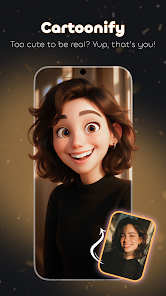
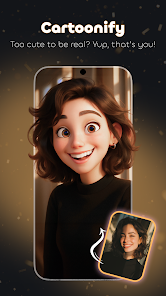
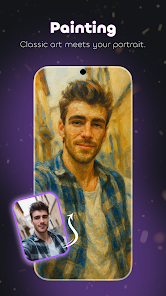
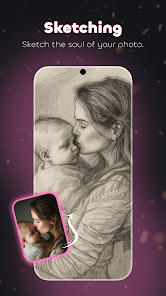
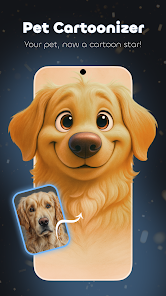
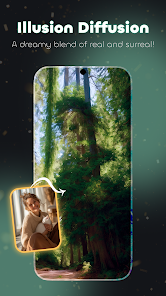
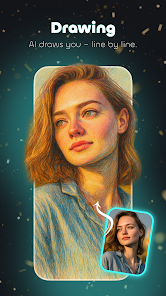
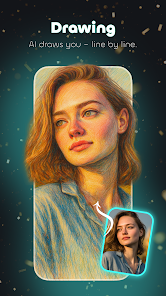
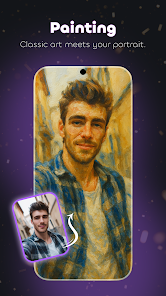
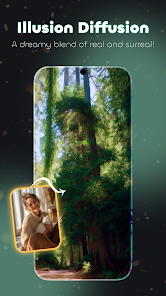
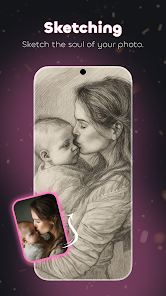
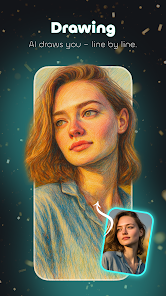
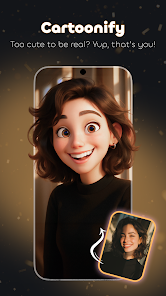
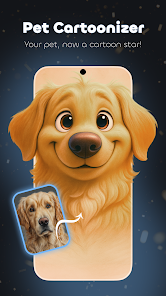
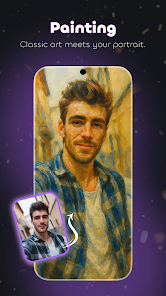
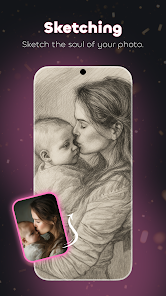
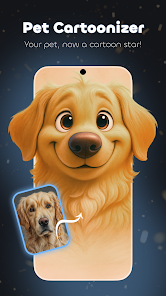
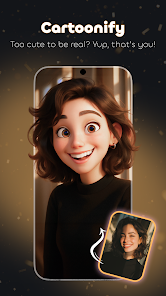
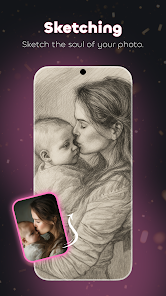
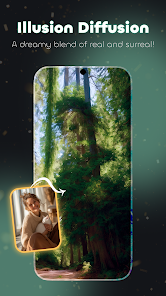
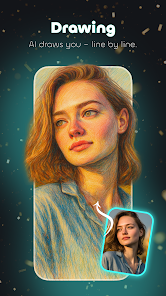
With a variety of artistic styles to choose from, Cartoonify Me allows users to personalize their cartoon creations. Whether you prefer a classic comic book look or a whimsical caricature, you can easily find a style that suits your personality and taste.

High-Quality Output

The app ensures that your cartoon images are rendered in high quality, preserving details and vibrant colors. This means that whether you’re saving your creations for social media or printing them out, you’ll get stunning results every time.

Share on Social Media

Cartoonify Me makes it incredibly easy to share your creations with friends and family on social media platforms. With just a click, you can post your unique cartoon selfies directly to your favorite networks, spreading the fun and creativity effortlessly.

User-Friendly Interface

Cartoonify Me boasts a simple and intuitive interface, making it easy for users of all ages to navigate and create fun cartoon versions of their photos. You won’t need a tutorial to start transforming your selfies into playful artwork in just a few taps.

Advertisement

Pros & Cons

Pros
  • Transform your photos instantly
  • Unique cartoon styles available
  • Easy-to-use interface for all
  • Share your creations with friends
  • High-quality outputs guaranteed
Cons
  • Limited customization options
  • Occasional image quality loss
  • Slow processing times sometimes
  • Ads can disrupt user experience

Real Experience Using Cartoonify Me

Real Experience Application Scenarios

Cartoonify Me is a delightful app designed for anyone looking to transform their ordinary photos into whimsical cartoon versions. Whether you are sharing playful images on social media, creating unique avatars for gaming or online forums, or simply looking to give a fun twist to your family pictures, this app caters to various needs. Users can effortlessly upload their images and select from a variety of cartoon styles, allowing for personalized creations that reflect individual preferences. It's perfect for casual users wanting to add a splash of creativity to their digital presence, as well as for artists seeking inspiration or reference material for their work. Additionally, the app can be used in educational settings, encouraging students to express their artistic sides through digital media.

User Experience

The user experience in Cartoonify Me is smooth and intuitive, making it accessible to users of all ages. Upon launching the app, users are greeted with a clean interface that is easy to navigate. The photo upload process is straightforward, and the array of cartoon styles is visually appealing, allowing users to preview their images with just a few taps. The editing tools are user-friendly, featuring sliders and adjustable options that enhance the cartoon effect without overwhelming the user. The app also offers a sharing feature, enabling users to post their creations directly to social media platforms or save them to their devices with ease. Feedback from users indicates high levels of satisfaction, particularly regarding the quality of the cartoon results and the speed of processing images.

Pricing

Cartoonify Me operates on a freemium model, allowing users to access basic features without any cost. However, for those who desire advanced functionalities such as additional cartoon styles, high-resolution downloads, and ad-free experience, a premium subscription is available. The pricing structure is competitive within the market, and users often report that the value offered justifies the investment. Periodic discounts and promotional offers also make it an attractive option for new users looking to explore the app's full potential without breaking the bank.

Updates & Support

The developers of Cartoonify Me are committed to providing regular updates to enhance the app's functionality and user experience. Users can expect frequent improvements, including new cartoon styles, enhanced editing tools, and bug fixes. The support team is responsive and helpful, providing assistance through various channels such as email and social media. Additionally, the app features a comprehensive FAQ section that addresses common queries, ensuring that users can quickly find solutions to their problems. This proactive approach to updates and support fosters a positive user community and encourages ongoing engagement with the app.

verified Security & Privacy Review

Security & Privacy Review Cartoonify Me places a strong emphasis on user security and privacy. The app employs industry-standard encryption protocols to protect user data during transmission, ensuring that personal information remains confidential. User data is not stored on the app’s servers, which minimizes the risk of unauthorized access or data breaches. In terms of permissions, Cartoonify Me requires minimal access to device features. Users are only prompted to grant permission for camera and photo gallery access, which is essential for the app’s functionality. There are no unnecessary permissions requested, reducing potential vulnerabilities. The app’s privacy policy is transparent, outlining how user data is collected, used, and shared. It explicitly states that no personal information is sold to third parties or used for targeted advertising. Additionally, users have control over their data, with options to delete their account and associated information at any time. Overall, Cartoonify Me demonstrates a commitment to safeguarding user privacy and data security, making it a reliable choice for those looking to create fun cartoon images without compromising their personal information.
Advertisement

User Reviews

  • derrick kidwell
    2026/06/28

    made me watch 6 ads with no results. I have never been one to complain about ads i am glad that games allow us to try them for free by watching ads instead of paying money but when you get forced to watch 6 ads before it does anything and still not even sure if I would every he able to do anything is ridiculous. you want to earn more money with your app. have it so you watch an ad and actually are able to accomplish something afterwords then I would use it more and watch more ads

  • Naomi S
    2025/08/26

    WAY TOO MANY ADS! it's almost torture just trying to get to the point of creating something. I had to watch 2 long ads just to save a photo that really wasn't worth the wait. I apologize for my negative explanation but it's the truth about my experience. I uninstalled in less than a hour after trying this app. I just can't put myself through this overdose of marketing ads. After each tap on any icon you get another freakin ad. I'm sick of it, done.

  • Andrew Smith
    2023/03/27

    It's an ok app I guess. What is shown in the advertisement for it is pretty much what you get. So I don't think there is any deception going on with the advertising aspect. My only issue with it is that after you've 'cartooned' yourself, your original photo stays attached to your creation (kind of like a little PIP). Well what good does that do? I only need the cartoon part for all practical purposes. Not my original pic. Update this part of the app for 5 stars.

  • Sue
    2026/06/21

    3 x adds to get in and another to save first try. The adds go forever too. Too annoying

  • June Osborne
    2026/03/13

    Completely useless. I get needing ads but not every two seconds in the midst of trying to process one photo. I was interrupted 3 or 4 times. And the cover image they show you? You don't get to use that one. The available transitions are distorting and hideous. I'd say, don't bother.

Review Source: Google Play store public user reviews.

FAQ

1

Are there any age restrictions for using Cartoonify Me?

Cartoonify Me is generally suitable for all ages, but children may require supervision when using the app, especially when sharing images online.

2

Can I customize the cartoon effects in the app?

Yes, users can often customize cartoon effects by adjusting parameters such as brightness, contrast, saturation, and more to achieve their desired look.

3

Can I edit the cartoon images after creating them?

Yes, after creating a cartoon image, the app often provides additional editing tools to adjust colors, add effects, or include text and stickers to enhance your cartoon further.

4

Can I save my cartoon images in different formats?

Most apps like Cartoonify Me allow users to save their creations in various formats, including JPEG and PNG, depending on the app’s capabilities and settings.

5

Can I use Cartoonify Me for commercial purposes?

The app's terms of service should be reviewed to determine if commercial use is allowed. Typically, personal use is encouraged, while commercial use may require a license or permission.

How to use Cartoonify Me

1

How can I contact customer service for the Cartoonify Me app?

You can reach customer service by emailing support

2

How do I log in to the Cartoonify Me app?

Open the app, tap "Log In," enter your email and password, then click "Submit."

3

Is there an activation process for the Cartoonify Me app?

Yes, after downloading, you need to activate your account via a confirmation email sent to you.

4

What is the customer number for Cartoonify Me app inquiries?

For inquiries, you can call customer support at 1-800-555-0199.

What's New

Bug fixes and some improvements.

Editor's Choice