This site uses cookies to enhance your user experience. By clicking any link on this site you are giving your consent to our cookie policy. Read more
Reject
Accept All

Advertiser and Editorial Disclosures

Canon Camera Connect

Canon Camera Connect

verified

Canon Inc.

4.4
Rating
10,000,000+ Downloads
/ Version
Advertisement
  • category

    Category: Photography

  • price

    Price: free

  • age rating

    Age Rating: Everyone

  • rating

    Rating: 4.4

  • available on

    Available on: /

  • updated on

    Updated on: May 21, 2026

Screenshot 1
Screenshot 2
Screenshot 3
Screenshot 4
Screenshot 5
Screenshot 6
Screenshot 7
Screenshot 8
Advertisement

Features & Highlights

Camera Settings Control

Canon Camera Connect lets you adjust various camera settings directly from your mobile device, including exposure, ISO, and white balance. This feature enhances your shooting experience, enabling you to make real-time adjustments without having to touch the camera, which is especially useful in dynamic shooting environments.

Image Transfer

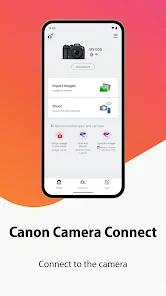
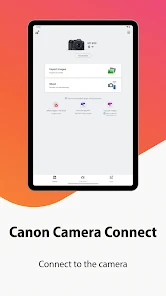
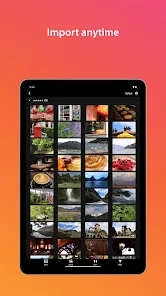
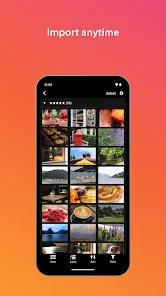
The app simplifies transferring images from your Canon camera to your smartphone or tablet, making it easy to share your favorite photos on social media. You can quickly access and download both JPEG and RAW files, ensuring you have the flexibility to edit or share as needed.

Location Data Tagging

This feature allows you to add GPS location data to your images directly from your smartphone. By using your phone's GPS, you can enrich your photos with location information, making it easier to remember where your best shots were taken and enhancing your storytelling.

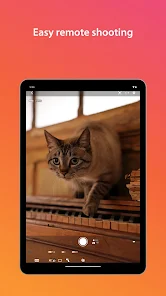
Remote Shooting

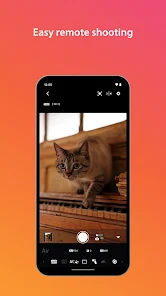
With Canon Camera Connect, you can take control of your camera remotely, allowing you to capture the perfect shot without being behind the lens. This feature is perfect for group photos or capturing wildlife, giving you the freedom to position your camera exactly where you want it.

Advertisement

Pros & Cons

Pros
  • Easily transfer photos to your smartphone
  • Control your camera remotely for perfect shots
  • Share images instantly on social media
  • Access camera settings for quick adjustments
  • View and organize photos seamlessly on devices
Cons
  • Limited compatibility with older camera models
  • Connection issues can occur frequently
  • User interface can be confusing for beginners
  • Slow image transfer speeds hinder workflow

Real Experience Using Canon Camera Connect

Application Scenarios

The Canon Camera Connect app is designed for photography enthusiasts and professionals who rely on Canon cameras to capture stunning images. One of the primary scenarios for using this app is during outdoor photography sessions. Users can effortlessly transfer high-resolution images directly from their camera to their mobile devices for instant sharing on social media or editing on the go. Additionally, the app is perfect for event photographers who need to quickly send images to clients or family members. Another practical application is for remote shooting; users can control their camera settings and capture images from a distance, making it ideal for wildlife photography or group shots where the photographer wants to be included. Furthermore, the app supports video transfer, allowing users to quickly share their footage without the need for cumbersome cables.

User Experience

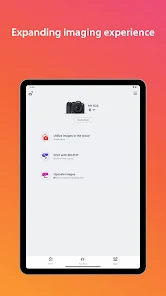
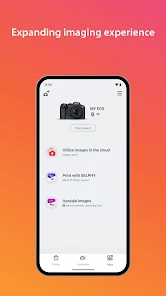
User experience with the Canon Camera Connect app is generally positive, thanks to its intuitive interface and user-friendly design. The app opens with a clean layout, presenting easy-to-navigate menus that guide users through the process of connecting their camera. Establishing a connection via Wi-Fi or Bluetooth is typically smooth, although some users report occasional connectivity issues, especially in crowded environments. Once connected, the image transfer speed is commendable, allowing users to quickly access their photos. The app also offers features like remote shutter release and live view shooting, which enhance the overall experience for photographers. However, some users have expressed a desire for additional editing features within the app itself, as they often find themselves switching between multiple apps to achieve their desired results.

Pricing

The Canon Camera Connect app is available for free on both iOS and Android platforms, making it accessible to a wide range of users. There are no hidden fees or subscription models, which is a significant advantage for photographers on a budget. However, it’s worth noting that while the app itself is free, users will need to invest in compatible Canon cameras to utilize its full potential. The app does not offer in-app purchases, which means users can enjoy all its features without worrying about unexpected costs. This pricing model aligns well with Canon's strategy of promoting its hardware while providing valuable software support to enhance user experience.

verified Security & Privacy Review

The Canon Camera Connect app emphasizes user security and privacy through various practices and features. It requires minimal permissions, primarily accessing the device's camera and storage to facilitate image transfers and remote shooting. This limited permission scope helps to mitigate potential vulnerabilities associated with excessive access. Users are informed about the data being collected, which primarily includes metadata related to images and user preferences. Canon ensures that personal information is handled in accordance with applicable privacy laws and regulations, maintaining transparency in its data processing activities. The app does not share user data with third parties without explicit consent, which adds an additional layer of trust. Furthermore, Canon implements encryption protocols during data transmission, safeguarding images and personal information from unauthorized access. Users are encouraged to utilize secure passwords and keep their app updated to benefit from the latest security enhancements. Overall, Canon Camera Connect demonstrates a commitment to privacy and data security, making it a reliable choice for users who prioritize these aspects in their mobile applications.
Advertisement

Compare APP

User Reviews

  • Lyssa S
    2025/08/12

    Often a great app. Every now and then (including last few weeks) it won't let me connect my camera. I've watched video after video to try to fix it. Nothing. Trying deleting it and downloading it back. For It not to work. Tried even connecting through a hotspot instead AND IT STILL DIDN'T WORK! At first this was happening so rarely that it didn't matter. Now this problem keeps reoccurring and as someone who takes photography seriously I can't deal. Used to love this app but it has such a problem

  • Ryan Forsythe
    2026/05/08

    Tedious. I just want to use the remote viewing function, but it won't work without a wifi connection, which is a major flaw for anyone who wants to take pictures somewhere besides their own home. which I do. and cant. because of this incredibly stupid design. connecting these devices should be as easy as connecting a pair of headphones. its not.

  • Toni B
    2026/03/23

    Nothing but issues with this app, it is junk! Sometimes it connects after several wasted minutes of trying to get pics to the phone. Today was the last straw and yes I have gone through all the troubleshooting as this has been on going for yrs with this app. Do yourself a favor and buy a memory card reader that connects to your phone and skip the headache. They are very inexpensive.

  • Dave Leigh
    2026/04/25

    Won't connect! I've used this app with satisfaction for months - until today, when it stopped working. I tried all the different hacks for restarting the phone and camera, including uninstalling and reinstalling the app, taking out the camera battery and replacing it, clearing all the settings that could be cleared and redoing, switching to Wi-Fi instead of NFC, nothing works today. Based on other reviews this may be a sporadic problem? Is it because it's the weekend? Canon please fix this ASAP!

  • Andres Becerra
    2026/05/26

    It was working great until today that an awful glitch kept interfering with whatever I wanted the app to do. If I clicked on "reconnect" it would take me to where it should take me but then automatically kick me right back to the initial page! So so annoying! I can't do anything without getting kicked out to the front page!

Review Source: Google Play store public user reviews.

FAQ

1

Does Canon Camera Connect collect my personal data?

Canon Camera Connect may collect certain usage data to improve the app's functionality, but it is designed to respect user privacy and typically does not collect personal information without consent.

2

Does Canon Camera Connect offer a free trial or free version?

Yes, Canon Camera Connect is free to download and use, providing basic features without any subscription fees.

3

Does Canon Camera Connect require an internet connection?

No, Canon Camera Connect does not require an internet connection to function; it connects directly to your camera via Wi-Fi or Bluetooth.

4

How can I contact support or send feedback for Canon Camera Connect?

You can contact Canon support through their official website or within the app itself, where you may find options to submit feedback or seek assistance for any issues you encounter.

5

How do I manage or cancel my Canon Camera Connect subscription?

Since Canon Camera Connect is free and does not include a subscription service, there is no need to manage or cancel a subscription. Users can simply uninstall the app if they choose not to use it anymore.

How to use Canon Camera Connect

1

Can I use the Canon Camera Connect app without an internet connection?

Yes, the app can function offline once it is set up, but some features may require internet access for updates or cloud services.

2

Do I need to create an account to use the Canon Camera Connect app?

While creating an account enhances functionality, it’s not mandatory for basic features like connecting to the camera.

3

How can I contact customer service for the Canon Camera Connect app?

You can reach Canon customer service via their official website or by calling their support number, typically found in the app's help section.

4

How can I reset my password for the Canon Camera Connect app?

Use the "Forgot Password?" option on the login screen, and follow the prompts to reset your password via your registered email.

5

How do I log in to the Canon Camera Connect app?

To log in, open the app and enter your Canon ID and password. If you don't have an account, you can create one directly in the app.

What's New

Added support for EOS R6 V.Made the initial camera connection process simpler.Added file name display and rating to the preview screen while remote shooting.Improvement of the user interface

Editor's Choice