Bitmoji

Bitmoji

4.5
Advertisement
Screenshot 1
Screenshot 2
Screenshot 3
Screenshot 4
Screenshot 5
Screenshot 6

Information

  • Category: Entertainment
  • Price: free
  • Age Rating: Teen
  • Rating: 4.5
  • Developer: Bitmoji
  • Version: 11.83.0.1
Advertisement
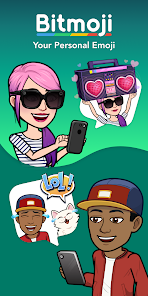
Bitmoji is a popular mobile app that allows users to create personalized cartoon avatars. Launched in 2014, it enables users to express themselves through customizable emojis that reflect their unique style and personality. With a wide range of outfits, facial features, and accessories, Bitmoji enhances digital communication by providing fun and relatable stickers for messaging platforms. The app seamlessly integrates with various social media and messaging services, making it a favorite for users looking to add a personal touch to their conversations.

Features & Highlights

Bitmoji is a fun and engaging app that allows users to create personalized cartoon avatars. With its unique features, it has become a favorite among social media enthusiasts and casual users alike. Here are some of the core features that make Bitmoji stand out:

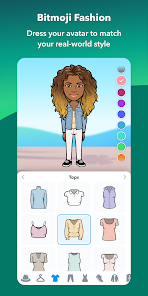
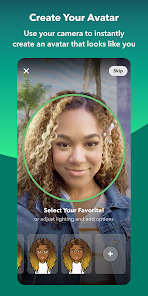
  • Customizable Avatars: Users can create avatars that closely resemble them by choosing from a wide range of facial features, hairstyles, and outfits. For instance, I recently created a Bitmoji that looks just like me, complete with my favorite hoodie and glasses, which I then used in a group chat to add a personal touch to our conversation.
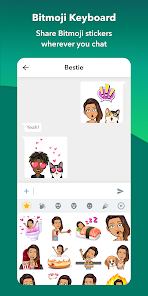
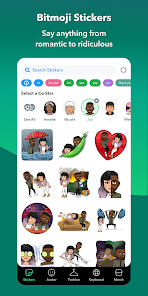
  • Wide Range of Stickers: Bitmoji offers an extensive library of stickers that can be used in various messaging platforms. I often send my Bitmoji in different scenarios, like celebrating a friend's birthday or expressing my excitement about an upcoming event, making my messages more lively and relatable.
  • Integration with Social Media: The app seamlessly integrates with platforms like Snapchat, allowing users to share their Bitmoji directly. I love how I can post my Bitmoji on my Snapchat story, showcasing my latest adventures in a fun and creative way.
  • Bitmoji for Games: The app has expanded its functionality to include Bitmoji in games, enhancing the gaming experience. I recently played a game that allowed me to use my Bitmoji as my character, which made the gameplay feel more personal and engaging.
  • Daily Bitmoji Updates: The app frequently updates its sticker library with seasonal and trending themes. I enjoy checking back regularly to find new stickers that reflect current events or holidays, which keeps my conversations fresh and relevant.

Real Experience Using "Bitmoji"

Application Scenarios

My journey with Bitmoji began when I was looking for a way to express myself more creatively in my daily communications. I often use the app to send messages to friends and family, especially when I want to convey emotions that words alone can't capture. For example, during a recent group chat planning a weekend getaway, I sent a Bitmoji of myself jumping for joy, which perfectly illustrated my excitement. Additionally, I use Bitmoji in my professional life, incorporating it into emails and presentations to add a touch of personality and humor, making my communications more engaging.

User Experience

The user interface of Bitmoji is intuitive and user-friendly, making it easy for anyone to navigate. Upon opening the app, I was greeted with a clean layout that allowed me to quickly access my avatar and the sticker library. Creating my Bitmoji was a delightful experience, as I could easily customize every aspect of my avatar. The workflow is smooth; I can switch between creating stickers and sharing them in just a few taps. Performance-wise, the app runs seamlessly on my device, with no lag or crashes, which is a huge plus. Overall, using Bitmoji has been a joyful experience, as it adds a layer of fun to my daily interactions.

Pricing

Bitmoji is free to download and use, which is fantastic for anyone looking to add a bit of personality to their messages without spending a dime. While there are no hidden fees or premium features that require payment, the app does offer optional in-app purchases for additional customization options. However, I have found the free features to be more than sufficient for my needs, allowing me to create a unique avatar and enjoy a wide variety of stickers without any cost.

Updates & Support

The Bitmoji app is regularly updated, which keeps the content fresh and exciting. I appreciate how the developers are responsive to user feedback, often incorporating new features and stickers based on popular demand. The support system is also commendable; I had a minor issue with syncing my Bitmoji to Snapchat, and the customer service team was quick to respond and resolve my problem. This level of support gives me confidence in the app and its ongoing development.

Security & Privacy Review

As an American user, I take security and privacy seriously, and Bitmoji has measures in place to address these concerns. The app is available on both the App Store and Google Play, which adds a layer of credibility. During registration, I was required to provide minimal personal data, primarily my email address, which is standard for most apps. I appreciate that Bitmoji does not ask for excessive personal information, which helps protect my privacy.

Regarding ads and tracking behavior, Bitmoji does collect some data to enhance user experience, but it is transparent about its practices. I have not encountered intrusive ads while using the app, which is a relief. Overall, I feel secure using Bitmoji, knowing that my personal information is handled with care and that the app prioritizes user privacy.

Pros
  • Create personalized avatars easily
  • Express emotions with stickers
  • Share on social media platforms
  • Integrate with messaging apps
  • Customize outfits and accessories
Cons
  • Limited customization options
  • In-app purchases can add up
  • Privacy concerns with data
  • Not suitable for all ages
  • Can be distracting for users
Advertisement
Advertisement

How to use Bitmoji

How can I contact Bitmoji customer service?

You can reach Bitmoji customer service through the support section in the app or visit their website for assistance.

How do I log in to my Bitmoji account?

Open the Bitmoji app, tap "Log In," and enter your credentials or connect via Snapchat or Facebook.

Is there a way to activate my Bitmoji?

Bitmoji activates automatically when you create an account or log in. No additional activation steps are required.

What is the customer number for Bitmoji?

Bitmoji does not have a direct customer service number; support is primarily provided through their app and website.

Advertisement