This site uses cookies to enhance your user experience. By clicking any link on this site you are giving your consent to our cookie policy. Read more
Reject
Accept All

Advertiser and Editorial Disclosures

YouTube Kids

YouTube Kids

verified

Google LLC

4.2
Rating
500,000,000+ Downloads
/ Version
Advertisement
  • category

    Category: Entertainment

  • price

    Price: free

  • age rating

    Age Rating: Everyone

  • rating

    Rating: 4.2

  • available on

    Available on: /

  • updated on

    Updated on: Jun 29, 2026

Screenshot 1
Screenshot 2
Screenshot 3
Screenshot 4
Screenshot 5
Screenshot 6
Screenshot 7
Screenshot 8
Screenshot 9
Screenshot 10
Screenshot 11
Screenshot 12
Screenshot 13
Screenshot 14
Screenshot 15
Advertisement

Features & Highlights

Curated Content Library

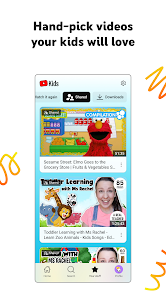
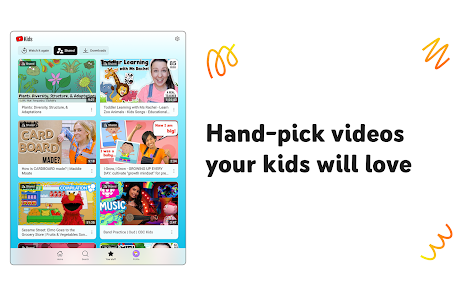
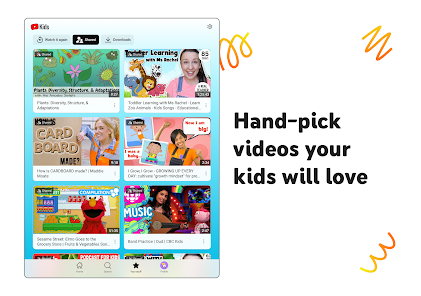
YouTube Kids offers a vast library of curated content specifically designed for children. Each video is carefully selected to ensure it is age-appropriate, educational, and entertaining, giving parents peace of mind while their kids explore. This helps foster a safe and engaging viewing experience tailored to young audiences.

Customizable Profile Settings

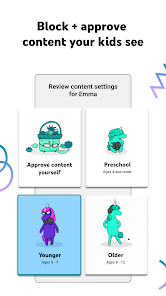
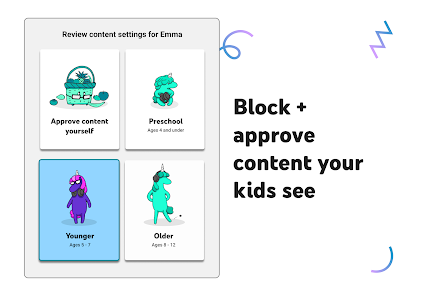
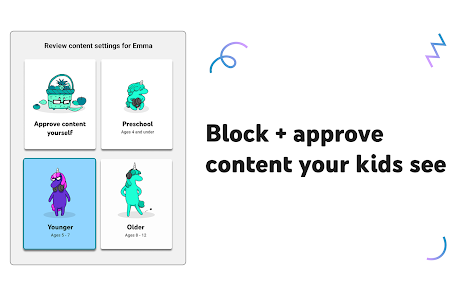
Parents can create multiple profiles for their children, allowing for personalized viewing experiences. By setting age ranges, preferences, and content restrictions, parents can tailor the app to suit their child's interests and maturity level, ensuring they only access suitable content.

Kid-Friendly Interface

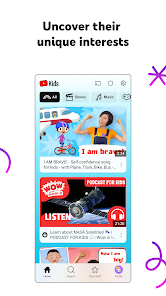
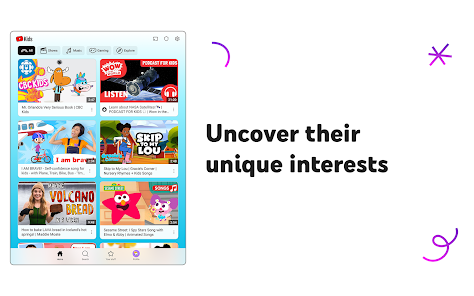
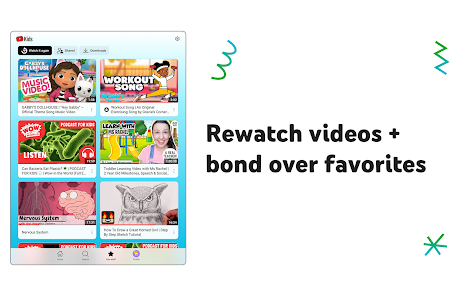
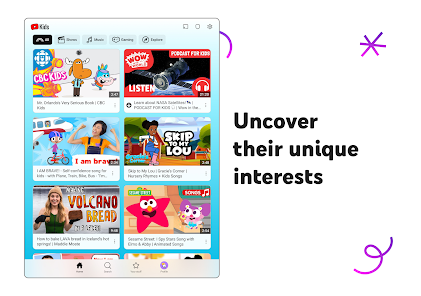
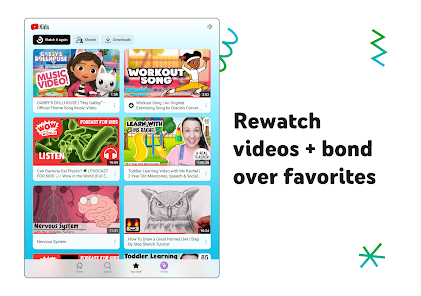
The app features a vibrant and intuitive interface designed for young users. With large icons, easy navigation, and engaging visuals, children can effortlessly browse through videos, making it simple for them to discover new favorites while developing their independence.

Parental Control Features

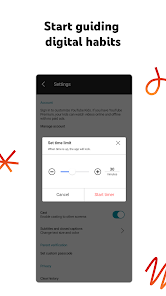
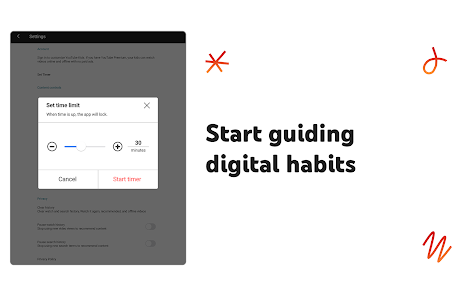
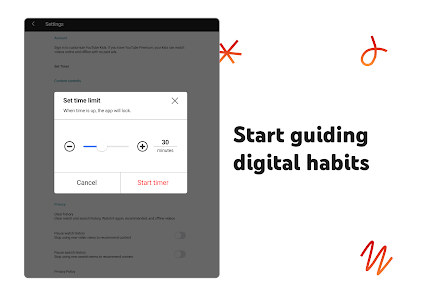
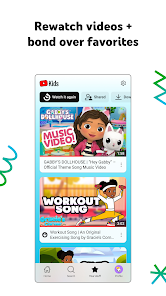
YouTube Kids includes robust parental control options to help manage your child's viewing habits. Parents can set timers, block specific content, and review watch history, empowering them to monitor and guide their child's interactions with the app effectively.

Advertisement

Pros & Cons

Pros
  • Safe environment for children’s viewing habits
  • Age-appropriate content tailored for young audiences
  • Parental controls for personalized experience
  • Educational videos that promote learning and creativity
  • Engaging animations that capture children's attention
Cons
  • Limited content variety for older children
  • Ads may still be present
  • Lack of rigorous content moderation
  • Inadequate parental control features

Real Experience Using YouTube Kids

Application Scenarios

YouTube Kids is designed to provide a safe and engaging platform for children to explore a world of videos. Parents can use the app in various scenarios, such as during family road trips, while waiting in a doctor's office, or simply as a way to entertain kids during playtime. The app is particularly useful for parents who want to give their children access to educational content without worrying about inappropriate material. With a diverse range of categories including cartoons, DIY crafts, and educational videos, YouTube Kids caters to different interests and age groups, making it an ideal choice for families with multiple children.

User Experience

The user interface of YouTube Kids is intuitive and visually appealing, designed specifically for younger audiences. The vibrant colors and large icons make navigation easy for children, allowing them to quickly find their favorite shows or discover new content. Parents have the ability to customize the experience by selecting age-appropriate content, which enhances the overall user experience. The app also features parental controls that enable adults to set time limits and monitor what their children are watching, providing peace of mind. Despite the numerous benefits, some users have reported occasional glitches or slow loading times, which can disrupt the viewing experience. However, updates are regularly rolled out to address these issues, ensuring a smoother experience over time.

Pricing

YouTube Kids is free to download and use, making it an accessible option for families. While the app is ad-supported, the advertisements are generally tailored to be more child-friendly, minimizing the risk of exposure to inappropriate content. There is also an option for parents to subscribe to YouTube Premium, which removes ads entirely and allows for offline viewing. This additional feature can be particularly appealing for families who want to provide an uninterrupted experience for their children, especially during travel or in situations with limited internet access.

Updates & Support

The development team behind YouTube Kids is committed to providing regular updates to enhance functionality and improve user experience. Updates often include new features, bug fixes, and content moderation enhancements to ensure that the platform remains safe for children. For parents seeking assistance, the app offers a comprehensive support section with FAQs and troubleshooting tips. Additionally, users can easily report inappropriate content, giving parents a voice in maintaining the safety and quality of the app. Overall, YouTube Kids continues to evolve, making it a valuable tool for families looking to navigate the digital landscape together.

verified Security & Privacy Review

YouTube Kids prioritizes security and privacy, ensuring a safer viewing experience for children. The app requires minimal permissions, primarily for functionalities such as video playback and parental controls. It does not ask for unnecessary access to sensitive data, which helps limit potential privacy risks. Data collection practices are designed with children's privacy in mind. YouTube Kids collects data to improve user experience and provide tailored content; however, it adheres to strict guidelines under the Children's Online Privacy Protection Act (COPPA). Parental controls allow caregivers to manage content access and viewing time, fostering a secure environment. The app offers options for parents to create profiles, enabling customized content filtering based on age and preferences. Additionally, YouTube Kids does not display ads, which reduces exposure to inappropriate marketing. Regular updates and monitoring help maintain the app's security and address any vulnerabilities. Overall, YouTube Kids demonstrates a commitment to safeguarding user data and ensuring a child-friendly interface.
Advertisement

User Reviews

  • Eri W
    2026/05/13

    It's like okay. I wish I can add channels that are not for kids too, and block all videos that are over 30 mins. The timer concept is not bad but it cuts off in the middle of a video. Of course the 5 year old will have a tantrum. It would be awesome if it only recommends videos of the length of time left. Like if there is only 10 minutes left, then only recommend videos under 10 mins, if only 2 minutes left, recommend only videos under 2 minutes. I don't think they'll fix it tho.

  • Aster S (Asterisk)
    2022/02/03

    Decent, but needs some improvement. It's nice to have more control of what my child sees on YouTube. The parental controls are good. The video controls are lacking; rewind is a 10 second rewind, there is no option to start from the beginning. If you go back to watch a video that you had already watched halfway,you have to watch from the last watched part. The select highlight on the tv is white on pale blue, it is not easy to see.

  • Aliana Seusy
    2025/03/24

    Love this for my 4 and 8 year olds. Has settings for parental controls (time limits, video types, history, ect) and I can easily set a pass code and timer. Also, you sign in with your YouTube account, but nothing on there goes into your history. Great app. Would like for there to be a better way to block videos or categories of videos. And to show only certain videos. If you have kids ages 4 to 10 this app is perfect.

  • Cassie Robertson
    2022/12/31

    I have the app on both my phone and our smart TV. It is a great collection of kids videos for all ages. I do have a suggestions. For phone, it is simple to slide the bar back to the beginning, but I'd like to see a restart or start from beginning button for TV app. For phone, I'm able to subscribe to channels but not while on the TV app. For TV app, if the highlight could be another color or bolder, it would be easier to locate.

  • Kelly
    2021/01/18

    My little one loves YouTube Kids! She's nearly 2 and can navigate the app pretty easily. The videos are age appropriate. She loves the songs and videos! I've been noticing that she's learning a lot from the app, which is great! She sings along with the songs! Her favorite is Wheels on the Bus! For example there's a lot of videos showing things like what firemen and women do, etc. So she won't be afraid of helpful people who might look scary in uniform to such a small child. Highly recommend!

Review Source: Google Play store public user reviews.

FAQ

1

Does YouTube Kids collect my personal data?

YouTube Kids collects limited personal data in accordance with privacy regulations, but it is designed to prioritize children's privacy and safety. Parents can review and manage data collection settings.

2

Does YouTube Kids offer a free trial or free version?

YouTube Kids is available as a free app, allowing families to access a wide range of content without a subscription. However, there may be additional features available through a subscription.

3

Does YouTube Kids require an internet connection?

Yes, YouTube Kids requires an internet connection to stream videos, as it accesses content from the YouTube platform.

4

How can I contact support or send feedback for YouTube Kids?

You can contact support or send feedback for YouTube Kids through the app's settings, where you'll find options for help and support, as well as links to their support website.

5

How do I manage or cancel my YouTube Kids subscription?

You can manage or cancel your YouTube Kids subscription through your account settings on the YouTube app or website, following the prompts for subscription management.

How to use YouTube Kids

1

How can I contact customer service for the YouTube Kids app?

You can reach YouTube Kids customer service through the Help section in the app or by visiting the YouTube Kids support page online.

2

How do I activate the YouTube Kids app on my device?

Download the app from your device's app store, open it, and follow the on-screen instructions to set it up and activate it.

3

How do I find the customer number for YouTube Kids?

YouTube Kids does not provide a specific customer number; support is available via the app and online help resources.

4

How do I log into the YouTube Kids app?

Open the app, tap 'Sign In,' and follow the prompts to log in using your Google account credentials.

What's New

Bug fixes and stability improvements

Editor's Choice