This site uses cookies to enhance your user experience. By clicking any link on this site you are giving your consent to our cookie policy. Read more
Reject
Accept All

Advertiser and Editorial Disclosures

VIZIO | WatchFree+

VIZIO | WatchFree+

verified

VIZIO

4.3
Rating
/ Downloads
4.2.0.20241025.16.release Version
Advertisement
  • category

    Category: Entertainment

  • price

    Price: 0

  • age rating

    Age Rating: Everyone

  • rating

    Rating: 4.3

  • available on

    Available on: /

  • updated on

    Updated on: Jun 17, 2026

Screenshot 1
Screenshot 2
Screenshot 3
Screenshot 4
Screenshot 5
Screenshot 6
Screenshot 7
Screenshot 8
Advertisement

Features & Highlights

Free Streaming Content

VIZIO | WatchFree+ offers a vast selection of free streaming content, including movies, TV shows, and live channels. With no subscription fees required, users can dive into a variety of genres without the burden of monthly payments, making it an accessible choice for everyone.

Live TV Channels

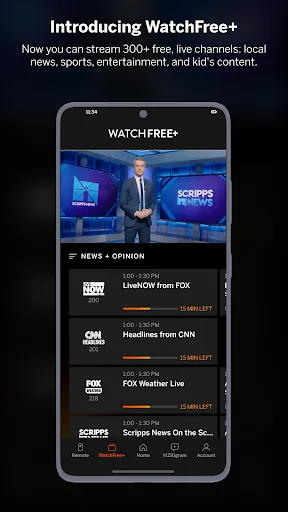
One of the standout features of WatchFree+ is its extensive lineup of live TV channels, covering everything from news to entertainment. This allows users to enjoy real-time programming alongside on-demand content, making it feel like a traditional cable experience without the cost.

Personalized Recommendations

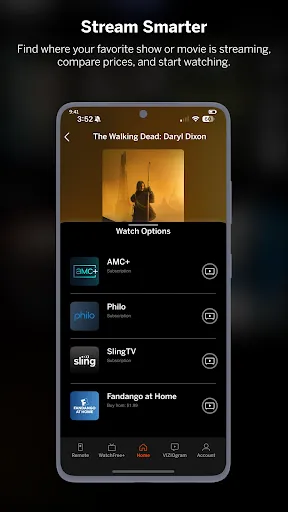
VIZIO | WatchFree+ utilizes smart algorithms to provide personalized content recommendations based on user preferences and viewing habits. This tailored approach ensures that users can easily discover new favorites and enjoy a more engaging streaming experience tailored to their tastes.

User-Friendly Interface

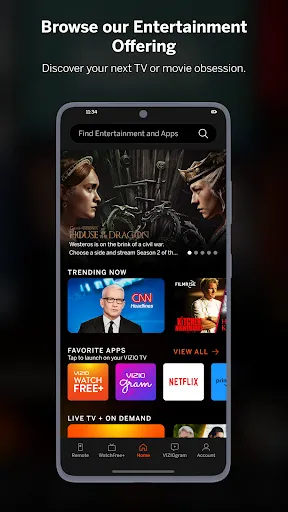
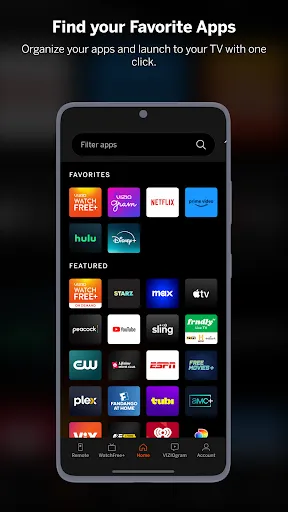
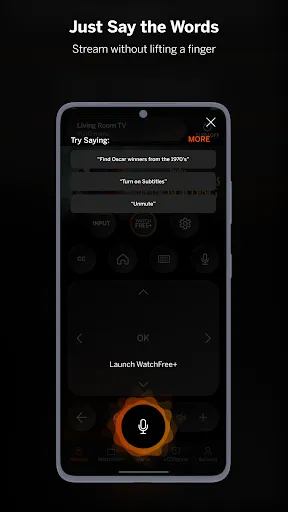
The app features an intuitive user interface that makes navigating through channels and content a breeze. With organized categories and a straightforward layout, users can quickly find their favorite shows or discover new ones without any hassle, enhancing the overall viewing experience.

Advertisement

Pros & Cons

Pros
  • Enjoy access to hundreds of live TV channels at no cost.
  • Discover a vast library of movies and shows without subscription fees.
  • Stream content effortlessly with user-friendly navigation and interface.
  • Stay updated with local news and sports from popular channels.
  • Experience no hidden fees or contracts, making it hassle-free.
Cons
  • Limited channel selection may not satisfy all viewers' preferences.
  • Frequent ads can disrupt the viewing experience significantly.
  • Access may be restricted based on geographic location, limiting usability.

Real Experience Using VIZIO | WatchFree+

Application Scenarios

VIZIO | WatchFree+ is an innovative streaming app designed for users who want to access a broad range of content without the hassle of subscriptions. Ideal for cord-cutters, the app serves as a perfect solution for those who enjoy binge-watching their favorite shows, discovering new films, or catching live events. Users can enjoy a variety of genres, from classic movies to contemporary series, all available at their fingertips. Whether you're lounging on the couch after a long day or looking for something entertaining to watch during your lunch break, VIZIO | WatchFree+ provides a diverse catalog that caters to different tastes and preferences. The app is especially useful for families looking to find age-appropriate content for children, as it features a dedicated section for family-friendly programming.

User Experience

The user experience of VIZIO | WatchFree+ is largely positive, with an intuitive interface that makes navigation a breeze. Upon launching the app, users are greeted with a sleek design that prioritizes ease of use, allowing for quick access to various categories and featured content. The search functionality is robust, enabling users to find specific titles or explore content by genre effortlessly. The streaming quality is commendable, with minimal buffering issues and a smooth playback experience. Moreover, the app allows users to create personalized watchlists, making it easy to keep track of shows and movies they want to see. However, some users have reported occasional glitches and ads that can interrupt the viewing experience, but the trade-off for free content is generally accepted by many.

Pricing

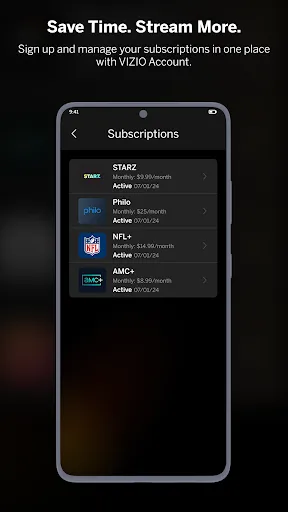
One of the standout features of VIZIO | WatchFree+ is that it is completely free to use. Users do not need to subscribe or pay any fees to access the content available on the platform. The app generates revenue through advertisements, which means that while users can enjoy a wide array of programming without a financial commitment, they will encounter occasional ad breaks during shows and movies. This free-to-access model makes it an attractive option for users who want to save money while still enjoying quality entertainment. For those who prefer an ad-free experience, VIZIO also offers premium options in other applications, but WatchFree+ remains a budget-friendly choice for casual viewers.

Updates & Support

VIZIO | WatchFree+ is regularly updated to enhance user experience and expand its content library. The developers are committed to improving the app based on user feedback, ensuring that any bugs are addressed promptly and that new features are added in response to user demand. Support for the app is readily available through VIZIO's customer service, with a dedicated help section within the app that provides answers to frequently asked questions. Users can also contact support directly for more specific issues. Overall, the combination of regular updates and accessible support contributes to a reliable streaming experience that keeps users coming back for more.

verified Security & Privacy Review

The VIZIO | WatchFree+ app prioritizes user security and privacy, implementing robust measures to protect personal information. The app adheres to industry-standard encryption protocols, ensuring that any data transmitted between the user’s device and the servers is secure. Users should be aware that the app may collect certain data, including viewing habits and device information, to enhance user experience and provide personalized content recommendations. Permissions requested by the app are primarily related to accessing device storage and network connections, which are essential for seamless streaming and content delivery. Users are encouraged to review these permissions carefully during the installation process to understand what data is being accessed. VIZIO maintains a transparent privacy policy, outlining how user data is collected, used, and shared. Users can manage their privacy settings within the app, allowing for greater control over personal information. However, it is advisable for users to regularly check for updates to the privacy policy and to stay informed about any changes that may affect their data security and privacy.
Advertisement

Compare APP

User Reviews

  • Robert Lynds
    2025/03/02

    Had some problems in the past that support worked out for me. This app has come a long way and is working great for me. I have had a few minor issues here and there, usually after an Android update, but they usually get fixed pretty quick. I can't give it 5 stars yet as I am not currently using it on my own network, it's a house Wi-Fi, so I am assuming some of my issues have to do with router distance.

  • S B (Chaos)
    2026/06/26

    Don't buy anything that requires this app. The TV won't stay on the correct input and keeps defaulting to their built in Ads channel. Half the time it doesn't work but if get up to manually change the input, then by the time you sit down it has defaulted back to bullcrap. It also takes about 45 business days to torn the TV off or on so by the time you give up and press the button again to turn it off, it's finally turned on, then you have to wait another 45 secs so it turns off to go on again

  • Michael Wagner
    2026/06/06

    Buffering problems unlike Tubi. My TV is not the problem, it's their system. Commercials stream fine, movies and TV shows do not. The consumer and advertisers are not getting a quality service. I know it's free, but if I am forced to watch Commercials, and advertisers are paying for them. I should be able to watch shows without buffering issues. Now they reach out and will more than likely tell me to power down my television in a way that will clear my cache. Find out what Tubi does and copy.

  • Cary Hill
    2026/06/20

    This app is a JOKE. It can't find either TV (i have two). I turn the TV on, it connects to the internet, I start the app and it STILL CAN'T FIND THE TV EVEN WHEN IT'S ALREADY ON. When the app works, it's a beautiful thing.. too bad it only works 5% of the time. UPDATE 6/20/26: Now they want you to agree to new terms with include "binding arbitration" agreements. This means they know something is up. Don't sign, delete immediately, definitely do NOT download.

  • T hubbs (t-hubb)
    2026/06/21

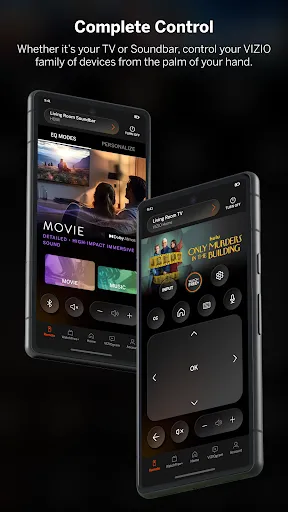
    I will upgrade to a 5 star when you guys put a little bit more money into your app. There's no reason I get a two hundred dollar soundbar, and I have all the drops I do with my phone I should be old just to open the app and connect, not sit there and have to do a troubleshoot every two times I use the app on one of the newest galaxy phones available ridiculous, two weeks now.I keep having to redo the bluetooth connection to control it with my phone about to straight, sell it and go to Samsung

Review Source: Google Play store public user reviews.

FAQ

1

Can I submit suggestions or feedback to VIZIO | WatchFree+?

Yes, users can submit feedback or suggestions through the app's support section or the official VIZIO website to help improve the service.

2

Does VIZIO | WatchFree+ collect my personal data?

Yes, VIZIO | WatchFree+ may collect certain personal data to enhance user experience and provide personalized content, but users can review privacy policies for specific practices.

3

Does VIZIO | WatchFree+ support offline use?

VIZIO | WatchFree+ does not currently support offline viewing, as it requires a constant internet connection to stream content.

4

How do I cancel my VIZIO | WatchFree+ subscription?

Since VIZIO | WatchFree+ does not require a subscription, there is no cancellation process needed; users can simply stop using the app whenever they choose.

5

How much does a subscription to VIZIO | WatchFree+ cost?

There is no subscription cost for VIZIO | WatchFree+, as it is a free streaming service supported by ads.

How to use VIZIO | WatchFree+

1

Can I activate my VIZIO WatchFree+ account on multiple devices?

Yes, you can activate your VIZIO WatchFree+ account on multiple devices using the same login credentials.

2

Can I log in to VIZIO WatchFree+ using social media accounts?

Yes, you can log in using your social media accounts if you linked them during account creation.

3

How can I contact customer service for VIZIO WatchFree+?

You can reach VIZIO customer service by calling their support number or visiting their website for live chat assistance.

4

How can I update my customer information for VIZIO WatchFree+?

You can update your customer information by logging into your account and navigating to the settings or profile section.

5

How do I log in to my VIZIO WatchFree+ account?

To log in, open the WatchFree+ app, enter your email and password, then click 'Log In' to access your account.

What's New

Performance enhancements and bug fixes

Editor's Choice