This site uses cookies to enhance your user experience. By clicking any link on this site you are giving your consent to our cookie policy. Read more
Reject
Accept All

Advertiser and Editorial Disclosures

Tuya - Smart Life,Smart Living

Tuya - Smart Life,Smart Living

verified

Tuya Smart Inc.

4.6
Rating
10,000,000+ Downloads
7.2.3 Version
Advertisement
  • category

    Category: Lifestyle

  • price

    Price: free

  • age rating

    Age Rating: Everyone

  • rating

    Rating: 4.6

  • available on

    Available on: /

  • updated on

    Updated on: Jun 26, 2026

Screenshot 1
Screenshot 2
Screenshot 3
Screenshot 4
Screenshot 5
Screenshot 6
Screenshot 7
Screenshot 8
Screenshot 9
Screenshot 10
Screenshot 11
Screenshot 12
Advertisement

Features & Highlights

Automation & Scheduling

Experience the power of automation with Tuya's scheduling feature, which lets you set routines for your devices. You can create customized schedules to turn lights on or off, adjust thermostats, or activate security systems, ensuring your home is always functioning just the way you want it.

Energy Monitoring

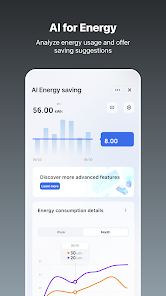
Stay informed about your energy consumption with Tuya - Smart Life's energy monitoring capabilities. The app provides real-time data on usage, allowing you to make informed decisions and reduce your electricity bills while promoting eco-friendly habits.

Smart Device Control

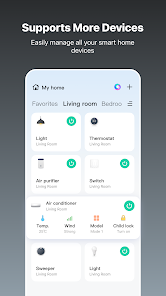
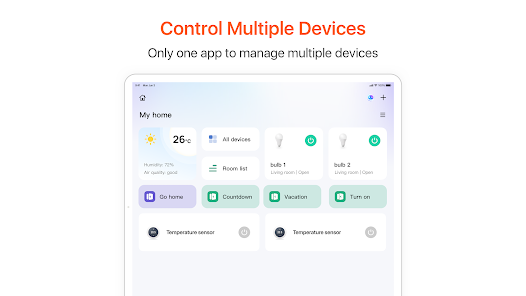
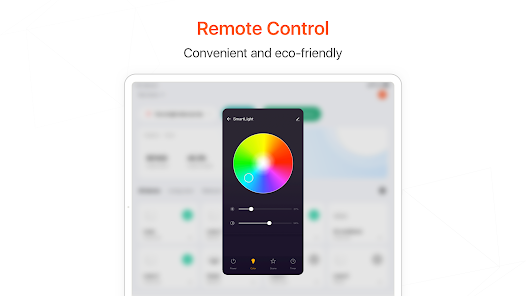
Tuya - Smart Life allows you to effortlessly control a wide range of smart devices from various brands all in one app. Whether it's lighting, security cameras, or appliances, you can manage everything seamlessly, providing ultimate convenience at your fingertips.

Voice Control Integration

Easily integrate with voice assistants like Alexa and Google Assistant to control your smart home with simple voice commands. This hands-free convenience makes it easy to manage your devices while you're cooking, cleaning, or multitasking, enhancing your daily living experience.

Advertisement

Pros & Cons

Pros
  • Tuya Smart App enables seamless control of multiple smart devices.
  • User-friendly interface simplifies device management for everyone.
  • Customizable automation enhances convenience and energy efficiency.
  • Real-time notifications keep you informed about device status.
  • Supports a wide range of compatible devices for versatile smart home setups.
Cons
  • Limited functionality with some third-party devices may frustrate users.
  • User interface can feel cluttered and overwhelming for beginners.
  • Privacy concerns arise from data collection and sharing practices.

Real Experience Using Tuya - Smart Life,Smart Living

Application Scenarios

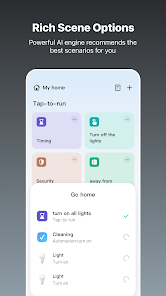
Tuya - Smart Life, Smart Living is designed to cater to a wide array of smart home needs, making it a versatile choice for users looking to automate their living spaces. Whether you want to control lighting, manage appliances, or enhance home security, Tuya offers seamless integration with various smart devices. From adjusting the brightness of your smart bulbs to setting schedules for your coffee maker, the app covers it all. Users can easily set up scenes for different times of the day or activities, such as a 'movie night' scene that dims the lights and turns on the TV. With compatibility across numerous brands and devices, Tuya establishes itself as a central hub for managing a smart home ecosystem.

User Experience

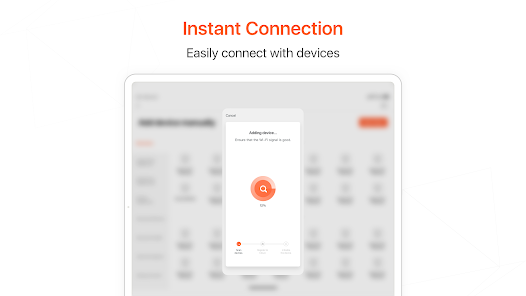
The user experience with Tuya is generally positive, marked by an intuitive interface that simplifies navigation. Upon opening the app, users are greeted with a clean layout, making it easy to add and control devices. The initial setup process is straightforward, with step-by-step instructions that guide users through connecting their smart devices. Advanced features like voice control with Amazon Alexa or Google Assistant enhance convenience, allowing users to operate devices hands-free. However, some users have reported occasional connectivity issues, particularly with Wi-Fi reliant devices. Overall, the app is user-friendly, but the reliability of smart device connections can vary depending on the user's network setup.

Pricing

Tuya - Smart Life, Smart Living is free to download and use, which is a significant advantage for users looking to explore smart home technology without upfront costs. However, the pricing of individual smart devices varies widely depending on the brand and features. Users can find budget-friendly options as well as high-end products, allowing them to customize their smart home setup according to their financial constraints. While the app itself is free, investing in higher-quality devices may yield better performance and reliability, enhancing the overall smart living experience.

Updates & Support

The developers of Tuya are committed to continuous improvement, regularly releasing updates that enhance functionality and user experience. These updates often include bug fixes, new features, and improved device compatibility. Customer support is accessible through the app, providing users with assistance for troubleshooting and general inquiries. The extensive online community and forums further enrich the support ecosystem, enabling users to share experiences and solutions. However, response times can vary, and some users have expressed a desire for more immediate assistance. Nonetheless, the ongoing updates and community engagement demonstrate the developers' dedication to maintaining a robust smart home platform.

verified Security & Privacy Review

The Tuya - Smart Life, Smart Living app places a strong emphasis on security and privacy, implementing various measures to protect user data. The app uses encryption protocols to secure data transmission, ensuring that personal information remains confidential during communication between devices and the cloud. In terms of permissions, the app requests access to essential features such as location and device storage, which are necessary for optimizing smart device functionality. Users have the option to manage these permissions, allowing for a tailored experience while maintaining control over their data. Tuya is transparent about its data handling practices, providing a privacy policy that outlines how user information is collected, used, and shared. The app does not sell personal data to third parties, and users can delete their accounts and associated data at any time, enhancing user autonomy over personal information. Overall, Tuya demonstrates a commitment to safeguarding user privacy, making it a reliable choice for managing smart home devices.
Advertisement

User Reviews

  • Vixen Fox
    2025/07/12

    Every time this app updates, functionality plummets. On Google Home, everything shows as offline. The Tuya app can't tell if something is off or on, so you have to hit power until it figures it out. I have one light that fully disconnects every other day. I have to manually turn it off and back on to reconnect. Of course this means none of the group settings or timers work. Removing all bulbs in my house from the app and reconnecting them in hopes it works multiple times a year isn't convenient.

  • Marianne Duyan
    2025/10/15

    The devices are always off-line. It doesn't matter if I'm home or away, it doesn't stay connected for long and the only way I've found to be able to connect again is is to physically touch a button in the device. I bought these to use while I'm out of town, so what's the point if my devices are never online? That said, when they were connected, thankfully I created meal plans and even when my devices will not connect or they say they're offline, it still feeds the pets at the predetermined time

  • C. J.
    2025/01/10

    only reason it's less than five stars is that this app is only one of I think at least four other apps. they all work with the same products however the accounts are not connected and so before I understood all of this I have different devices set up on different apps and so the controls are only available for each device on each app the only saving grace is Google home which allows me to connect it all together without having to ReDiscover the devices on one app. need consolidation into 1 app.

  • Trisha Zamora
    2026/05/15

    Even though the cat litter box is automatic it hasn't been cleaning or it gets stuck sometimes. There is nowhere in the app to setup a cleaning schedule. There is only a delay time after the cat goes. I had to Google instructions on how to set it up & it is not easy or straightforward, not user friendly. You have to go to the smart tab, then automation, then create a scene. Too much & too difficult to figure out. It says set action to perform cleaning but there is none.

  • Star Raven
    2026/06/14

    Horrible to navigate through looping meaningless menus, it makes you change every light bulb individually rather than creating a saved setting to switch between. Crammed with useless ai slop features that don't contribute anything useful, just further exists to frustrate you. Literally wouldn't use this if I had another option unfortunately, but who has the time to create something that works these days. Disappointing.

Review Source: Google Play store public user reviews.

FAQ

1

Can I submit suggestions or feedback to Tuya Smart App?

Yes, users can submit suggestions or feedback through the app or the official Tuya website, helping to improve the service and user experience.

2

Does Tuya Smart App collect my personal data?

Yes, Tuya Smart App may collect personal data to enhance user experience and provide services, but users can review the privacy policy for detailed information on data handling.

3

Does Tuya Smart App support offline use?

Tuya Smart App primarily requires an internet connection to control devices; however, some features may be available offline depending on the specific device capabilities.

4

How do I cancel my Tuya Smart App subscription?

To cancel a subscription, users can go to the app's settings or the relevant app store and follow the instructions for managing subscriptions.

5

How much does a subscription to Tuya Smart App cost?

Tuya Smart App offers a free version, but premium features may require a subscription; pricing details can vary based on specific features and promotions.

How to use Tuya - Smart Life,Smart Living

1

Can I recover my account if it’s been deactivated?

Yes, you can recover a deactivated account by contacting customer service for support and following their instructions.

2

How can I contact customer service for Tuya - Smart Life?

You can reach customer service through the app, by selecting 'Help' in the settings menu, or visiting our website for assistance.

3

How can I get help from customer service regarding my subscription?

You can get help with your subscription by contacting customer service through the app or the website for detailed support.

4

How can I update my customer number if it has changed?

To update your customer number, please contact customer service directly for assistance in updating your account details.

5

How do I log in to my Tuya account?

To log in, open the app, enter your registered email or phone number, and input your password. Tap 'Log In' to access your account.

What's New

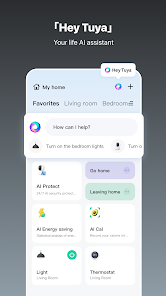
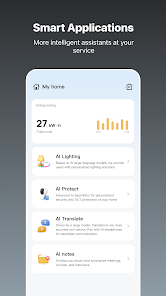
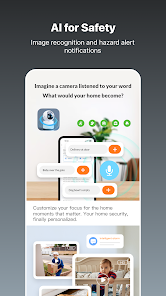
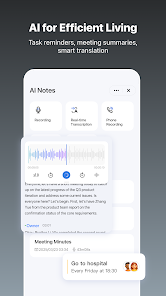
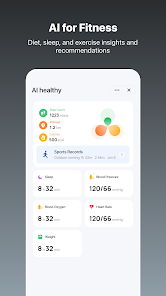
“Hey Tuya” — Your AI Assistant for Living![Conversational Control] Manage your smart devices easily through natural conversations.[Safety & Energy Saving] Your AI assistant helps create a safer, more energy-efficient home.[Efficient Living] Keep track of household tasks, translate, take notes, and summarize with ease.[Health Companion] Log meals, explore plants and animals with AI, and get personalized lifestyle tips.Experience it now!

Editor's Choice