


 Verified App
 You are going to be redirected to the official website to finish the download when you click these buttons above.
Yes, you can access your camera remotely using the tpCamera app. Once your camera is set up and connected to the internet, you can view the live feed and manage settings from anywhere in the world as long as you have an internet connection on your smartphone.
Yes, you can share access to your camera with other users through the TP-LINK tpCamera app. You can invite other TP-LINK account holders to view the camera by sending them an invitation via the app. This allows multiple users to monitor the camera feed and receive alerts.
To set up the TP-LINK tpCamera app, first download it from the Apple App Store or Google Play Store. Open the app and create an account or log in if you already have one. Follow the on-screen instructions to add your camera by scanning the QR code on the camera or entering the camera's ID manually. Ensure your camera is connected to Wi-Fi for proper functionality.
Yes, the TP-LINK tpCamera app is free to download and use. However, some features, such as cloud storage, may require a subscription or payment. Basic functionalities like live streaming and camera management can be accessed without any additional costs.
The tpCamera app is compatible with most TP-LINK security cameras, but it's advisable to check the specific model's compatibility listed on the TP-LINK website or in the app description before purchasing. Some older models may not support all features available in the app.
Your customer number is typically found in the app settings or on your purchase receipt. If not, contact customer support for assistance.
You can reach TP-LINK customer service through their official website or by calling their support number provided in the app settings.
Open the app and enter your registered email and password. If you are a new user, you can create an account directly in the app.
Yes, after downloading the app, follow the on-screen instructions to register and activate your camera by connecting it to your Wi-Fi network.

Expo Go
Libraries & Demo


IGAMES PS2
Libraries & Demo

PPSS22 Emulator - PS2 Emulator
Libraries & Demo

Update Software App: Updates
Libraries & Demo

Cardboard
Libraries & Demo

Ps2 64bit Plugins arm64
Libraries & Demo
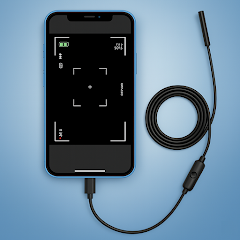
Camera endoscope / OTG USB
Libraries & Demo

Pydroid repository plugin
Libraries & Demo













 Home
Home  Apps
Apps  Games
Games  Windows
  Terms of Service
  Cookies & Privacy Policy
  Disclaimer















