This site uses cookies to enhance your user experience. By clicking any link on this site you are giving your consent to our cookie policy. Read more
Reject
Accept All

Advertiser and Editorial Disclosures

Photomath

Photomath

verified

Google LLC

4.3
Rating
100,000,000+ Downloads
8.46.0 Version
Advertisement
  • category

    Category: Education

  • price

    Price: free

  • age rating

    Age Rating: Everyone

  • rating

    Rating: 4.3

  • available on

    Available on: /

  • updated on

    Updated on: Mar 20, 2026

Screenshot 1
Screenshot 2
Screenshot 3
Screenshot 4
Screenshot 5
Screenshot 6
Screenshot 7
Screenshot 8
Screenshot 9
Screenshot 10
Screenshot 11
Screenshot 12
Advertisement

Features & Highlights

Detailed Explanations

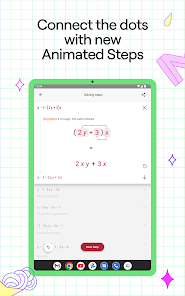
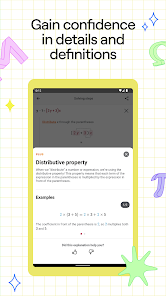
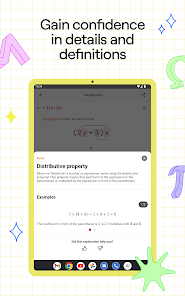
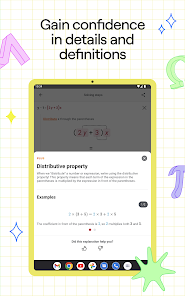
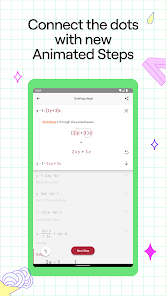
Each solution provided by Photomath is accompanied by detailed explanations that break down the steps clearly. This feature not only helps users arrive at the correct answer but also reinforces their understanding of the underlying principles, promoting better learning.

Graphing Support

For more advanced math problems, Photomath includes a graphing feature that visualizes equations and functions. This allows users to see the relationship between variables and enhances comprehension of topics such as calculus and algebra, making it a versatile tool for various levels of math education.

Instant Problem Solver

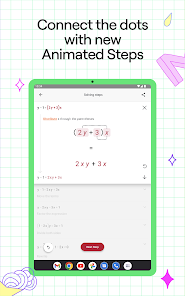
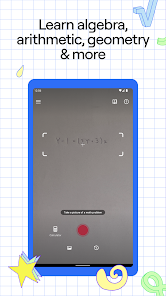
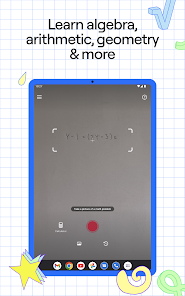
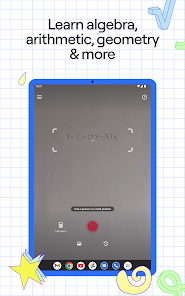
Photomath allows users to quickly scan and solve math problems using their device's camera. The app provides step-by-step solutions, making it easier to understand the process behind each answer, which is especially helpful for students who may struggle with complex concepts.

Interactive Learning

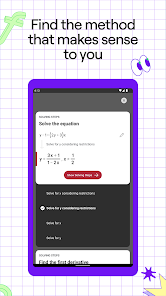
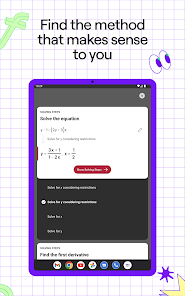
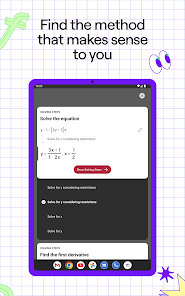
Photomath doesn’t just stop at solving problems; it encourages interactive learning through its engaging interface. Users can explore different methods to solve a problem and even practice similar questions, ensuring that they grasp the material thoroughly and can apply it independently.

Advertisement

Pros & Cons

Pros
  • Instantly solves math problems with step-by-step explanations
  • User-friendly interface makes learning enjoyable and accessible
  • Supports a wide range of math topics from basic to advanced
  • Enhances understanding through visual solutions and interactive features
  • Available on multiple platforms for learning anytime, anywhere
Cons
  • Photomath may encourage dependency on technology for solving problems.
  • It often lacks explanations for complex concepts, hindering deep understanding.
  • The app may struggle with handwriting recognition, limiting usability for some users.

Real Experience Using Photomath

Application Scenarios

Photomath is designed to cater to a variety of situations where quick mathematical assistance is needed. Whether you are a student struggling with algebraic equations, a parent helping your child with homework, or a professional dealing with complex calculations, Photomath can be your go-to app. The app excels in scanning handwritten or printed math problems, providing step-by-step solutions that not only show the answer but also explain the reasoning behind it. This feature is particularly beneficial for students who want to understand the processes behind solving problems rather than just memorizing formulas. Additionally, the app is useful in real-world scenarios such as budgeting, cooking with precise measurements, or even while shopping for discounts, making it versatile for everyday use.

User Experience

The user experience of Photomath is intuitive and user-friendly. Upon opening the app, users are greeted with a simple interface that allows them to choose between camera mode for scanning problems or typing them manually. The camera feature is especially impressive, as it quickly recognizes equations with a high degree of accuracy. Users can navigate through solutions effortlessly, thanks to well-organized steps and clear explanations. The app also includes a graphing feature, which adds another layer of assistance for visual learners. However, some users have reported occasional difficulties with particularly complex equations or poorly written handwriting, indicating that while the app is powerful, it is not infallible. Overall, Photomath succeeds in providing a seamless and educational experience for its users.

Pricing

Photomath offers a freemium model, allowing users to access basic features for free, including the ability to scan and solve standard math problems. However, for those seeking an enhanced experience, the app provides a premium subscription that unlocks additional features, such as advanced problem-solving capabilities, detailed explanations, and video tutorials. The pricing for the premium subscription is quite reasonable and often seen as a worthwhile investment for students who require extensive math help. Regular promotions and discounts are available, making it accessible for a wider audience.

Updates & Support

Photomath is consistently updated to improve functionality and user experience. The developers actively listen to user feedback and regularly release updates to fix bugs and enhance features. Support is readily available through the app, with a comprehensive help section that addresses common questions and issues. Users can also reach out directly to customer support for personalized assistance. Overall, the commitment to ongoing improvements and robust customer support significantly enhances the user experience, making Photomath a reliable partner in mathematical learning.

verified Security & Privacy Review

Photomath places a strong emphasis on user security and privacy, ensuring that personal information is handled with care. The app does not require users to create an account, allowing for a more anonymous experience. This approach minimizes the amount of personal data collected during usage. In terms of permissions, Photomath primarily requires access to the device's camera for scanning mathematical problems. This access is essential for the app's functionality, but users can control permissions through their device settings. The app is designed to avoid unnecessary data collection, focusing solely on the information needed to provide accurate solutions. Photomath's privacy policy outlines that user data is not sold to third parties, and any information that may be collected is used solely to enhance the app's features and performance. The company employs encryption and secure data practices to protect any sensitive information. Overall, Photomath demonstrates a commitment to safeguarding user privacy while providing a valuable educational tool.
Advertisement

User Reviews

  • jedi Master
    2020/05/18

    It does all kinds of probldms! And shows you the steps to solveing them too. I used to think of it as a cheat sheet, now I think of it more as a tool. Also, a lot of other reviews said they had to pay for things. I have the full app for free and I didn't spend a penny on anything! It would be awesome if they made a "photoELA" or other subjects too. It is 100% ad free. Not even little side ads at the top or bottom. It is great!!

  • A Google user
    2020/02/19

    Absolute necessity for us parents that have not done algebra, geometry, etc. since we were in school! This app has been such a great help, it makes teaching your child math as easy as taking a picture, literally! I had my doubts about how well the camera would read the problem but after weeks of homework everyday, it has not failed even one time. My only possible suggestion would be to have an option to hide the answer to the problem for teaching purposes. Can't recommend it enough! Excellent!

  • Katie Bunker
    2020/07/30

    Photomath is going to be your best friend in middle and highschool NO JOKE. my homework gets done at least 30 minutes earlier now! It's as simple as cropping the screen to fit the problem, taking the picture, and seeing the answer! And if you need to show 'your' work, you can just press the botton that allows you to see the steps. And if that wasn't enough, it explains the steps if you also want that! This app is a MUST HAVE!!!!

  • A Google user
    2019/10/16

    Love this app so much! I get so much homework and this makes it go by a lot quicker! Unlike other apps similar to this, it gives you the step by step solution. And because my professor requires showing your work, it helps a lot. I also love how it has no ads! This is very uncommon and I love this aspect. Now my one problem, the camera. The camera is really bad, and you have to take a couple pictures before hand for it to focus. I would give this five stars, but the camera drops it down a star.

  • Alexander Bersani
    2021/07/22

    The app works fine, not great, but paying for the premium version is not much better, and is very misleading to Uninstall. First of all, they cancel at the end of the month, so you are still on the hook for one payment. Also, deleting your account doesn't unsubscribe you. It took a month for me to notice this, so, boom, they got me for another months payment.

Review Source: Google Play store public user reviews.

FAQ

1

Does Photomath collect my personal data?

Photomath may collect certain data, including usage statistics and device information, but it does not collect personal information unless explicitly provided by the user.

2

Does Photomath offer a free trial or free version?

Yes, Photomath offers a free version that includes basic features, while users can also opt for a premium subscription for access to additional functionalities and advanced content.

3

Does Photomath require an internet connection?

Photomath can work offline for many features, but an internet connection is needed to access certain functionalities, such as advanced problem-solving and accessing additional resources.

4

How can I contact support or send feedback for Photomath?

You can contact Photomath support or send feedback directly through the app by accessing the help or support section, or by visiting their official website for additional contact options.

5

How do I manage or cancel my Photomath subscription?

You can manage or cancel your Photomath subscription through the app store settings on your device, where you can find subscription options and follow the prompts to make changes.

How to use Photomath

1

Can I activate my account using a different email than the one I registered with?

No, you must use the email you registered with to activate your account.

2

How can I change my customer number if needed?

Customer numbers cannot be changed; please contact customer service for any related concerns.

3

How can I contact customer service for help with my account?

You can reach customer service through the app or our website's support section for assistance.

4

How can I reactivate my account if it's been inactive?

To reactivate, log in using your existing credentials or contact customer service for further assistance.

5

How do I find my customer number in the app?

You can find your customer number in the account settings section of the app.

What's New

We update the app regularly to make studying as smooth as possible. Get the latest version which includes bug fixes and general improvements. Get unstuck faster, learn better, and get more time back for the other things in your life!

Editor's Choice