This site uses cookies to enhance your user experience. By clicking any link on this site you are giving your consent to our cookie policy. Read more
Reject
Accept All

Advertiser and Editorial Disclosures

Simply Piano: Learn Piano Fast

Simply Piano: Learn Piano Fast

verified

Simply Ltd

4.6
Rating
50,000,000+ Downloads
7.30.24 Version
Advertisement
  • category

    Category: Education

  • price

    Price: free

  • age rating

    Age Rating: Everyone

  • rating

    Rating: 4.6

  • available on

    Available on: /

  • updated on

    Updated on: Jun 24, 2026

Screenshot 1
Screenshot 2
Screenshot 3
Screenshot 4
Screenshot 5
Screenshot 6
Screenshot 7
Screenshot 8
Screenshot 9
Screenshot 10
Screenshot 11
Screenshot 12
Screenshot 13
Screenshot 14
Screenshot 15
Screenshot 16
Screenshot 17
Screenshot 18
Screenshot 19
Screenshot 20
Screenshot 21
Screenshot 22
Screenshot 23
Screenshot 24
Advertisement

Features & Highlights

Interactive Lessons

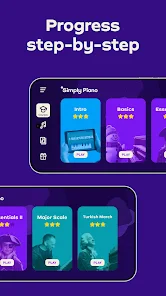
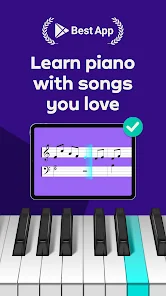
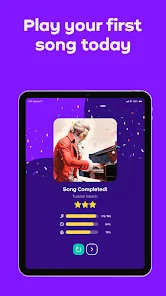
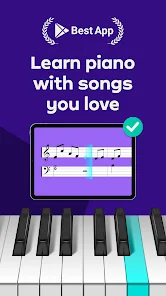
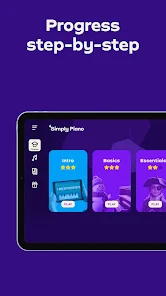
Simply Piano offers engaging, interactive lessons that adapt to your skill level and learning pace. With a variety of musical styles, you can explore everything from classical to pop, making each session enjoyable and motivating as you progress on your piano journey.

Progress Tracking

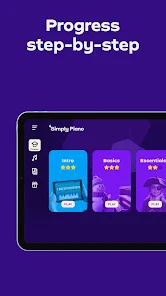
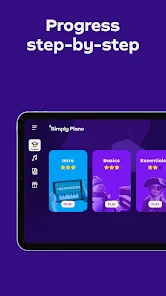
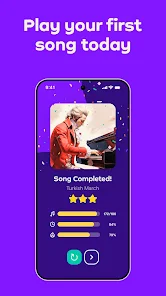
Simply Piano includes a built-in progress tracking system that highlights your accomplishments and milestones. This feature not only motivates you to continue practicing but also helps you set achievable goals, making your piano learning experience structured and rewarding.

Real-Time Feedback

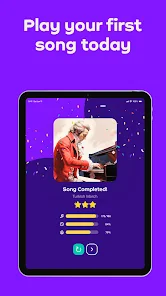
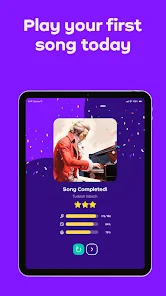
Receive instant feedback on your playing with Simply Piano's advanced audio recognition technology. This feature helps you identify mistakes and improve your technique in real time, ensuring that you stay on track and enhance your skills efficiently with every practice session.

Wide Song Selection

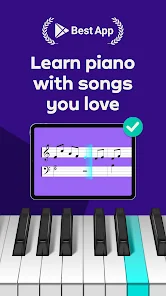
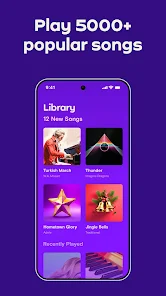
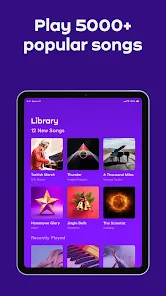
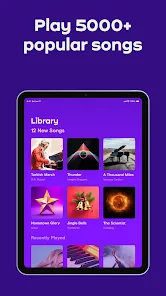
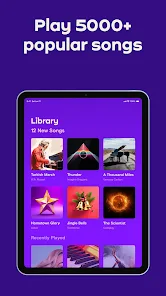
Choose from an extensive library of songs across multiple genres, including popular hits and timeless classics. This vast selection keeps the learning experience fresh and exciting, allowing you to play music you love while developing your piano abilities.

Advertisement

Pros & Cons

Pros
  • Learn at your own pace with flexible lesson plans tailored to your schedule.
  • Enjoy interactive lessons that make practicing fun and engaging for all ages.
  • Access a vast library of songs across various genres to keep motivation high.
  • Receive instant feedback on your playing to help you improve quickly.
  • Benefit from expert tips and tutorials designed to enhance your piano skills efficiently.
Cons
  • Limited song library restricts variety for users.
  • Subscription costs can accumulate quickly over time.
  • May lack personalized feedback for skill development.

Real Experience Using Simply Piano: Learn Piano Fast

Real Experience Application Scenarios

Simply Piano is designed for a wide range of users, whether you are a complete beginner or someone with prior experience looking to refine your skills. The app is particularly useful for those who may not have access to a traditional piano teacher. Users can practice in various scenarios, such as at home, during travel, or in a quiet café, making it a highly versatile learning tool. The app features a comprehensive library that includes popular songs across multiple genres, allowing users to learn music they love. This adaptability makes it an excellent choice for individuals of all ages, whether for personal enjoyment or as a stepping stone towards a more serious musical journey.

User Experience

The user interface of Simply Piano is intuitive and user-friendly, which enhances the overall learning experience. Upon launching the app, users are greeted with engaging tutorials and interactive lessons that guide them step by step. The app employs real-time feedback, allowing users to see their progress and receive instant corrections. This feature is particularly beneficial for beginners, as it helps to build confidence while learning. The gamified approach of the app keeps users motivated, as they can track their achievements and unlock new levels or challenges. Additionally, the ability to learn at your own pace means that users can revisit lessons as needed, ensuring a thorough understanding of concepts before moving on.

Pricing

Simply Piano operates on a subscription model, offering a free trial period for new users to explore its features. After the trial, users can choose from various subscription plans, including monthly, quarterly, or yearly options. The pricing is competitive within the digital music education market, and many users find the investment worthwhile due to the quality of content and effective teaching methods. While some may initially hesitate at the cost, the value provided in terms of skill development and song access justifies the expense for most learners.

Updates & Support

The developers of Simply Piano are committed to continuous improvement, frequently releasing updates that add new songs, refine existing lessons, and enhance user experience. Customer support is readily available via email and through the app, ensuring that users can promptly resolve any issues they encounter. The active community of users also contributes to a supportive learning environment, where learners can share tips and experiences. Overall, the commitment to updates and user support reinforces the app's reliability and effectiveness as a learning tool.

verified Security & Privacy Review

Security & Privacy Review Simply Piano takes user security and privacy seriously, implementing various measures to protect personal information. The app encrypts user data during transmission, ensuring that sensitive information is safeguarded against unauthorized access. Simply Piano adheres to strict privacy policies, outlining how user data is collected, used, and shared, allowing users to make informed decisions regarding their information. The app requests minimal permissions, primarily focusing on microphone access to facilitate real-time feedback during piano practice. Users are informed about these permissions and can choose to disable them, maintaining control over their data. Simply Piano does not sell user data to third parties, prioritizing user trust and confidentiality. Additionally, the app includes features that allow users to manage their data, such as account deletion options and the ability to review data shared with the app. Overall, Simply Piano provides a secure and user-friendly experience, ensuring that privacy is a top priority while users learn and enjoy playing the piano.
Advertisement

User Reviews

  • Patrick Cline
    2026/01/09

    I really like it overall. I feel I am learning very quickly, albeit I already read music and play other instruments. One thing about it drives me crazy though. In lessons if I hesitate/stop to think for a bit, it almost immediately highlights the next note. I really wish there was a way to turn that off. Also. there doesn't seem to be a way to rewind songs.

  • Angel Nelson
    2025/12/24

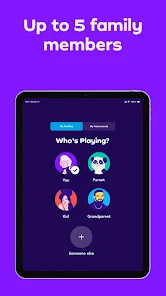
    it was cool...at first. But someone who has an individual subscription cannot finish lesson #1. The final section in lesson #1 is unavailable unless you upgrade to a Family subscription. Even if you are just one person. So, be aware if you are just an individual wanting to learn piano, they force you to sign up for the more expensive family plan to access all content.

  • Liz
    2026/05/15

    good app for learning piano, except I subscribed for the individual one year, so one time payment, well nop, not only did it charge me twice, but my (original first transaction) subscription was canceled. I don't know why. i did set the second one as fraudulent, but between the first and second bill was a full month. so it is not like it was insufficient funds. I am very frustrated with this app, and their customer service. i have yet to receive a refund, or access to my subscription.

  • Nawa Worrell
    2026/07/03

    is there a reason why theres a difference between IOS and Android when it comes to practicing the sheet music? Its called "Play" on Android and is significantly the worse version. Unless im not doing something right, you can't play along at your own pace with the sheet music like you can with IOS. And the app generally performs worse on Android overall. But the sheet music differences are really annoying. My main phone is an Android and I have to switch to my IPhone to use Simply Piano. Not fun.

  • TJ Payne
    2026/03/06

    You can't change any settings after you've set it up for the first time. You can't filter songs. It puts finger numbers above notes with no way to change them to letters or remove them, so it's a lot more like playing interactive tabs than it is learning to read music. For each of those they fix or add, I'd gladly add a star. But for now, I just can't recommend it for the price. It just feels so incomplete. Like paying for a beta.

Review Source: Google Play store public user reviews.

FAQ

1

Can I submit suggestions or feedback to Simply Piano - Aprende Rápido?

Yes, users can submit suggestions or feedback through the app's support section or website, where they can often find a contact form or community forum.

2

Does Simply Piano - Aprende Rápido collect my personal data?

Simply Piano - Aprende Rápido may collect personal data as outlined in its privacy policy, which typically includes information necessary for account creation and usage analytics.

3

Does Simply Piano - Aprende Rápido support offline use?

Yes, Simply Piano - Aprende Rápido allows users to download lessons for offline use, enabling practice without an internet connection.

4

How do I cancel my Simply Piano - Aprende Rápido subscription?

Users can cancel their Simply Piano - Aprende Rápido subscription through their app store account settings or directly within the app under the subscription management section.

5

How much does a subscription to Simply Piano - Aprende Rápido cost?

Subscription costs for Simply Piano - Aprende Rápido vary based on the plan selected, generally offering monthly, yearly, or lifetime options. Check the app for the most current pricing.

How to use Simply Piano: Learn Piano Fast

1

Can I log in to Simply Piano on multiple devices?

Yes, you can log in to your Simply Piano account on multiple devices using the same credentials. Just make sure to log out from other devices if needed.

2

Can I reactivate my Simply Piano account after canceling?

Yes, you can reactivate your account by logging in with your previous credentials. If you encounter issues, contact customer service for help.

3

How can I contact customer service for Simply Piano?

You can reach customer service by visiting our website and using the contact form or by emailing support

4

How can I retrieve my Simply Piano activation link?

If you didn't receive your activation link, try resending it from the login page or check your spam folder. If still missing, contact customer service for support.

5

How do I activate my Simply Piano account?

To activate your account, follow the link in your confirmation email after signing up. If you didn't receive it, check your spam folder.

What's New

Learn library songs at your own pace, slow down the music till you get it right.

Editor's Choice