This site uses cookies to enhance your user experience. By clicking any link on this site you are giving your consent to our cookie policy. Read more
Reject
Accept All

Advertiser and Editorial Disclosures

Epic: Kids' Books & Reading

Epic: Kids' Books & Reading

verified

Epic Kids Inc.

4.0
Rating
10,000,000+ Downloads
3.141.18 Version
Advertisement
  • category

    Category: Education

  • price

    Price: free

  • age rating

    Age Rating: Everyone

  • rating

    Rating: 4.0

  • available on

    Available on: /

  • updated on

    Updated on: Jun 16, 2026

Screenshot 1
Screenshot 2
Screenshot 3
Screenshot 4
Screenshot 5
Screenshot 6
Screenshot 7
Screenshot 8
Screenshot 9
Screenshot 10
Screenshot 11
Screenshot 12
Screenshot 13
Screenshot 14
Screenshot 15
Screenshot 16
Screenshot 17
Screenshot 18
Screenshot 19
Screenshot 20
Screenshot 21
Advertisement

Features & Highlights

Curated Book Collection

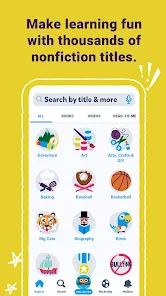
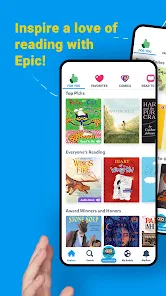
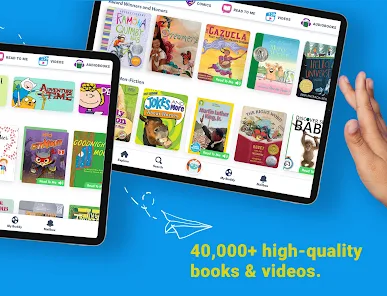
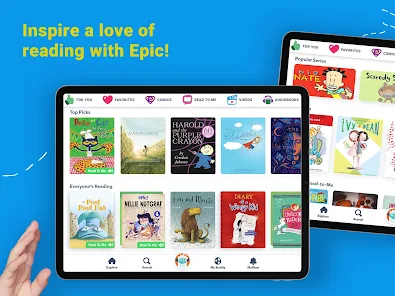
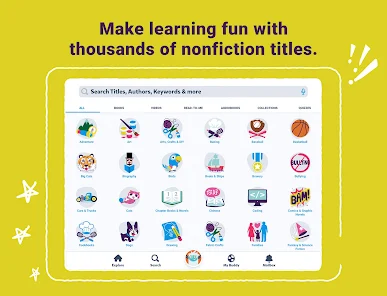
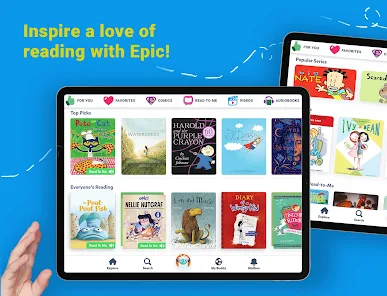
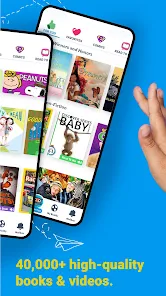
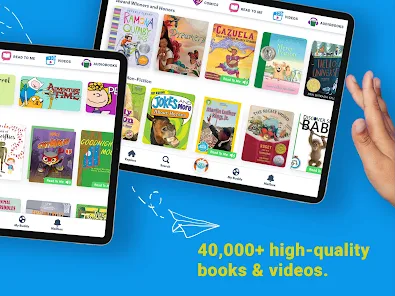
Epic offers a vast library of over 40,000 titles, carefully curated to inspire a love for reading in kids. From classic stories to contemporary favorites, children can explore diverse genres and themes, ensuring there’s always something new and exciting to discover.

Educational Resources

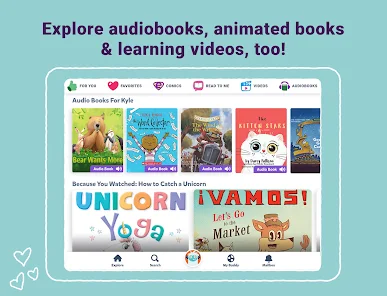
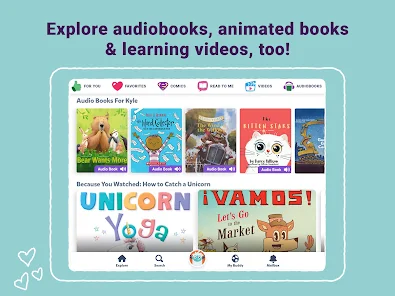
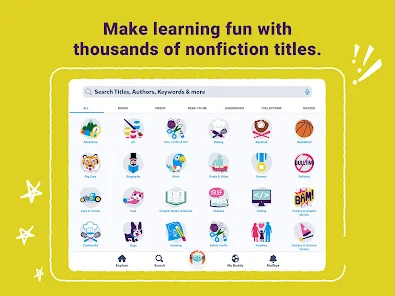
Epic is not just about books; it also offers a range of educational resources including quizzes, video lessons, and learning pathways. This comprehensive approach supports children’s literacy development and encourages them to explore new subjects, making learning fun and interactive.

Interactive Reading Experience

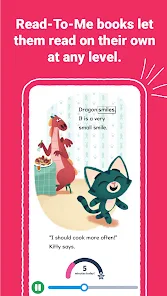
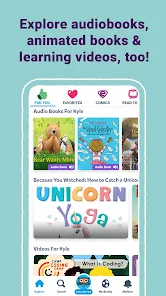
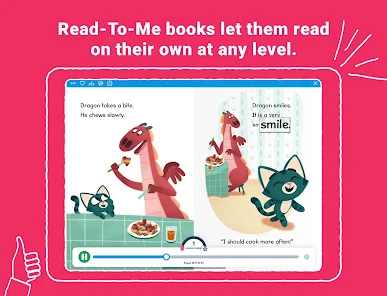
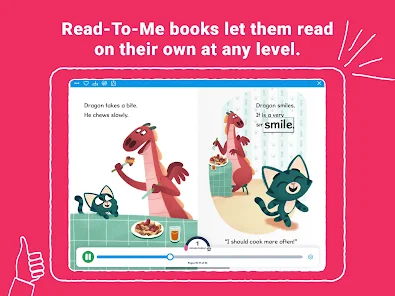
Epic enhances the reading experience with interactive features like audio narration, read-along options, and engaging animations. These tools make stories come alive, captivating young readers and making learning enjoyable, whether they’re reading independently or with a parent.

Personalized Recommendations

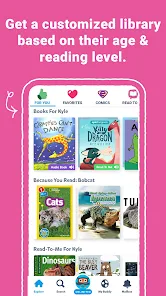
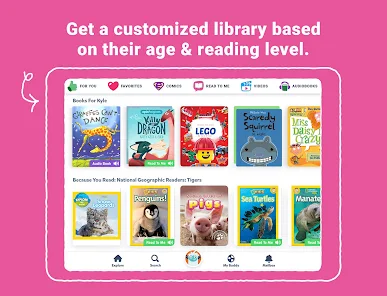
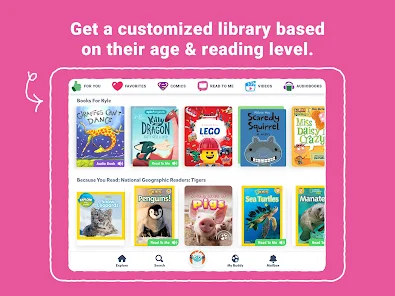
With its smart algorithm, Epic provides personalized book suggestions tailored to each child's reading level and interests. This feature helps kids find stories they’ll love, promoting a deeper engagement with reading while helping them grow their skills at their own pace.

Advertisement

Pros & Cons

Pros
  • Vast library of diverse children's books available
  • Engaging audiobooks enhance listening skills and imagination
  • Personalized recommendations cater to individual reading levels
  • Interactive features make reading fun and engaging
  • Offline access allows reading anytime, anywhere
Cons
  • Limited selection of popular titles available
  • Subscription cost may deter some users
  • Offline access requires prior downloads only
  • Lacks interactive features found in other apps

Real Experience Using Epic: Kids' Books & Reading

Application Scenarios

Epic: Kids' Books & Reading is designed to cater to a variety of reading scenarios, making it an ideal companion for both home and educational settings. Parents can utilize the app during family reading time, where children can explore their interests while parents enjoy a shared bonding experience. In classrooms, teachers can leverage the extensive library to enhance lesson plans, providing students access to a diverse range of genres and topics. The app is also perfect for quiet reading time, bedtime stories, or even as a tool for summer reading challenges, encouraging kids to maintain their reading habits outside the school year. With its user-friendly interface, children can easily navigate through the app, helping them to choose their next adventure or learn something new at their own pace.

User Experience

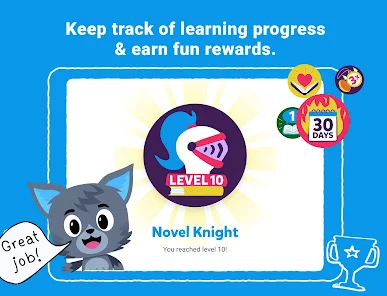
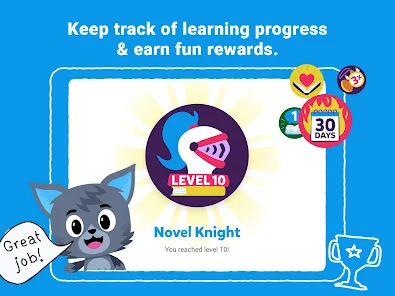
The user experience on Epic is largely positive, characterized by an engaging layout and intuitive navigation. Upon launching the app, users are greeted with a visually appealing interface that showcases featured books and personalized recommendations based on the child's reading level and interests. The app includes an impressive library of over 40,000 books, audiobooks, and educational videos, which is a significant draw for young readers. The interactive features, such as read-aloud options and quizzes, further enhance engagement. Parents appreciate the ability to track their child's reading progress, while children enjoy earning badges for completing books and challenges. However, some users have reported occasional glitches and loading issues, which can disrupt the experience. Overall, the app successfully captivates its target audience and fosters a love for reading.

Pricing

Epic operates on a subscription-based model, with a free version that offers limited access and a paid subscription providing full access to the extensive library. The monthly subscription fee is relatively affordable compared to other educational apps, and discounts are often offered for annual subscriptions, making it a cost-effective choice for families. Additionally, Epic provides free access to educators, allowing teachers to create accounts for their students, which enhances the app's value in educational settings. This pricing structure makes it accessible for a wide range of users, ensuring that every child can benefit from the resources available on the platform.

Updates & Support

The developers of Epic are committed to continuous improvement, frequently releasing updates that enhance functionality and expand the book library. These updates often introduce new features, improve user interface elements, and address any reported bugs. Customer support is readily available through the app, with a dedicated help section that provides FAQs and contact options for further assistance. Users have reported positive experiences with the support team, citing prompt responses to inquiries and effective resolutions for issues. Overall, the ongoing updates and responsive customer support contribute to a reliable and enjoyable user experience, ensuring that both children and parents can confidently rely on Epic for their reading needs.

verified Security & Privacy Review

The Epic: Kids' Books & Reading app prioritizes user security and privacy, implementing robust measures to protect sensitive information. The app collects minimal personal data, primarily focusing on user account details necessary for creating profiles and managing subscriptions. Information such as names and email addresses may be required during account setup, but users can access privacy settings to manage their data preferences. Epic adheres to the Children’s Online Privacy Protection Act (COPPA), ensuring that children’s data is handled with the highest level of care. Parental consent is needed for account creation, and parents have the ability to monitor their child’s activity within the app. The platform does not share personal information with third parties for marketing purposes. Permissions required by the app are limited to those essential for functionality, such as access to device storage for downloaded content. Overall, Epic maintains a strong commitment to data security, employing encryption protocols to safeguard user information and regularly updating its privacy policy to reflect best practices in data handling.
Advertisement

Compare APP

User Reviews

  • Cymone Greer
    2026/06/13

    I tried locking into the app and it kept saying error we cannot let you in at this time and this happened multiple times over the couple of months that I've tried to use this app and it still will not let me in. And I've also noticed that you are false advertising an app that should be free instead. I am noticing that people have to pay monthly fees just to keep reading.

  • Ginny “GinMarie” Rake
    2020/12/11

    This app is great! I like the variety of books available, though I hope the library continues to expand. The user interface is easy to navigate and I love being able to download for offline reading. Two things I'd like to see added are a repeat button so the littlest readers can easily replay the same book again and again. Add the ability to download the book from the non grid style list along with the available options, collection and/or favorite.

  • Alena Porter
    2020/09/22

    I've been using Epic! with my now 4 year old for over a year. It's awesome. There are a plethora of great books. They miss many of my absolute favorites, but the ones they have are very good and we've found new favorites. And tons of audiobooks! Those are fantastic to have. However, finding all the books in a reading level is impossible, and I very much wish that was MUCH easier. I create lists myself and have found workarounds, but it's annoying and I wish we could search by reading level only.

  • A Google user
    2020/04/01

    I Love this app! It's very fun for the kids have a list of their favorites and the "read to me" option is also good help, when I've got to help another child with their school work. Kids also get to change their profile pictures as they earn higher achievements. The only issue we've had... is that I can't seem to be able to link our already existing account, to his teachers group, with all of his classmates.

  • A Google user
    2019/12/10

    The best feature of this app by far is the appearance of the digital books, as compared with books on Amazon Freetime, which download slowly, and are hard to read until you double click the paragraphs, which is difficult to get right with a child, etc. Even the digital books on Libby are sometimes frustrating to read. Every book, audiobook, read-to-me books, and videos play seamlessly. The selection is excellent including books in Spanish! I also love that it's free to educators.

Review Source: Google Play store public user reviews.

FAQ

1

Does Epic: Kids' Books & Reading collect my personal data?

Epic: Kids' Books & Reading adheres to strict privacy policies and collects minimal personal data, primarily to provide a personalized experience. Detailed information can be found in their privacy policy.

2

Does Epic: Kids' Books & Reading offer a free trial or free version?

Yes, Epic: Kids' Books & Reading offers a free trial period for new users, allowing them to explore the app's features before committing to a subscription.

3

Does Epic: Kids' Books & Reading require an internet connection?

While an internet connection is required to access the app and its content initially, users can download books for offline reading, allowing access without an internet connection later.

4

How can I contact support or send feedback for Epic: Kids' Books & Reading?

You can contact support or send feedback by accessing the help section within the app or visiting the Epic website, where you will find options for customer support and feedback submission.

5

How do I manage or cancel my Epic: Kids' Books & Reading subscription?

You can manage or cancel your subscription through the account settings within the app or by visiting the Epic website and following the subscription management instructions.

How to use Epic: Kids' Books & Reading

1

How can I contact customer service for the Epic app?

You can reach Epic's customer service through the app's help section or by visiting their website for support options.

2

How do I find the customer number for Epic?

The customer number is typically found in the app's settings under the 'Account' or 'Help' sections.

3

How do I log in to my Epic account?

Open the app, tap on 'Log In,' and enter your registered email and password.

4

Is there a way to activate my Epic subscription?

Yes, you can activate your subscription by logging into your account and following the prompts in the 'Account' settings.

What's New

This update includes a brand new look and performance improvements so kids can continue to enjoy reading and learning on Epic!

Editor's Choice