This site uses cookies to enhance your user experience. By clicking any link on this site you are giving your consent to our cookie policy. Read more
Reject
Accept All

Advertiser and Editorial Disclosures

My Budget Book

My Budget Book

verified

OneTwoApps

4.8
Rating
100,000+ Downloads
9.10.1 Version
Advertisement
  • category

    Category: Finance

  • price

    Price: $4.99

  • age rating

    Age Rating: Everyone

  • rating

    Rating: 4.8

  • available on

    Available on: /

  • updated on

    Updated on: May 15, 2026

Screenshot 1
Screenshot 2
Screenshot 3
Screenshot 4
Screenshot 5
Screenshot 6
Screenshot 7
Screenshot 8
Screenshot 9
Screenshot 10
Screenshot 11
Screenshot 12
Screenshot 13
Screenshot 14
Screenshot 15
Screenshot 16
Advertisement

Features & Highlights

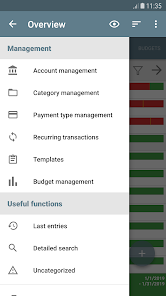
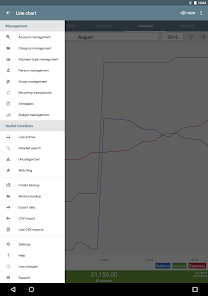
Customizable Categories

My Budget Book allows you to create and manage customizable categories for your expenses and income. This feature helps you track where your money goes and makes budgeting more personal and relevant to your unique financial situation, ensuring that you stay on top of your finances effortlessly.

Detailed Financial Reports

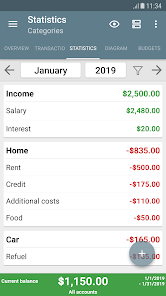
With My Budget Book, you can generate detailed financial reports that provide insights into your spending habits. These reports can help you identify areas where you can cut back, allowing you to make informed decisions and stay on track with your financial goals.

Intuitive User Interface

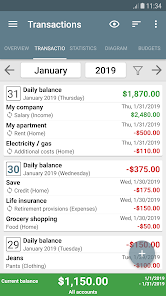
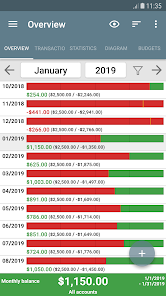
The app boasts an intuitive user interface designed for ease of use, making it simple for anyone to navigate. You can quickly input your expenses and income, view your budget at a glance, and access detailed reports without feeling overwhelmed by complicated features.

Multi-Currency Support

For users dealing with different currencies, My Budget Book offers multi-currency support, making it ideal for travelers or expatriates. You can easily track and convert expenses in various currencies, ensuring that your budget remains accurate and comprehensive no matter where you are.

Advertisement

Pros & Cons

Pros
  • My Budget Book simplifies tracking your expenses effortlessly.
  • It offers customizable categories for personalized budgeting.
  • The intuitive interface makes managing finances easy and enjoyable.
  • Users can set savings goals to motivate better spending habits.
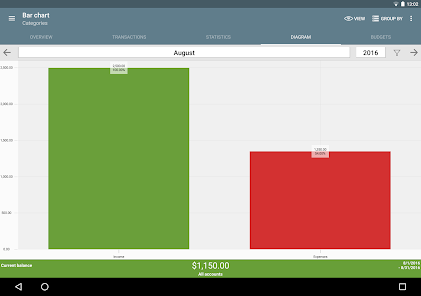
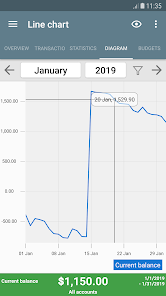
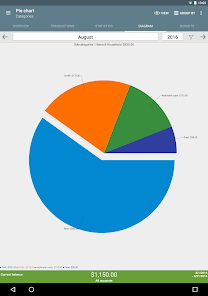
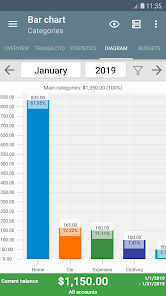
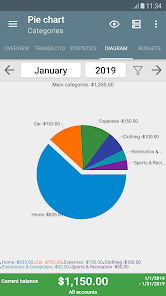
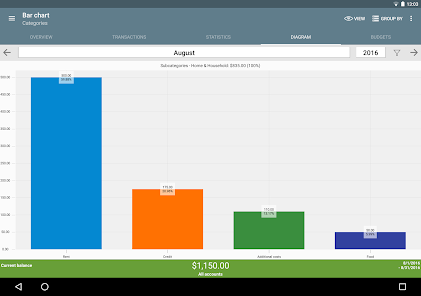
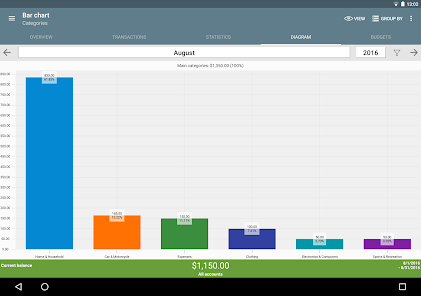
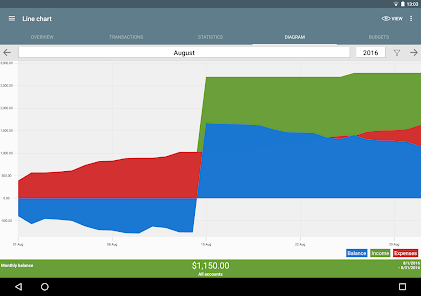
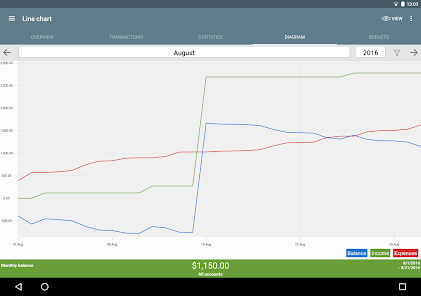
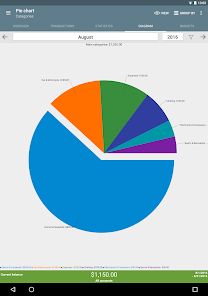
  • Reports and charts provide clear insights into your financial health.
Cons
  • Limited features may not meet advanced budgeting needs
  • User interface can be confusing for beginners
  • Lack of cloud backup risks data loss

Real Experience Using My Budget Book

Application Scenarios

My Budget Book is designed for anyone looking to take control of their financial situation. Whether you're a student managing limited funds, a professional juggling multiple expenses, or a family budgeting for a big purchase, this app caters to a variety of users. It is particularly beneficial for those who want to track daily expenses, plan monthly budgets, or save for specific goals like vacations or home renovations. Additionally, small business owners can utilize it to monitor cash flow and track business-related expenses. The app's versatility makes it suitable for different financial scenarios, allowing users to customize their experience based on individual needs.

User Experience

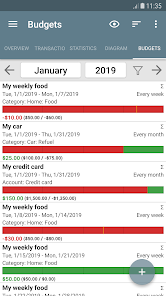
The user experience of My Budget Book is both intuitive and engaging. Upon launching the app, users are greeted with a clean, user-friendly interface that makes navigating through features a breeze. Setting up an account is straightforward, and the app provides helpful prompts for entering income and expenses. Users can categorize their expenditures, making it easy to see where their money is going at a glance. The visual representation of financial data through charts and graphs enhances the overall experience by providing insights into spending habits. Moreover, the app includes features like reminders for bills and customizable budgets, which help keep users accountable. Feedback from users indicates that they appreciate the ability to sync with bank accounts, although some express a desire for more integration options with financial institutions.

Pricing

My Budget Book operates on a freemium model, offering a basic version that is free of charge, allowing users to explore its essential features without any financial commitment. For those looking for a more comprehensive experience, a premium subscription is available, which unlocks advanced functionalities such as detailed reports, additional customization options, and ad-free usage. The premium pricing is competitive compared to similar budgeting apps, making it an attractive choice for budget-conscious users who still want a robust financial tool. Overall, the pricing structure is designed to accommodate a wide range of users, ensuring that everyone can benefit from effective budgeting solutions.

Updates & Support

The developers of My Budget Book are committed to providing regular updates to enhance app performance and introduce new features based on user feedback. This dedication to continuous improvement has resulted in a growing list of functionalities, including enhanced security measures and additional reporting options. Users can easily access support through the app, with options for FAQs, troubleshooting guides, and direct contact with customer service representatives. The responsiveness of the support team has been positively noted in user reviews, with many expressing satisfaction with the timely assistance they received. Overall, the combination of regular updates and reliable support contributes to a positive user experience, ensuring that My Budget Book remains a valuable tool for financial management.

verified Security & Privacy Review

Security & Privacy Review My Budget Book takes user security and privacy seriously, implementing robust measures to protect sensitive financial information. The app utilizes strong encryption protocols to ensure that all data stored and transmitted is secure from unauthorized access. Regular updates help patch any vulnerabilities, keeping the app resilient against potential threats. When it comes to privacy practices, My Budget Book has a transparent policy, clearly outlining how user data is collected, used, and shared. The app does not sell personal information to third parties, ensuring that user financial details remain confidential. Users have control over their data and can easily manage their preferences within the app settings. In terms of permissions, My Budget Book requires minimal access to function effectively, primarily requesting permission to access storage for saving data. Users can feel comfortable knowing that the app prioritizes their privacy without unnecessary intrusion. Overall, My Budget Book stands out for its commitment to safeguarding user data while offering a seamless budgeting experience.
Advertisement

User Reviews

  • Danielle Oliver
    2026/04/04

    this app is very helpful at keeping me on track with my finances!the ONLY thing I wish there was, was a way to balance your account with your statements. so basically when you want to balance, you select the dates and your statement's balance and it gives you that range of transactions to check cleared. as you check those transactions, the balance is zeroing out. once all transactions are cleared, those transactions change to ANOTHER color so you know not to mess with those again.great overwise

  • LB
    2023/03/02

    This is the easiest and quickest financial app I've ever used. I paid for the app and it is well worth it. Assigning accounts, categories and subcategories is a breeze. One thing this app has that I've never seen in any of the many apps I've tried over the years is a template feature. I use it a lot, especially for entries like groceries. Update 3/1/23. Great customer service. I couldn't see how to show running balance. When I posted my review developer notified me right away how to see it.

  • Jimmy Max
    2024/02/27

    Perfect. I used Good Budget which wouldn't wouldn't track the budget progress if you adjusted or added one mid month, nor track multiple checking accounts, savings or credit card balances. This app does it all. I've deleted bank accounts and budgets and everything else during this practice month with it and had to start over, but through my own fault as I learn it because it does a lot more than I was used to. Skip the other apps and go with this one, this one does it all.

  • Hank Smith
    2022/12/28

    I used Every Dollar for a few months and hated the interface and how tedious it all was. This is literally checked every single box I was wishing every dollar had. Do yourself the favor of getting this app. Best 4 bucks I've ever spent. So easy to navigate, put in expenses and income, recurring payments, one time payments, expiration dates on loans. It's just overall awesome.

  • Artemis Ameretsu
    2026/02/22

    Best 5 bucks I've ever spent. It took a little learning, I won't lie I spent about 3 hours between figuring it out and then actually imputting data (Im hungover tbh) but its got everything you could ever need. I can use the expense/income options, transfer option to "slide" $ between checking/savings or into credit cards, its amazing! Seriously, don't waste your money on "free" budgeting apps! You can even export the budgets to roomates/partners 😭 With a Youtube tutorial it would be perfect

Review Source: Google Play store public user reviews.

FAQ

1

Does My Budget Book collect my personal data?

My Budget Book prioritizes user privacy and does not collect personal data unless explicitly provided by the user for certain features. The app is designed to keep your financial information secure.

2

Does My Budget Book offer a free trial or free version?

Yes, My Budget Book offers a free version with basic features. Users can also explore a trial period for premium features before deciding to subscribe.

3

Does My Budget Book require an internet connection?

No, My Budget Book can be used offline, which means you can access and manage your budget without needing an internet connection.

4

How can I contact support or send feedback for My Budget Book?

You can contact My Budget Book support or send feedback through the app's settings menu, where you will find options for customer support, or visit the official website for additional contact information.

5

How do I manage or cancel my My Budget Book subscription?

You can manage or cancel your subscription through the app store where you purchased it, such as Google Play Store or Apple App Store, by navigating to your account settings and selecting the subscription management options.

How to use My Budget Book

1

Can I change my customer number?

Unfortunately, customer numbers cannot be changed. If you have concerns about your customer number, please reach out to customer service for assistance.

2

Can I deactivate my account permanently?

Yes, you can request to deactivate your account by contacting customer service. They will guide you through the process.

3

How can I contact customer service for My Budget Book?

You can reach customer service by emailing support

4

How do I activate my account after signing up?

To activate your account, check your email for an activation link and click it. If you didn't receive the email, please contact customer service for help.

5

How do I log in to My Budget Book on a new device?

To log in on a new device, simply visit the My Budget Book website and enter your credentials. If you encounter issues, check your internet connection or contact customer service.

What's New

New bar and line charts.The previously used chart library is no longer maintained and can no longer be used due to new Android/Google requirements. Therefore, the bar and line charts have been modernized and replaced with new charts.The new charts continue to provide a clear and user-friendly visualization while offering a more modern integration into the app.If you have any questions, just send an email to [email protected] or use the integrated support function.

Editor's Choice