


 4.2
4.2 Moon+ Reader Pro is a powerful eBook reader that stands out in a crowded market, offering a plethora of features designed to enhance the reading experience. Here are some of its core highlights:
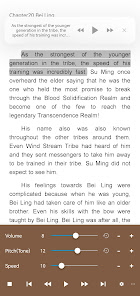
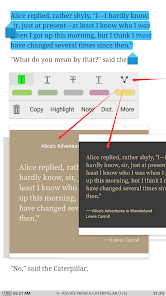
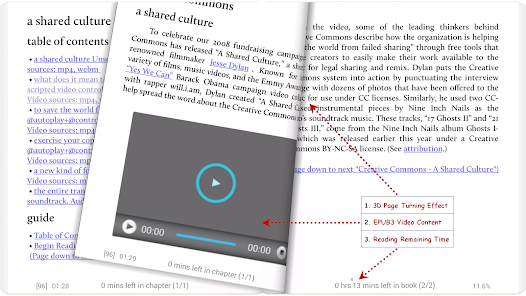
As an avid reader, I find myself using Moon+ Reader Pro in various scenarios throughout my day. Whether I’m commuting on the subway, lounging at a café, or winding down at home, this app has become my go-to reading companion. During my daily commute, I often pull out my phone to dive into a gripping novel. The app’s cloud syncing feature ensures that I can pick up right where I left off, even if I switch devices. On weekends, I enjoy reading academic papers for my research, and the comprehensive file support allows me to import PDFs and EPUBs effortlessly. The integrated dictionary feature comes in handy when I encounter technical jargon, enabling me to grasp complex concepts without losing my place in the text.
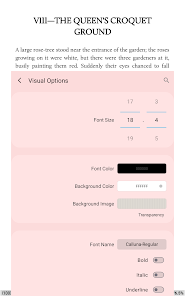
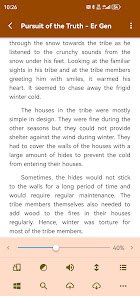
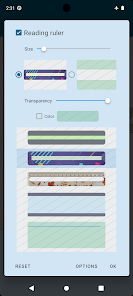
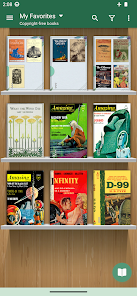
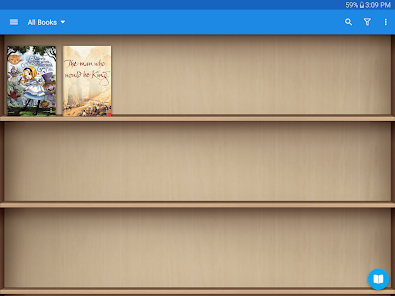
The user interface of Moon+ Reader Pro is intuitive and user-friendly, making navigation a breeze. Upon opening the app, I’m greeted with a clean layout that showcases my library, complete with cover images for easy identification. The workflow is smooth; I can quickly access my books, adjust settings, and switch between reading modes with just a few taps. Performance-wise, the app runs seamlessly without lag, even when I’m reading large files. I appreciate the level of customization available, from adjusting the brightness to selecting different themes. Overall, my experience with Moon+ Reader Pro has been overwhelmingly positive, as it combines functionality with a pleasant reading environment.
Moon+ Reader Pro is available for a one-time purchase, which I find to be a worthwhile investment considering the extensive features it offers. The pricing is competitive compared to other eBook readers on the market, and the absence of a subscription model means I can enjoy all the features without worrying about recurring fees. This makes it an attractive option for both casual readers and serious bibliophiles alike.
The developers of Moon+ Reader Pro are committed to providing regular updates, which is evident in the app’s continuous improvements and new features. I’ve noticed enhancements in performance and additional customization options with each update. The support team is responsive and helpful, addressing user queries and concerns promptly. This level of dedication to user satisfaction gives me confidence in the app’s longevity and reliability.
When it comes to security and privacy, Moon+ Reader Pro takes several measures to ensure user safety. The app is available on both the App Store and Google Play, which adds a layer of credibility as these platforms have strict security protocols. Upon installation, the app does not require excessive personal data, which is a relief for privacy-conscious users like myself. I appreciate that I can use the app without having to register or provide sensitive information.
Additionally, Moon+ Reader Pro does not display intrusive ads, which enhances the reading experience without distractions. There is no tracking behavior that compromises user privacy, allowing me to read freely without concerns about my data being collected or sold. Overall, I feel secure using Moon+ Reader Pro, knowing that my personal information remains private while I enjoy my reading adventures.

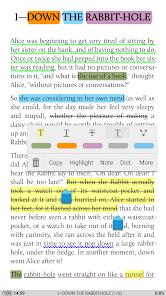
 Discover the advantages of the Moon+ Reader Pro app: Customizable reading themes for comfort Supports various eBook formats easily Built-in dictionary for quick lookups Syncs across devices seamlessly Advanced annotation tools for notes
 Limited customization options Occasional syncing issues User interface can be cluttered Not all formats supported Performance may lag on older devices
  Google Play
  App Store
 Yes, users can submit feedback and suggestions through the app's support section or via email.
Moon+ Reader Pro may collect usage data but does not require personal information for basic functionality.
Yes, Moon+ Reader Pro allows users to download and read eBooks offline.
Since it's a one-time purchase, there is no subscription to cancel. Simply uninstall the app if you no longer wish to use it.
The app is a one-time purchase, typically around $5.99, with no subscription fees.
You can reach customer service via the app's support section or email them at their official support email found on their website.
After purchasing, open the app, go to settings, and enter your activation code in the designated field.
Open the app, go to the settings, and select the login option to enter your credentials.
Moon+ Reader Pro does not have a specific customer number; support is typically handled through email or the app's help section.













 Home
Home  Apps
Apps  Games
Games  Terms of Service
  Cookies & Privacy Policy
  Disclaimer