Home
Home  Apps
Apps  Games
Games  Windows
  Terms of Service
  Cookies & Privacy Policy
  Disclaimer
 Customizable Themes
Personalize your gaming experience with a variety of customizable themes and board designs. Choose from classic wooden styles to modern aesthetics, making your chess matches not only competitive but visually enjoyable.


GamoVation
 4.9
4.9 
Category: Table Chess

Price: 0

Age Rating: Everyone

Rating: 4.9

Available on: Android, Windows*

Updated on: May 20, 2026
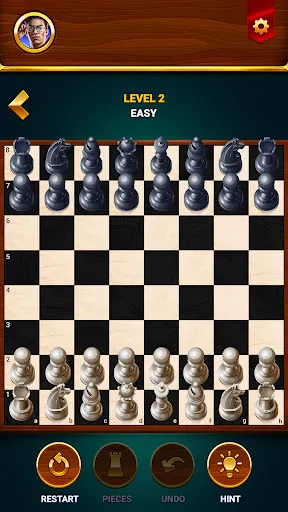
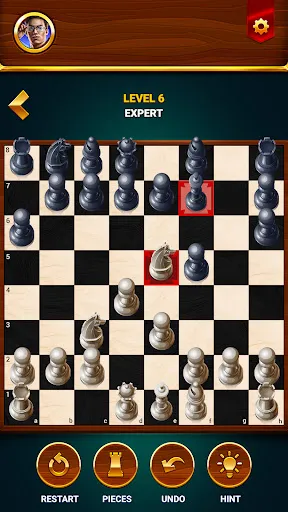
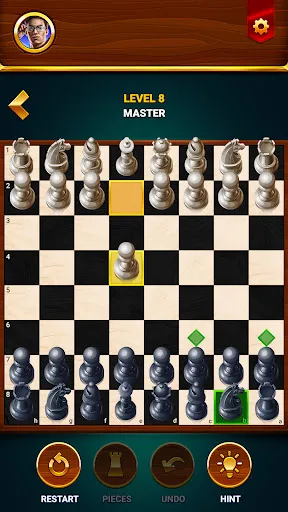
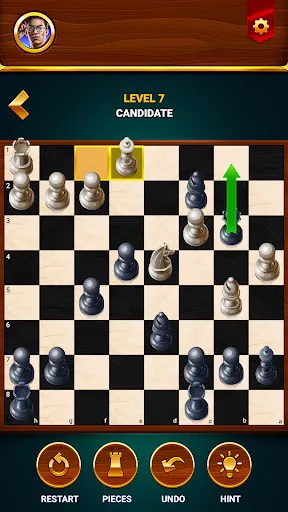
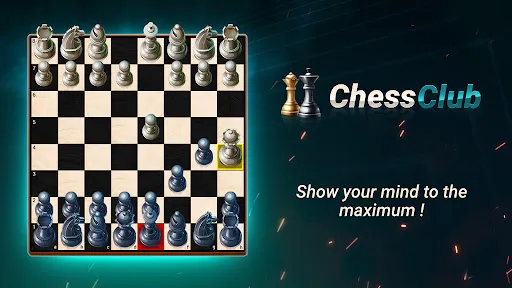
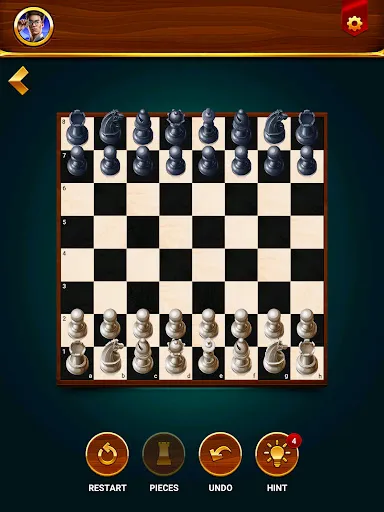
Personalize your gaming experience with a variety of customizable themes and board designs. Choose from classic wooden styles to modern aesthetics, making your chess matches not only competitive but visually enjoyable.
Dive into the world of chess with an intuitive interface designed for both beginners and seasoned players. The user-friendly controls make it easy to navigate the board, ensuring that players can focus on strategy rather than struggling with the mechanics of the game.
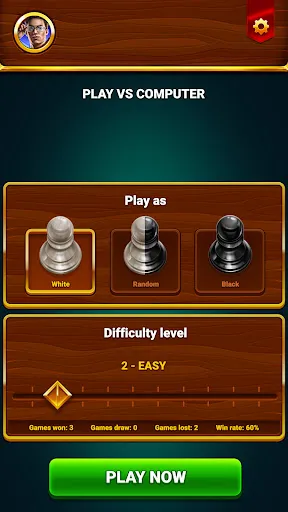
Challenge yourself with a range of difficulty levels tailored to your skill. Whether you're a novice learning the ropes or an expert seeking a tough match, the game adjusts to keep you engaged and improve your skills over time.
Enjoy chess anytime, anywhere with the offline play mode. No internet connection is required, allowing you to practice your strategies or enjoy a casual game with friends, making it perfect for travel or downtime.

 Enhances critical thinking and problem-solving skills Promotes strategic planning and foresight Encourages patience and focus during gameplay Fosters social interaction and bonding experiences Accessible to all ages and skill levels
 Limited social interaction during play Requires significant time commitment Steep learning curve for beginners Can lead to frustration and stress
 The Chess - Offline Board Game app is designed for chess enthusiasts of all skill levels, making it a versatile tool for various scenarios. Whether you're a beginner looking to learn the basics or an advanced player seeking to hone your strategies, this app caters to your needs. It allows users to play solo against AI opponents, making it perfect for those who want to practice without the pressure of playing against real opponents. Additionally, the app is ideal for on-the-go gaming. You can engage in a match during your daily commute, during breaks at work, or while relaxing at home. The offline capability ensures that you can enjoy a game anywhere, without needing an internet connection. This makes it particularly useful for travel or when you find yourself in areas with limited connectivity.
The user interface of Chess - Offline Board Game is clean and intuitive, making navigation seamless for users of all ages. The chessboard is well-designed, with pieces that are easy to distinguish, which enhances the overall gaming experience. The app offers multiple difficulty levels, allowing users to adjust the challenge according to their skill level. The AI opponents are surprisingly competent, providing a good mix of challenge and engagement. Additionally, the app includes tutorials and hints, which are beneficial for beginners or anyone looking to improve their game. The ability to customize the board and pieces adds a personal touch, allowing players to tailor their experience to their preferences. Overall, the user experience is smooth, engaging, and highly rewarding.
The Chess - Offline Board Game app is competitively priced, offering a solid value for the features it provides. Users can download the app for free, which includes access to basic features and several difficulty levels. For those looking for an enhanced experience, the app offers a premium version that unlocks additional features, such as advanced AI opponents, custom themes, and more comprehensive tutorials. The premium subscription is reasonably priced, making it accessible for casual players and serious enthusiasts alike. The clear pricing structure and absence of hidden fees ensure that users know exactly what they are getting, which adds to the overall positive experience.
The developers of Chess - Offline Board Game are committed to providing regular updates, ensuring that users can enjoy new features and improvements over time. Recent updates have included bug fixes, enhanced AI performance, and new customization options, which demonstrate a commitment to quality and user satisfaction. The app also offers comprehensive customer support, with a dedicated help section that addresses common inquiries and provides troubleshooting tips. Users can easily reach out to the support team for assistance, ensuring that any issues are resolved promptly. This level of support reinforces the reliability of the app and enhances the overall user experience.
Security & Privacy Review
 Google Play
  App Store


Solid overall. the levels ramp up in a nice progression, and the hint tool is pretty helpful. A few weak points: - many of the puzzles have multiple winning moves, but the game only accepts one of them as correct. The rest result in a fail/advertisement -the puzzles are incredibly easy/repetitive - there is no way to offer a draw. You are forced to use the 50 move rule, which takes a long time, or take the loss. Still, it's free and helpful, so I'm keeping it at 5 stars
The computer can move one piece back & forth between the same two squares several times, but if I move one piece back and forth (even between different squares) three times, then the game is a draw. If I want to rewind that move to try again (as if I did something wrong which I didn't), then I have to watch an ad. Also a lot of the ads don't have a proper exit button: they have an option to go straight to Google Play store or to DL the app. So I have to exit the app. Other than that,it's good.
So bad. It's nonstop ads. once you end a game, you are forced to watch several minutes of ads with no way to stop them. TERRIBLE ALGORITHMS at the higher levels. in every game I played against the computer, the computer would suddenly sacrifice its queen for no reason, just randomly. Even the so-called hard level is really elementary.
Great game ... it would be nice to get points other than hints, to possibly change the look of the board or pieces in style/texture - (wood, metal, Chinese, Japanese, Spanish, medieval, SciFi, etc). Probably get more players with more options. EDIT: Played a game with my son and noted the computer has options that humans don't - to call a draw or resign. EDIT: Only recieved one comment from company that asks for ideas to improve, yet they're listed above (-1 star)
simple straight ui is easy enough to learn. i haven't played in decades and even then i was no good. an confused about stipulations regarding draw games, this loves to pull that stunt when I'm about 2 move away from checkmate. minimal ads is absolutely refreshing! if i had to complain, i wouldnt mind more stats: move counts, move times & timers, game time, etc.
Review Source: Google Play store public user reviews.
Chess - Offline Board Game typically does not collect personal data as it is designed for offline use; however, you should review the app's privacy policy for specific details.
Yes, Chess - Offline Board Game offers a free version with limited features, allowing users to try out the game before deciding to purchase the full version or any additional features.
No, Chess - Offline Board Game does not require an internet connection, allowing you to play anytime and anywhere, even without Wi-Fi or data.
You can contact support or send feedback for Chess - Offline Board Game through the app's settings menu, which typically includes options for support, feedback forms, or direct contact information.
You can manage or cancel your Chess - Offline Board Game subscription through the app store settings on your device, where you can view your subscriptions and make changes as needed.
You can contact customer service through the app's settings menu or visit our official website for support options.
To log in, open the app and enter your registered email and password on the login screen.
Yes, you can activate premium features by purchasing a subscription through the app's settings or store page.
The customer service number can be found in the app's help section or on our website under the contact information.
Hello, have you beaten our Grandmaster yet? Our team is trying every day! Although we have not added any new features on this version, we have made some improvements that will enable you to continue playing chess without any problems! Have fun!

Happy Color®: Coloring Book

Yatzy - Fun Classic Dice Game

Happy Black Color

Color Oasis - Color by Number

Paint by Number: Coloring Game

Bingo Voyage - Live Bingo Game

Domino Legends: Classic Game
Mahjong Club - Solitaire Game
Mahjong Juego Solitario
Woodber - Classic Number Game

StickerHub - Mono GO Stickers

Dice Yatzy - Classic Fun Game