This site uses cookies to enhance your user experience. By clicking any link on this site you are giving your consent to our cookie policy. Read more
Reject
Accept All

Advertiser and Editorial Disclosures

ABCmouse Classic

ABCmouse Classic

verified

Age of Learning, Inc.

3.7
Rating
10,000,000+ Downloads
8.72.0 Version
Advertisement
  • category

    Category: Education

  • price

    Price: free

  • age rating

    Age Rating: Everyone

  • rating

    Rating: 3.7

  • available on

    Available on: /

  • updated on

    Updated on: Apr 17, 2026

Screenshot 1
Screenshot 2
Screenshot 3
Screenshot 4
Screenshot 5
Screenshot 6
Screenshot 7
Screenshot 8
Screenshot 9
Screenshot 10
Screenshot 11
Screenshot 12
Screenshot 13
Screenshot 14
Advertisement

Features & Highlights

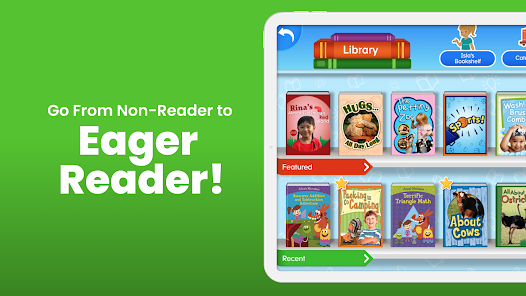
Engaging Storybooks and Videos

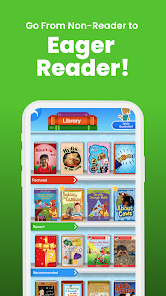
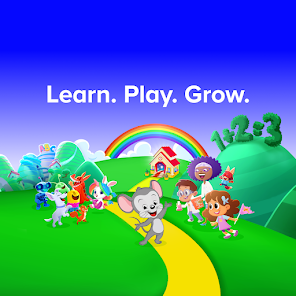
With a rich library of engaging storybooks and educational videos, ABCmouse Classic captivates young minds with storytelling and visual content. These resources not only enhance literacy skills but also inspire creativity and curiosity, making learning feel like play.

Interactive Learning Activities

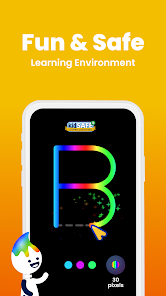
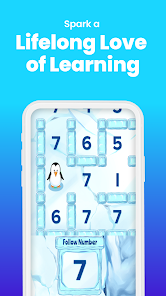
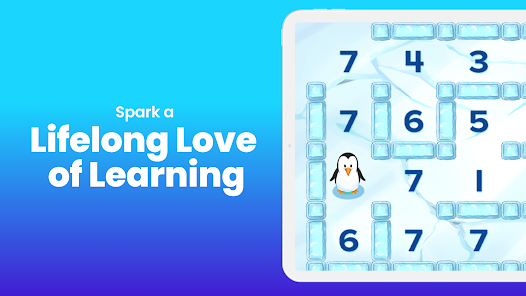
ABCmouse Classic offers a vast array of interactive learning activities that engage young learners through fun and educational games. These activities cover essential subjects like math, reading, science, and art, making learning an exciting adventure for kids aged 2-8.

Personalized Learning Path

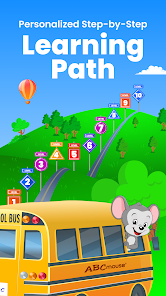
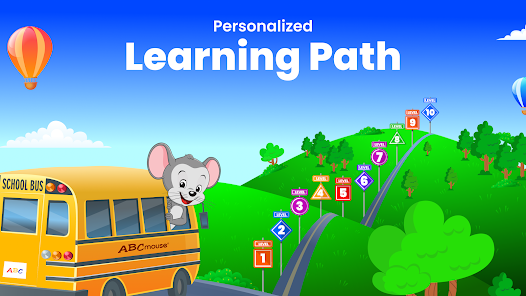
ABCmouse Classic provides a personalized learning path tailored to each child's unique needs and interests. This adaptive approach ensures that kids receive the right level of challenge and support, helping them build confidence and stay motivated while mastering new concepts.

Progress Tracking System

The platform features a comprehensive progress tracking system that allows parents and caregivers to monitor their child's learning journey. You can easily view completed activities, earned rewards, and overall progress, ensuring that you stay informed about your child's educational development.

Advertisement

Pros & Cons

Pros
  • ABCmouse.com offers engaging, interactive lessons for early learners.
  • The platform covers a wide range of subjects.
  • It provides personalized learning paths tailored to each child’s needs.
  • Parents can track progress through detailed reports and assessments.
  • Fun games and activities make learning enjoyable and effective.
Cons
  • Limited content variety may not engage all learning styles
  • Subscription costs can add up for families
  • Progress tracking lacks depth for comprehensive assessment

Real Experience Using ABCmouse Classic

Real Experience Application Scenarios

ABCmouse Classic serves as an exceptional educational platform tailored for children aged 2 to 8. This app is particularly useful for parents seeking an engaging and interactive way to enhance their child's early learning experience. Common scenarios include using the app at home for daily learning sessions, during road trips where children can learn on-the-go, or as a supplementary resource for preschool and kindergarten curricula. Many parents also utilize ABCmouse for summer learning to prevent the “summer slide,” ensuring their children maintain educational momentum during school breaks. The app’s comprehensive curriculum covers subjects like reading, math, science, and art, making it versatile for various learning needs.

User Experience

The user experience on ABCmouse Classic is designed with young learners in mind. The app features a colorful interface filled with animated characters and engaging activities that captivate children's attention. Navigation is straightforward, allowing kids to explore different subjects with ease. Parents appreciate the progress tracking feature, which provides insights into their child's learning journey. The activities are structured in a game-like format, encouraging children to earn rewards as they complete lessons. Feedback from users highlights the effectiveness of the app in fostering a love for learning, thanks to its interactive approach and diverse content. However, some parents have noted that the app can occasionally be glitchy, particularly on older devices, which may disrupt the learning experience.

Pricing

ABCmouse Classic operates on a subscription model, offering various pricing tiers to accommodate different budgets. As of now, users can opt for a monthly subscription, an annual plan, or a special introductory rate for new users. The pricing reflects the extensive resources available, including thousands of activities, games, and lessons. Many parents find the investment worthwhile, especially considering the educational value and the potential long-term benefits of early childhood education. Additionally, the app often provides promotional discounts, making it more accessible for families looking to enrich their children's learning.

Updates & Support

ABCmouse Classic is committed to continuous improvement, frequently rolling out updates that enhance functionality and add new content. These updates not only fix existing bugs but also introduce fresh lessons and activities to keep the curriculum dynamic and engaging. The support team is readily available through email and an online help center, offering assistance for any issues that may arise. User reviews often commend the responsiveness of the support team, which can provide peace of mind for parents navigating any challenges with the app. Overall, ABCmouse Classic is not just an educational tool; it is a platform that evolves alongside its users, ensuring a rich learning experience.

verified Security & Privacy Review

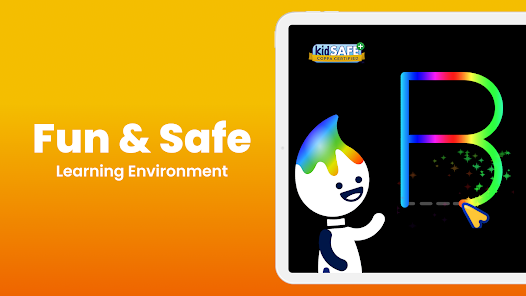
Security & Privacy Review ABCmouse Classic prioritizes the security and privacy of its users, particularly due to its focus on educational content for children. The app employs industry-standard encryption protocols to protect user data during transmission, ensuring that sensitive information remains secure. Additionally, the app does not share personal data with third parties without explicit consent, aligning with best practices in privacy management. When it comes to permissions, ABCmouse Classic typically requires access to the internet for content delivery and user account management. Parents are encouraged to create accounts that include limited personal information, minimizing the potential impact of data exposure. The app also features parental controls, allowing caregivers to monitor usage and adjust settings according to their preferences. Overall, ABCmouse Classic demonstrates a commitment to maintaining a safe environment for children while providing educational resources. Users can feel confident knowing that their data is handled with care and that their privacy is respected throughout their experience with the app.
Advertisement

User Reviews

  • A Google user
    2018/11/03

    Listed as "#7 top free." Took a long time to load and then took me straight to a menu to register to try the first month free, then subscribe. There are no games available to just click and play. Free apps should be free with options to buy extras if needed. I don't mind paying for educational materials, but this is misleading and immediately turned me off.

  • A Google user
    2018/09/20

    Problem 1 is you have to do the lessons in order with very little flexibility if your kid doesn't feel like singing songs or poking different colors on the screen just now. There's no ability to skip from one lesson to another, YOU WILL FOLLOW THE LEARNING PATH. Pages take too long to load and often get hung up clocking. At one point we couldn't progress past a particular exercise, no matter what we did. Thanks for the meltdown this caused. Using the latest model Samsung phone and tablets. I have buyers remorse and wish I hadn't spent the money for this.

  • Miracle Gemini
    2022/05/31

    It's okay. I liked it, it WAS fun. Until I realized you had to pay and we stopped paying. It's fun but it's No way near to paying you for money! You don't learn as my much for us to pay you! You should fix that. Anyway it's fun but nothing else is funner than the hamster game. I like to decorate my outfit but then my outfit was go default and I would lose it. So do some coding on that if you teach us to do coding maybe we need to help you code. So fix it please.

  • Hannah Baird
    2023/07/03

    During the registration be aware that after confirming your package ( month or year subscription) they continue to ask you if you'd like to "upgrade" for additional charges. I was asked if I wanted to "upgrade" to $59 a year instead of $12.99 per month and accepted, but it charged me for both! And then it asked me to upgrade for $20 more for the assessment. It didn't ask for any confirmation of payment, you click the button and it automatically charges you. No reviewing what you get first.

  • Bryanna Walker Cole
    2023/07/04

    My toddler loves it & not having to worry about pop up ads being clicked on is such a blessing. I also have seen the impact on my child's education in a good way. Only things I don't like as a parent is the lack of competition in some of the games as I've noticed you are always a winner but hope that changes as my child gets further down the road. I also don't like how you can quickly skim through books and still be credited for it. Lastly not being able to sell unused items bought with tickets

Review Source: Google Play store public user reviews.

FAQ

1

Can I submit suggestions or feedback to ABCmouse?

Yes, ABCmouse encourages users to submit suggestions or feedback through their customer support channels or feedback forms available on their website.

2

Does ABCmouse collect my personal data?

Yes, ABCmouse collects personal data as part of its registration process, but it adheres to privacy regulations to protect user information.

3

Does ABCmouse support offline use?

ABCmouse primarily requires an internet connection to access its content, but some features may be available for offline use through its mobile apps.

4

How do I cancel my ABCmouse subscription?

You can cancel your ABCmouse subscription by logging into your account, going to the account settings, and following the prompts to cancel or manage your subscription.

5

How much does a subscription to ABCmouse cost?

Subscription costs for ABCmouse vary depending on the plan chosen, with options for monthly or annual subscriptions available.

How to use ABCmouse Classic

1

Can I change my customer number for my ABCmouse Classic account?

Customer numbers are unique and cannot be changed. If you need assistance, please contact customer service for support.

2

How can I contact customer service for ABCmouse Classic?

You can reach ABCmouse Classic customer service by visiting our website and using the contact form or calling the support number provided.

3

How can I reset my password if I can't log in?

If you're unable to log in, click on "Forgot Password" on the login page and follow the prompts to reset your password via email.

4

How do I activate my ABCmouse Classic account?

To activate your account, follow the instructions in your confirmation email, or log in using your customer number and password.

5

I forgot my customer number; how can I retrieve it?

Please check your email for the registration confirmation or contact customer service for assistance in retrieving your customer number.

What's New

• Bug Fixes and Optimizations

Editor's Choice