This site uses cookies to enhance your user experience. By clicking any link on this site you are giving your consent to our cookie policy. Read more
Reject
Accept All

Advertiser and Editorial Disclosures

8x8 Work

8x8 Work

verified

8x8, Inc

4.1
Rating
500,000+ Downloads
12.6.0 Version
Advertisement
  • category

    Category: Business

  • price

    Price: free

  • age rating

    Age Rating: Everyone

  • rating

    Rating: 4.1

  • available on

    Available on: /

  • updated on

    Updated on: May 8, 2026

Screenshot 1
Screenshot 2
Screenshot 3
Screenshot 4
Screenshot 5
Screenshot 6
Screenshot 7
Screenshot 8
Screenshot 9
Advertisement

Features & Highlights

Integrated Analytics

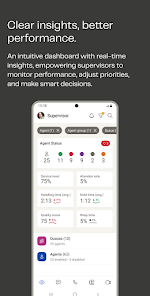
8x8 Work provides powerful analytics tools that help you gain insights into communication patterns and team performance. By analyzing call metrics, user engagement, and workflow efficiency, businesses can make informed decisions to enhance their operational strategies.

Intelligent Call Management

The platform features smart call routing and advanced voicemail capabilities, allowing you to manage your communications efficiently. You can prioritize important calls, set up follow-up reminders, and even access voicemail transcriptions, ensuring you never miss a beat in your business interactions.

Mobile Flexibility

With 8x8 Work's mobile app, you can stay connected on the go. The app offers all the core functionalities of the desktop version, ensuring that you can participate in meetings, send messages, and manage tasks from anywhere, making remote work easier than ever.

Unified Communication

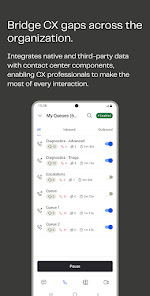
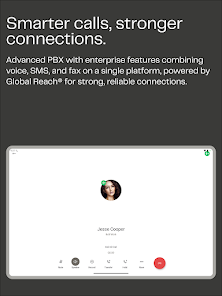
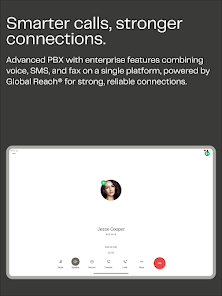
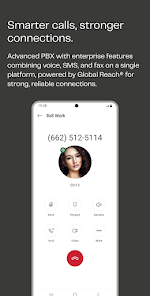
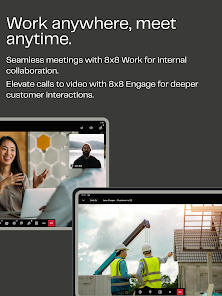
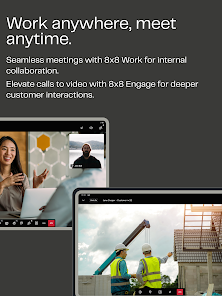
8x8 Work integrates voice, video, chat, and team messaging into one seamless platform. This allows users to connect effortlessly, whether they're in the office or working remotely, enhancing collaboration and productivity among team members.

Advertisement

Pros & Cons

Pros
  • Seamless integration with existing tools enhances productivity and collaboration.
  • Cloud-based solution allows access from anywhere, anytime, on any device.
  • Robust security features ensure data protection and privacy for your business.
  • Scalable plans accommodate growing teams and evolving business needs effortlessly.
  • 24/7 customer support provides assistance whenever you need it, ensuring reliability.
Cons
  • Limited integrations with popular third-party applications can hinder workflow efficiency.
  • User interface may be less intuitive for new users, increasing training time.
  • Customer support response times can be slow, leading to prolonged issues.

Real Experience Using 8x8 Work

Real Experience Application Scenarios

8x8 Work is a versatile communication platform suitable for businesses of all sizes. It excels in scenarios where remote collaboration is essential, making it an ideal choice for teams that operate in multiple locations. Whether you're conducting video conferences, managing customer support calls, or facilitating team chats, 8x8 Work provides a seamless experience. The app is particularly beneficial for organizations that prioritize unified communication, as it integrates voice, video, chat, and contact center functionalities into a single interface. This integration allows teams to share files, hold meetings, and communicate effectively without switching between multiple applications, creating a more efficient workflow.

User Experience

The user interface of 8x8 Work is intuitive and user-friendly, making it accessible for individuals with varying levels of tech-savviness. Upon launching the app, users are greeted with a clean dashboard that provides easy access to all features. The video and audio quality during calls is generally impressive, with minimal lag and clear sound, contributing to a smooth communication experience. Users can easily schedule meetings, send instant messages, and share screens, enhancing collaboration. Additionally, the app's mobile version ensures that users can stay connected on the go, which is a significant advantage for remote workers. However, some users have reported occasional glitches, particularly during high-traffic times, but these instances appear to be relatively rare.

Pricing

8x8 Work offers a variety of pricing plans tailored to meet different business needs. The plans range from basic options that cover essential features for small teams to comprehensive packages that cater to larger enterprises with advanced requirements. The pricing structure is competitive compared to similar platforms, making it an attractive choice for organizations looking to optimize their communication tools without breaking the bank. Additionally, 8x8 Work provides a free trial, allowing potential users to explore its features before committing to a paid plan. This transparency in pricing, combined with the flexibility of various plans, makes it easier for businesses to find a solution that fits their budget.

Updates & Support

8x8 Work is committed to continuous improvement, with regular updates that enhance functionality and performance. The development team actively listens to user feedback, often implementing suggestions to refine the user experience. Support options are readily available, including a comprehensive help center, live chat, and email support, ensuring that users can resolve issues swiftly. The community forums also provide a space for users to share experiences and solutions. Overall, the combination of consistent updates and robust support contributes to a positive user experience, making 8x8 Work a reliable choice for businesses aiming to enhance their communication strategies.

verified Security & Privacy Review

Security & Privacy Review 8x8 Work prioritizes data security and privacy, employing industry-standard encryption protocols for both data at rest and in transit. This ensures that sensitive communications remain secure from unauthorized access. The app utilizes secure authentication methods, including two-factor authentication, to bolster user account protection. Regarding privacy practices, 8x8 Work is transparent about its data collection policies. Users are informed about the types of data collected, which may include call logs, messages, and user profile information. The app adheres to GDPR and CCPA regulations, providing users with control over their personal data and the ability to request its deletion. Permissions requested by the app are clearly stated, allowing users to make informed decisions. While certain permissions, such as access to contacts and microphone, are necessary for optimal functionality, users can customize these settings to enhance their privacy. Overall, 8x8 Work demonstrates a strong commitment to protecting user data and maintaining privacy standards.
Advertisement

User Reviews

  • jonathanj0207
    2025/05/14

    its a good app on wifi. however i have noticed that it has poor reception when using mobile data. multiple users have told me i sound like i am either in a hallway, cutting out, or under water when on a mobile data signal. please work on this. the whole point of me even having this software was so i wouldn't miss important calls when i am out of the office. i have the latest version installed.

  • Michelle V
    2020/09/01

    Update 9/1/2020 The app has improved, less connection issues, but I do notice the status indicator is not always correct. i.e. it may show I'm on a call when I'm free. Not always easy to start meetings with screen sharing, and if you are already on call with someone via the mobile app and want to share your screen on the laptop, the call disconnects. Original: We use the desktop version at work, that's the only reason I'm downloading the app. It doesn't work properly most of the time.

  • Joey Graham
    2024/02/13

    It just doesn't work. I've deleted and reinstalled several times and it still won't work with speaker phone. Every person I talk to says they can barely hear me unless the receiver is practically in my mouth, and at the moment it won't place any calls at all. My regular phone app works perfectly fine, so whatever y'all have done to this app renders it absolutely useless on my phone.

  • A Google user
    2018/12/03

    Horrible app and horrible service. I'm switching back to Ricgcentral as soon as possible. 8x8 is holding me hostage with their poor contract. By the time they got service transferred over, their 60 day cancellation period had lapsed. The app doesn't work properly, the desk phones don't work properly, and the customer service is a run around. I've spent over 30 combined hours on hold with customer service in the first few months and still can't get it work g right. I had high hopes to bring all of my contractors over but I am advising against it for everyone.

  • Roan Bacalla
    2025/04/25

    Android phone app has a significant limitation in that when you receive calls it doesn't indicate whether a call is for you versus a call to a group that you're part of. I'm a nurse informaticist that belongs to the IT group number where 90% of calls aren't for me but there's no way to distinguish calls unless I'm on my desktop computer. Adding this functionality would significantly improve my experience of using 8x8 on my phone.

Review Source: Google Play store public user reviews.

FAQ

1

Can I submit suggestions or feedback to 8x8 Work?

Yes, users can submit suggestions or feedback to 8x8 Work through their support channels or within the app, helping improve future updates and features.

2

Does 8x8 Work collect my personal data?

Yes, 8x8 Work collects personal data as part of its functionality, which may include contact information and usage patterns, in accordance with its privacy policy.

3

Does 8x8 Work support offline use?

8x8 Work does not fully support offline use; however, some features may be accessible without an internet connection, but real-time communication requires connectivity.

4

How do I cancel my 8x8 Work subscription?

You can cancel your 8x8 Work subscription by accessing your account settings in the app or through the 8x8 website, where you will find options for managing your subscription.

5

How much does a subscription to 8x8 Work cost?

Subscription costs for 8x8 Work vary depending on the plan chosen, with pricing typically starting at a monthly rate per user, with additional features available at higher tiers.

How to use 8x8 Work

1

Can I change my customer number on 8x8 Work?

Unfortunately, customer numbers cannot be changed. For any concerns regarding your customer number, contact Customer Service for further assistance.

2

Do I need to activate my account before logging in?

Yes, you must activate your account using the link sent to your email before you can log in.

3

How can I activate my 8x8 Work account if I didn't receive the email?

Check your spam folder for the activation email. If it's not there, you can request a new activation email through the login page or contact Customer Service.

4

How do I contact Customer Service for 8x8 Work?

You can contact Customer Service via the support section on the 8x8 website, where you can find chat, email, or phone options.

5

How do I log in to my 8x8 Work account?

To log in, visit the 8x8 Work website and enter your email and password associated with your account. If you forget your password, use the "Forgot Password" link.

What's New

Saved & Pinned Messages are now available to all users.Fixes & Improvements - Fixed Bluetooth disconnection on Calls tab & crackling audio - Keypad in conference calls for contact center agents - Resolved app freezes and crashes in messaging - Recording transcriptions include both participants - Voicemail plays through speaker correctly - Accessibility & UI improvements

Editor's Choice