This site uses cookies to enhance your user experience. By clicking any link on this site you are giving your consent to our cookie policy. Read more
Reject
Accept All

Advertiser and Editorial Disclosures

7shifts: Employee Scheduling

7shifts: Employee Scheduling

verified

7shifts, Inc.

4.6
Rating
1,000,000+ Downloads
2026.04.1 Version
Advertisement
  • category

    Category: Business

  • price

    Price: free

  • age rating

    Age Rating: Everyone

  • rating

    Rating: 4.6

  • available on

    Available on: /

  • updated on

    Updated on: Jul 6, 2026

Screenshot 1
Screenshot 2
Screenshot 3
Screenshot 4
Screenshot 5
Screenshot 6
Screenshot 7
Screenshot 8
Screenshot 9
Screenshot 10
Screenshot 11
Screenshot 12
Screenshot 13
Advertisement

Features & Highlights

Mobile Access

7shifts is accessible on both iOS and Android devices, empowering employees to view their schedules and request time off on the go. This mobile functionality ensures that your team stays connected and engaged, no matter where they are, making scheduling more convenient for everyone.

Smart Scheduling

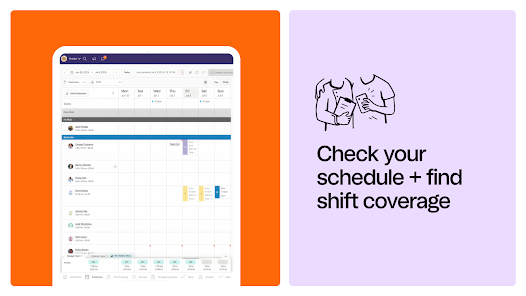
7shifts simplifies the scheduling process with its intuitive drag-and-drop interface, allowing managers to easily create and adjust shifts. This feature helps minimize scheduling conflicts and ensures optimal staff coverage, making it a breeze to manage employee availability and preferences.

Team Communication

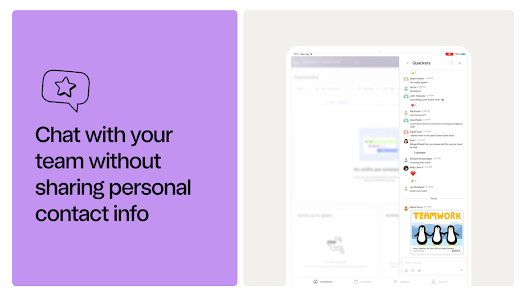
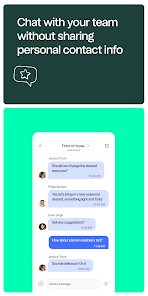
With built-in messaging tools, 7shifts enhances team communication by allowing employees to chat with each other and managers directly within the app. This fosters a collaborative environment and helps keep everyone informed about schedule changes or important announcements, reducing misunderstandings and boosting morale.

Time Tracking

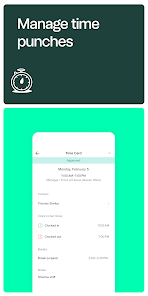
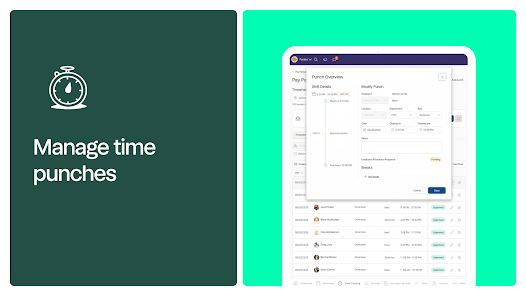
The app offers robust time tracking capabilities that allow employees to clock in and out seamlessly. Managers can monitor hours worked and overtime, ensuring accurate payroll processing and compliance with labor laws, ultimately saving time and reducing errors.

Advertisement

Pros & Cons

Pros
  • Streamline scheduling with an intuitive interface for quick adjustments.
  • Enhance team communication through real-time updates and notifications.
  • Reduce labor costs with optimized shift management and forecasting tools.
  • Boost employee satisfaction with self-service scheduling and availability features.
  • Access insightful reports to make data-driven staffing decisions easily.
Cons
  • Limited customization options can hinder unique scheduling needs.
  • High subscription costs may not fit all budgets.
  • Customer support response times can be slow during peak hours.

Real Experience Using 7shifts: Employee Scheduling

Application Scenarios

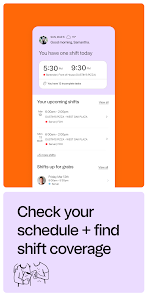
The 7shifts app is designed primarily for the hospitality industry, making it an invaluable tool for restaurant managers and staff. It simplifies employee scheduling, allowing managers to create and modify schedules with just a few taps. For instance, a restaurant manager can quickly fill shifts for unexpected absences or adjust schedules based on seasonal demand. The app is also useful for tracking employee availability, making it easy to manage part-time workers and full-time staff alike. Moreover, 7shifts offers an intuitive time clock feature that helps employees check in and out effortlessly, ensuring accurate tracking of hours worked. This functionality is particularly beneficial during busy service periods, as it reduces the time spent on administrative tasks, enabling managers to focus on customer service and operational efficiency.

User Experience

Users of the 7shifts app consistently report a positive experience thanks to its user-friendly interface and robust features. The app's layout is clean and organized, making navigation straightforward for both managers and employees. The drag-and-drop scheduling feature is a favorite among users, allowing managers to easily move shifts around without hassle. Employees appreciate the ability to view their schedules in real-time, request time off, and swap shifts with colleagues directly through the app. Notifications and reminders keep everyone informed about upcoming shifts, which minimizes the chances of miscommunication. Furthermore, the mobile accessibility of 7shifts means that both staff and management can stay updated on the go, making it a convenient option for busy environments.

Pricing

7shifts offers a tiered pricing model, making it adaptable for businesses of various sizes. There is a free plan available for businesses with up to 10 employees, which includes basic scheduling features. For those seeking more advanced functionalities, such as labor cost management and integrations with payroll systems, the paid plans start at an affordable monthly rate. This flexibility allows small businesses to utilize the app without breaking the bank while providing larger establishments with the tools they need to manage complex scheduling and labor costs effectively. Overall, the pricing structure is competitive compared to other scheduling software in the market, making it an attractive option for many restaurant owners.

Updates & Support

7shifts is committed to providing regular updates to enhance user experience and introduce new features based on customer feedback. The development team actively listens to user suggestions, resulting in frequent improvements that keep the app relevant and functional. Additionally, 7shifts offers a comprehensive support system, including an extensive knowledge base, video tutorials, and responsive customer service. Users can reach out via chat, email, or phone, ensuring that help is readily available whenever issues arise. This dedication to customer support has earned 7shifts positive reviews, as users feel valued and supported throughout their experience with the app.

verified Security & Privacy Review

Security & Privacy Review 7shifts: Employee Scheduling prioritizes user data security and privacy through robust measures. The app employs encryption protocols to protect sensitive information during transmission and storage, ensuring that employee data remains confidential. Users are required to grant specific permissions for the app to function effectively, including access to location services and notifications. These permissions are clearly outlined, allowing users to make informed decisions about their data sharing. The app adheres to industry standards for data protection and regularly undergoes security audits to identify and mitigate potential vulnerabilities. Additionally, 7shifts offers users control over their personal information, enabling them to manage privacy settings and restrict data sharing as needed. Furthermore, 7shifts is compliant with relevant privacy regulations, providing transparency about data collection practices and user rights. Overall, 7shifts demonstrates a strong commitment to safeguarding user data while maintaining an intuitive scheduling experience for employees and managers alike.
Advertisement

User Reviews

  • Kristyna V
    2023/06/10

    We've had our 7Shifts subscription for about 6 months now, and use it for scheduling at our coffee shop. The idea? Love it! The website? Functional and easy to use. This app? Absolute junk as it is. It crashes. Some employees don't get chat notifications despite having notifications enabled. Sometimes, for seemingly no reason at all, when creating a shift, the app will save it in a different time zone. For instance, the shift is 9-1, the app will show it as 10-2. Needs work.

  • Jonathan Quiello
    2023/06/08

    The app was working well, but just recently, it seems to be glitchy. Sales and labor numbers are not always available or are not available until much later on in the day. It used to be very accurate, but there is an obvious lag now. I also am no longer receiving any emails regarding shift changes, announcements, and messages. This is much more recent, and I have already double checked my settings and spam folders.

  • Tom Hixson
    2021/11/19

    It's gotten worse. Not sure why, but the drop-down to change an assignment snaps back before you can select anything. The notes on availability are so large they block dropping a shift on someone and can't be clicked through. Making rearranging for time off requests a game of operation to find the one spot I can drop the shift. The header/footer are so big that I see more of them on a 15" laptop than I do of the schedule I'm trying to work on. Overall 7shifts is backsliding from 3 years ago.

  • Otniel Velazquez
    2023/07/08

    Give the Employees freedom. Our restaurant managers love to micro manage and don't let us view our schedules in app. We can't sign up without an invite whatsoever. So we have no say in it at all. We don't get to use 7shifts to it's fullest potential. They print schedules directly from the website. Yes, website. There should be a way to circumvent such limitations. Otherwise, what's the point for an app?

  • James Harmon
    2025/03/27

    App worked without issue up until the most recent update (Android). Now it doesn't work at all. I've uninstalled and reinstalled several times, and the app still does not work. I wouldn't mind if it glitched or ran slower than before as long as it still worked. It's also a bit of a digital slap in the face receiving notifications regarding app activity for an app that I can't interact with.

Review Source: Google Play store public user reviews.

FAQ

1

Can I submit suggestions or feedback to 7shifts: Employee Scheduling?

Yes, users can submit suggestions or feedback through the app or the official 7shifts website, where they are encouraged to share ideas for improvements or new features.

2

Does 7shifts: Employee Scheduling collect my personal data?

Yes, 7shifts collects personal data to provide its services, including information necessary for scheduling and communication purposes, as detailed in their privacy policy.

3

Does 7shifts: Employee Scheduling support offline use?

7shifts does not support offline use; an internet connection is required to access its features and functionalities.

4

How do I cancel my 7shifts: Employee Scheduling subscription?

You can cancel your 7shifts subscription by accessing your account settings and following the cancellation process outlined there, ensuring you do so before the next billing cycle.

5

How much does a subscription to 7shifts: Employee Scheduling cost?

Subscription costs for 7shifts vary based on the plan chosen and the number of locations, with pricing typically starting at a monthly rate per location.

How to use 7shifts: Employee Scheduling

1

Can I change my account settings after activation?

Yes, you can change your account settings anytime after activation by logging in and navigating to the settings section.

2

How can I reach customer service for 7shifts?

You can contact customer service via the help section in the app or by calling the provided customer number.

3

How do I activate my 7shifts account?

To activate your account, follow the link in your registration email and complete the setup process. If you encounter issues, reach out to customer service.

4

How do I log in if I forgot my password?

Use the "Forgot Password" link on the login page to reset your password and regain access to your account.

5

I lost my login information; how can I recover it?

You can recover your login information by using the "Forgot Password" option on the login page or by contacting customer service for further help.

What's New

* Minor bug fixes

Editor's Choice