This site uses cookies to enhance your user experience. By clicking any link on this site you are giving your consent to our cookie policy. Read more
Reject
Accept All

Advertiser and Editorial Disclosures

Todoist: To Do List & Calendar

Todoist: To Do List & Calendar

verified

Doist Inc.

4.6
Rating
10,000,000+ Downloads
/ Version
Advertisement
  • category

    Category: Productivity

  • price

    Price: free

  • age rating

    Age Rating: Everyone

  • rating

    Rating: 4.6

  • available on

    Available on: /

  • updated on

    Updated on: Jul 7, 2026

Screenshot 1
Screenshot 2
Screenshot 3
Screenshot 4
Screenshot 5
Screenshot 6
Screenshot 7
Screenshot 8
Screenshot 9
Screenshot 10
Screenshot 11
Screenshot 12
Screenshot 13
Advertisement

Features & Highlights

Collaboration Tools

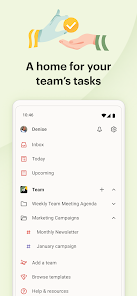
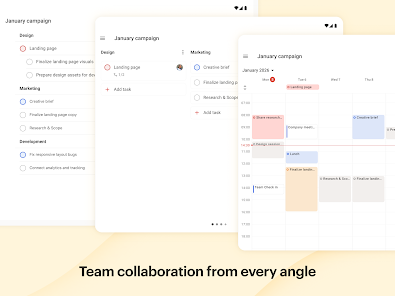
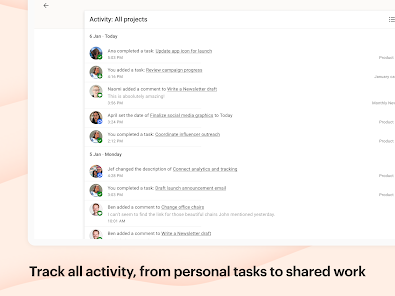
Todoist shines in team settings, offering robust collaboration features that allow you to share projects and assign tasks to others. This fosters teamwork and accountability, making it simple to coordinate efforts and achieve collective goals, whether in a professional or personal context.

Due Dates & Reminders

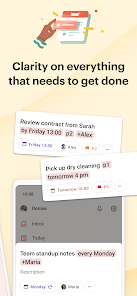
Stay on top of your schedule with Todoist's intuitive due date and reminder features. You can set deadlines for tasks and receive timely notifications, so you never miss a beat. This makes it easier to manage your time effectively and keep your projects on track.

Integration with Other Apps

Enhance your productivity by integrating Todoist with a variety of other applications like Google Calendar, Dropbox, and Slack. This connectivity allows for a streamlined workflow where all your tools work together, making it easier to track tasks and stay organized across different platforms.

Task Organization

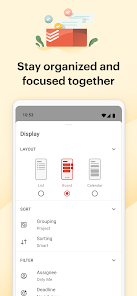
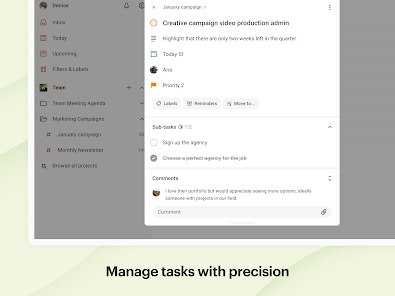
Todoist allows you to seamlessly organize tasks into projects and sub-tasks, helping you maintain clarity and focus. With labels and filters, you can easily categorize and prioritize your workload, ensuring that nothing falls through the cracks as you tackle your daily responsibilities.

Advertisement

Pros & Cons

Pros
  • Organize tasks effortlessly with intuitive project and label features.
  • Sync across all devices for seamless access anywhere.
  • Collaborate easily by sharing projects with team members.
  • Set reminders and due dates to stay on track.
  • Gain insights with productivity tracking and visual reports.
Cons
  • Limited customization options may hinder personalized task management
  • Syncing issues can disrupt workflow and productivity
  • The premium version's cost may be a barrier for some users

Real Experience Using Todoist: To Do List & Calendar

Application Scenarios

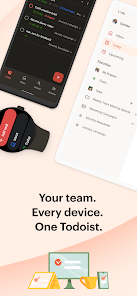
Todoist is a versatile productivity application that caters to a wide range of users and scenarios. Whether you're a busy professional managing projects, a student juggling assignments, or a homemaker keeping track of daily chores, Todoist can adapt to your needs. The app allows you to create tasks and subtasks, set deadlines, and categorize items with labels and priority levels. This makes it ideal for personal use, work projects, or collaborative efforts with teams. With its calendar integration, users can seamlessly visualize their schedules, ensuring that important deadlines and meetings are never missed. The app's cross-platform functionality means you can access your to-do lists from various devices, making it suitable for individuals who are always on the go.

User Experience

The user experience on Todoist is remarkably intuitive and user-friendly. The clean interface allows users to navigate through tasks effortlessly, whether they are adding new items or checking off completed ones. The app’s design is visually appealing, with a minimalist aesthetic that reduces distractions. Notifications and reminders are highly customizable, ensuring that users are prompted at just the right time. Additionally, the robust search functionality allows users to quickly find tasks, making it easy to sort through large lists. Todoist also offers collaboration features, enabling users to share projects with others and track progress collectively. Overall, the user experience is streamlined, making task management feel less like a chore and more like an empowering process.

Pricing

Todoist operates on a freemium model, offering both a free version and a premium subscription. The free version provides essential features suitable for basic task management, including task creation, due dates, and project organization. However, for users looking for advanced functionalities, the premium subscription unlocks additional features such as reminders, labels, filters, and productivity tracking. The premium plan is reasonably priced, making it accessible for individual users and teams alike. Additionally, Todoist offers a business plan that includes team management features, making it an excellent choice for organizations looking to enhance their collaborative efforts. This tiered pricing structure ensures that users can select a plan that fits their unique needs and budgets.

Updates & Support

Todoist is committed to continuous improvement, regularly releasing updates that enhance functionality and user experience. Users can expect new features, performance enhancements, and bug fixes through these updates, ensuring the app remains relevant and efficient. The support system is robust, providing users with a comprehensive knowledge base, FAQs, and community forums for troubleshooting and tips. For more personalized assistance, Todoist also offers email support, ensuring that users can resolve issues quickly. Overall, the commitment to regular updates and responsive support contributes positively to the overall user satisfaction with the app, making it a reliable choice for task management.

verified Security & Privacy Review

Security & Privacy Review Todoist prioritizes user security and privacy, employing industry-standard encryption protocols to protect data both in transit and at rest. The app utilizes HTTPS for secure data transmission, ensuring that sensitive information remains confidential during online interactions. When it comes to privacy practices, Todoist has a clear privacy policy that outlines how user data is collected, used, and shared. The app does not sell personal information to third parties, and data is primarily used to enhance user experience and improve functionalities. Todoist requires several permissions for optimal performance, such as access to notifications and calendar integration. Users are encouraged to review these permissions during installation and can adjust them in their device settings at any time. The app also offers two-factor authentication to bolster account security, providing an extra layer of protection against unauthorized access. Overall, Todoist demonstrates a strong commitment to safeguarding user data while maintaining transparency about its data handling practices, making it a reliable choice for task management.
Advertisement

User Reviews

  • Lauren
    2026/07/01

    This app has changed my life! Get the paid version with Ramble. It transcribes verbal dictation perfectly and sets dates and reminders automatically. Game changer for ADHD where I have to input things easily and fast before my brain moves on and gets distracted. I dont think I would have stuck with it without Ramble.It takes a bit to set up and get used to using it but afterwards I cant tell you how much my life changed. It cleared the clutter in my brain and got rid of the lists I never did.

  • C A
    2026/05/31

    Buggy UI in the latest. Will try to find a working version from a few years back or else stop using it. When completing a task a pop-up message stays on forever preventing me from reading what's underneath it unless I restart. There should be an option for small pop-ups out of the way that disappear far quicker then they currently do. The Undo option should be available somewhere in a menu, not in my face preventing me from using the app and wasting my time waiting for it.

  • Elliott Grant
    2026/01/26

    I think I tried Todoist years ago and forgot about it, but it's stuck with me this time around. The free version is excellent; the only feature I'm really missing is the ability to add deadlines, which I can live without, at least for now. I love the calendar integration and the widget. There are zero ads which is amazing. Thanks Todoist for helping me with productivity!

  • Christine Muller
    2026/06/16

    EDIT: I reached out to support as advised in the response but they were not willing to do anything. I have used Todoist since 2010 but will have to look for another app. I paid for pro for many of those years but $60/year has become way too much. Some of us do not use the AI features, and just need reminders and more than 5 projects. For those basic needs, the new pricing makes it not worth it. Maybe come up with subscription tiers?

  • Jonathan Blaine
    2024/12/21

    Fantastic. I don't just use it every day, I rely on it every day. Perhaps the best thing I can point out in a short review: the power of knowing I have to do something at a future date, telling ToDoist to put it on the list for then, and letting go of the weight of 'what if I forget?'. Tasks can be set for 'every other Tuesday' or 'every! 30 days'- i.e. 30 days from the last completion - great for filter changes or the like. I can create tasks via email and Teams with ease. Again: fantastic.

Review Source: Google Play store public user reviews.

FAQ

1

Can I submit suggestions or feedback to Todoist: to-do list & planner?

Yes, Todoist encourages users to submit suggestions and feedback through their support channels or community forums, where users can share ideas for improvements and new features.

2

Does Todoist: to-do list & planner collect my personal data?

Todoist collects user data to improve its services, but it has a privacy policy that outlines how this data is used and protected. Users should review the privacy policy for detailed information.

3

Does Todoist: to-do list & planner support offline use?

Yes, Todoist supports offline use, allowing users to access and manage their tasks without an internet connection. Changes made offline will sync once the device is back online.

4

How do I cancel my Todoist: to-do list & planner subscription?

Users can cancel their Todoist subscription by going to their account settings in the app or website, selecting the subscription section, and following the cancellation prompts.

5

How much does a subscription to Todoist: to-do list & planner cost?

The cost of a subscription to Todoist varies; the premium plan typically costs around $3 per month when billed annually, while the business plan costs approximately $5 per user per month when billed annually. Check the official website for the latest pricing details.

How to use Todoist: To Do List & Calendar

1

Can I change my customer number after logging in?

Unfortunately, customer numbers cannot be changed. If you need further assistance, please contact customer service.

2

How can I contact customer service if I'm having trouble logging in?

You can reach customer service through the help section in the app or by emailing support

3

How do I activate my account after signing up?

To activate your account, check your email for an activation link and follow the instructions provided.

4

How do I recover my account if I can't activate it?

If you're unable to activate your account, check your spam folder for the activation email or contact customer service for further assistance.

5

Is there a way to get support if I need a new customer number?

Yes, you can get support by contacting customer service directly through the app or via email.

What's New

🐛 We’ve made things a bit better around here. Just for you. (Well, you and a few million other users ...)💡 Tap What’s New in settings to learn more.

Editor's Choice