This site uses cookies to enhance your user experience. By clicking any link on this site you are giving your consent to our cookie policy. Read more
Reject
Accept All

Advertiser and Editorial Disclosures

Snapchat

Snapchat

verified

Snap Inc

4.1
Rating
1,000,000,000+ Downloads
13.77.0.52 Version
Advertisement
  • category

    Category: Communication

  • price

    Price: free

  • age rating

    Age Rating: Teen

  • rating

    Rating: 4.1

  • available on

    Available on: /

  • updated on

    Updated on: Jul 7, 2026

Screenshot 1
Screenshot 2
Screenshot 3
Screenshot 4
Screenshot 5
Screenshot 6
Screenshot 7
Screenshot 8
Screenshot 9
Screenshot 10
Screenshot 11
Advertisement

Features & Highlights

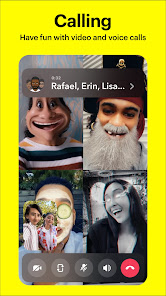
Chat & Video Calls

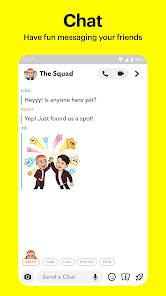
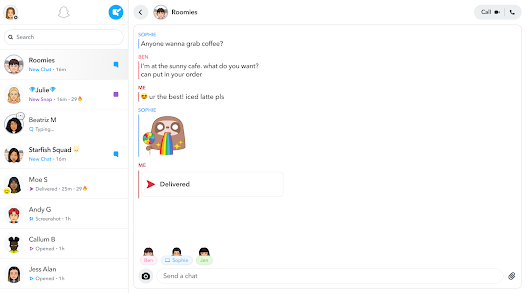
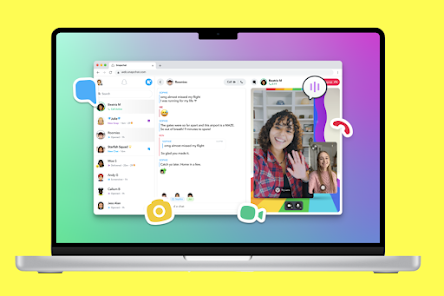
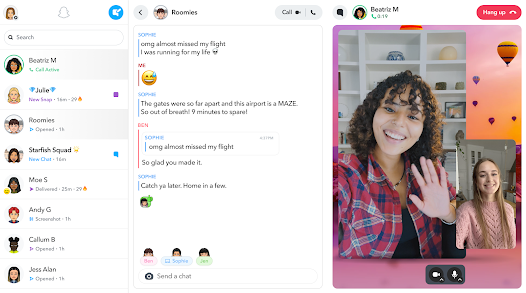
Snapchat offers a seamless chat feature where users can send texts, photos, and videos directly to friends. Additionally, the app supports video calls, allowing users to connect face-to-face in real-time, which enhances the social experience and fosters deeper connections.

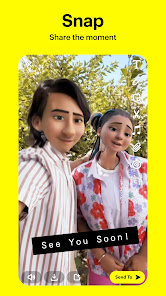
Lenses & Filters

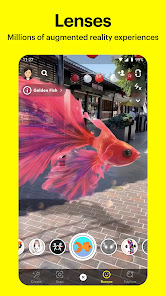
With an extensive library of augmented reality lenses and fun filters, Snapchat users can transform their selfies and videos into something truly unique. These playful effects add a layer of entertainment, making every snap an opportunity for laughter and creativity among friends.

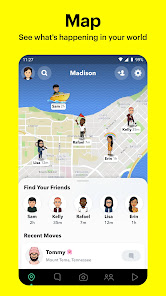
Snap Map

The Snap Map feature lets users share their location with friends, showcasing real-time updates and events happening around them. It highlights nearby activities and gatherings, promoting exploration and engagement with the world, making it easier to find fun things to do together.

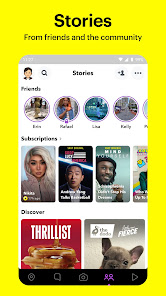
Snapchat Stories

Snapchat Stories allow users to share a collection of photos and videos that disappear after 24 hours. This feature encourages creativity and spontaneity, enabling friends to stay connected through daily snippets of their lives in a fun and engaging way.

Advertisement

Pros & Cons

Pros
  • Ephemeral messaging promotes genuine, spontaneous interactions.
  • Creative tools enhance self-expression through filters and lenses.
  • Discover engaging content from friends and brands easily.
  • Privacy features empower users to control their visibility.
  • Strong community-building through shared experiences and stories.
Cons
  • Content disappears quickly, limiting engagement.
  • Privacy concerns over user data and snaps.
  • Addictive nature can disrupt daily life.
  • Limited audience reach compared to other platforms.

Real Experience Using Snapchat

Application Scenarios

Snapchat is a versatile social media platform that thrives on instant communication and visual storytelling. Users can share fleeting moments with friends and followers through photos and videos that disappear after being viewed. This ephemeral nature encourages spontaneity, making it ideal for casual interactions, whether it’s sharing a fun day out, a memorable event, or just a silly selfie. Additionally, Snapchat's unique features, such as Stories and Snap Map, allow users to showcase their daily lives and connect with others based on location. The app is particularly popular among younger demographics, who use it to maintain friendships, express creativity through filters and lenses, and engage with branded content in a fun, interactive way.

User Experience

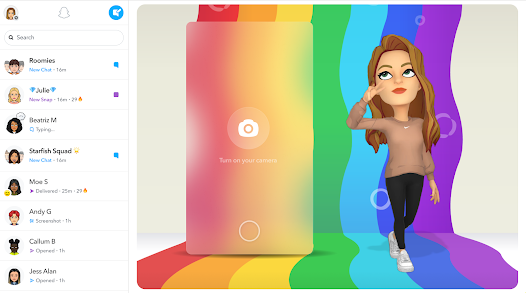
Snapchat's user interface is intuitive and engaging, designed for quick navigation. The camera-centric home screen encourages users to capture and share moments instantly. The array of filters and lenses adds a playful element, allowing for creative expression. However, the app's unique design can be somewhat confusing for new users, especially with its various features being hidden in different sections. Despite this learning curve, once users become familiar with the layout, they often find it enjoyable to explore the diverse functionalities. The messaging feature is seamless, enabling users to chat with friends while also sharing multimedia content. Additionally, the Discover section provides a curated feed of content from publishers, making it easy to find news and entertainment tailored to individual interests.

Pricing

Snapchat is free to download and use, making it accessible to a wide audience. The app generates revenue through advertisements and promotional content. Users can also purchase optional in-app features, such as additional filters and lenses, enhancing their experience without mandatory fees. While the app is free, its business model relies heavily on user engagement and ad views, which is a common approach among social media platforms today.

Updates & Support

Snapchat is consistently updated with new features and enhancements, reflecting user feedback and emerging trends in social media. Regular updates often introduce new filters, improved camera functionality, and enhanced privacy settings, ensuring the app remains relevant and engaging. In terms of support, Snapchat offers a comprehensive help center and community forums, where users can find solutions to common issues. The app also provides direct customer support channels for more complex problems, aiming to maintain a positive user experience. Overall, Snapchat's commitment to innovation and user satisfaction positions it as a leading platform in the social media landscape.

verified Security & Privacy Review

Snapchat has implemented several security measures to protect user data, though concerns about privacy persist. The app uses encryption for Snaps and Chats, ensuring that messages are not easily accessible by unauthorized parties. However, users should be aware that Snaps can be saved or screenshotted by recipients, which may compromise privacy. Regarding permissions, Snapchat requires access to the camera, microphone, and location services, which can be a concern for some users. It is essential to review these permissions and adjust settings according to personal comfort levels. The app offers options to control who can view your Snaps and Stories, enhancing user control over shared content. Snapchat also retains user data for a limited time, but the specifics can vary based on user activity. Users are encouraged to review the privacy policy regularly to stay informed about data handling practices. Overall, while Snapchat provides certain privacy features, users should remain vigilant about the potential risks associated with their shared content and permissions granted to the app.
Advertisement

Compare APP

User Reviews

  • Kelly Conboy
    2026/04/30

    I pay for snap plus and have never received ads since... I've now started to get ads at least 2-3 times a day depending on if I've opened the last one they invasively sent... the lens thing is obnoxious... again, I already pay. but apparently the amount I've paid isn't enough for access to the lenses that, not to mention, they require an entirely separate app for... app is going downhill quick. if it weren't for multiple streaks I have over 1k+ I would have deleted this app months ago.

  • Carolina Coreas
    2026/02/25

    This app is possibly one of the best examples of how fast an app can die. They returned the other content to the discover page, but there's still plenty of borderline porn content no matter how much try to hide these spotlight stories. Also, why add the find friends section on the chat when it's already on the profile page? It's redundant and intrusive, I don't care about talking to strangers, stop suggesting them. Furthermore, I'm NOT paying for something that used to be free for years.

  • Eb
    2026/01/26

    It selectively refuses to allow you to hide certain accounts from discover, and it will not allow you to contact a human at snapchat to resolve the issue. I've blocked one account at least 5 times. If I try to hide it, it just says something went wrong, but only for that particular account. I've updated the app 3 times and reset my phone and everything. It only does this on accounts promoting their onlyfans. Edit: 7 months later and nothing has changed. I still can't hide it.

  • luke pfennig
    2025/10/11

    the app was always a fad that would die out eventually, but they got one thing right which was well categorized, by date, digital media. it was easy to navigate and did its job well. Changing your policy this late in the game to charge people for their own data, especially when it's the only reason most people still have your app installed at all, is it a great way to ensure that your app will die

  • Sara Pinkston
    2025/01/01

    I'd give more stars, but I don't appreciate getting the same notification over and over again. Even after fixing them to how I want them to be, I'll get the same notification about stories about 10 times. I can delete the notification, and as soon as I swipe, the same one pops back up within seconds. Ridiculous. The add music option doesn't allow me to hear the music either. I can't hear any sound while editing the photo or clip I'm trying upload to stories until after it's posted.

Review Source: Google Play store public user reviews.

FAQ

1

Does Snapchat collect my personal data?

Yes, Snapchat collects personal data such as location, usage information, and device details to provide and improve its services. Users can review the app's privacy policy for more information on data collection and usage.

2

Does Snapchat offer a free trial or free version?

Snapchat is free to download and use, offering a variety of features without any cost. However, certain premium features may require a subscription to Snapchat+.

3

Does Snapchat require an internet connection?

Yes, Snapchat requires an internet connection, either through Wi-Fi or mobile data, to send and receive snaps, messages, and access various features within the app.

4

How can I contact support or send feedback for Snapchat?

You can contact Snapchat support through the app's "Support" section or by visiting the Snapchat Support website, where you can find help articles and submit feedback or inquiries.

5

How do I manage or cancel my Snapchat subscription?

You can manage or cancel your Snapchat subscription through the app's settings under the "Subscriptions" section or by visiting your app store account settings, depending on how you subscribed.

How to use Snapchat

1

How can I contact Snapchat customer service?

You can contact Snapchat customer service through the app by tapping on your profile, selecting 'Support,' and then 'I Need Help.' You can also visit their official website for further assistance.

2

How do I activate my Snapchat account?

Snapchat accounts are automatically activated when you sign up. Just download the app, create an account, and start using it right away.

3

How do I log in to my Snapchat account?

To log in, open the Snapchat app, enter your username or email and password, and tap 'Log In.' If you've forgotten your password, use the 'Forgot Password?' option.

4

What is the customer service number for Snapchat?

Snapchat does not provide a direct customer service number. You can reach out to them via the app or their support website for help.

What's New

Just a little tune-up to keep everything running smoothly! 👻

Editor's Choice