This site uses cookies to enhance your user experience. By clicking any link on this site you are giving your consent to our cookie policy. Read more
Reject
Accept All

Advertiser and Editorial Disclosures

PENUP

PENUP

verified

Samsung Electronics Co., Ltd.

4.6
Rating
100,000,000+ Downloads
/ Version
Advertisement
  • category

    Category: Art & Design

  • price

    Price: free

  • age rating

    Age Rating: Teen

  • rating

    Rating: 4.6

  • available on

    Available on: /

  • updated on

    Updated on: Jun 11, 2026

Screenshot 1
Screenshot 2
Screenshot 3
Screenshot 4
Screenshot 5
Screenshot 6
Screenshot 7
Screenshot 8
Screenshot 9
Screenshot 10
Screenshot 11
Screenshot 12
Screenshot 13
Screenshot 14
Screenshot 15
Screenshot 16
Advertisement

Features & Highlights

Art Challenges

Participate in exciting art challenges that push your creative boundaries. PENUP regularly hosts themed contests where users can showcase their talent and creativity. Engaging in these challenges not only hones your skills but also allows you to gain recognition within the community.

Community Engagement

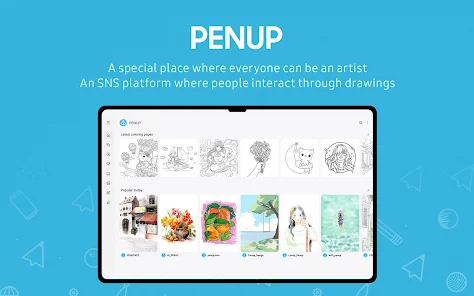
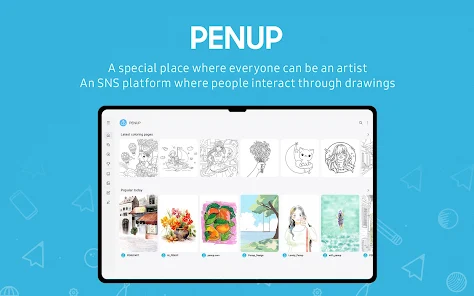
Join a vibrant community of artists and art lovers on PENUP. Share your creations, receive feedback, and connect with others who share your passion for art. The platform fosters collaboration and encourages users to inspire one another, making it a great place to grow your skills.

Creative Drawing Tools

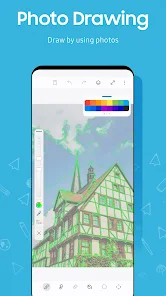
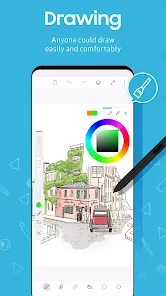
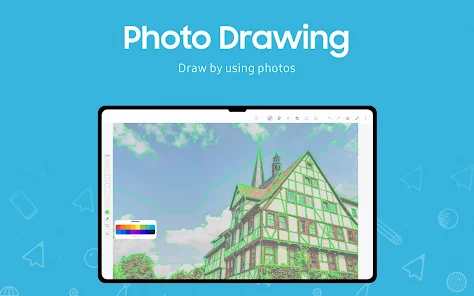
PENUP offers a rich array of drawing tools designed to inspire creativity. From brushes to customizable color palettes, users can experiment and create art that reflects their personal style. Whether you're a beginner or an experienced artist, these tools make it easy to bring your vision to life.

Gallery Showcase

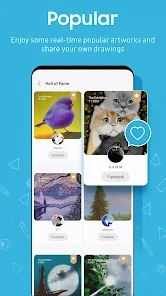
Display your artwork in a personalized gallery that highlights your best pieces. PENUP lets you curate your own collection, making it easy for others to appreciate your artistic journey. This feature not only boosts your confidence but also encourages interactions with fellow artists.

Advertisement

Pros & Cons

Pros
  • Showcase your creativity to a global community of art enthusiasts.
  • Receive constructive feedback to improve your drawing skills.
  • Discover inspiration from diverse artists and their unique styles.
  • Participate in exciting challenges to enhance your artistic journey.
  • Easily share your artwork across multiple social media platforms.
Cons
  • Limited audience engagement may reduce visibility for your artwork.
  • User interface can be confusing for newcomers.
  • Lack of advanced editing tools restricts creative flexibility.

Real Experience Using PENUP

Real Experience Application Scenarios

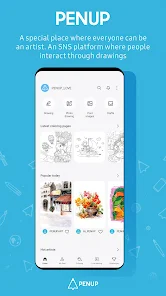
PENUP serves as a digital canvas for artists and doodlers alike, providing a platform where users can unleash their creativity. Whether you are an aspiring artist, a professional illustrator, or simply someone who enjoys sketching in their free time, PENUP caters to a wide array of artistic needs. Users can create drawings, paintings, and designs using various tools and brushes that mimic real-life art supplies. Additionally, the app encourages sharing and community engagement, allowing users to showcase their work, receive feedback, and connect with other artists across the globe. From crafting social media posts to designing personalized greeting cards, PENUP is versatile enough for both casual and serious artistic endeavors.

User Experience

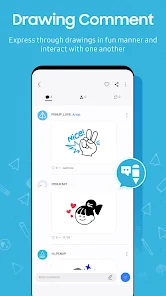
The user experience in PENUP is both intuitive and enjoyable. The interface is clean and user-friendly, making it easy for users of all skill levels to navigate through its features. The app offers a wide variety of brushes, colors, and effects that allow for detailed and intricate designs. Users can layer their artwork, undo mistakes, and even access tutorials to enhance their skills. The community aspect of PENUP is particularly appealing; users can follow each other, like and comment on posts, and participate in themed challenges that foster creativity. However, some users have noted occasional performance issues, particularly on older devices, where lag can disrupt the creative flow. Despite this, the overall experience is enriched by the supportive community and the diverse range of artistic tools available.

Pricing

PENUP is available for free, making it accessible to a broad audience. Users can download the app and enjoy a plethora of features without the need for a subscription or one-time payment. However, there are optional in-app purchases available for those looking to enhance their experience further, such as premium brushes or exclusive design packs. These purchases are reasonably priced, allowing users to customize their toolkit according to their artistic needs. The free model, combined with affordable add-ons, ensures that PENUP remains an attractive option for both hobbyists and serious artists.

Updates & Support

The development team behind PENUP is proactive in releasing updates that enhance functionality and improve user experience. Frequent updates introduce new features, tools, and performance improvements, demonstrating a commitment to user feedback and technological advancement. Support options are readily available through the app, including FAQs, tutorials, and direct customer service channels. Users have reported positive experiences with the support team, noting timely responses and helpful guidance. Overall, PENUP's dedication to continuous improvement and user support contributes to a satisfying and enriching artistic experience.

verified Security & Privacy Review

Security & Privacy Review PENUP prioritizes user security and privacy by implementing industry-standard encryption protocols to protect data both in transit and at rest. The app collects minimal personal information, ensuring that users can engage with the platform without compromising their privacy. Transparency is key; PENUP clearly outlines its data usage policies in the privacy policy section, allowing users to understand how their information is utilized. Permissions requested by the app are limited to essential functionalities, such as accessing the device's camera and storage for uploading artwork. This approach minimizes the risk of exposing sensitive user data to third parties. Additionally, PENUP employs robust authentication methods to safeguard accounts against unauthorized access. User data is handled responsibly, with options for users to manage their privacy settings and delete their accounts if desired. Overall, PENUP demonstrates a strong commitment to maintaining user security and privacy, fostering a trustworthy environment for creative expression.
Advertisement

User Reviews

  • Sarah Gibson
    2024/03/09

    I love this app! It was automatically on my tablet and now I use it so much. It is so useful for beginners that are trying to learn how to draw digitally. It has coloring pages, challenges, and more! Although it us a great app, it does have it faults. One of the ones that I found annoying is that if you have slow internet, it will sometimes exit the app. If you happen to be drawing while this happens, everything that you drew since your last save will be gone. To prevent this, save more often.

  • Audra Ragland
    2024/06/08

    22GB!!!! I was really enjoying the app lately. I used it in the past but picked it up again recently and have been coloring a good bit. Then it began to freeze on me. Then it crashed with a notice saying, "Not enough storage." I then realized this app was taking up 22gb. I cleared the cache and data, and it went back to low mb numbers. I only had maybe 10 pages colored, I guess that was too much. If I keep using it, I guess I'll just save my pages and clear the data after a few.

  • Claudia Luna
    2025/02/06

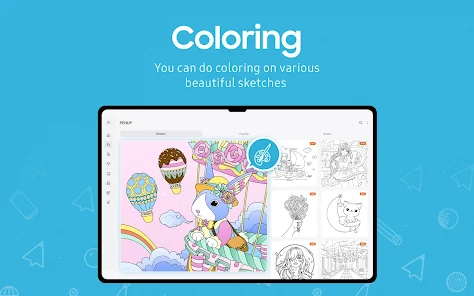
    Love the app; many possibilities to do. Several tools to explore your potential, admire others' work, learn step by step, give and get feedback, season challenges, pre-designed coloring pages, and more. I would love to be able to erase the background of an image imported from my gallery and erase by color, unless I haven't found it. I don't think I have seen any ads, so that's a plus. Really happy to have come across this app.

  • Chiane Agosto
    2020/10/28

    AWESOME app that I just discovered purely because of the fact that I bought a new phone.. Decided to give it a try just since I was bored at the time and since I actually didn't have a clue what the app was about. I started a drawing and now I can't stop.... (All good things!) I'm an artist anyway, so this is a great way for me to get the ol' artistic juices flowing when I can't have any of my usual art supplies with me. Only suggestion: WE NEED MORE COLORS TO WORK WITH! Mettalic, Matte, etc.

  • James Gmail
    2020/10/20

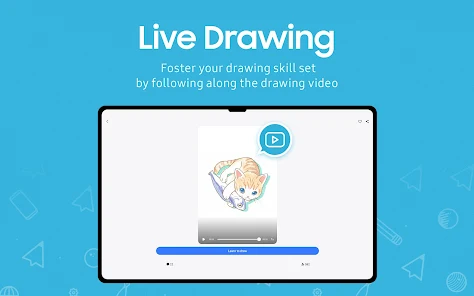
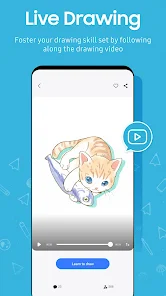
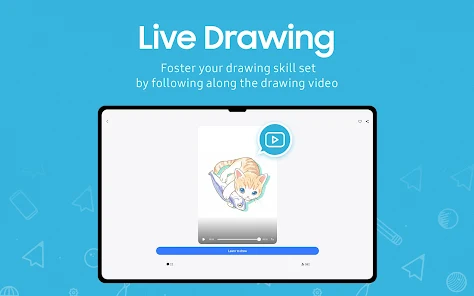
    It would be 5 stars if I can figure out why the live drawing steps (colors, blending, etc) don't match when you draw it yourself following each step. I don't know if its user error or what but its very frustrating when learning how to paint since I'm a perfectionist. Paint colors don't blend nicely like how its shown during each step, nor does it seem like the colors match perfectly either during the live draw. Free handing has been fun and again, my review will change once solved

Review Source: Google Play store public user reviews.

FAQ

1

Can I submit suggestions or feedback to PENUP - Share your drawings?

Yes, users are encouraged to submit suggestions and feedback through the app's support or feedback feature to help improve future updates.

2

Does PENUP - Share your drawings collect my personal data?

PENUP may collect personal data, such as account information and usage statistics, but it adheres to privacy policies to protect user information.

3

Does PENUP - Share your drawings support offline use?

Yes, PENUP allows users to create and save drawings offline, but certain community features may require an internet connection.

4

How do I cancel my PENUP - Share your drawings subscription?

Users can cancel their subscription through their app store settings or account management section within the app.

5

How much does a subscription to PENUP - Share your drawings cost?

PENUP offers subscription options that vary in price, generally providing users with enhanced features or ad-free experiences.

How to use PENUP

1

Can I update my customer number?

Unfortunately, customer numbers cannot be changed. If you have issues, please contact customer service for help.

2

Can customer service help me with account issues?

Absolutely! Customer service is available to assist you with any account-related issues you may encounter.

3

How can I activate my PENUP account?

To activate your account, click the activation link sent to your email after registration and follow the instructions provided.

4

How can I contact customer service for my PENUP account?

You can reach our customer service through the support section in the app or by emailing support

5

How do I log in if I'm using a new device?

To log in from a new device, simply download the app, enter your credentials, and tap log in.

What's New

• New brush added as drawing tool• Supports Dual Brush• Added Draft File Export feature• Lasso (Added Auto-selection option)• Supports Landscape mode• Sync with Samsung account email

Editor's Choice