This site uses cookies to enhance your user experience. By clicking any link on this site you are giving your consent to our cookie policy. Read more
Reject
Accept All

Advertiser and Editorial Disclosures

Open Chat - AI bot app

Open Chat - AI bot app

verified

AceTools Team

4.6
Rating
10,000,000+ Downloads
1.2.5 Version
Advertisement
  • category

    Category: Productivity

  • price

    Price: free

  • age rating

    Age Rating: Everyone

  • rating

    Rating: 4.6

  • available on

    Available on: /

  • updated on

    Updated on: Jun 9, 2026

Screenshot 1
Screenshot 2
Screenshot 3
Screenshot 4
Screenshot 5
Screenshot 6
Screenshot 7
Screenshot 8
Advertisement

Features & Highlights

Instant Responses

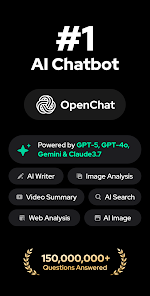
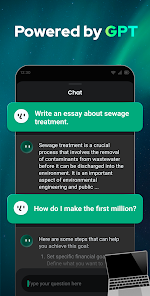
Open Chat provides lightning-fast answers to your queries, ensuring you never have to wait long for information. Whether you're looking for facts, advice, or just a fun chat, the AI is always ready to engage and assist you in real-time, making conversations feel natural and fluid.

Multilingual Support

Open Chat breaks down language barriers by offering multilingual capabilities, allowing users from diverse backgrounds to communicate effortlessly. With its ability to understand and respond in multiple languages, you can explore conversations in your preferred language without any hassle.

Personalized Interactions

Experience tailored conversations with Open Chat as it learns from your preferences and past interactions. This personal touch enhances user engagement, allowing the AI to better understand your needs and respond in a way that feels more relevant and meaningful to you.

User-Friendly Interface

The app boasts an intuitive and easy-to-navigate interface, making it accessible for everyone. Whether you're tech-savvy or a beginner, Open Chat ensures that you can start chatting with the AI bot quickly and smoothly, enhancing your overall experience.

Advertisement

Pros & Cons

Pros
  • Experience seamless conversations
  • AI-driven responses in real-time
  • User-friendly interface for all
  • Personalized interactions every time
  • 24/7 availability for your needs
Cons
  • Limited understanding of context
  • May produce irrelevant answers
  • Lacks emotional intelligence
  • Can be prone to biases

Real Experience Using Open Chat - AI bot app

Real Experience Application Scenarios

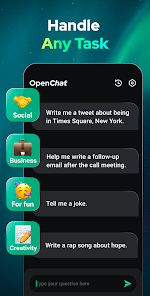
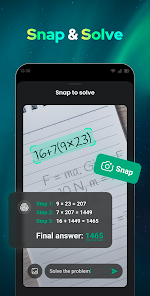
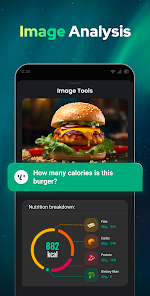
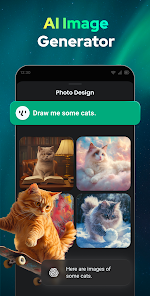
Open Chat - AI bot app is designed to cater to a wide range of scenarios, making it a versatile tool for users. Whether you’re looking for a virtual assistant to help with daily tasks, a tutor to assist with learning new subjects, or a conversational partner to practice language skills, this app has you covered. It can also be used for brainstorming ideas, generating creative content, and even providing mental wellness support through conversation. Users can engage with the AI bot in various contexts, from casual chats to more structured interactions aimed at achieving specific goals, such as planning events or organizing schedules.

User Experience

The user experience with Open Chat is generally smooth and intuitive. Upon launching the app, users are greeted with a clean and user-friendly interface that makes navigation simple. The AI’s responses are impressively natural and contextually relevant, which enhances the overall interaction quality. Users have reported that the bot learns and adapts to their preferences over time, making conversations feel more personalized. The speed of response is remarkable, ensuring that users do not have to wait long for answers. Additionally, the app supports voice input, allowing for hands-free interaction, which is particularly useful during multitasking. However, some users have noted occasional inaccuracies in the AI's understanding, which can lead to frustrating experiences, yet these instances are relatively rare.

Pricing

Open Chat offers a freemium model, allowing users to access basic features without any cost. For those seeking enhanced capabilities, such as more advanced AI interactions or additional customization options, a subscription plan is available. The pricing is competitive compared to similar applications on the market, providing good value for the features offered. Users can choose between monthly or annual subscriptions, with discounts available for longer commitments. This flexible pricing structure makes the app accessible to a broader audience, accommodating both casual users and those who require more robust functionalities.

Updates & Support

The developers of Open Chat are committed to continual improvement and user satisfaction. Regular updates are rolled out to enhance performance, introduce new features, and refine existing ones based on user feedback. The app also boasts a responsive support team that is available to assist users with any technical issues or inquiries. Users can access support through various channels, including in-app help sections, email, and social media platforms. Overall, the combination of ongoing updates and dedicated support ensures that users have a reliable resource at their disposal while using the app.

verified Security & Privacy Review

Security & Privacy Review The Open Chat - AI bot app prioritizes user security and privacy, implementing robust encryption protocols to safeguard conversations. All data transmitted within the app is encrypted, ensuring that user interactions remain confidential and protected from unauthorized access. The app adheres to strict privacy practices, clearly outlining its data collection policies in its privacy policy. Users are informed about the types of data collected, including device information and usage statistics, with an emphasis on minimizing unnecessary data collection. Open Chat requests minimal permissions, primarily focusing on essential features required for optimal functionality. Users have the option to manage permissions, allowing them to control what data is shared. Furthermore, the app provides options for users to delete their data, reinforcing its commitment to user privacy. Overall, Open Chat - AI bot app demonstrates a strong commitment to data security and user privacy, making it a reliable choice for those concerned about their digital footprint.
Advertisement

User Reviews

  • Igor Frankenstein
    2026/06/22

    this is a very exquisite tool to cheat you off your money!!!! stay away!!!!! it searches your phone, finds the data of your credit card and tries to bind your into a subscription that you cannot get rid off afterwards. They responded to my review twice claiming innocence. The fact is hard: their app displayed the data of my credit card taken from Google wallet or some other application just after I have opened this "AI". It is really intelligent in snatching the credit card data.

  • Ehtisham Barki
    2026/05/28

    paid app! too many ads and still paid! only 5 free messages. it has deepseek which is free on deep seek site, but here you have to pay for that free version. worst ad experience even though it should have been free after so many ads, but it isn't free! too many ads! asking for money!

  • Kadi Hyun
    2026/06/11

    Hello, I just started using it for role-playing but I don't like the character limit; 1000 characters isn't enough. I hope you can fix this problem and make the character limit unlimited, and without ads. Thank you very much.

  • Brian Barnes
    2026/06/01

    download app, start app, watch uninterruptible long ad, get told 3-day trial, then I'll automatically get charged if I don't explicitly cancel, got two more ads while trying to get back out. really? that many ads before I even get to the free trial?

  • Igor Simovic
    2026/04/21

    A fraud made to look like Chatgpt, and even placed in front of ChatGpt even though you explicitly typed "chatgpt" into the search bar in the app store. Of course, there are too many ads that make it hard to get to the app. The similarity to the chatgpt icon (if you don't pay attention you won't notice the difference), tons of ads, and search engine positioning (paid for first place) - design pattern for just one thing: "take over the users and fill them with ads so we can make a profit!"

Review Source: Google Play store public user reviews.

FAQ

1

Can I customize the AI bot's responses?

While the core responses of the Open Chat - AI bot are predefined and based on its training data, users can often provide feedback or select preferences that may influence how the bot interacts, making the experience more personalized.

2

Can I use Open Chat - AI bot offline?

Open Chat - AI bot typically requires an internet connection to function effectively, as it relies on cloud-based processing to generate responses. Offline capabilities may be limited or unavailable, depending on the specific implementation.

3

How accurate are the responses provided by the Open Chat - AI bot?

The accuracy of the responses from the Open Chat - AI bot can vary depending on the complexity of the question and the context. While it strives to provide accurate information, users are encouraged to verify critical information from reliable sources.

4

How do I report an issue or provide feedback about the Open Chat - AI bot app?

Users can usually report issues or provide feedback through the app's built-in support feature, website, or feedback form. This helps developers improve the app based on user experiences and suggestions.

5

How does the Open Chat - AI bot learn?

The Open Chat - AI bot learns through machine learning algorithms that analyze vast amounts of text data, allowing it to understand language patterns, context, and user preferences over time. This continuous learning process helps it improve responses and adapt to user interactions.

How to use Open Chat - AI bot app

1

How can I contact customer service for the Open Chat - AI bot app?

You can reach customer service through the app's support section or by emailing support

2

How do I activate the Open Chat - AI bot app after downloading?

After downloading, open the app and follow the on-screen prompts to create an account or log in to activate.

3

How do I log in to the Open Chat - AI bot app?

Simply open the app, enter your registered email and password, and tap 'Log In.'

4

What is the customer number for the Open Chat - AI bot app?

The customer number is typically provided in the app under the "About" section or in your account settings.

Editor's Choice