This site uses cookies to enhance your user experience. By clicking any link on this site you are giving your consent to our cookie policy. Read more
Reject
Accept All

Advertiser and Editorial Disclosures

Notion: Notes, Tasks, AI

Notion: Notes, Tasks, AI

verified

Notion Labs, Inc.

4.7
Rating
10,000,000+ Downloads
0.6.3602 Version
Advertisement
  • category

    Category: Productivity

  • price

    Price: free

  • age rating

    Age Rating: Everyone

  • rating

    Rating: 4.7

  • available on

    Available on: /

  • updated on

    Updated on: Jul 1, 2026

Screenshot 1
Screenshot 2
Screenshot 3
Screenshot 4
Screenshot 5
Screenshot 6
Screenshot 7
Screenshot 8
Screenshot 9
Screenshot 10
Screenshot 11
Screenshot 12
Screenshot 13
Screenshot 14
Screenshot 15
Screenshot 16
Screenshot 17
Screenshot 18
Screenshot 19
Screenshot 20
Screenshot 21
Advertisement

Features & Highlights

AI Assistance

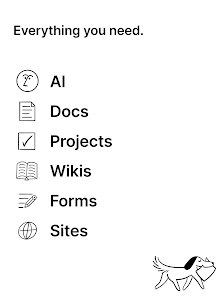
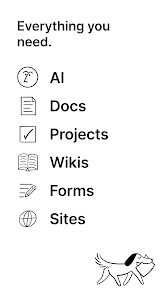
Harness the power of AI with Notion’s integrated features that help you generate content, summarize notes, and organize information intelligently. This smart assistance not only boosts your productivity but also enhances your creativity, making information management more efficient and enjoyable.

Collaboration Tools

Notion’s collaboration features enable teams to work together in real time, making it easy to share notes, assign tasks, and provide feedback. With comments and mentions, communication is streamlined, fostering a collaborative workspace that enhances teamwork and project outcomes.

Notes Organization

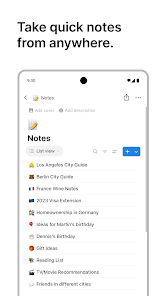
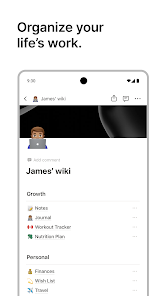
Notion offers a flexible note-taking system that allows users to create and organize notes seamlessly. With customizable templates and rich media support, you can capture your thoughts in various formats, making it easy to reference and share insights whenever needed.

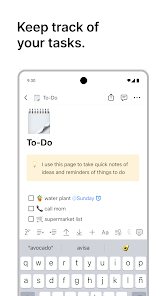
Task Management

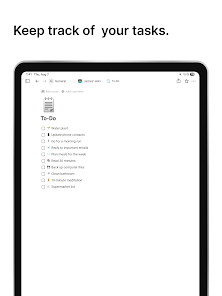
Manage your projects and to-do lists effortlessly with Notion's intuitive task management features. You can create, assign, and track tasks while integrating them with your notes, ensuring everything stays connected and easily accessible for optimal productivity.

Advertisement

Pros & Cons

Pros
  • Notion seamlessly integrates notes and tasks for streamlined productivity.
  • It offers customizable templates to fit any workflow.
  • Collaboration features enable real-time teamwork and feedback.
  • AI capabilities assist with content creation and organization.
  • Cross-platform accessibility ensures your work is always at hand.
Cons
  • Limited offline access can disrupt productivity during internet outages.
  • Complex interface may overwhelm new users, hindering quick adoption.
  • Integration issues with third-party apps can restrict functionality and user experience.

Real Experience Using Notion: Notes, Tasks, AI

Application Scenarios

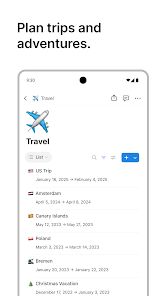
Notion: Notes, Tasks, AI is a versatile tool that caters to a wide range of application scenarios. Whether you are a student organizing your study materials, a professional managing projects, or a creative brainstorming ideas, Notion serves as a robust platform for all your needs. Students can create class notes, to-do lists for assignments, and even collaborate on group projects using shared pages. Professionals can utilize Notion to manage tasks, set deadlines, and streamline workflow with customizable templates for project management. For creatives, the app offers the flexibility to brainstorm, outline stories, and track ideas, all within a single workspace. Its adaptability makes it suitable for both personal use and team collaboration, enhancing productivity across various domains.

User Experience

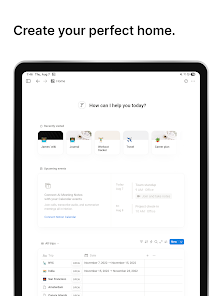
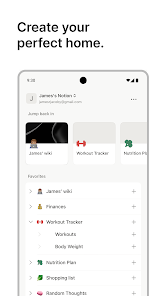
The user experience of Notion is both intuitive and engaging. The app’s clean and minimalistic design allows users to navigate effortlessly through different features. The drag-and-drop functionality makes it easy to organize content, whether it's text, images, or databases. Users can customize their workspace extensively, creating unique layouts that suit their personal style and workflow. The integration of AI tools within Notion enhances productivity by automating mundane tasks, summarizing notes, or even generating ideas. However, some users may find the learning curve steep initially due to the myriad of features available. With time, most users adapt and appreciate the depth of customization and functionality that Notion offers, making it an invaluable tool for managing both personal and professional tasks.

Pricing

Notion operates on a freemium model, offering a free tier that includes basic features suitable for individual users. For those who require more advanced functionalities, such as unlimited file uploads and increased collaboration options, the paid plans are available. The Personal Pro plan is affordably priced, providing excellent value for those who want to elevate their experience. Additionally, there are Team and Enterprise plans tailored for organizations that require collaborative features, enhanced security, and administrative controls. This tiered pricing structure allows users to choose a plan that best fits their needs, ensuring that Notion remains accessible to a broad audience while still offering advanced tools for professional use.

Updates & Support

Notion is committed to continuous improvement, regularly rolling out updates that enhance functionality and user experience. The development team actively listens to user feedback, implementing requests and fixing bugs promptly. Users can access a comprehensive knowledge base featuring tutorials, guides, and FAQs to help them navigate the app effectively. Additionally, customer support is responsive, providing assistance through various channels, including email and community forums. This proactive approach to updates and support fosters a strong user community and ensures that any issues are addressed quickly, allowing users to maximize their use of the app without unnecessary interruptions.

verified Security & Privacy Review

Security & Privacy Review Notion: Notes, Tasks, AI prioritizes user security and privacy with robust measures in place. The app employs end-to-end encryption for data at rest and in transit, ensuring that sensitive information remains confidential. Notion's compliance with GDPR and CCPA highlights its commitment to adhering to stringent data protection laws. User data handling practices are transparent; users can control their data, including the ability to export and delete their information as needed. Notion implements strict access controls and regular security audits to safeguard user data from unauthorized access. However, users should be aware of the permissions requested by the app, as it may access contacts and location data to enhance functionality. While these permissions are optional, users should carefully evaluate their privacy preferences before granting access. Overall, Notion demonstrates a strong commitment to safeguarding user data while providing a flexible and powerful productivity platform.
Advertisement

User Reviews

  • Morgan Midnight
    2026/02/26

    This app is great for organization and just whatever you need written down. My only complaint is the gap in the lines when you start writing below writing, it doesn't matter but I wish I could change it like I can on computer, and the fact you can't put a ' at the end of things or when you continue typing it deletes the word, I need to write names with 's at the end.. I'd like to add on, the AI features absolutely disgust me. I appreciate they don't pop up unwarranted, but it's still upsetting..

  • Bay
    2025/09/27

    This was a fantastic app and superior alternative to most writing docs until the AI rebrand. And, sure, everything has an AI feature nowadays– that which you don't have to use if you don't wish to. But Notion in particular seems insistent on shoving it down their users throats (for lack of a better term)... Basically, it's far too annoying to put up with. And with no obligation to, I will be searching for a better place to keep my work.

  • Kayla Nixon
    2026/06/26

    it honestly seems like a really dope app. its a little overwhelming figuring stuff out at first but I didn't even get that far because the free version from what I've experienced so far is pretty limited. I used one of the ready made templates available and kind of customized my home page but i can't actually use the app the way I need to without paying to upgrade. on top of that they want you to link your account to another site and you have to pay to upgrade to fully use that one too.

  • Cassie Newlin
    2026/05/26

    This is my everything app. I use it to take client notes for work, as a task list and log of things I've done and need to do, a space to braindump all my random ideas, organize receipts and purchases for tax write offs for my business, a journal, a recipe book, and so much more... Your imagination is the limit. I'm still finding new ways to integrate notion into my life and make things easier. If youre confused, the AI chat can tell you how to do pretty much anything, or just do it for you.

  • Tina
    2026/04/21

    Notion is great on desktop, but not so much on mobile. It's incredibly difficult to drag content around, pages become unscrollable, the keyboard blocks the content I'm writing, can't press enter to do a line break, and getting rid of the keyboard (pressing back) takes me off the page completely. I'm sure there are other things I'm missing, but the experience has been rough

Review Source: Google Play store public user reviews.

FAQ

1

Can I submit suggestions or feedback to Notion: Notes, Tasks, AI?

Yes, users can submit suggestions and feedback directly through the app or the Notion website, where the team actively encourages user input for improvements.

2

Does Notion: Notes, Tasks, AI collect my personal data?

Notion collects certain user data to improve the app's functionality and user experience, but it maintains a commitment to privacy and data security.

3

Does Notion: Notes, Tasks, AI support offline use?

Yes, Notion supports offline use, allowing users to access and edit their notes and tasks without an internet connection, with changes syncing when back online.

4

How do I cancel my Notion: Notes, Tasks, AI subscription?

Users can cancel their Notion subscription through their account settings on the Notion website or app, following the provided instructions for subscription management.

5

How much does a subscription to Notion: Notes, Tasks, AI cost?

Notion's subscription plans vary, typically starting with a personal plan that has a monthly fee, along with team plans that offer more collaborative features at different pricing tiers.

How to use Notion: Notes, Tasks, AI

1

Can I contact customer service if my account isn't activating?

Yes, you can reach out to customer service for help with account activation issues. They can guide you through the process.

2

Can I use AI features without activating my account?

No, you need to activate your account to access AI features in Notion. Make sure your account is fully set up to utilize all functionalities.

3

How can I find my customer number for support?

Your customer number can be found in your account settings under the "Support" section. If you need further assistance, contact customer service.

4

How can I update my customer number if it changes?

If your customer number changes, please contact customer service for assistance with updating your details in our system.

5

How do I log in to my Notion account?

To log in, visit the Notion website and enter your email and password. If you’ve forgotten your password, use the “Forgot password?” link for recovery.

What's New

Bug fixes and performance improvements.

Editor's Choice