This site uses cookies to enhance your user experience. By clicking any link on this site you are giving your consent to our cookie policy. Read more
Reject
Accept All

Advertiser and Editorial Disclosures

MediaFire

MediaFire

verified

MediaFire

3.8
Rating
10,000,000+ Downloads
5.6.0 Version
Advertisement
  • category

    Category: Productivity

  • price

    Price: free

  • age rating

    Age Rating: Everyone

  • rating

    Rating: 3.8

  • available on

    Available on: /

  • updated on

    Updated on: Apr 28, 2026

Screenshot 1
Screenshot 2
Screenshot 3
Screenshot 4
Screenshot 5
Screenshot 6
Screenshot 7
Screenshot 8
Screenshot 9
Screenshot 10
Screenshot 11
Screenshot 12
Screenshot 13
Screenshot 14
Screenshot 15
Screenshot 16
Screenshot 17
Advertisement

Features & Highlights

Cross-Platform Accessibility

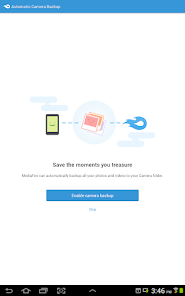
MediaFire excels in offering cross-platform accessibility, allowing you to access your files from any device, whether it's a computer, smartphone, or tablet. This flexibility means you can manage your content on the go, ensuring that your important files are always within reach, wherever you are.

Easy File Sharing

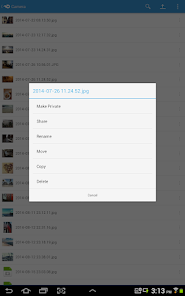
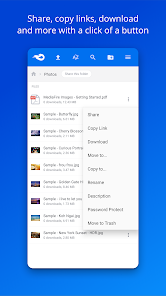
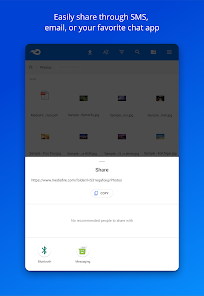
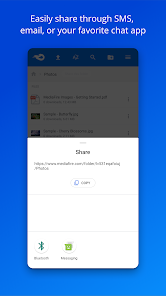
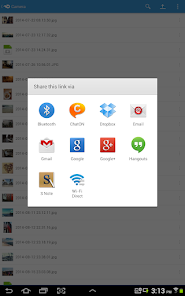
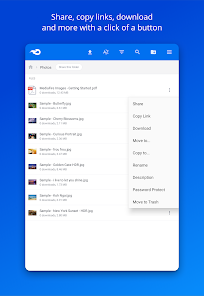
Sharing files with MediaFire is as simple as a few clicks. You can create shareable links for your files, allowing you to send them to friends, family, or colleagues instantly. This feature supports collaborative projects and ensures that everyone has access to the right documents without hassle.

Robust File Storage

With MediaFire, you get generous file storage options that cater to both personal and professional needs. You can store all your important documents, photos, and videos without worrying about running out of space, making it a reliable choice for all your digital storage requirements.

User-Friendly Interface

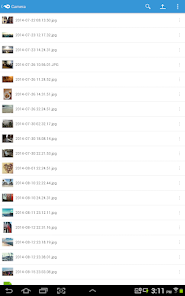
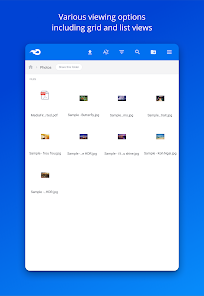
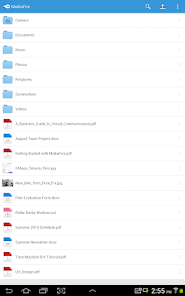
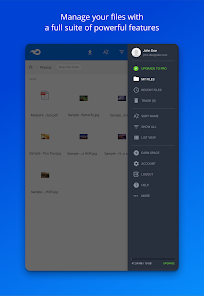
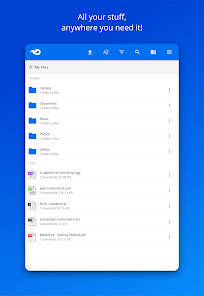
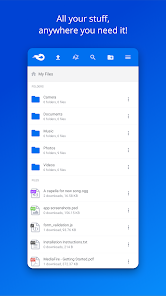
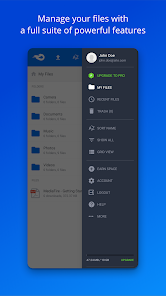
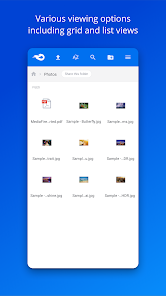
MediaFire offers an intuitive and straightforward interface that makes file sharing a breeze. Whether you're a tech novice or a seasoned user, navigating through your files and managing uploads is seamless and efficient, ensuring you can focus on what matters most—your content.

Advertisement

Pros & Cons

Pros
  • Easy file sharing with simple upload and download processes
  • Generous free storage space for users and projects
  • User-friendly interface for quick navigation and access
  • Supports various file types for diverse needs
  • Reliable cloud storage with secure data protection
Cons
  • Limited storage for free accounts
  • Slow download speeds at times
  • Ads can be intrusive and distracting
  • File expiration for inactive links

Real Experience Using MediaFire

Application Scenarios

MediaFire serves as a versatile cloud storage solution that caters to a variety of user needs. Whether you are a student looking to back up important assignments, a professional needing to share large files with colleagues, or a casual user wanting to store family photos, MediaFire offers a user-friendly platform for all. For students, the ability to easily collaborate on projects by sharing folders can be invaluable. Professionals benefit from the straightforward file-sharing capabilities, which allow for quick dissemination of documents without the hassle of email attachments. Families can use MediaFire to create shared albums, ensuring everyone has access to cherished memories without the risk of losing files. In essence, the app thrives in scenarios where file accessibility and sharing are paramount.

User Experience

The user experience with MediaFire is largely positive, thanks to its intuitive interface and seamless navigation. Upon launching the app, users are greeted with a clean design that makes it easy to upload, download, and manage files. The drag-and-drop feature simplifies file uploads, making it accessible even for those who are not tech-savvy. Users have reported fast upload and download speeds, which enhances productivity, especially when dealing with large files. MediaFire’s ability to create links for easy sharing is another highlight; users can generate shareable URLs for their files, facilitating hassle-free collaboration. However, some users have noted occasional glitches, particularly during peak usage times, which can slightly hinder the overall experience.

Pricing

MediaFire offers a freemium model that caters to both casual users and those who require more extensive storage options. The free version provides users with 10GB of storage, which can be increased through referrals and activities within the app. For users who need more space, MediaFire offers various paid plans that range from $7.50 per month for 1TB of storage to $40 per month for 5TB. These premium plans come with additional features such as ad-free browsing and more robust sharing options, making them attractive for users who require greater functionality. Overall, the pricing structure is competitive, providing ample options for different needs and budgets.

Updates & Support

MediaFire frequently updates its app to enhance user experience and security. These updates often include bug fixes, performance improvements, and new features based on user feedback. The developers are responsive to user concerns, which is reflected in their commitment to maintaining an up-to-date platform. For support, MediaFire offers an extensive FAQ section on their website, as well as a dedicated support team that can be reached via email for more complex issues. Users have reported satisfactory experiences with customer service, noting quick response times and helpful solutions. Overall, MediaFire demonstrates a commitment to continuous improvement and user satisfaction.

verified Security & Privacy Review

MediaFire takes user security and privacy seriously, implementing robust measures to safeguard your data. The app utilizes advanced encryption protocols to protect files both during transfer and while stored on its servers. This ensures that your documents, photos, and videos are secure from unauthorized access. In terms of privacy practices, MediaFire adheres to strict data protection regulations and aims to limit the collection of personal information. Users are encouraged to review their privacy settings to manage data sharing and visibility options effectively. Regarding permissions, MediaFire requests access to essential features such as storage and network connectivity. Users should be informed that granting these permissions is necessary for the app’s functionality but can be managed through device settings to enhance privacy. MediaFire also provides users with control over their files, including options for link expiration and password protection, further enhancing data security. Overall, MediaFire demonstrates a commitment to protecting user data while offering a reliable cloud storage solution.
Advertisement

User Reviews

  • Clarence
    2026/05/23

    Where do I start? Email promo offer said $5 for 1 TB for a year: charged me $10. App is VERY glitchy when uploading. You basically can't touch anything while it's uploading or it'll interrupt and u have to start over. Can't upload by folder, so each folder has to be (re)created in app, then each item selected individually. Can't rename a file because text box doesn't rise above keyboard. The app is a total joke. There's much more, but there's not enough space to list it all. Avoid!

  • A Google user
    2019/08/04

    While it's good that there's an app for Mediafire, for on the go access to your files. It's missing key features. You aren't able to sort through your files from type, date or by name. There's no option to sort by ascending order or descending. Your not able to upload a file directly from your smartphone to your account. It just crashes and closes the app. When highlighting a file and selecting it, there is no option to see the files details.

  • Joseph Forseth
    2026/07/01

    Great is Media Fire. able to save your aps to the cloud. seamless and easy to use

  • Kashif Iqbal
    2026/06/02

    I can't select multiple files and every time sort is reset worst app experience

  • A Google user
    2019/11/16

    It is getting better with each update. I have a MediaFire account since maybe 2011-2012 during MediaFire startup. It was an unpleasant experience. So I very seldom use it maybe 2-3 times a year until lately it became slick and the speed is fast with Photo upload. Recommended for new user but I am not sure how much storage you will be given for free basic account. If the rate is better than its competitor I might buy more storage.

Review Source: Google Play store public user reviews.

FAQ

1

Does MediaFire collect my personal data?

MediaFire does collect some personal data, such as email addresses and usage statistics, as part of its service, but it generally adheres to privacy policies regarding data handling.

2

Does MediaFire offer a free trial or free version?

Yes, MediaFire offers a free version with limited storage and features, allowing users to try the service before considering a paid plan.

3

Does MediaFire require an internet connection?

Yes, MediaFire requires an internet connection to upload, download, and share files, as it operates entirely in the cloud.

4

How can I contact support or send feedback for MediaFire?

You can contact MediaFire support through their website, where you can submit a support ticket or access their help center for additional resources and FAQs.

5

How do I manage or cancel my MediaFire subscription?

You can manage or cancel your MediaFire subscription by logging into your account, navigating to the account settings, and following the prompts for subscription management.

How to use MediaFire

1

How can I activate my MediaFire account?

If you created your MediaFire account via email, check your inbox for an activation email and follow the provided link. If you need assistance, contact support.

2

How can I contact MediaFire customer service?

You can reach MediaFire customer service through their support page on the website, or by emailing support

3

How do I log in to my MediaFire account?

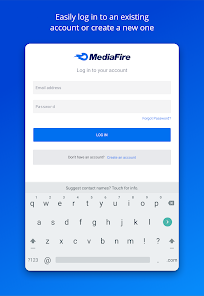
To log in, visit the MediaFire website, click on "Login," and enter your email and password associated with your account.

4

What is the customer service number for MediaFire?

MediaFire does not provide a customer service phone number; they primarily offer support via email and their online help center.

What's New

Updated to the latest Android SDK

Editor's Choice