This site uses cookies to enhance your user experience. By clicking any link on this site you are giving your consent to our cookie policy. Read more
Reject
Accept All

Advertiser and Editorial Disclosures

Infinite Painter

Infinite Painter

verified

Infinite Studio LLC

4.5
Rating
10,000,000+ Downloads
7.2.4 Version
Advertisement
  • category

    Category: Art & Design

  • price

    Price: free

  • age rating

    Age Rating: Everyone

  • rating

    Rating: 4.5

  • available on

    Available on: /

  • updated on

    Updated on: May 11, 2026

Screenshot 1
Screenshot 2
Screenshot 3
Screenshot 4
Screenshot 5
Screenshot 6
Screenshot 7
Screenshot 8
Screenshot 9
Screenshot 10
Screenshot 11
Screenshot 12
Screenshot 13
Screenshot 14
Screenshot 15
Screenshot 16
Screenshot 17
Screenshot 18
Screenshot 19
Screenshot 20
Screenshot 21
Advertisement

Features & Highlights

High-Resolution Canvas

Infinite Painter supports high-resolution canvases, enabling you to create detailed and professional-quality artwork. This feature is especially beneficial for artists looking to print their work or share it online, ensuring that every brushstroke remains sharp and vibrant.

Intuitive Interface

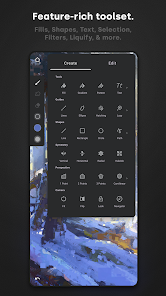
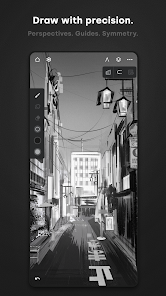
Infinite Painter boasts a clean and user-friendly interface that makes it easy for artists of all skill levels to dive right in. The thoughtfully designed layout allows for seamless navigation between tools, ensuring that your creativity flows without interruption as you explore your artistic potential.

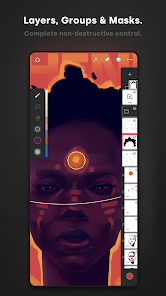
Layer Management

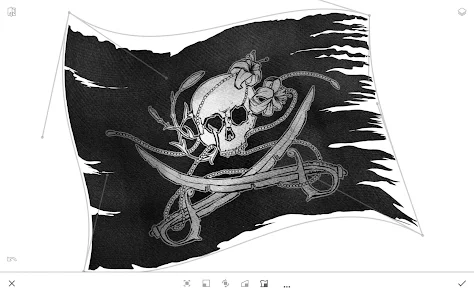
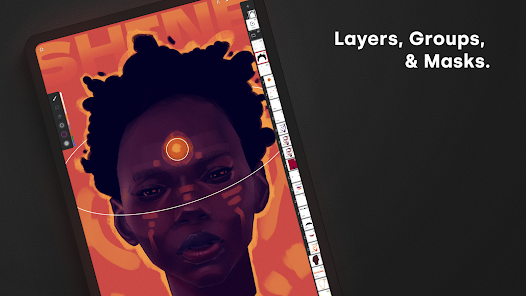
The app offers robust layer management capabilities, allowing you to work on different elements of your artwork separately. You can easily create, merge, and adjust layers, giving you the flexibility to experiment without fear of ruining your original design.

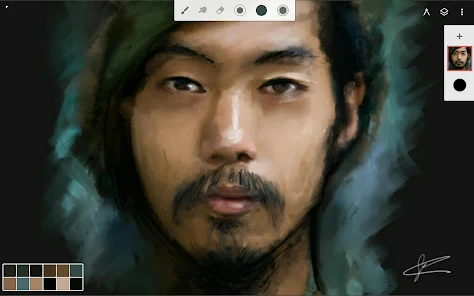
Vast Brush Library

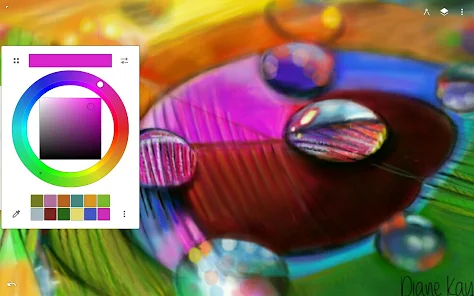
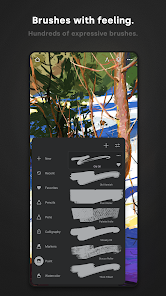
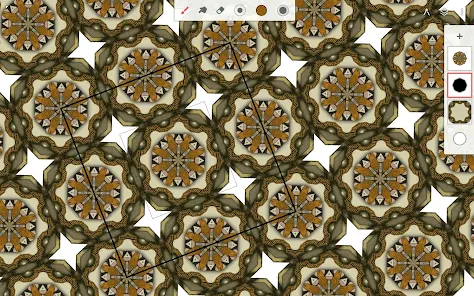
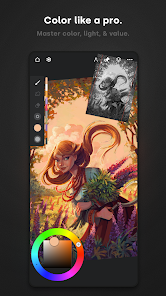
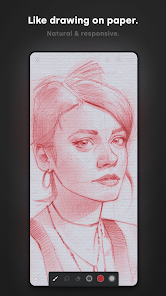
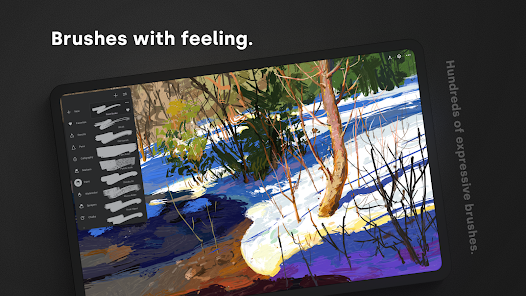
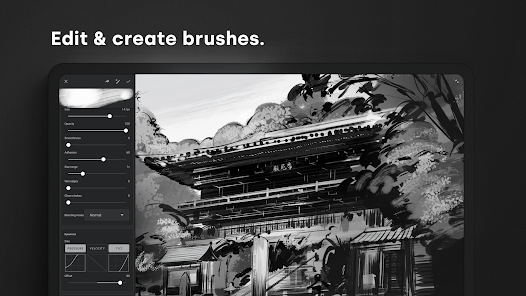
With an extensive collection of customizable brushes, Infinite Painter empowers artists to create unique textures and effects. Whether you prefer watercolors, oils, or pencils, you can easily modify the brush settings to match your personal style, making each artwork truly one-of-a-kind.

Advertisement

Pros & Cons

Pros
  • Infinite Painter offers a user-friendly interface for effortless creativity.
  • It features a vast array of customizable brushes for unique artwork.
  • The app supports high-resolution canvases for detailed designs.
  • Layer management allows for complex compositions and easy adjustments.
  • Regular updates introduce new tools and features to enhance artistic capabilities.
Cons
  • Limited brush customization options may hinder advanced users' creativity.
  • Performance can lag on older devices, affecting workflow.
  • Steeper learning curve compared to other painting apps for beginners.

Real Experience Using Infinite Painter

Real Experience Application Scenarios

Infinite Painter is a versatile digital painting app that caters to a wide range of users, from hobbyists to professional artists. Whether you are sketching in a coffee shop, creating detailed illustrations at home, or designing characters on the go, this app provides a robust platform for creativity. Its user-friendly interface and extensive toolset make it suitable for various applications such as concept art, character design, and even casual doodling. The app's flexibility allows artists to switch between different styles and techniques, making it an ideal companion for those who want to experiment with their artistic expression. With features that support both raster and vector graphics, users can seamlessly transition their work for various projects, whether it’s for personal use or for professional portfolios.

User Experience

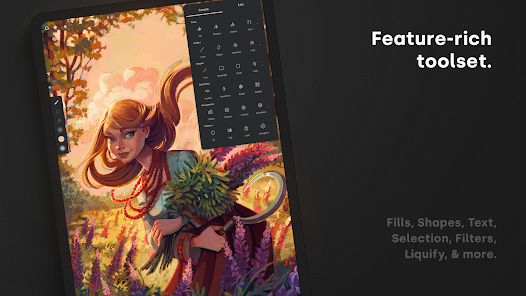
The user experience in Infinite Painter is one of its standout features. The app boasts an intuitive layout that allows users to easily navigate through its numerous tools and options. With over 160 brush presets and the capability to create custom brushes, artists can find the perfect tool for their specific needs. The app also supports layers, which can be manipulated in ways that mimic traditional painting techniques. Additionally, the responsiveness of the app is commendable, with smooth brush strokes and minimal lag, even on mid-range devices. Gesture controls enhance the workflow, allowing users to zoom, rotate, and undo actions with ease. Whether you are a beginner or an experienced artist, the learning curve is gentle, thanks to helpful tutorials and a supportive online community.

Pricing

Infinite Painter adopts a competitive pricing model that is accessible to a wide audience. The app is available for a one-time purchase, which unlocks all features without the need for a subscription. This approach is appealing to users who prefer to invest in a product without worrying about recurring fees. Additionally, the app often runs promotional discounts, making it even more affordable for new users. While there is a free trial version available, it is limited in some features, but it provides enough functionality for users to gauge whether the full version meets their needs.

Updates & Support

The developers of Infinite Painter are committed to continuous improvement, regularly releasing updates that introduce new features and enhancements. This dedication to innovation ensures that users always have access to the latest tools and capabilities. The app also benefits from a well-organized support system, including detailed user guides, FAQs, and an active community forum where users can share experiences and tips. For those needing direct assistance, customer support is responsive and helpful, ensuring that any issues or questions are addressed promptly. Overall, the combination of regular updates and reliable support contributes to a satisfying user experience, solidifying Infinite Painter's place in the digital art landscape.

verified Security & Privacy Review

Security & Privacy Review Infinite Painter prioritizes user privacy and data security through robust practices and transparent policies. The app does not require excessive permissions, only asking for what is necessary to enhance the user experience. This minimalistic approach helps in reducing potential vulnerabilities. User data, including artwork and personal information, is stored securely, and the app employs encryption protocols to protect sensitive content. Infinite Painter does not sell user data to third parties, ensuring that your creative work remains private and secure. The app provides users with options to manage their data, allowing for easy deletion of artwork and account information if desired. Regular updates are released to patch any security loopholes, demonstrating a commitment to maintaining a secure environment for all users. Overall, Infinite Painter exhibits strong security measures and a clear dedication to user privacy, making it a trustworthy choice for artists looking to create without compromising their personal data.
Advertisement

User Reviews

  • Elizabeth
    2025/06/04

    At first this app seemed really good, I've had other apps where if you don't pay for premium, your experience sucks. This one wasn't as bad. Then in the middle of a project it started to desaturate the first strokes I made. White turned into a grey, black into a slightly darker grey. I had to go over those sections again to give them back their color and then it kept happening. On another note, one of the only free tools you can use, fill, doesn't work most of the time. It just covers everything

  • Felixx Root
    2025/04/22

    There are many options for pens, but if you don't have premium you can only have 3 layers, which is very low. There aren't many ads, only a occasional ad about premium that you can easily tap off of. there is also eraser options. I do wish there was a time lapse option however, because I post time lapses of things I draw. overall, a good app. I would recommend!

  • Andrea Marie Escudero
    2025/04/21

    good drawing app! i find the variety of brushes not too limited but not too wide either, and incase you find the brushes too minimal you can always get more from the community! i also really really like how you can add more than 1 reference!! very helpful there infinite painter.. the tools there are easy to understand and the software is very like, less complicated? idk. but good app anyways!

  • Amaria Livingston
    2026/05/25

    I like the idea of the app, but it keeps kicking me out. I've lost so many drawings that took me hours to make because it kicked me out after filling the entire thing black. If you choose to use this app, beware. You better have absolutely everything backed up so it doesn't ruin your process. I had good wifi, use everything as I should, work slowly, and it still kicks me out at random.

  • Aria Boucher
    2026/06/04

    It's a pretty good basic drawing app, especially for beginners. something that I've noticed, though, is that not all the brushes show up even though they are part of the app for free. Along with that, my art app states that all my work is from 1969, which is definitely NOT the case. That bit is actually kinda humorous, and it doesn't bother me much, but I wish that all the brushes that are supposed to work actually did. overall, it's not bad. edit: The app is constantly crashing.

Review Source: Google Play store public user reviews.

FAQ

1

Can I submit suggestions or feedback to Infinite Painter?

Yes, users can submit suggestions or feedback through the app's support section or via their official website, where they encourage user input to improve the app.

2

Does Infinite Painter collect my personal data?

Infinite Painter has a privacy policy that outlines the data it collects, which typically includes usage data and analytics, but it does not collect personally identifiable information without user consent.

3

Does Infinite Painter support offline use?

Yes, Infinite Painter can be used offline, allowing users to create art without needing an internet connection.

4

How do I cancel my Infinite Painter subscription?

You can cancel your subscription through the app store where you purchased it, either in the Google Play Store or Apple App Store, by following the subscription management instructions.

5

How much does a subscription to Infinite Painter cost?

The subscription to Infinite Painter typically costs a monthly or annual fee, with pricing varying based on the region and any ongoing promotions.

How to use Infinite Painter

1

Can I activate my Infinite Painter account using my email?

Yes, you can activate your account by clicking the link sent to your email after registration.

2

Can I change my customer number after activation?

Customer numbers are generally fixed, but for changes, please contact customer service for specific options available to you.

3

How can I contact customer service for Infinite Painter?

You can reach our customer service through the support section in the app or by visiting our website's contact page. We’re here to help!

4

How can I update my customer number if it's incorrect?

If your customer number is incorrect, please contact customer service with your details, and we'll assist you in updating it.

5

How do I log in to my Infinite Painter account?

To log in, open the app, tap on the login button, and enter your email and password linked to your account.

What's New

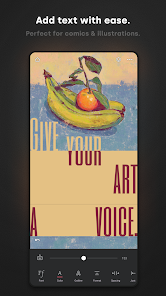
New Text tool:- Fully editable Text layers- Smart placement with snapping and alignment guides- Import custom fonts and adjust Variable settings- Alignment, spacing, and letter casing- Advanced justification (Scale Justify & Balance Lines)- Global support for Right-to-Left (RTL) languages and emojisOther:- Improved Timelapse recording system- Fixed Restore (project versions) not workingVisit www.infinitestudio.art for details and feedback.

Editor's Choice