This site uses cookies to enhance your user experience. By clicking any link on this site you are giving your consent to our cookie policy. Read more
Reject
Accept All

Advertiser and Editorial Disclosures

HotSchedules

HotSchedules

verified

Fourth Enterprises, LLC

3.4
Rating
1,000,000+ Downloads
5.22.3 Version
Advertisement
  • category

    Category: Productivity

  • price

    Price: $2.99

  • age rating

    Age Rating: Everyone

  • rating

    Rating: 3.4

  • available on

    Available on: /

  • updated on

    Updated on: Jun 18, 2026

Screenshot 1
Screenshot 2
Screenshot 3
Screenshot 4
Screenshot 5
Screenshot 6
Screenshot 7
Screenshot 8
Screenshot 9
Screenshot 10
Screenshot 11
Screenshot 12
Screenshot 13
Screenshot 14
Screenshot 15
Screenshot 16
Screenshot 17
Screenshot 18
Advertisement

Features & Highlights

Communication Tools

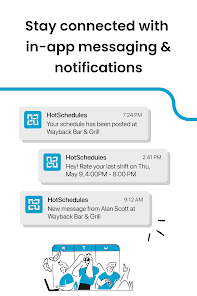
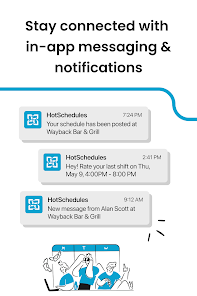
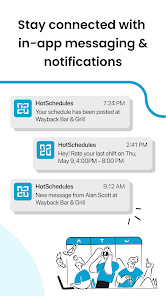
HotSchedules enhances team communication through built-in messaging features that allow staff to connect quickly. Managers can send announcements, updates, or changes directly to their team, fostering a more informed workplace and ensuring everyone stays on the same page, no matter where they are.

Employee Scheduling

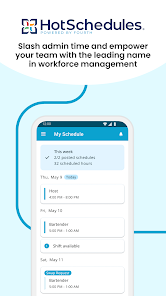
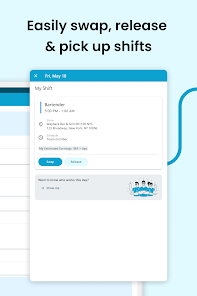
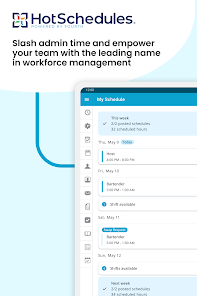
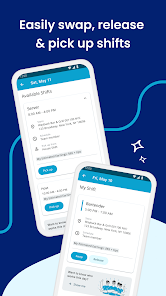
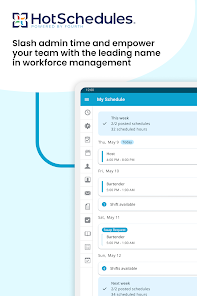
HotSchedules offers a robust employee scheduling tool that simplifies the process of creating and managing shifts. With easy drag-and-drop functionality, managers can quickly fill open shifts, reduce scheduling conflicts, and ensure optimal staff coverage, all while empowering employees to view and request their schedules seamlessly.

Inventory Management

The inventory management feature provides users with the ability to track stock levels in real-time. This functionality helps prevent over-ordering and waste, ensuring that restaurants maintain optimal inventory levels while also being able to create reports that assist in making informed purchasing decisions.

Time Tracking

The app features an integrated time tracking solution that allows employees to clock in and out directly from their mobile devices. This real-time tracking helps managers monitor attendance and labor costs more effectively, ensuring that payroll is accurate and timely while reducing administrative burdens.

Advertisement

Pros & Cons

Pros
  • Streamlines employee scheduling for maximum efficiency
  • Enhances communication between staff and management
  • Offers real-time updates on shift changes
  • Simplifies labor cost management and forecasting
  • Improves team accountability and performance tracking
Cons
  • User interface can be confusing for new users
  • Limited customization options for specific needs
  • High subscription costs for some businesses
  • Customer support response times can be slow

Real Experience Using HotSchedules

Application Scenarios

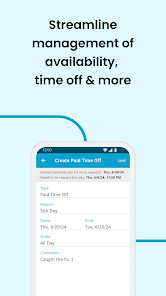
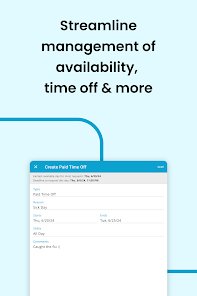
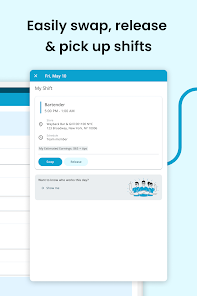
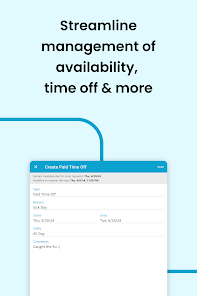
HotSchedules is an indispensable tool primarily designed for the hospitality and restaurant industries. It serves a diverse range of application scenarios, from scheduling shifts to managing labor costs and tracking employee attendance. Many users utilize the app to streamline their staff management processes, allowing managers to quickly create, modify, and publish work schedules. This feature is particularly beneficial in fast-paced environments where last-minute changes are common. Additionally, HotSchedules offers a platform for employees to view their schedules, request time off, and swap shifts with ease, fostering better communication and flexibility within teams. Beyond scheduling, the app also provides tools for inventory management, enabling users to keep track of stock levels and place orders efficiently, which is vital for maintaining operations in busy establishments.

User Experience

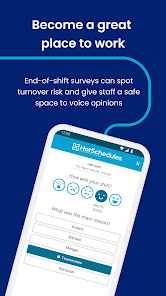
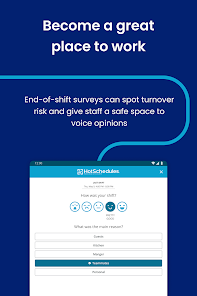
The user experience with HotSchedules is generally positive, with an intuitive interface that caters to both managers and employees. Users appreciate the app's clean design, which allows for easy navigation through its various features. The mobile version is particularly praised for its functionality, enabling staff to access their schedules on-the-go. Notifications and alerts for shift changes or upcoming tasks help keep everyone informed, reducing misunderstandings and promoting accountability. However, some users have noted that the app can occasionally lag during peak usage times, which can be frustrating for those relying on it for real-time updates. Overall, the user experience is enhanced by the app's ability to integrate with other systems, making it a comprehensive solution for managing restaurant operations.

Pricing

HotSchedules operates on a subscription-based pricing model, which can vary based on the size of the establishment and the features chosen. Typically, it offers a tiered pricing structure that allows businesses to select a plan that best fits their needs, whether they are a small café or a large restaurant chain. While the initial cost may seem steep for smaller businesses, many users report that the time and money saved through improved scheduling and management make it a worthwhile investment. Additionally, HotSchedules occasionally offers promotional rates, providing opportunities for new users to try the app at a reduced cost.

Updates & Support

HotSchedules is consistently updated to address user feedback and improve functionality. The development team is proactive in releasing new features and enhancements, ensuring that the app remains relevant in a rapidly changing industry. Users can access a dedicated support team via email or chat for assistance, and the extensive online knowledge base provides a wealth of information for troubleshooting common issues. Regular webinars and training sessions are also offered, helping users maximize the app's potential. Overall, the combination of timely updates and robust support contributes to a satisfying experience for both managers and employees.

verified Security & Privacy Review

HotSchedules takes user security and privacy seriously, implementing a range of measures to protect sensitive information. The app employs encryption protocols for data transmission, ensuring that user credentials and personal details remain secure from unauthorized access. Regular updates and security patches are applied to address potential vulnerabilities, demonstrating the developers' commitment to maintaining a secure environment. User data handling practices are transparent, with clear privacy policies outlining how personal information is collected, used, and shared. Users are encouraged to review these policies to understand their rights and the app's data usage. HotSchedules collects only the necessary permissions required for optimal functionality, minimizing the risk of excessive data access. Furthermore, users have control over their privacy settings, allowing them to manage notifications and data sharing preferences effectively. Overall, HotSchedules prioritizes data security and user privacy, making it a reliable choice for managing schedules in a professional setting.
Advertisement

User Reviews

  • Adam Brock
    2026/04/01

    complete waste of money. the only reason I purchased the app was to set up my account, however, after purchasing the app, I was unable to do so. after calling their customer service line, I was told that you have to create your account on the web browser and then you will be able to use the app. the web browser is free though and completely negates any reason to ever purchase the app. it's not easier to use, easier to get to, or more user friendly. it is 100% a complete waste of time and money.

  • A Google user
    2019/04/17

    Doesn't open half the time. Filters for my rosters don't save (Even though it did BEFORE the update). Different tabs don't open unless you restart the app, and even THAT works half the time. All of this happens WHILE ON WIFI by the way. I'm not going to cry over spending $3-$4 on an app, but if you're going to charge people to use an app, make sure it works. You're better off using the web browser.

  • A Google user
    2019/02/12

    If it was free it would be fine but when forced to pay $2.99 from your minimum wage job to use this, it is complete junk. Doesn't have same features as iOS app, constantly fails to login, constant exceptions thrown so have to always restart to see your schedule (even that doesn't work half the time), no basic sharing, no availability option, no sorting, and the list goes on. Amature at best. If there were another option, this app would be defunct. Tech support pleasant but know all these issues.

  • julie sarabia
    2023/03/13

    HATE:CRASHES CONSTANTLY!!!!! It's almost impossible opening this app . It constantly logs you and says there's an error when trying to log back in . It's literally impossible looking at my work schedule , yet they charge for this app. I've done every update they make yet it crashes constantly. Only happens with this app . I've asked other coworkers and they've been experiencing the same thing as well so I know it's not my phone . I hate that they charge for an app that can't seem to work right.

  • Nicholas Agado
    2024/01/18

    What is happening? Every update, something new breaks. Now it often won't load the home page correctly, has login issues left and right, no longer displays scheduled sections, among many other issues. It feels as if someone who works on this is getting at someone by wrecking the code or something. This app costs money to display basic information you can get through the website. If you're asking people to pay, at the very least make your product work. Thanks.

Review Source: Google Play store public user reviews.

FAQ

1

Does HotSchedules collect my personal data?

Yes, HotSchedules collects personal data necessary for account creation, scheduling, and communication, but it adheres to data protection regulations to ensure user privacy and security.

2

Does HotSchedules offer a free trial or free version?

HotSchedules typically offers a free trial for new users to explore its features, but there is no permanent free version available. Users must choose a subscription plan to continue using the service after the trial period.

3

Does HotSchedules require an internet connection?

Yes, HotSchedules requires an internet connection to access its features and functionality since it is a cloud-based application.

4

How can I contact support or send feedback for HotSchedules?

You can contact HotSchedules support through their help center, which offers resources like FAQs and live chat, or you can send feedback directly through the application or via their official website.

5

How do I manage or cancel my HotSchedules subscription?

You can manage or cancel your HotSchedules subscription through your account settings on the HotSchedules platform or by contacting their customer support for assistance.

How to use HotSchedules

1

How can I contact Customer Service for HotSchedules?

You can reach HotSchedules Customer Service at 1-877-539-5181 or through their support email at support

2

How do I activate my HotSchedules account?

To activate your account, you'll need the activation email sent by your employer. Click the link in the email and follow the on-screen instructions to complete the setup.

3

How do I find my HotSchedules Customer Number?

Your Customer Number is typically provided by your employer or can be found in your account settings within the app.

4

How do I log in to my HotSchedules account?

Open the HotSchedules app, enter your email and password, then tap "Log In." If you forget your password, use the "Forgot Password?" link to reset it.

What's New

Bug fixes & performance improvements

Editor's Choice