This site uses cookies to enhance your user experience. By clicking any link on this site you are giving your consent to our cookie policy. Read more
Reject
Accept All

Advertiser and Editorial Disclosures

Hiya: Spam Blocker & Caller ID

Hiya: Spam Blocker & Caller ID

verified

Hiya

4.0
Rating
10,000,000+ Downloads
14.7.5-11717 Version
Advertisement
  • category

    Category: Communication

  • price

    Price: free

  • age rating

    Age Rating: Everyone

  • rating

    Rating: 4.0

  • available on

    Available on: /

  • updated on

    Updated on: Jul 5, 2026

Screenshot 1
Screenshot 2
Screenshot 3
Screenshot 4
Screenshot 5
Screenshot 6
Screenshot 7
Advertisement

Features & Highlights

Call Blocking

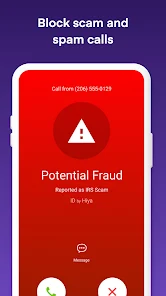
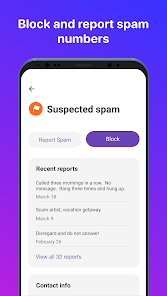
Hiya empowers you to block unwanted numbers with just a tap, preventing them from bothering you again. You can manage your blocked list effortlessly, ensuring that you maintain control over who can reach you, making your phone experience much more enjoyable.

Caller ID

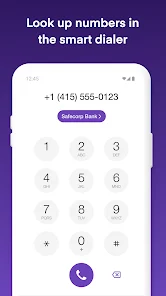
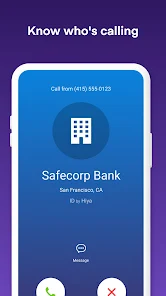
With Hiya's advanced caller ID functionality, you can easily identify incoming calls before you answer. The app displays the name and location of the caller, allowing you to make informed decisions about whether to pick up or let it go to voicemail.

Community Reports

The app leverages community-driven reports to keep its spam database updated and accurate. Users can report spam calls, contributing to a collective effort that helps everyone stay one step ahead of scammers and unwanted callers.

Spam Protection

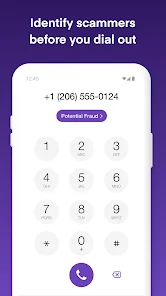
Hiya provides robust spam protection by identifying and blocking unwanted calls in real-time. This feature helps you reclaim your time and peace of mind, ensuring that your phone only rings for important calls and not for pesky telemarketers or robocalls.

Advertisement

Pros & Cons

Pros
  • Hiya effectively blocks unwanted spam calls, ensuring peace of mind.
  • Enjoy real-time caller ID, identifying unknown numbers instantly.
  • Customize your block list to tailor call protection to your needs.
  • User-friendly interface makes managing calls simple and intuitive.
  • Stay informed with community-driven reports on spam numbers.
Cons
  • Limited effectiveness against new spam numbers
  • Frequent updates may lead to temporary glitches
  • Premium features require a subscription for full functionality

Real Experience Using Hiya: Spam Blocker & Caller ID

Application Scenarios

Hiya: Spam Blocker & Caller ID serves a vital purpose in today’s digital landscape, where unwanted calls can disrupt daily life. The app is particularly useful for individuals who receive numerous telemarketing calls, robocalls, or even potential scams. For professionals, it can reduce interruptions during work hours, allowing for a more focused environment. Additionally, families can benefit from Hiya’s capabilities by protecting children from unsolicited calls. The app’s caller ID feature helps users identify unknown numbers before answering, providing peace of mind and enhancing overall communication safety. Whether you’re at home, in the office, or on the go, Hiya can streamline your calling experience while keeping unwanted intrusions at bay.

User Experience

The user experience with Hiya is generally positive, as the app boasts a user-friendly interface that simplifies navigation. Upon installation, users can quickly set up the app and customize their preferences, including blocking specific numbers or types of calls. The call-blocking feature works seamlessly, with an impressive database that updates regularly to identify spam calls accurately. Users have praised the app for its effectiveness, noting a marked decrease in unwanted calls after activation. The caller ID feature is another highlight, providing real-time identification of incoming calls, which helps users make informed decisions about answering. Overall, Hiya combines functionality with ease of use, making it accessible for users of all tech levels.

Pricing

Hiya offers a free version that includes basic spam protection and caller ID features, making it an attractive option for casual users. However, for those seeking a more robust experience, Hiya Premium is available for a subscription fee. The Premium version unlocks advanced features, such as enhanced spam protection, personalized call blocking, and an ad-free experience. Pricing is competitive compared to similar apps on the market, and many users find the investment worthwhile given the enhanced security and convenience it provides. The clear distinction between the free and premium offerings allows users to choose the level of service that best fits their needs and budget.

Updates & Support

Hiya regularly updates its app to improve functionality and user experience, ensuring the database of spam numbers remains current and effective. The development team is responsive to user feedback, often implementing suggestions in subsequent updates. For support, Hiya provides comprehensive resources, including a help center with FAQs, troubleshooting guides, and customer service contact options. Users can easily reach out for assistance, and the team typically responds promptly, addressing concerns or inquiries efficiently. This commitment to ongoing improvement and user support enhances the overall reliability of the app, fostering a sense of trust among its user base.

verified Security & Privacy Review

Security & Privacy Review Hiya: Spam Blocker & Caller ID emphasizes user security and privacy, implementing robust measures to protect personal data. The app requires essential permissions, such as access to contacts and call logs, to effectively identify and block spam calls. However, it assures users that no personal data is sold to third parties, aligning with privacy-focused practices. Hiya employs encryption protocols to safeguard user information, ensuring that sensitive data is transmitted securely. The app's privacy policy outlines its commitment to transparency, detailing how user data is collected, used, and stored. Users have control over their data, including options to opt-out of data sharing and request deletion of personal information. Overall, Hiya prioritizes user privacy while delivering effective spam detection and caller identification services. Regular updates and compliance with data protection regulations further strengthen its security posture, making it a reliable choice for users concerned about privacy in their communication activities.
Advertisement

User Reviews

  • Felicia King
    2026/05/04

    Constantly crashing .... I've checked for updates and there are none. I've uninstalled and reinstalled no changes. I've gone to the link for Gleap provided in the response to others complaints and it is NO help. I've now sent an email to their Support, will see what they say. Sadly, I think it's time to find a new app that actually works.

  • iCam
    2026/02/13

    The problem with this app is it works great for a couple months then all the little annoying bugs start creepy crawling their way in. this is the second and last time i've had to cancel this subscription. It started the exact same way. No matter how many times i turn off that STUPID after/postcall notification it wont go away. it was down hill from there. multiple calls FROM MY CONTACTS... DECLINED!! but hey no worries i received all the missed call notificatiations.... A WHOLE HOUR LATER!

  • Brandon Mac Donald
    2026/06/29

    Had this app for years and its only gotten worse. App keeps crashing, even after uninstalling and reinstalled. Update 6/29. crashes stopped but all of sudden my wife's and sons calls aren't coming through. I changed nothing. I uninstalled the app and the calls came through. Ive also referred this app to other people but now I'm regretting it. Not sure whats going on but if changed are being made then testing needs to take place first. Could be very bad if loved ones calls cant get through.

  • Yoni Niknam
    2026/06/22

    I love Hiya as years ago I was getting 10-15 spam calls a day and now I only get a handful a week. It was absolutely worth the premium subscription. However, now with the new update it doesn't work. Even though I have it set to allow my contacts through, it routinely blocks them, even my favorites. I had to set my phone's default phone app as primary and use Hiya as a screener which isn't what I want. I want to block spam calls entirely, not just get warned about them. Will cancel if not fixed.

  • Darin Miller
    2026/05/11

    This app is fantastic for identifying whether a call is from a real person or a spammer. It offers simple prompts to guide you on what to do with each call, making it user-friendly. Plus, it's one of the most affordable apps I've tried. Usually, I don't bother leaving comments on apps, but this one stood out so much that I spent 10 minutes texting—something I rarely do because I'm not the quickest typist.

Review Source: Google Play store public user reviews.

FAQ

1

Can I submit suggestions or feedback to Hiya: Spam Blocker & Caller ID?

Yes, users can submit suggestions or feedback through the app's settings or customer support section to help improve the service.

2

Does Hiya: Spam Blocker & Caller ID collect my personal data?

Hiya: Spam Blocker & Caller ID does collect some data to enhance its services, but it maintains user privacy and does not share personal information with third parties without consent.

3

Does Hiya: Spam Blocker & Caller ID support offline use?

Hiya: Spam Blocker & Caller ID requires an internet connection for optimal functionality, especially for its spam detection and caller identification features.

4

How do I cancel my Hiya: Spam Blocker & Caller ID subscription?

You can cancel your subscription through the app store where you originally purchased it, either via the Apple App Store or Google Play Store.

5

How much does a subscription to Hiya: Spam Blocker & Caller ID cost?

The subscription cost for Hiya: Spam Blocker & Caller ID may vary based on the plan and region, but it typically offers monthly and yearly options.

How to use Hiya: Spam Blocker & Caller ID

1

Can I change my customer number with Hiya?

Unfortunately, customer numbers cannot be changed. If you need further assistance, please contact customer service.

2

How can I activate my Hiya account after signing up?

To activate your Hiya account, check your email for a verification link and click it to complete the activation process.

3

How do I contact customer service for Hiya?

You can reach Hiya's customer service by visiting our website and using the contact form or support email provided.

4

How do I log in to my Hiya account from a new device?

To log in from a new device, simply enter your credentials on the login page, and you may need to verify your identity via email or SMS.

5

I need help with my Hiya account. How can I get customer service?

For assistance with your Hiya account, please visit the support section on our website for FAQs or to submit a request.

What's New

Hiya Spam Blocker now helps protect you from more than spam.This update adds intelligent call screening, AI voice and deepfake detection, and real-time fraud alerts to help you spot suspicious calls before you share sensitive information.We've also made design and performance improvements for a smoother calling protection experience.

Editor's Choice