This site uses cookies to enhance your user experience. By clicking any link on this site you are giving your consent to our cookie policy. Read more
Reject
Accept All

Advertiser and Editorial Disclosures

Google Fit: Activity Tracking

Google Fit: Activity Tracking

verified

Google LLC

3.5
Rating
100,000,000+ Downloads
/ Version
Advertisement
  • category

    Category: Health & Fitness

  • price

    Price: free

  • age rating

    Age Rating: Everyone

  • rating

    Rating: 3.5

  • available on

    Available on: /

  • updated on

    Updated on: Jun 15, 2026

Screenshot 1
Screenshot 2
Screenshot 3
Screenshot 4
Screenshot 5
Screenshot 6
Screenshot 7
Screenshot 8
Screenshot 9
Advertisement

Features & Highlights

Activity Goals

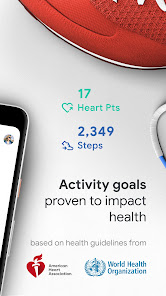
Set personalized activity goals to keep yourself motivated and on track. Whether you're aiming for a certain number of steps or workout minutes, Google Fit will remind you of your progress and encourage you to achieve your health aspirations, making exercise a rewarding experience.

Heart Rate Monitoring

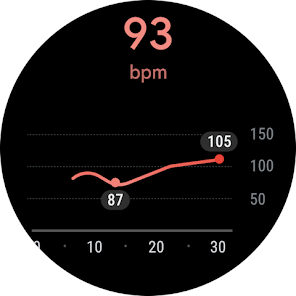
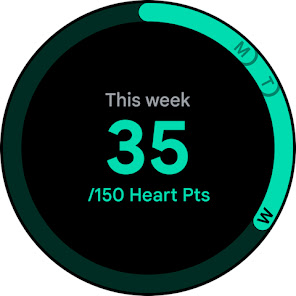
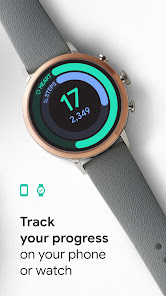
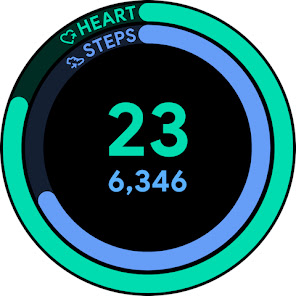
Google Fit seamlessly tracks your heart rate throughout the day, providing insights into your cardiovascular health. With this feature, you can monitor your heart rate during workouts and at rest, helping you understand your fitness levels and adjust your routines accordingly for optimal performance.

Sleep Insights

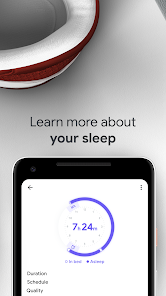
Google Fit provides valuable insights into your sleep patterns, helping you understand the quality and duration of your rest. By tracking your sleep, you can identify trends and make necessary adjustments to improve your overall health and well-being.

Workout Tracking

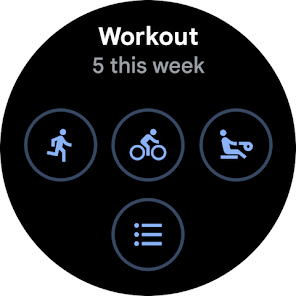
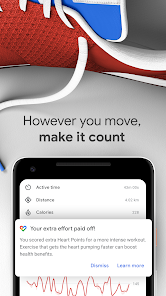
Easily log and track various workouts with Google Fit's intuitive interface. Whether you're running, cycling, or practicing yoga, the app captures essential metrics like duration, calories burned, and distance, giving you a comprehensive overview of your fitness journey and progress.

Advertisement

Pros & Cons

Pros
  • Google Fit offers seamless integration with various devices for comprehensive tracking.
  • Personalized insights help you understand your activity levels and health trends.
  • Easily set fitness goals to stay motivated and on track.
  • Receive reminders to move, ensuring you maintain an active lifestyle.
  • Access a user-friendly interface for quick and easy monitoring of progress.
Cons
  • Limited accuracy in tracking certain activities can lead to misleading data.
  • Sync issues with some devices may hinder real-time activity tracking.
  • Lack of personalized fitness plans can limit user motivation and engagement.

Real Experience Using Google Fit: Activity Tracking

Application Scenarios

Google Fit: Activity Tracking is designed for a wide range of users, making it applicable in various scenarios. Fitness enthusiasts can utilize the app to monitor their workouts, track running distances, or log cycling sessions, allowing them to set personal records and achieve fitness goals. For those focused on general health, the app helps in tracking daily activity levels, encouraging users to stay active throughout the day with reminders to move. It also seamlessly integrates with other apps and devices, such as wearables, to provide a comprehensive view of health metrics including heart rate, sleep patterns, and calorie intake. Furthermore, Google Fit is particularly useful for individuals preparing for specific events, like marathons or triathlons, as it allows for tailored training plans based on user input and activity history.

User Experience

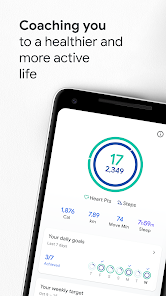
The user experience in Google Fit is intuitive and user-friendly. Upon launching the app, users are greeted with a clean interface that makes navigation simple. The dashboard displays key metrics at a glance, including steps taken, calories burned, and active minutes, ensuring users can quickly assess their activity levels. The app features customizable goals, so users can set personal benchmarks according to their fitness levels and aspirations. One of the standout features is the integration of various health metrics, allowing users to have a holistic view of their wellness journey. Moreover, the app's social components, such as challenges and sharing achievements with friends, add an element of motivation and community engagement, enhancing the overall user experience.

Pricing

Google Fit is a free application, which makes it highly accessible to a wide audience. Unlike many fitness tracking apps that require subscriptions or in-app purchases for premium features, Google Fit offers a robust set of tools without any cost. This includes activity tracking, integration with other health apps, and personalized insights, ensuring that users can effectively manage their health and fitness without financial barriers. The absence of pricing tiers means users can focus on their fitness journey without worrying about hidden costs or upsells, making it an attractive option in the crowded fitness app market.

Updates & Support

Google Fit is regularly updated to enhance functionality and improve user experience. The development team actively listens to user feedback, ensuring that updates address common concerns and introduce new features that keep the app relevant and competitive. Support is readily available through Google’s help resources, where users can find answers to common questions and troubleshoot issues. The community forums also provide a platform for users to share experiences and tips, fostering a supportive environment for anyone using the app. Overall, the combination of consistent updates and robust support makes Google Fit a reliable partner in users’ fitness journeys.

verified Security & Privacy Review

Google Fit takes user security and privacy seriously, implementing robust measures to protect personal data. The app requires users to grant specific permissions, such as access to location and activity data, which are essential for accurate tracking. However, users are encouraged to review these permissions carefully, as excessive access can lead to potential privacy concerns. The app adheres to Google's stringent privacy policies, ensuring that user data is encrypted both in transit and at rest. Google Fit provides transparency regarding data collection, offering users the ability to manage their settings and control what information is shared. Users can opt to disconnect from third-party apps, further enhancing their privacy. Additionally, Google Fit allows users to delete their data at any time, providing an added layer of control over personal information. Overall, while the app requires certain permissions to function effectively, it prioritizes user privacy and data security, aligning with industry standards for protecting sensitive information.
Advertisement

User Reviews

  • Tim Carbine
    2026/04/10

    I really want to like and use this app. I have a couple issues preventing this. first, sometimes it does not count steps. Two walking workouts in a day and steps for both were ignored. but a walk in the store s couple hours later was. This has happened on more than one occasion. Second, you're cannot edit duration of a workout. Sometimes I forget to end a workout and it totally messes up my tracking. I will be sticking with samsung health for now.

  • John Weidner
    2025/10/09

    Wish there was a way for the step counter widget to update in real time. Especially at the end of the day when I'm trying to reach my target goal. And most of the time when I open the app it still takes 30 seconds or more for it to update the count. And sometime it won't update at all. Frustratingly, sometimes the app will decrease the amount of steps or heart points that you have earned. If you are trying to maintain a streak of days where you've made your target this can be very demotivating.

  • Kiri B
    2025/06/30

    It doesn't sync to anything anymore. Google Fit is now blocking apps I want to connect to and have previously connected to. Data is inaccurate because of the lack of syncing, even when shown as connectedness. If you try disconnecting and reconnecting the applications, Google Fit will deny the connection, and there is no way to override. Google Fit is Junk!

  • Lauren Sohre
    2025/09/02

    I seriously loved this app. It was a great catch-all for me because I hike, cycle, and horseback ride. But now that they're discontinuing it, the whole thing is going downhill. I have no idea why they decided to kill this thing; it was reliable, easy to use, and would sync nicely will other apps. Super disappointed because all of the other fitness apps look like buggy, expensive messes. PLEASE Google I BEG YOU to keep this app alive.

  • Joe C
    2025/07/06

    It's a good app. I use a Fossil Gen 6 and while I use both apps Fit seems to work better. I like tracking my vitals along with my activity for the day. THAT SAID... I have a backlog of data and don't like weight entry set up like an "odometer" and the calendar is also tedious. Just let me type in the data please. Even better, you folks seem hard core on us talking to our phones, why not just me tell Fit, without typing/scrolling at all? And bring back desktop support like all your other apps!

Review Source: Google Play store public user reviews.

FAQ

1

Can I submit suggestions or feedback to Google Fit: Activity Tracking?

Yes, users can submit suggestions and feedback through the app's settings or by visiting the Google Fit support page online.

2

Does Google Fit: Activity Tracking collect my personal data?

Google Fit does collect personal data to provide personalized insights and recommendations, but users can manage their privacy settings and data sharing preferences.

3

Does Google Fit: Activity Tracking support offline use?

Yes, Google Fit can function offline for tracking activities, but some features may require an internet connection to sync data or access additional information.

4

How do I cancel my Google Fit: Activity Tracking subscription?

Since Google Fit is free, there is no subscription to cancel, but you can uninstall the app or revoke permissions from connected apps if needed.

5

How much does a subscription to Google Fit: Activity Tracking cost?

Google Fit itself does not have a subscription fee, but certain features may be available through third-party apps that integrate with Google Fit, which may charge for their services.

How to use Google Fit: Activity Tracking

1

Can I change my customer number linked to Google Fit?

You can update your customer number by accessing your Google Account settings and editing your personal information.

2

Can I retrieve my activity data after logging in with a different account?

No, activity data is tied to your specific Google account. You cannot retrieve data from a different account after logging in.

3

How can I contact customer service for help with Google Fit?

You can reach Google Fit customer service through the Help Center in the app or by visiting the Google Support website.

4

How do I activate features in Google Fit after logging in?

After logging in, go to the settings menu to enable or customize features according to your fitness goals.

5

How do I activate my Google Fit account?

To activate your Google Fit account, simply log in with your Google account and follow the on-screen instructions to set up your profile.

What's New

• Measure your heart rate and respiratory rate using just your phone camera (selected devices)• Turn up the tempo of your walks with paced walking in Workouts• Find all of your health and wellness data in the Browse tab• Minor bug fixes and UI improvement

Editor's Choice