This site uses cookies to enhance your user experience. By clicking any link on this site you are giving your consent to our cookie policy. Read more
Reject
Accept All

Advertiser and Editorial Disclosures

Focus To-Do: Pomodoro & Tasks

Focus To-Do: Pomodoro & Tasks

verified

Pomodoro Timer & To Do List - SuperElement Soft
4.6
Rating
10,000,000+ Downloads
/ Version
Advertisement
  • category

    Category: Productivity

  • price

    Price: free

  • age rating

    Age Rating: Everyone

  • rating

    Rating: 4.6

  • available on

    Available on: /

  • updated on

    Updated on: Jun 27, 2026

Screenshot 1
Screenshot 2
Screenshot 3
Screenshot 4
Screenshot 5
Screenshot 6
Screenshot 7
Screenshot 8
Screenshot 9
Screenshot 10
Screenshot 11
Screenshot 12
Screenshot 13
Screenshot 14
Screenshot 15
Screenshot 16
Screenshot 17
Screenshot 18
Screenshot 19
Screenshot 20
Screenshot 21
Screenshot 22
Screenshot 23
Screenshot 24
Screenshot 25
Screenshot 26
Screenshot 27
Screenshot 28
Screenshot 29
Advertisement

Features & Highlights

Customizable Notifications

With customizable notifications, Focus To-Do allows users to tailor reminders and alerts to their personal preferences. This ensures that you stay informed and focused without being overwhelmed by distractions, creating a more personalized and efficient working environment.

Pomodoro Technique Integration

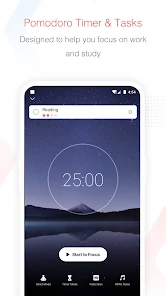
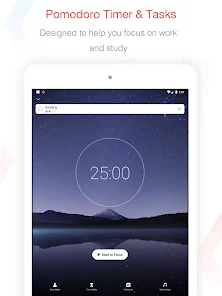
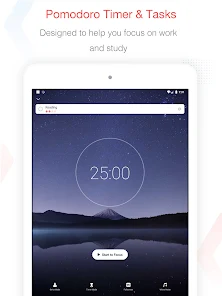
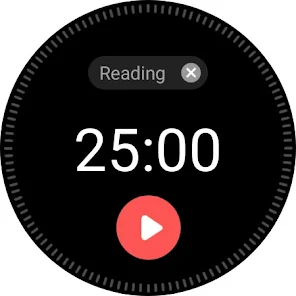
Focus To-Do seamlessly integrates the Pomodoro Technique, allowing users to break their work into manageable intervals. This method not only enhances productivity but also helps maintain focus and reduce burnout, making it easier to tackle even the most daunting tasks with a structured approach.

Progress Tracking

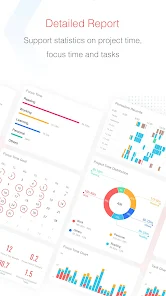
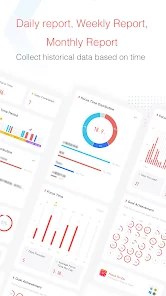
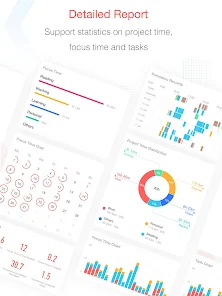
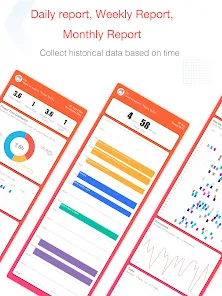
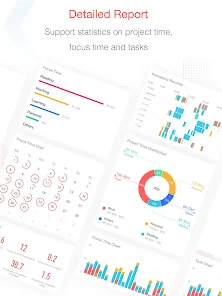
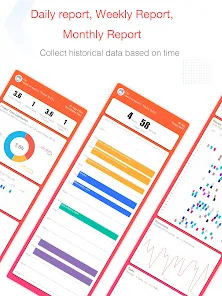
Focus To-Do provides insightful progress tracking, enabling users to visualize their productivity over time. By analyzing completed tasks and Pomodoro sessions, you can identify trends and areas for improvement, motivating you to achieve your goals more effectively.

Task Management System

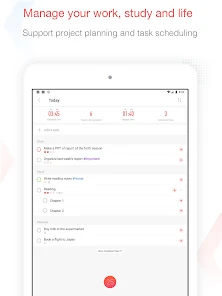
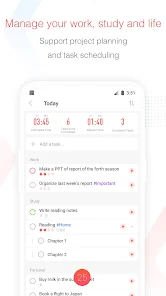
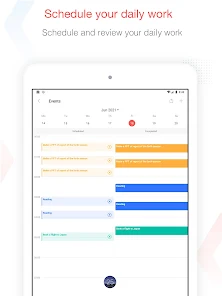
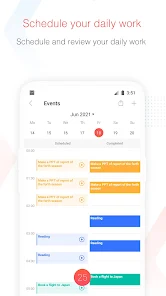
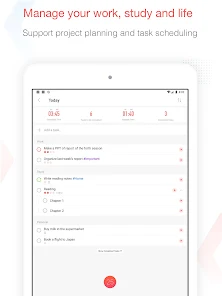
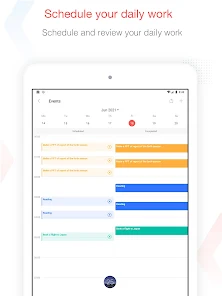
The app features a robust task management system that lets users create, organize, and prioritize their tasks effortlessly. With options for setting deadlines and reminders, it ensures that nothing slips through the cracks, helping you stay on top of your responsibilities.

Advertisement

Pros & Cons

Pros
  • Boost productivity with Pomodoro
  • Organize tasks effortlessly
  • Track time and progress easily
  • Set reminders for deadlines
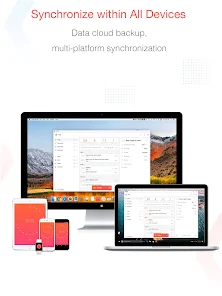
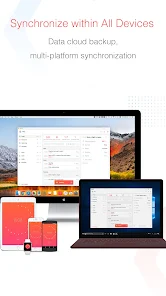
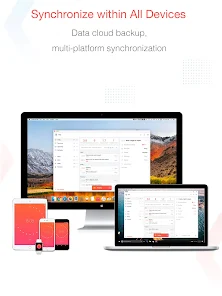
  • Sync across all devices
Cons
  • Limited customization options
  • Syncing issues across devices
  • No offline functionality available
  • Basic reporting features only
  • Steep learning curve for new users

Real Experience Using Focus To-Do: Pomodoro & Tasks

Application Scenarios

Focus To-Do: Pomodoro & Tasks is designed for individuals seeking to boost their productivity through effective time management techniques. Whether you are a student juggling multiple assignments, a professional managing tight deadlines, or someone simply looking to improve personal productivity, this app caters to a variety of scenarios. Users can create task lists for daily activities, set specific Pomodoro sessions for focused work intervals, and take breaks to recharge. The flexibility of the app allows it to be tailored to different workflows, making it suitable for virtually any user. Whether you need to prepare for an exam, complete a work project, or even plan your household chores, Focus To-Do helps you break down tasks into manageable chunks.

User Experience

The user experience offered by Focus To-Do is intuitive and engaging. The interface is clean and user-friendly, allowing users to navigate seamlessly between task lists, Pomodoro timers, and reports. The drag-and-drop functionality for tasks makes it easy to prioritize or rearrange activities as needed. Users appreciate the customizable features, such as setting the duration of Pomodoro sessions and breaks, which can be adjusted to fit personal preferences. The app also provides insightful analytics that track productivity over time, helping users identify patterns and areas for improvement. Notifications and reminders ensure that users stay on track without feeling overwhelmed. Overall, the app strikes a balance between simplicity and functionality, making it accessible for users of all tech-savviness levels.

Pricing

Focus To-Do adopts a freemium model that allows users to access a wide array of features for free, making it appealing for those hesitant to invest in productivity tools. Users can opt for a premium subscription that unlocks advanced features such as unlimited task lists, enhanced statistics, and the ability to sync across multiple devices. The pricing is competitive compared to similar apps in the market, and many users find that the premium features significantly enhance their productivity experience. For those committed to long-term use, annual subscription plans offer additional savings, making it a cost-effective choice for dedicated users.

Updates & Support

The developers of Focus To-Do are committed to continuous improvement, regularly releasing updates that not only fix bugs but also introduce new features based on user feedback. The app's support system is responsive, offering users multiple channels for assistance, including FAQs, email support, and community forums. This level of support ensures that users can quickly resolve issues or seek guidance on optimizing their use of the app. The active engagement with the user community also fosters a sense of connection, as users see their suggestions and concerns addressed in updates. Overall, Focus To-Do stands out for its dedication to enhancing user satisfaction through both ongoing development and robust support.

verified Security & Privacy Review

Security & Privacy Review Focus To-Do: Pomodoro & Tasks prioritizes user security and privacy by implementing strong data protection measures. The app employs encryption protocols to safeguard user data during transmission, ensuring that sensitive information remains confidential. Additionally, the app does not share personal data with third-party advertisers, which reflects its commitment to user privacy. The permissions required by Focus To-Do are minimal and primarily focused on functionality. Users are asked for access to notifications and calendar integration, which enhances task management without compromising personal information. The app also allows users to manage their data, offering options to delete or export their task lists as needed. Regular updates help maintain security standards and address any vulnerabilities, contributing to a safer user experience. Overall, Focus To-Do demonstrates a commendable approach to security and privacy, making it a reliable choice for users who value their data protection.
Advertisement

User Reviews

  • Doug Osgood
    2025/01/24

    I am finding I REALLY like this app. Great synchronization across platforms. only reason for 4 stars is that there's still room for growth. For instance in batch edit, you still need to individually tap each item to select, no press-hold-drag select option. You also can't batch *untag*, like there's no way to use batch edit to remove tags only add them. Overall really great tho. I hope they keep updating!

  • XX Li
    2026/06/14

    There's always malfunction when I try to select items from the widget on my desktop. So many times I finally found I focused on no task specified while checking my statistics. Up to now the widget of weekly report on my old phone is still faulty. I paid for this app and have been using it for a long time, that's why all these are getting more annoying.

  • Muntasir Wahed
    2026/03/06

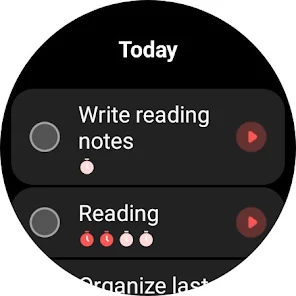
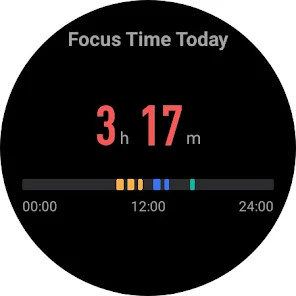
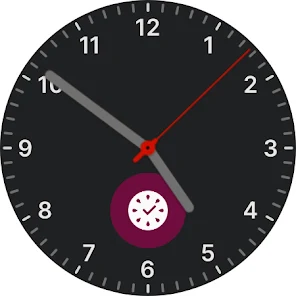
    In the pixel watch, the timer frequently stops with a notification saying the phone app needs more permission. This does not go away even though I have given it permission. Although, I think it should not ask for that permission at all. It would be nice if the app could run on the watch without needing an active connection with the phone.
  • Madison Swirtz
    2026/02/10

    This is a fantastic app with just the right amount of frills. It avoids all the bloat and pitfalls of gamification in productivity apps, but it still has the (very slow growing tree) to show progress and a delay in gaining points so you keep coming back. I've had this app for years, and the lifetime purchase was cheap and more than worth it (even though I've gone in/out of using it a lot). I also love that I can hide the leaderboard and social functions from being visible at all!

  • Matt Warner
    2026/02/06

    I've been using this app for over a year. Overall great for keeping track of tasks and if you create an account you can sync across devices which is very nice. My only complaint is that sometimes it doesn't sync or the sync is delayed so tasks you've already completed show up on your other device sometimes. But would definitely recommend!

Review Source: Google Play store public user reviews.

FAQ

1

Can I submit suggestions or feedback to Focus To-Do?

Yes, users can submit feedback and suggestions through the app's support section or official website.

2

Does Focus To-Do: Pomodoro & Tasks collect my personal data?

The app prioritizes user privacy and does not collect personal data without consent.

3

Does Focus To-Do: Pomodoro & Tasks support offline use?

Yes, the app allows offline access, enabling users to manage tasks and timers without an internet connection.

4

How do I cancel my Focus To-Do subscription?

You can cancel your subscription through your app store settings or account management section within the app.

5

How much does a subscription to Focus To-Do: Pomodoro & Tasks cost?

The subscription typically costs around $2.99 per month or $19.99 per year, offering additional features.

How to use Focus To-Do: Pomodoro & Tasks

1

Can I change my account email in Focus To-Do?

Yes, go to account settings in the app to update your email address.

2

How can I contact customer service for Focus To-Do?

You can reach customer service through the app's settings or visit their official website for support options.

3

How do I activate the premium features in Focus To-Do?

Go to the app settings, select 'Upgrade', and follow the prompts to purchase a premium subscription.

4

How do I log in to my Focus To-Do account?

Open the app, tap on 'Log In', and enter your registered email and password.

5

How do I report a bug or issue in Focus To-Do?

Use the feedback option in the app or contact customer support through their website.

What's New

1. Added scheduled Pomodoro time announcements.2. Task widgets now support separate task lists.3. Fixed known issues.

Editor's Choice