This site uses cookies to enhance your user experience. By clicking any link on this site you are giving your consent to our cookie policy. Read more
Reject
Accept All

Advertiser and Editorial Disclosures

Floor Plan Creator

Floor Plan Creator

verified

Marcin Lewandowski

4.0
Rating
10,000,000+ Downloads
3.7 Version
Advertisement
  • category

    Category: Art & Design

  • price

    Price: free

  • age rating

    Age Rating: Everyone

  • rating

    Rating: 4.0

  • available on

    Available on: /

  • updated on

    Updated on: May 17, 2026

Screenshot 1
Screenshot 2
Screenshot 3
Screenshot 4
Screenshot 5
Screenshot 6
Screenshot 7
Screenshot 8
Screenshot 9
Screenshot 10
Screenshot 11
Screenshot 12
Screenshot 13
Screenshot 14
Advertisement

Features & Highlights

3D Visualization

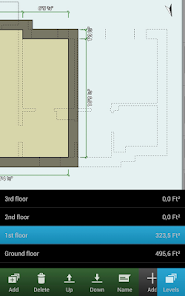
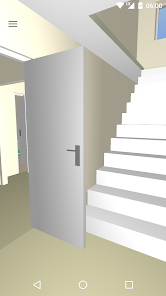
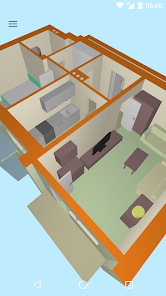
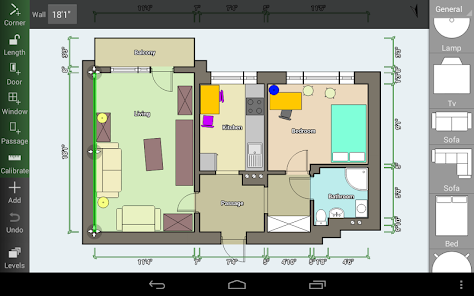
Experience your designs like never before with the 3D visualization feature. This capability allows you to transition from 2D plans to immersive 3D views, helping you to better understand spatial relationships and visualize how your plans will come to life in real settings.

Customizable Templates

With a variety of customizable templates available, Floor Plan Creator helps you kickstart your design process. Whether you're designing a cozy home or a spacious office, these templates can be tailored to fit your specific needs, saving you time and enhancing creativity.

Intuitive Design Tools

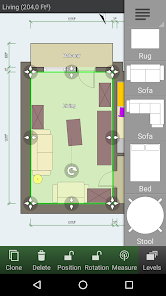
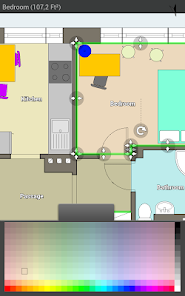
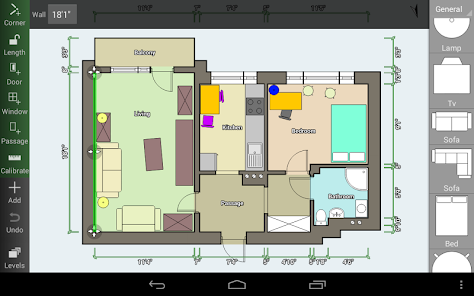
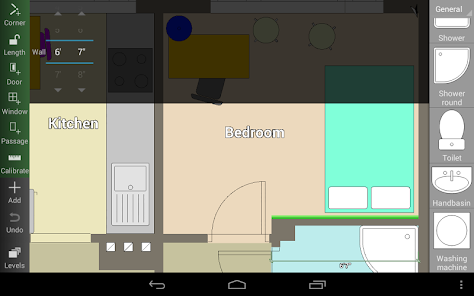
Floor Plan Creator offers a user-friendly interface designed for both beginners and experienced users. With drag-and-drop functionality, you can easily create and modify layouts, making the design process enjoyable and efficient, allowing for rapid visualization of your ideas.

Sharing and Collaboration

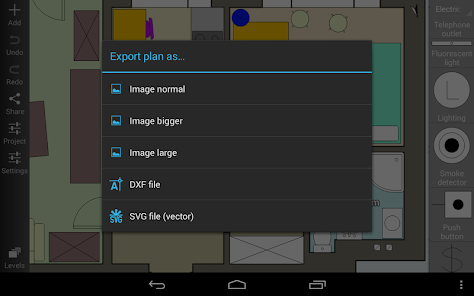
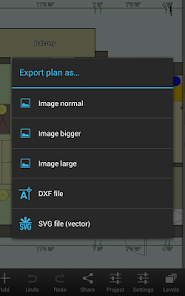
The app makes it easy to share your designs with others, whether for feedback or collaboration. You can export your plans in multiple formats and share them through various platforms, ensuring that your ideas are accessible and that teamwork is seamless.

Advertisement

Pros & Cons

Pros
  • Create detailed and accurate floor plans effortlessly.
  • Customize designs to fit your unique needs.
  • Access a vast library of furniture and fixtures.
  • Easily share designs with clients and collaborators.
  • Compatible with various devices for versatile use.
Cons
  • Limited export options restrict sharing capabilities with other design tools.
  • Performance issues may arise with complex projects, causing lag.
  • The learning curve can be steep for new users unfamiliar with design software.

Real Experience Using Floor Plan Creator

Real Experience Application Scenarios

Floor Plan Creator is an invaluable tool for a variety of users, from homeowners looking to redesign their living space to real estate professionals aiming to showcase properties in the best light. The app allows users to create detailed floor plans for residential and commercial spaces, making it perfect for architects, interior designers, or DIY enthusiasts. Whether you're planning to renovate your kitchen, design a new office layout, or visualize a new home, this app provides the flexibility to create 2D and 3D representations. Additionally, it's useful for staging homes for sale or rental, allowing potential buyers or tenants to get a tangible sense of the space before visiting in person.

User Experience

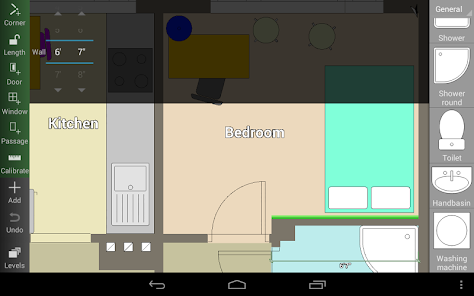
The user experience of Floor Plan Creator is generally positive, characterized by an intuitive interface that caters to both beginners and experienced users. The drag-and-drop functionality makes drawing walls, placing furniture, and adjusting dimensions straightforward. Users can easily navigate through a library of pre-made objects and furniture, offering a wide range of styles and options to choose from. The ability to switch between 2D and 3D views enhances the visualization process, allowing users to experience their designs in a more immersive manner. Moreover, the app’s performance is commendable, with quick rendering times and minimal lag, even on complex projects. However, some users may find the learning curve slightly steep, especially those new to design software. Nevertheless, the app offers tutorials and support to help users get up to speed.

Pricing

Floor Plan Creator operates on a freemium model, allowing users to access basic features at no cost. While the free version is functional, it includes limitations such as watermarks on saved projects and restricted use of certain advanced features. For those seeking a more comprehensive experience, the premium version is available for a reasonable subscription fee. This unlocks additional features, removes watermarks, and provides access to an expanded library of objects and textures. The pricing is competitive compared to other similar applications, making it an attractive choice for individuals or professionals who need a reliable floor planning tool without breaking the bank.

Updates & Support

The developers of Floor Plan Creator are committed to continuous improvement, regularly releasing updates that enhance functionality and user experience. These updates often include new features, bug fixes, and performance enhancements, ensuring that the app remains current and efficient. Users can easily access support through the app’s help section, which includes FAQs, video tutorials, and direct contact options for customer service. The responsiveness of the support team has been noted in various user reviews, with many appreciating the quick resolution of issues and the helpfulness of the responses provided. Overall, the commitment to updates and user support adds significant value to the app, ensuring that it meets the evolving needs of its users.

verified Security & Privacy Review

Security & Privacy Review The Floor Plan Creator app prioritizes user security and privacy by implementing robust data protection measures. The app requires minimal permissions, primarily focused on accessing storage for saving and retrieving floor plans. This limited access helps to safeguard user data from unnecessary exposure. All user-generated content remains stored locally on the device unless the user opts to share their designs externally. The app does not collect personal information, ensuring that user identities are not linked to their projects. Additionally, any optional cloud storage features are designed with encryption, adding another layer of security for users who choose to back up their work online. Transparency is a key aspect of Floor Plan Creator's privacy practices. Users are informed about data usage through clear privacy policies, allowing them to make informed decisions regarding their data handling. Overall, the app demonstrates a commitment to maintaining user privacy and securing sensitive information, making it a reliable choice for those looking to create and manage floor plans.
Advertisement

User Reviews

  • Amanda
    2025/05/02

    Incredible respect for any app that lets you do everything you need for free nowadays. You do have to pay to get rid of ads or share plans, but it's a ONE TIME purchase. I downloaded the app just to make a basic floor plan of the house I'm moving into so I could plan out where to put furniture, so everything I needed was already in the free version. I still paid the $8 for the Full version just to support the devs. You guys are awesome.

  • Tony Morrison
    2026/05/12

    insufficient options for a simple kitchen layout (single sink, microwave hood, drawer base cabinets). Took way too long to do even simple tasks. The free version needs at least some kind of basic export. I understand the freemium model, but it has to at least work. No ability to export my work makes it useless. Finally, any app that blocks screenshot ability is a 1 star. It shouldn't even be possible. I invested time in your app, and you won't give me my own work. Ransomware. Waste of time.

  • Jeremiah
    2026/05/14

    Fantastic app. 10/10. Perfect for planning out a home renovation, includes a 3D mode to help show people who need to visualize the space. A lot of options in settings. a lot of default and intuitive dimensions and controls. One-Time fee for unlocking exporting controls is is absolutely worth it. The only tip I could have would be, when using the 3D, it almost seems like it'd be better as a phone game with a circle joystick to control camera direction and then to utilize your fingers to zoom in.

  • Daymo Sams
    2026/03/18

    so I'm really liking this app so far. there are some cool things I like the 3D feature of the one thing I'm struggling on and is slowing me down is the maneuver controls to to move around inside and outside and see the different views. I think if you guys were trying to make your app more user-friendly you would want to go with like a video game RPG first person shooter type walk around. and the inverted controls should not be default. I only know cuz I video played games as a kid. but diging it

  • Elliott Fechter
    2026/01/28

    This app is a game changer for a homeowner who's DIYing a whole remodel. Being able to see how things will fit to scale is fabulous. Using this app changed my entire bathroom remodel plan for the better. I love that it's not AI slop. I do wish there were more options for the type of items but I'm not hamstrung by the limitations by any means. I did pay for the full version and feel the price was fair.

Review Source: Google Play store public user reviews.

FAQ

1

Can I submit suggestions or feedback to Floor Plan Creator?

Yes, users can submit suggestions and feedback directly through the app or via the official website, where the development team values user input for improvements.

2

Does Floor Plan Creator collect my personal data?

Floor Plan Creator has a privacy policy that outlines what data is collected and how it is used, but generally, it focuses on providing a secure experience for users.

3

Does Floor Plan Creator support offline use?

Yes, Floor Plan Creator allows users to work offline, enabling them to create and edit floor plans without an internet connection.

4

How do I cancel my Floor Plan Creator subscription?

You can cancel your subscription through the app's settings or your app store account settings, depending on your device.

5

How much does a subscription to Floor Plan Creator cost?

Subscription pricing may vary, but it typically offers monthly and yearly plans, with discounts for long-term commitments.

How to use Floor Plan Creator

1

Can I activate my account using my customer number?

Yes, you can activate your account using your customer number during the sign-up process. Make sure to enter it correctly.

2

Can customer service help me with account activation issues?

Absolutely! Customer service is available to assist you with any account activation issues you may encounter. Just reach out!

3

How can I contact customer service for Floor Plan Creator?

You can reach customer service via the contact form on our website or by emailing support

4

How do I activate my Floor Plan Creator account?

To activate your account, follow the link sent to your email after registration. If you didn't receive it, check your spam folder or contact support.

5

How do I log in to my Floor Plan Creator account?

To log in, visit our website, click on the login button, and enter your credentials. If you have trouble, use the password reset option.

What's New

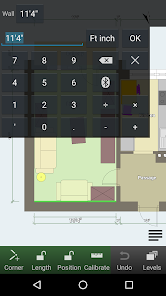
* Fix soft keyboard covering dialog buttons.* Snap structural elements to lines.* Bugs fixed.

Editor's Choice