This site uses cookies to enhance your user experience. By clicking any link on this site you are giving your consent to our cookie policy. Read more
Reject
Accept All

Advertiser and Editorial Disclosures

Easy Voice Recorder Pro

Easy Voice Recorder Pro

verified

Digipom

4.7
Rating
500,000+ Downloads
2.9.4 Version
Advertisement
  • category

    Category: Productivity

  • price

    Price: $4.99

  • age rating

    Age Rating: Everyone

  • rating

    Rating: 4.7

  • available on

    Available on: /

  • updated on

    Updated on: May 25, 2026

Screenshot 1
Screenshot 2
Screenshot 3
Screenshot 4
Screenshot 5
Screenshot 6
Screenshot 7
Screenshot 8
Screenshot 9
Screenshot 10
Screenshot 11
Screenshot 12
Screenshot 13
Screenshot 14
Screenshot 15
Advertisement

Features & Highlights

Advanced Editing Tools

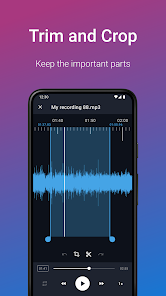
With built-in editing features, Easy Voice Recorder Pro allows you to trim and enhance your recordings directly within the app. This capability lets you refine your audio files, removing any unnecessary parts and ensuring that your final product is polished and ready for sharing or further use.

Cloud Storage Integration

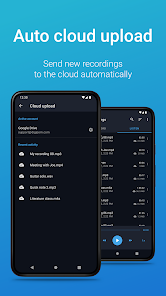
Easily back up and access your recordings with seamless cloud storage integration. The app supports popular services like Google Drive and Dropbox, enabling you to save your files securely and ensuring they're available wherever you go, making it easy to share and manage your audio recordings.

High-Quality Recording

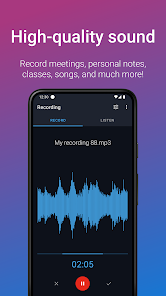
Easy Voice Recorder Pro allows you to capture audio in high-quality formats, ensuring that your recordings are crystal clear and professional. Whether you're recording lectures, meetings, or personal notes, the app optimizes sound quality for all your needs, making it perfect for both casual users and professionals alike.

User-Friendly Interface

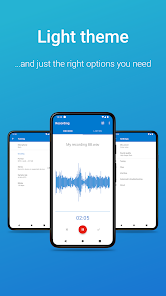
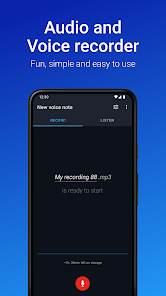
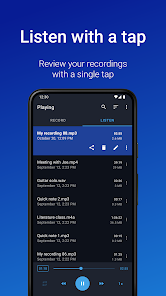
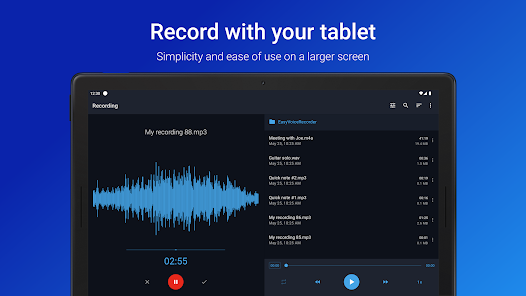
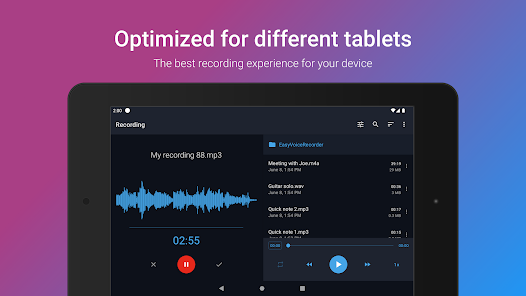
Designed with simplicity in mind, Easy Voice Recorder Pro features an intuitive interface that makes navigation a breeze. You can quickly start, pause, or stop recordings with just a tap, allowing you to focus on what matters most—capturing your thoughts and ideas without any distractions.

Advertisement

Pros & Cons

Pros
  • Easy Voice Recorder Pro offers high-quality audio recording for clear sound capture.
  • The app supports various audio formats, ensuring compatibility with your needs.
  • User-friendly interface makes recording quick and effortless for everyone.
  • It features background recording, allowing multitasking while capturing audio seamlessly.
  • Easy sharing options let you effortlessly send recordings via email or social media.
Cons
  • Limited editing features may hinder advanced audio manipulation
  • Battery consumption can be high during long recordings
  • User interface may feel outdated compared to competitors

Real Experience Using Easy Voice Recorder Pro

Application Scenarios

Easy Voice Recorder Pro is designed for a myriad of recording scenarios, making it a versatile tool for both professionals and casual users. Whether you're a journalist capturing interviews, a student recording lectures, or a musician brainstorming song ideas, this app provides an efficient solution for high-quality audio recording. Its user-friendly interface allows for quick access to recording options, making it easier to start capturing audio on the fly. Furthermore, the app supports background recording, ensuring that users can continue to use their devices for other tasks without interrupting the recording process. This feature is particularly beneficial for those who multitask or need to take notes while recording. Additionally, the app is equipped with various audio formats and quality settings, allowing users to tailor their recordings to suit their specific needs, whether that be for professional use or personal archives.

User Experience

The user experience with Easy Voice Recorder Pro is largely positive, characterized by its intuitive design and functionality. Upon launching the app, users are greeted with a clean interface that minimizes distractions and focuses on the task at hand—recording audio. The app’s one-tap recording feature simplifies the process, making it accessible even to those who may not be tech-savvy. Users can easily manage their recordings with options to rename, delete, or share files directly from the app. The playback feature is also commendable, allowing users to review recordings without needing to use additional software. Many users appreciate the ability to organize recordings into folders, which helps in managing multiple projects efficiently. Overall, the app’s stability and performance contribute to a seamless recording experience, with minimal lag or crashes reported.

Pricing

Easy Voice Recorder Pro is priced competitively, offering a one-time purchase option that provides full access to all features without any subscription model. This pricing strategy is attractive for users who prefer a straightforward payment plan without ongoing fees. The app frequently runs promotions or discounts, making it even more accessible for those on a budget. In comparison to similar apps on the market, Easy Voice Recorder Pro stands out not only for its affordability but also for the rich set of features it offers at that price point. Users can feel confident that they are investing in a robust tool that delivers value, particularly for those who require reliable recording capabilities.

Updates & Support

Regular updates are a hallmark of Easy Voice Recorder Pro, with the developers committed to enhancing user experience and adding new features based on user feedback. The update cycle is consistent, addressing bugs and improving functionality, which demonstrates the developers' dedication to maintaining high standards. Support is readily available through various channels, including email and a dedicated FAQ section on their website. Users have reported prompt responses to inquiries, making it easy to resolve issues or seek guidance. The active community surrounding the app also provides a wealth of shared tips and tricks, further enhancing the overall user experience. Overall, the combination of timely updates and responsive support solidifies Easy Voice Recorder Pro as a dependable choice for audio recording needs.

verified Security & Privacy Review

The Easy Voice Recorder Pro app prioritizes user security and privacy, ensuring that recordings are stored securely on the device. The app employs robust encryption standards to safeguard audio files, minimizing the risk of unauthorized access. Users have full control over their recordings, with options to manage and delete files as needed, enhancing personal data management. Regarding permissions, Easy Voice Recorder Pro requests access to the device's microphone and storage, which are essential for its core functionality. The app does not require unnecessary permissions, limiting potential exposure of user data. Users are informed about the permissions needed, promoting transparency. Easy Voice Recorder Pro does not collect personal information or share user data with third parties, adhering to strict privacy practices. The app’s privacy policy clearly outlines data usage, further reinforcing user trust. Regular updates also reflect the developers' commitment to addressing security vulnerabilities and improving overall user privacy. Overall, Easy Voice Recorder Pro provides a secure environment for capturing and storing audio recordings while respecting user privacy.
Advertisement

User Reviews

  • Lehn Robinson
    2026/07/02

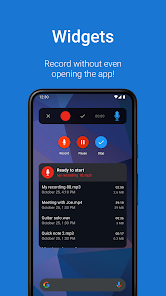
    Love EVR Pro, I've used it for years, and it just keeps getting better. Simple interface to record quickly, but a powerful editing interface when you need it. Widgets make it even more accessible, and cloud backup keeps everything safe. I do have one desert island feature request: the ability to add "templates" to either the main recording page, or to a widget, where I can configure separate record buttons with different default filenames, ie "Memo Date" and "Song 123" 🙏🙏

  • Mali
    2026/06/23

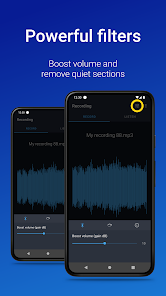
    I believe that I'll have to give this recording software a star less. I don't know if it's because of the specs of my phone, but there's some bad intricacies that I've had when using this software ever since it gotten the new update. Stuff like when I have the "Skip Quiet Sections" being to 15 and it still captures voice pretty easily is making me have to use another phone that has the version before this update. I wish I can revert back to that one while they can polish for this new one.

  • NJ Dawns
    2026/03/18

    I love this app and have been using it for years now. no fees or subscription. it works in the background. it doesn't lose your files. you can record on top of your recordings while listening to them. the options are awesome. pick your file type, quality preferences, microphone choices, etc. seriously don't ever take it away or change it! I have it on my Pixel/android, iPhone and my mac computer. syncs to the cloud and also saves to my hard drive. perfect

  • Connor Ward
    2024/05/28

    Easily the best and most intuitive audio recorder app out there. Lots of options in the settings, but using the app is simple and fast. You can automatically back up recordings to cloud storage (including Google Drive or Dropbox), so you never lose anything important. You can record in various formats like WAV and MP3. You can edit recordings after you've made them and append a recording at any time (even weeks later), which is useful when you think of something you want to add. Stop looking!

  • Jesse I Miles
    2023/11/14

    Awesome tool to have. Just swipe down for the toolbar and tap the microphone. That easy. Better yet, being able to have my phone on the dash, playing music via Bluetooth aux receiver, and hit the record button to catch a specific part of a song or commercial. Hell, now that I think about, I could probably do the same thing with a phone call.... Sweeeet. I'm going to go try it right now. Good job on the app developers. I definitely will encourage many others to give it try.

Review Source: Google Play store public user reviews.

FAQ

1

Can I submit suggestions or feedback to Easy Voice Recorder Pro?

Yes, users are encouraged to submit suggestions or feedback directly through the app, contributing to its improvement and future updates.

2

Does Easy Voice Recorder Pro collect my personal data?

The app prioritizes user privacy and does not collect personal data without consent; however, users should review the privacy policy for detailed information.

3

Does Easy Voice Recorder Pro support offline use?

Yes, Easy Voice Recorder Pro can be used offline, allowing users to record audio without needing an internet connection.

4

How do I cancel my Easy Voice Recorder Pro subscription?

Users can cancel their subscription through the app store settings on their device, following the specific instructions for subscription management.

5

How much does a subscription to Easy Voice Recorder Pro cost?

The subscription cost for Easy Voice Recorder Pro varies based on the plan chosen, typically offering options for monthly or yearly billing.

How to use Easy Voice Recorder Pro

1

Can I change my customer number if I need to?

Customer numbers are unique and cannot be changed. If you have concerns, please contact customer service for further assistance.

2

How can I contact customer service for Easy Voice Recorder Pro?

You can reach our customer service via the support section in the app or through our website's contact form. We’re here to help!

3

How do I activate my account for Easy Voice Recorder Pro?

To activate your account, simply follow the link in the confirmation email you received after purchase. If you have issues, contact customer service for assistance.

4

How do I find my customer number for support inquiries?

Your customer number can be found in the app under your account settings or in the email confirmation you received upon purchase.

5

How do I update my account information after logging in?

Once logged in, go to your account settings to update your information. If you encounter any issues, reach out to customer service for support.

What's New

- Preview your audio with a new mini player. Drag up the player to see the waveform visualization.- Playback now uses a new audio engine, enabling new features like skipping silence during playback.- Waveform loading on the edit screen is now significantly faster.- Hotfixes for Android 16 TalkBack.- Bug fixes and improvements.Thank you for your continued support! If you like Easy Voice Recorder, please take the time to leave us a nice review; this really helps us out!

Editor's Choice